

How to Download as Excel
This guide shows you how to export the employee details from a tax filing year as an Excel file.
-
Navigate to Tax Filing
Section titled “Navigate to Tax Filing”From the sidebar, navigate to
Settings>Tax filing. You’ll see the list of tax filing years. Click on 2025 to open it.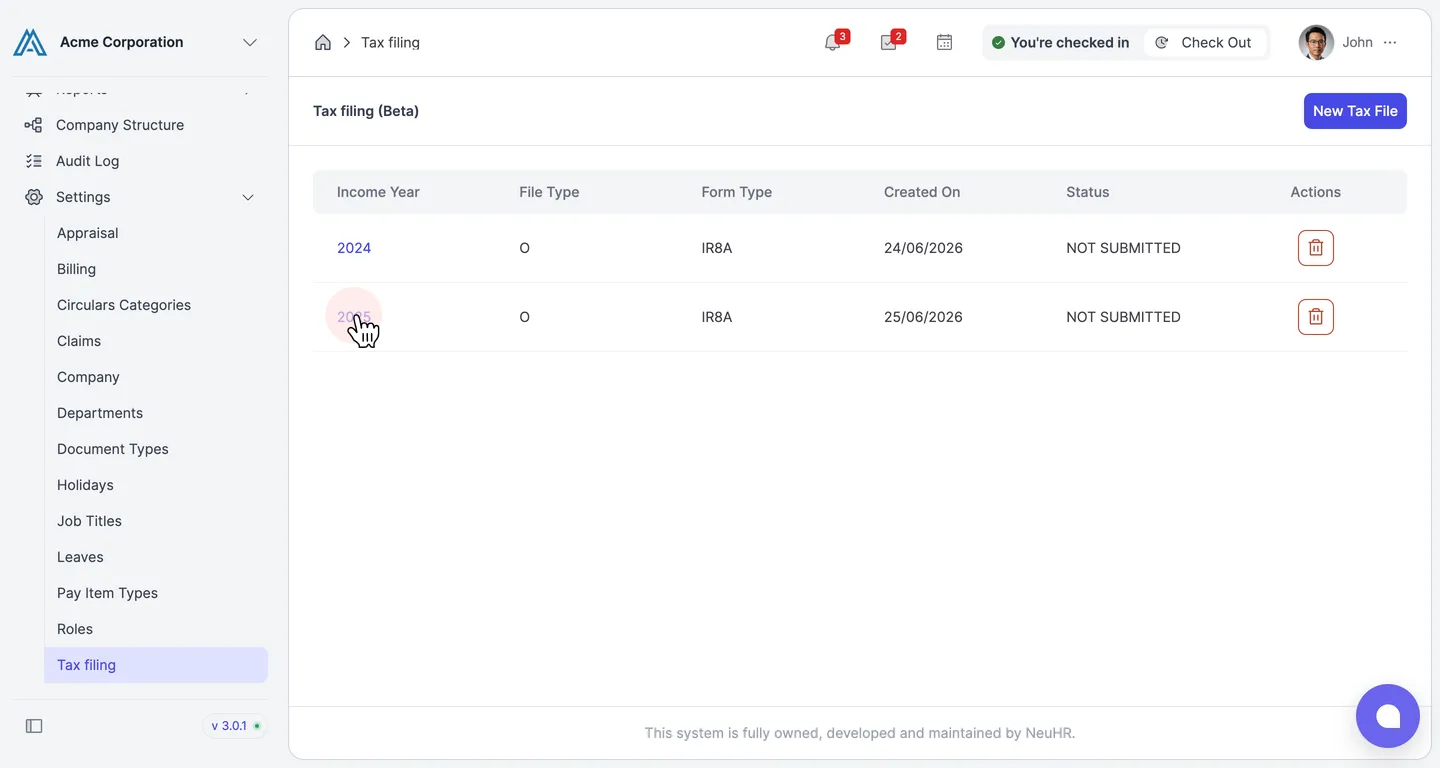
-
Download as Excel
Section titled “Download as Excel”Scroll down to the bottom of the IRAS Employee Details section. Click the
Download as Excelbutton to download the employee details as an Excel file.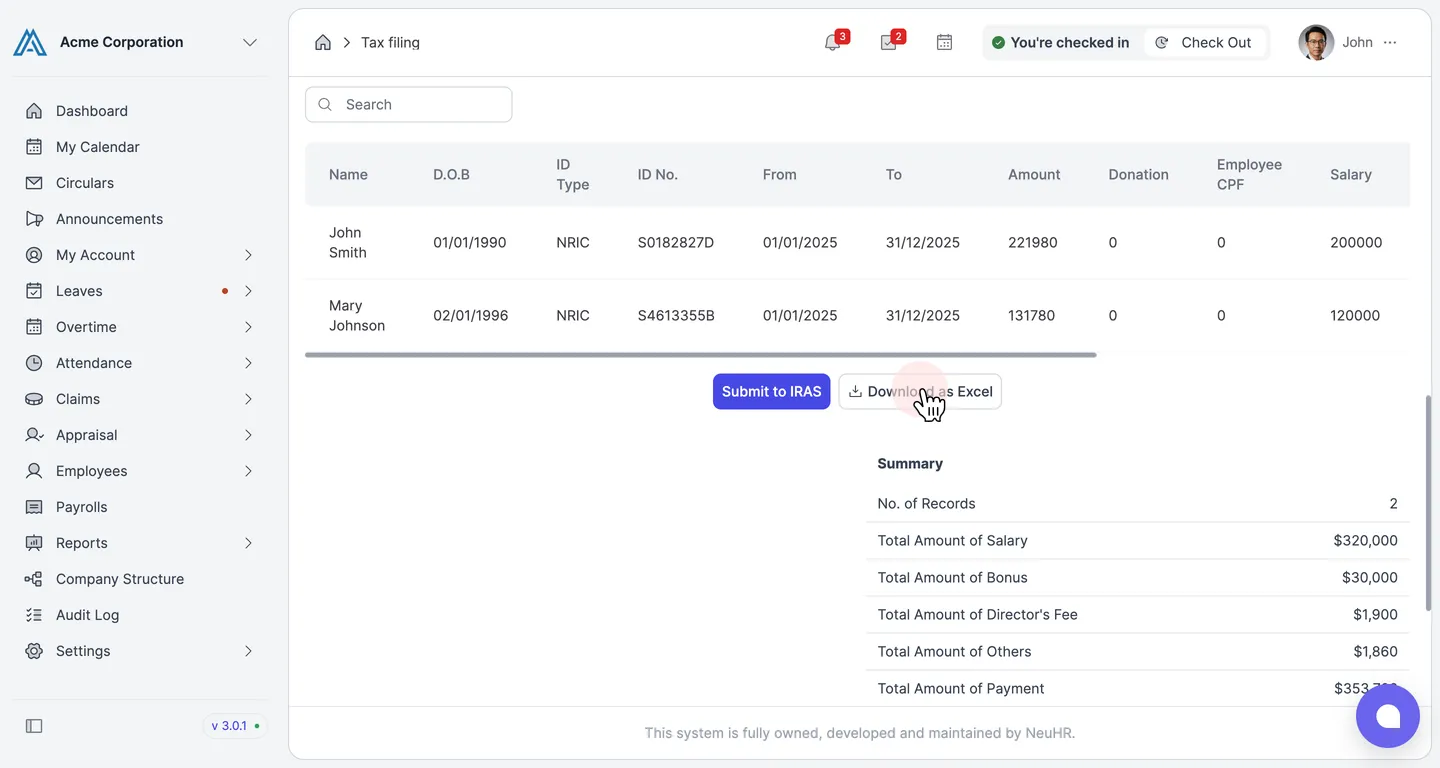
The Excel file will be downloaded to your device automatically.