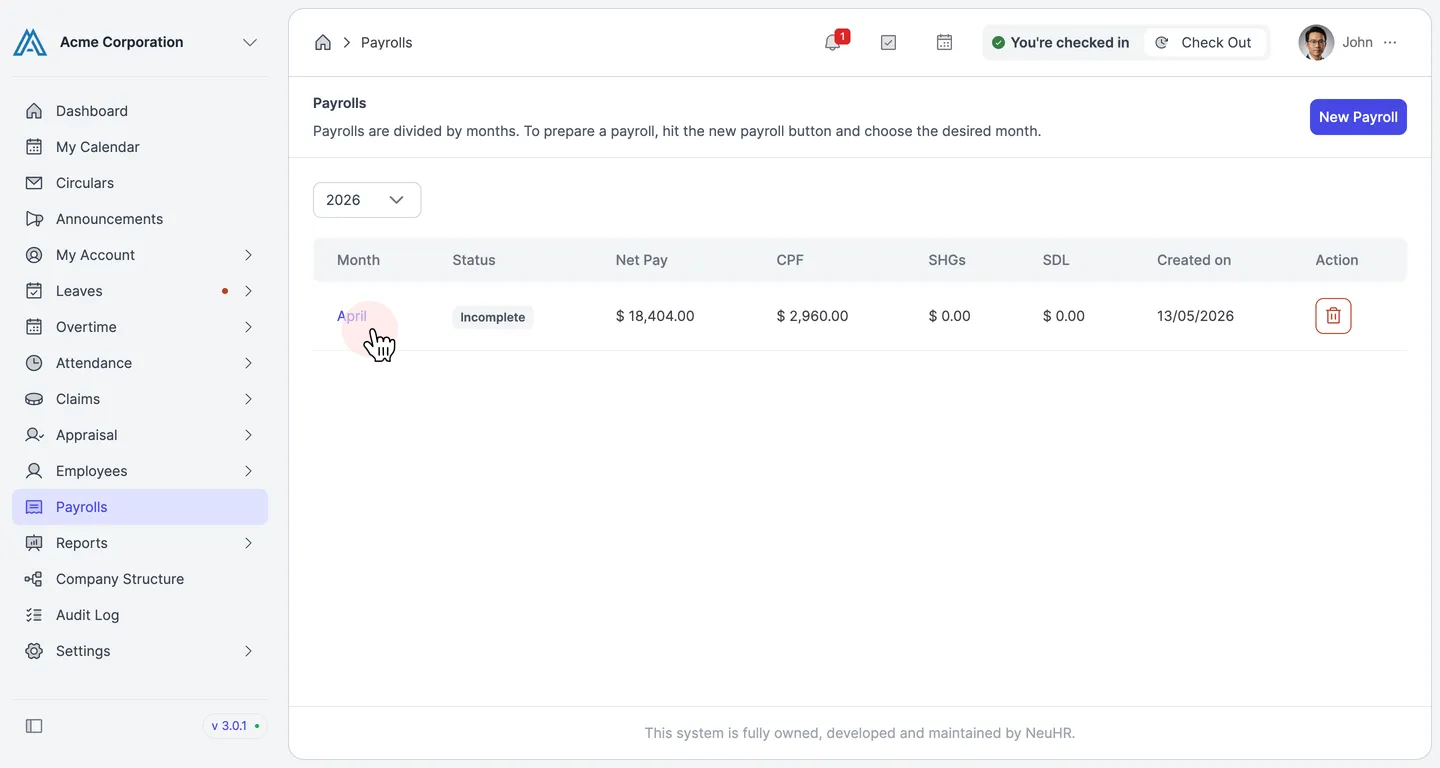
How to Delete a Payroll Month
This guide shows you how to delete a payroll month in NeuHR. Deleting a payroll month permanently removes it and all associated payslip data. This action cannot be undone.
-
Navigate to Payrolls
Section titled “Navigate to Payrolls”From the left sidebar, click on
Payrolls.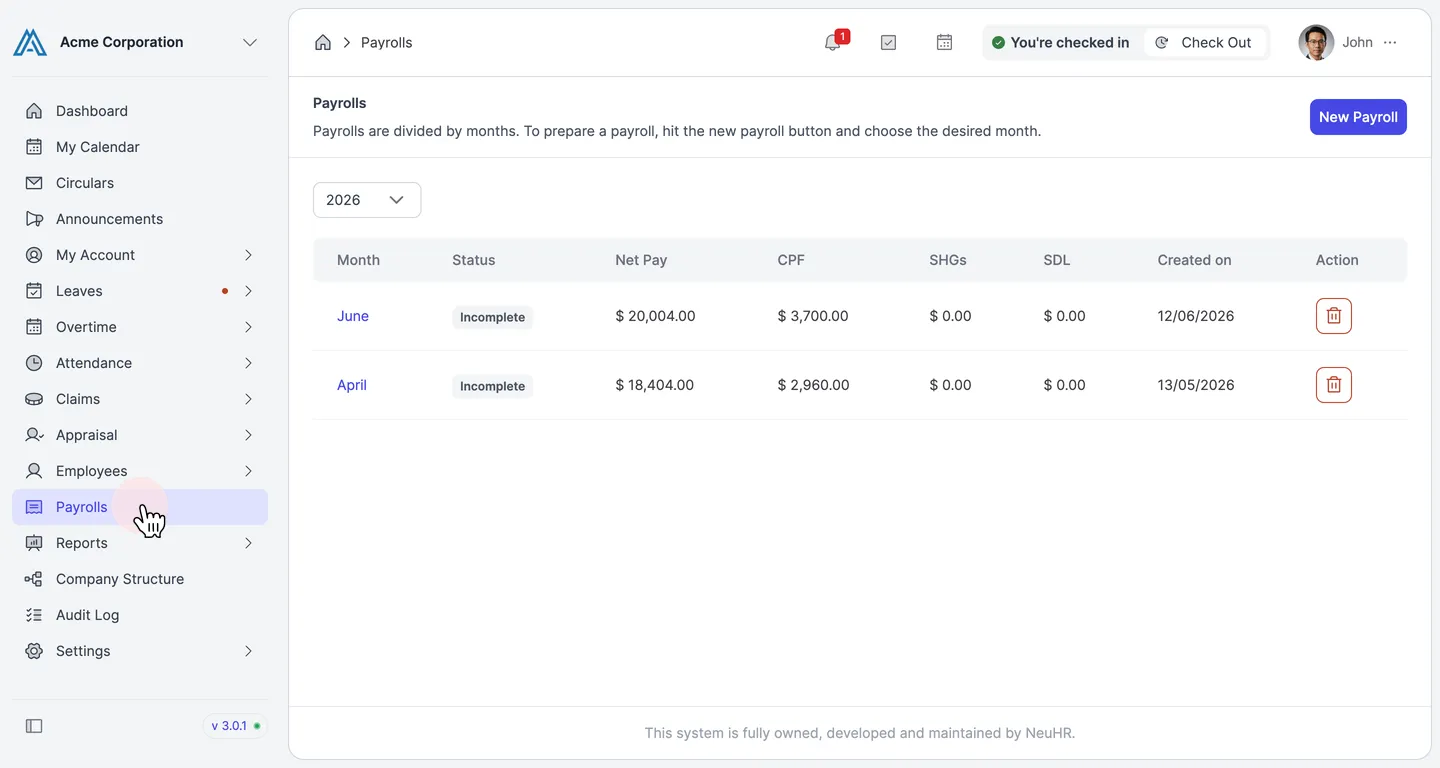
-
Click the Delete Button
Section titled “Click the Delete Button”On the
Payrollspage, find the payroll month you want to delete. In theActioncolumn on the right, click the delete icon (trash icon) for that row.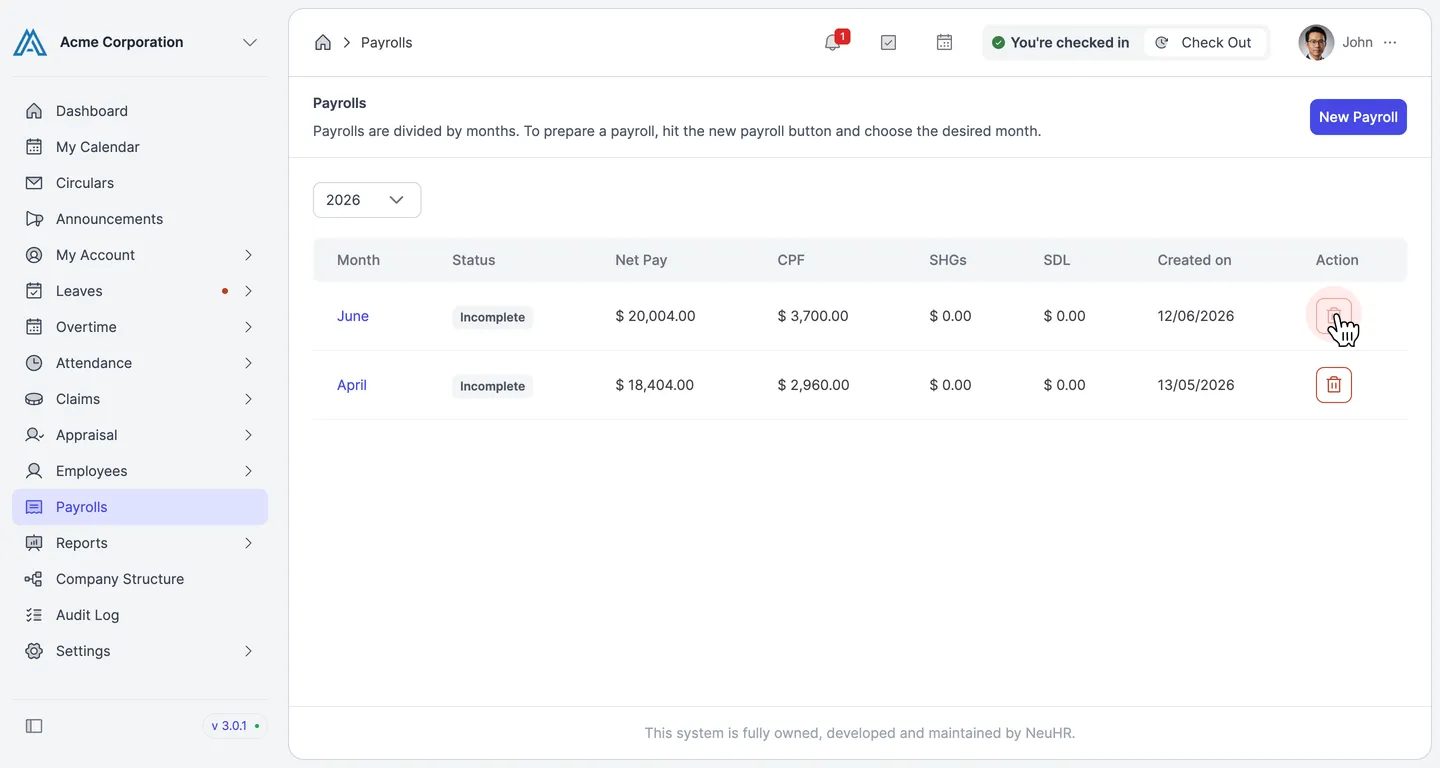
-
Confirm the Deletion
Section titled “Confirm the Deletion”A confirmation dialog appears: “Confirm delete payroll for [Month Year]?”. Click the
Deletebutton to permanently delete the payroll.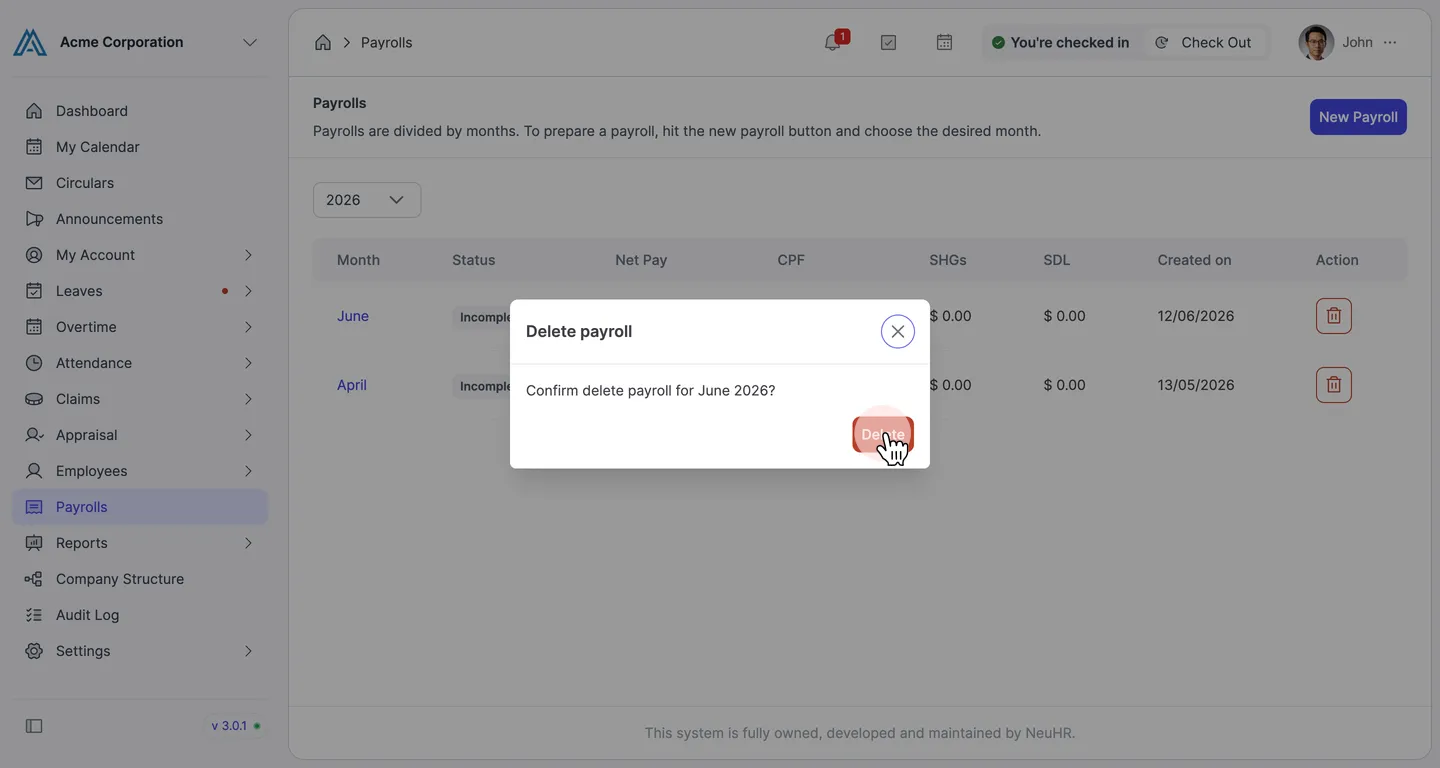
-
Payroll Month Removed
Section titled “Payroll Month Removed”The payroll month is deleted and removed from the list. A success message “Payroll deleted” briefly appears to confirm the action.