

How to Delete Department
This guide shows you how to permanently delete a department from your NeuHR system.
-
Navigate to Departments
Section titled “Navigate to Departments”From the sidebar, expand the
Settingsmenu and click onDepartments.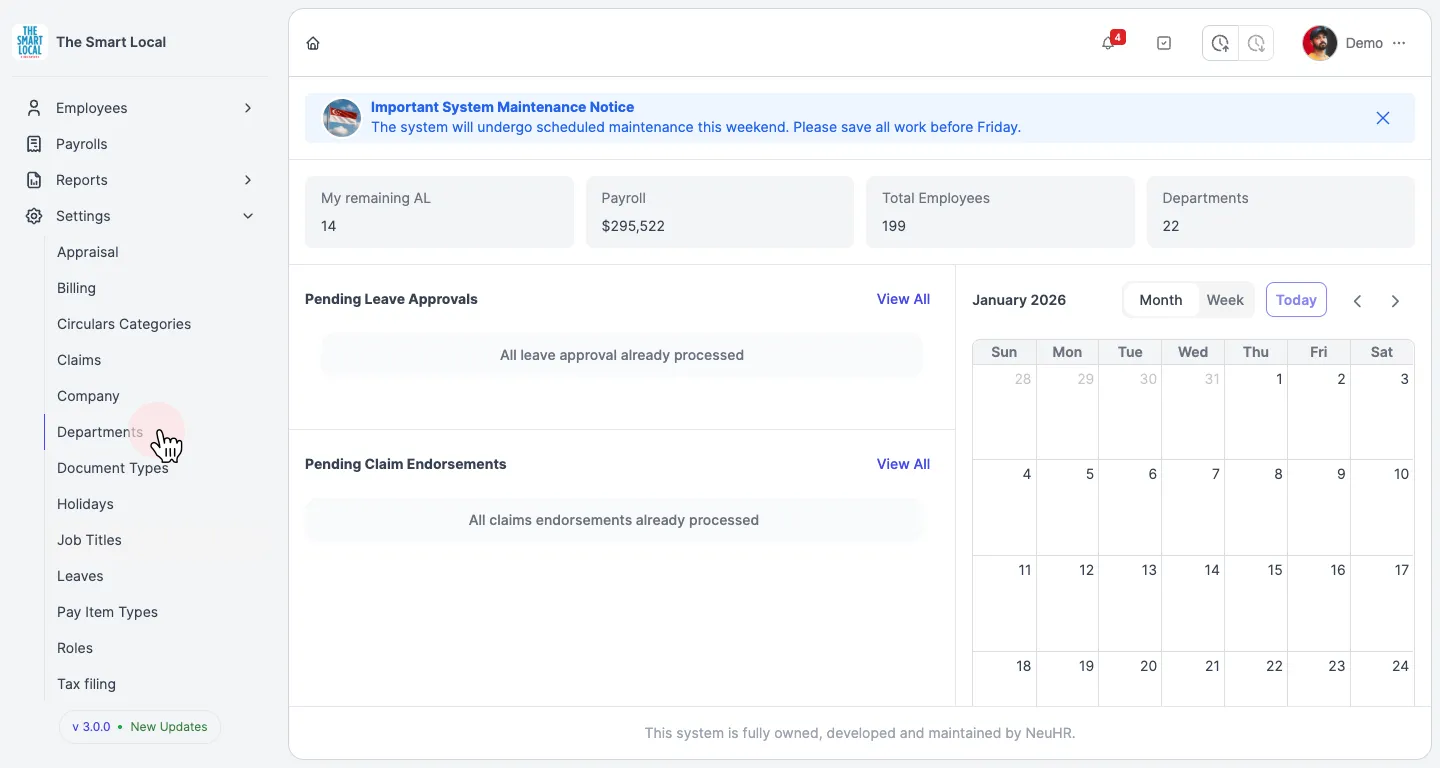
-
Open Department Actions
Section titled “Open Department Actions”On the Departments page, locate the department you want to delete. Click the actions button (three dots icon) in the
Actionscolumn for that department.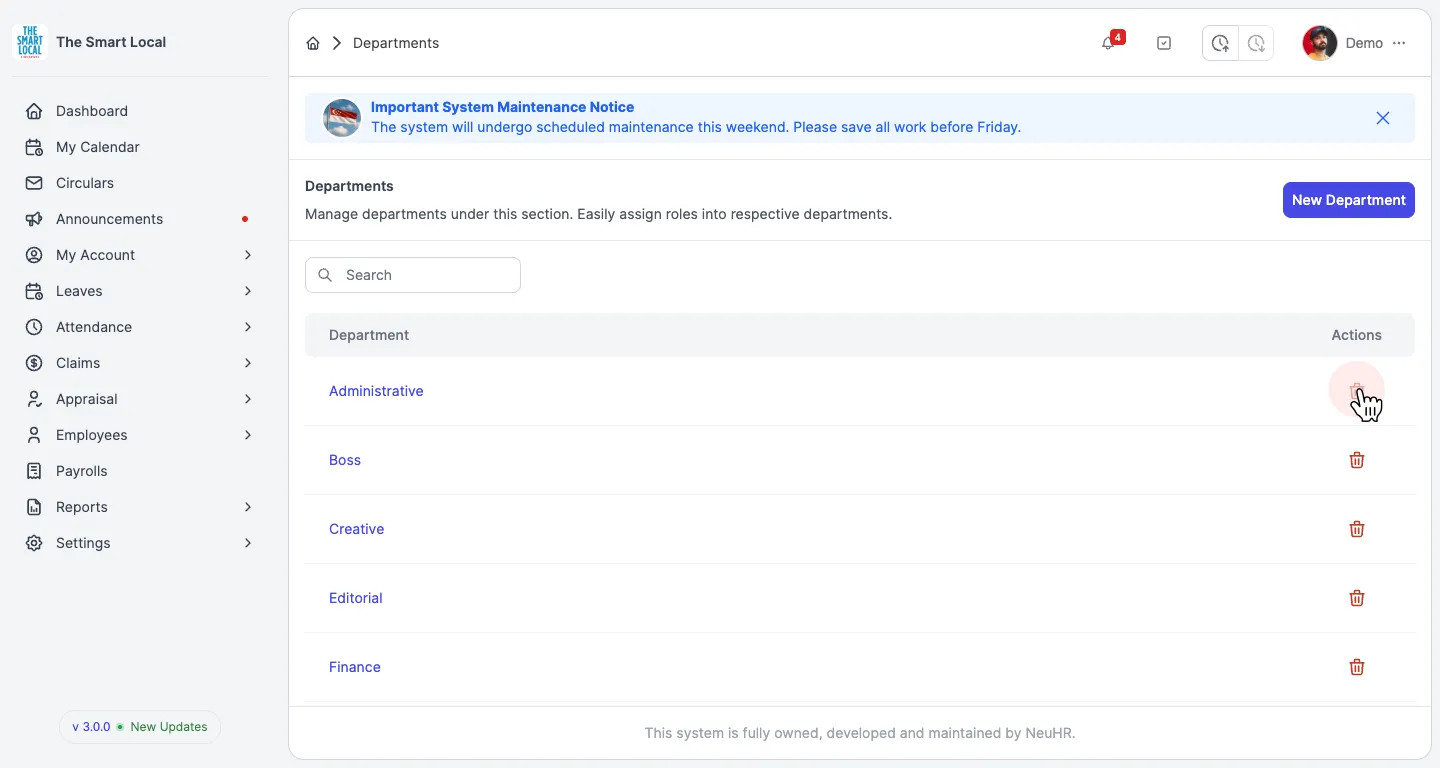
-
Confirm Deletion
Section titled “Confirm Deletion”A confirmation dialog will appear asking “Are you sure you want to delete this department?” Click the
Deletebutton to permanently delete the department.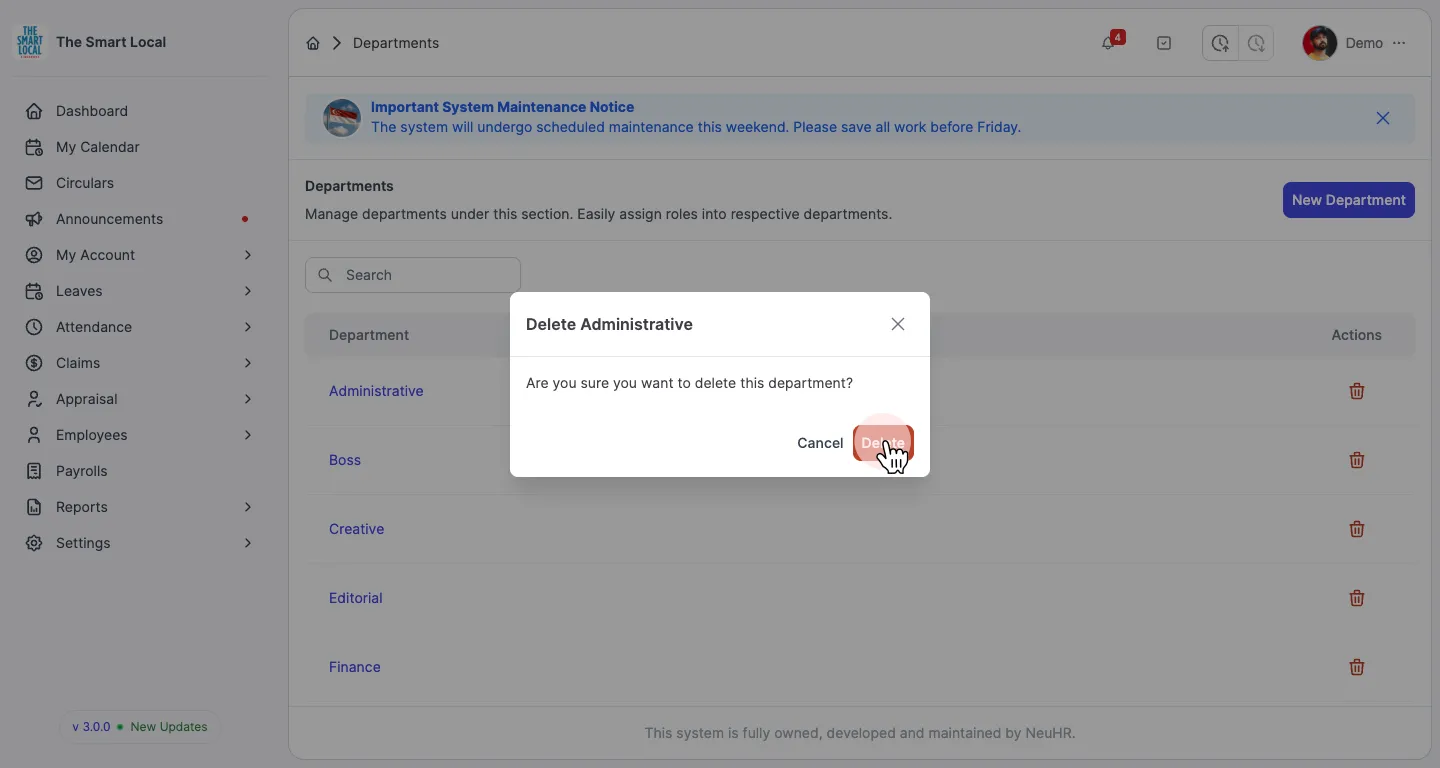
The department will be removed from your system immediately.