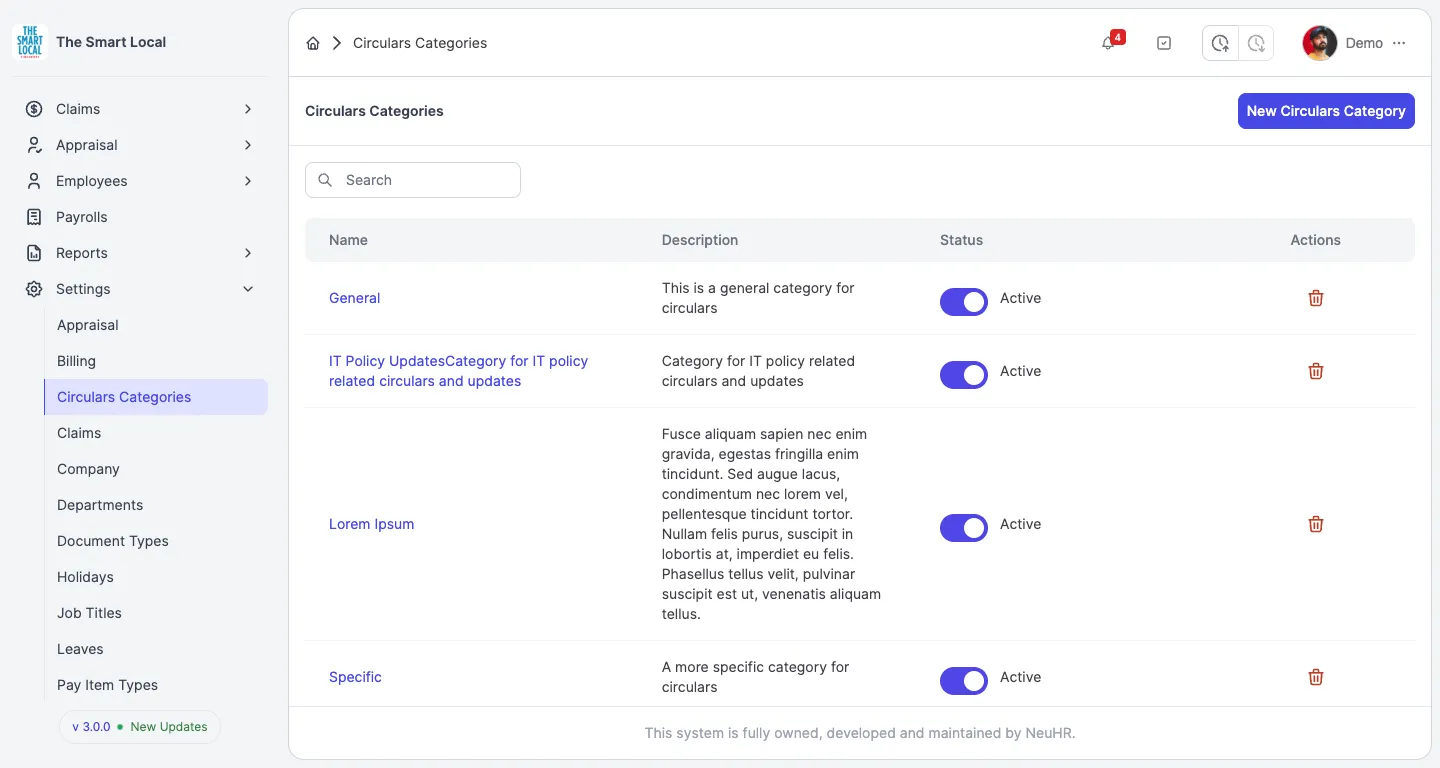
How to Create a Circulars Category
This guide shows you how to create a new circulars category in the NeuHR system. Circulars categories help organize and classify circulars for better management and distribution.
-
Navigate to Circulars Categories
Section titled “Navigate to Circulars Categories”From the sidebar, click on
Settingsto expand the menu, then click onCirculars Categories.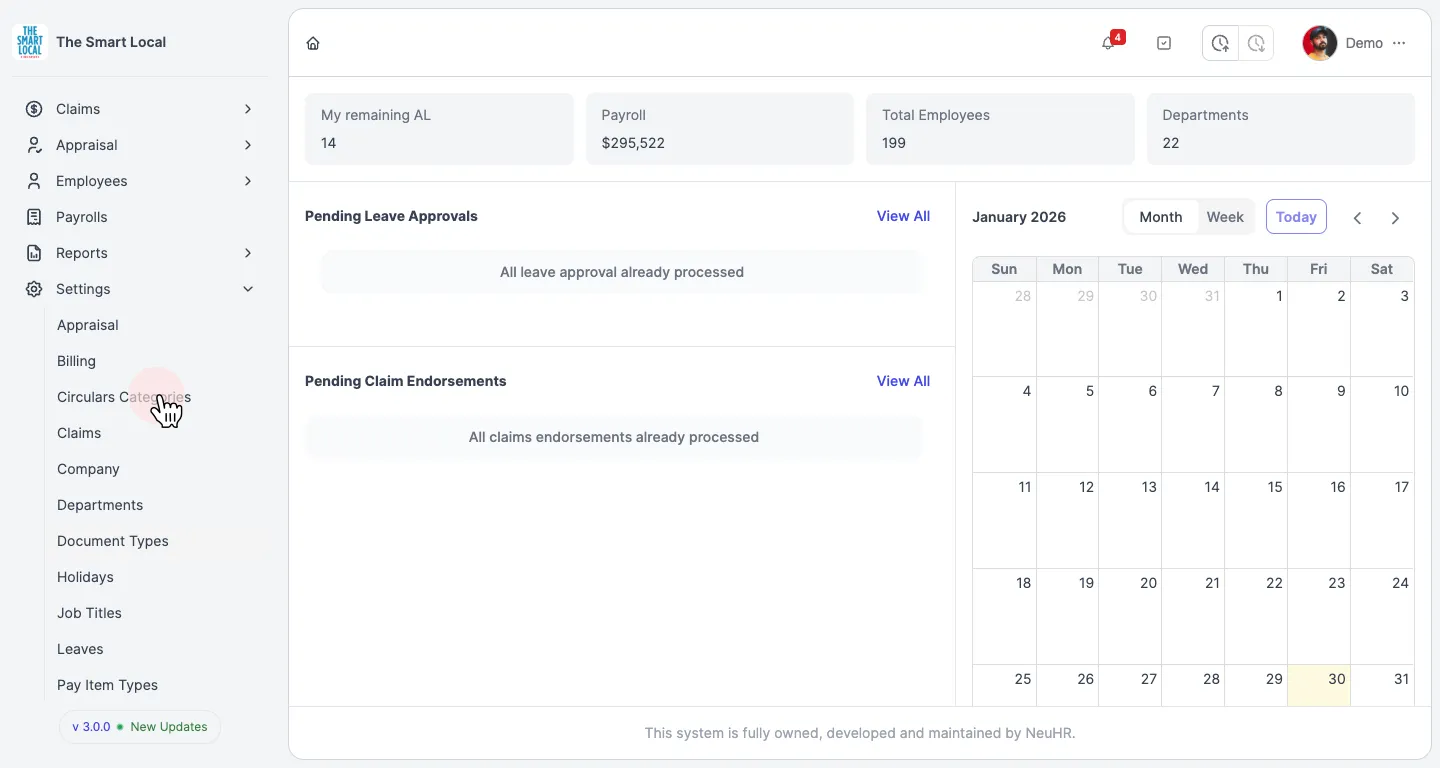
-
View the Circulars Categories Page
Section titled “View the Circulars Categories Page”You’ll see the Circulars Categories page displaying a list of existing categories. Click the
New Circulars Categorybutton in the top right corner.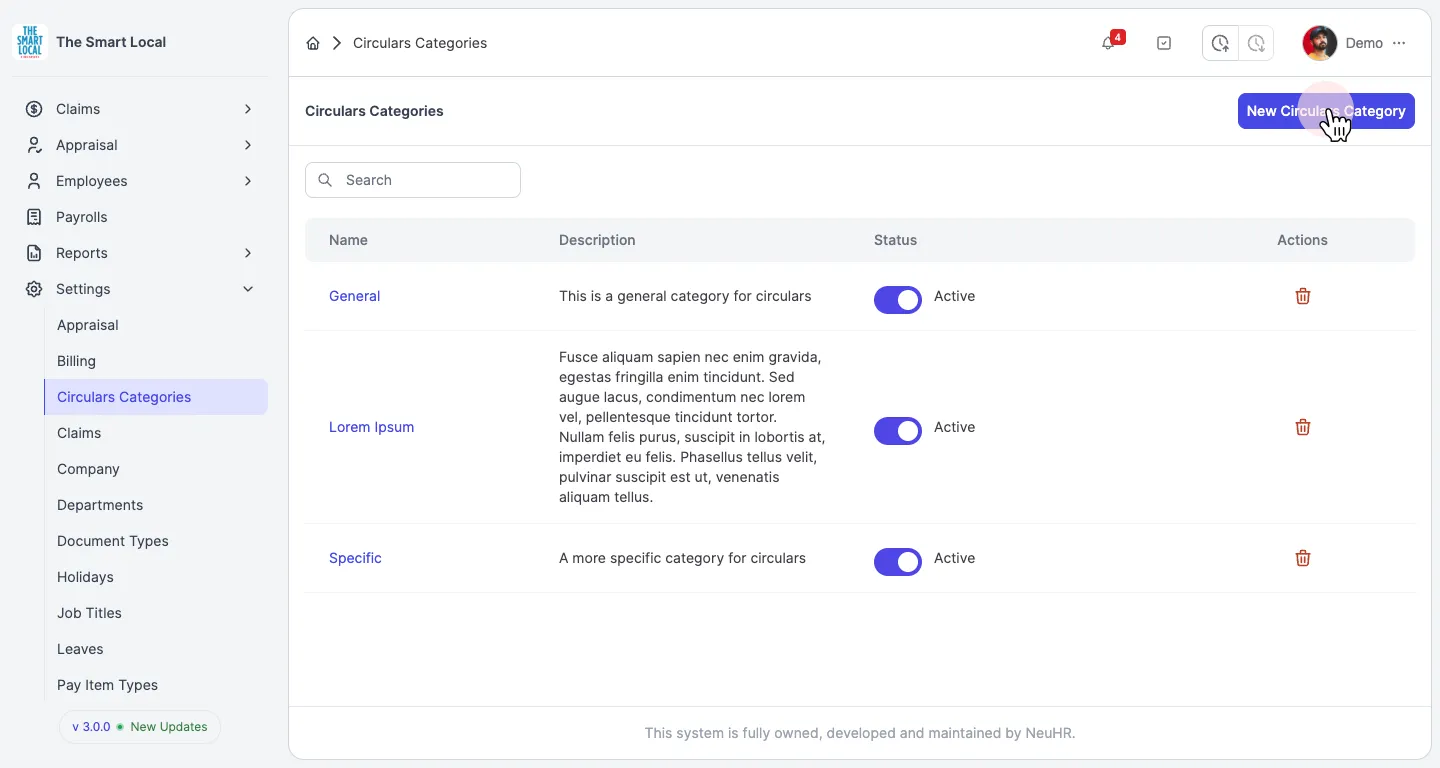
-
View the Create Form
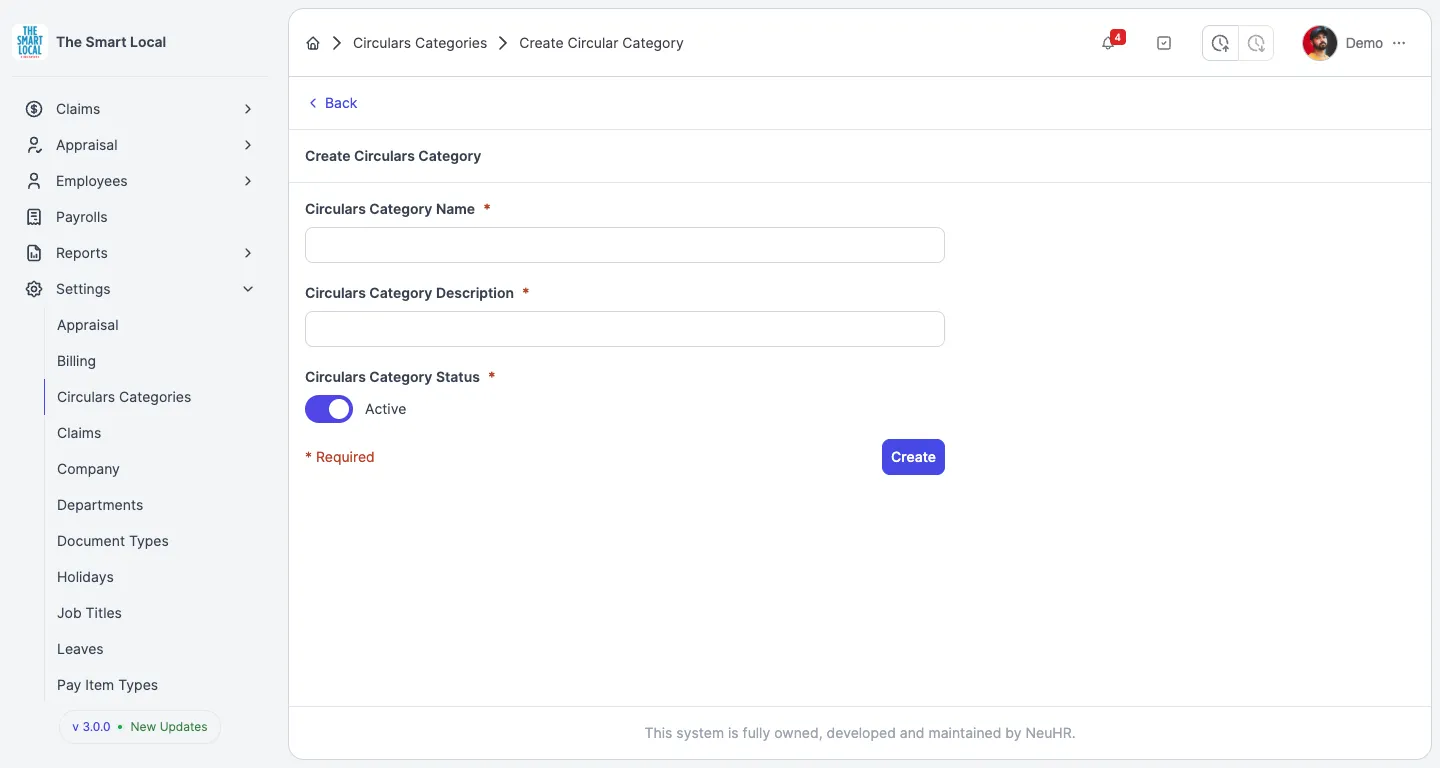
Section titled “View the Create Form”The Create Circulars Category form will open with fields for category details.
-
Enter Category Name
Section titled “Enter Category Name”In the
Circulars Category Namefield, enter a name for your new category (e.g., “IT Policy Updates”).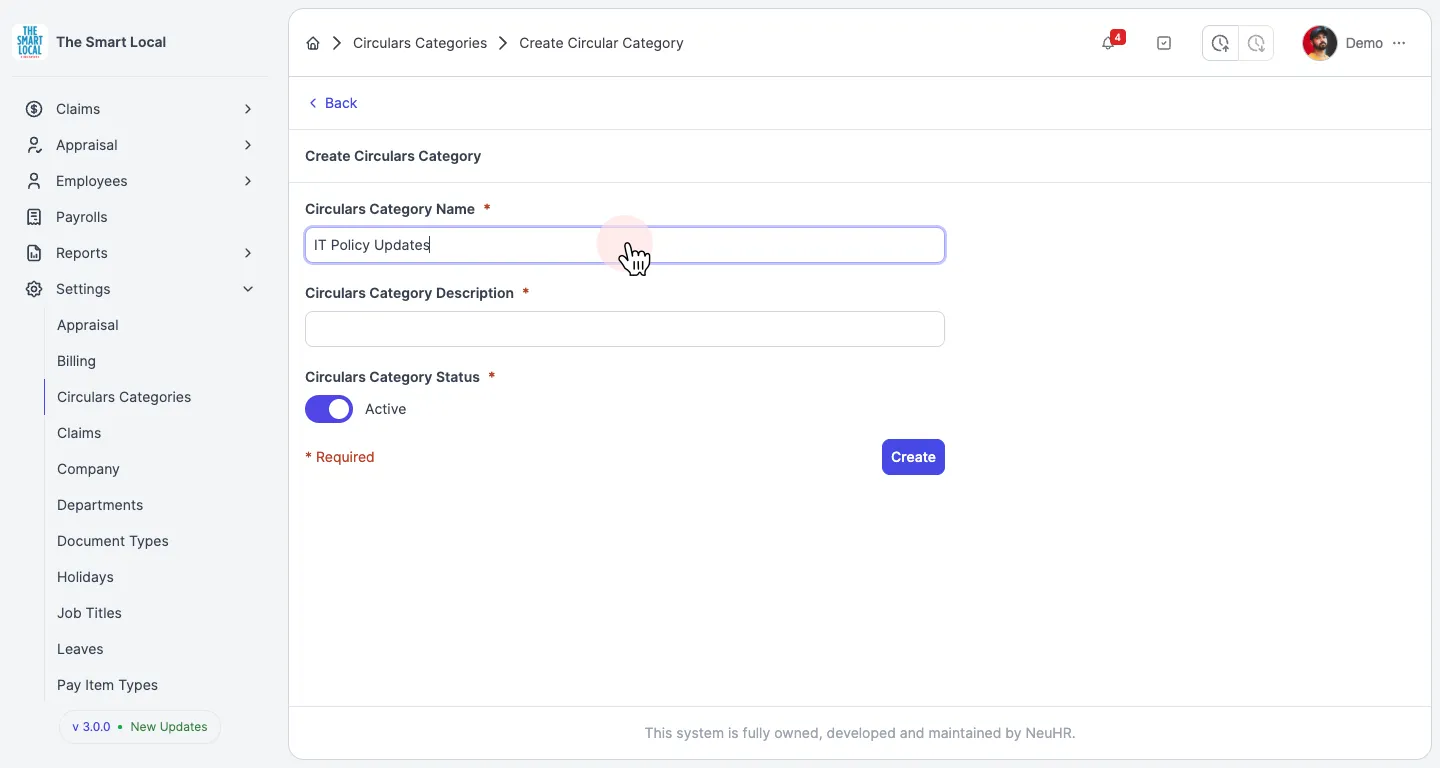
-
Enter Category Description
Section titled “Enter Category Description”In the
Circulars Category Descriptionfield, enter a description that explains the purpose of this category (e.g., “Category for IT policy related circulars and updates”).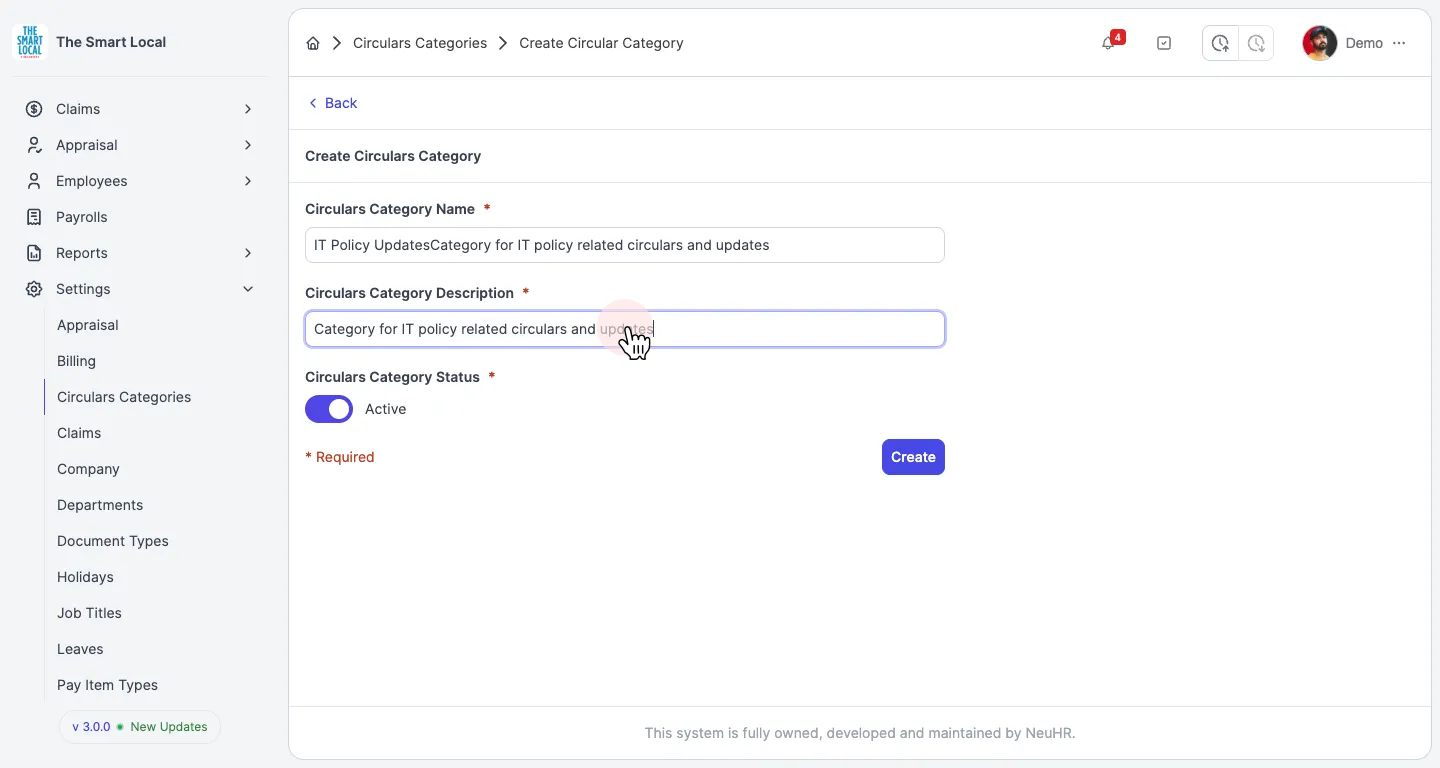
-
Submit the Form
Section titled “Submit the Form”The
Circulars Category Statusis set toActiveby default. Review your entries and click theCreatebutton to create the category.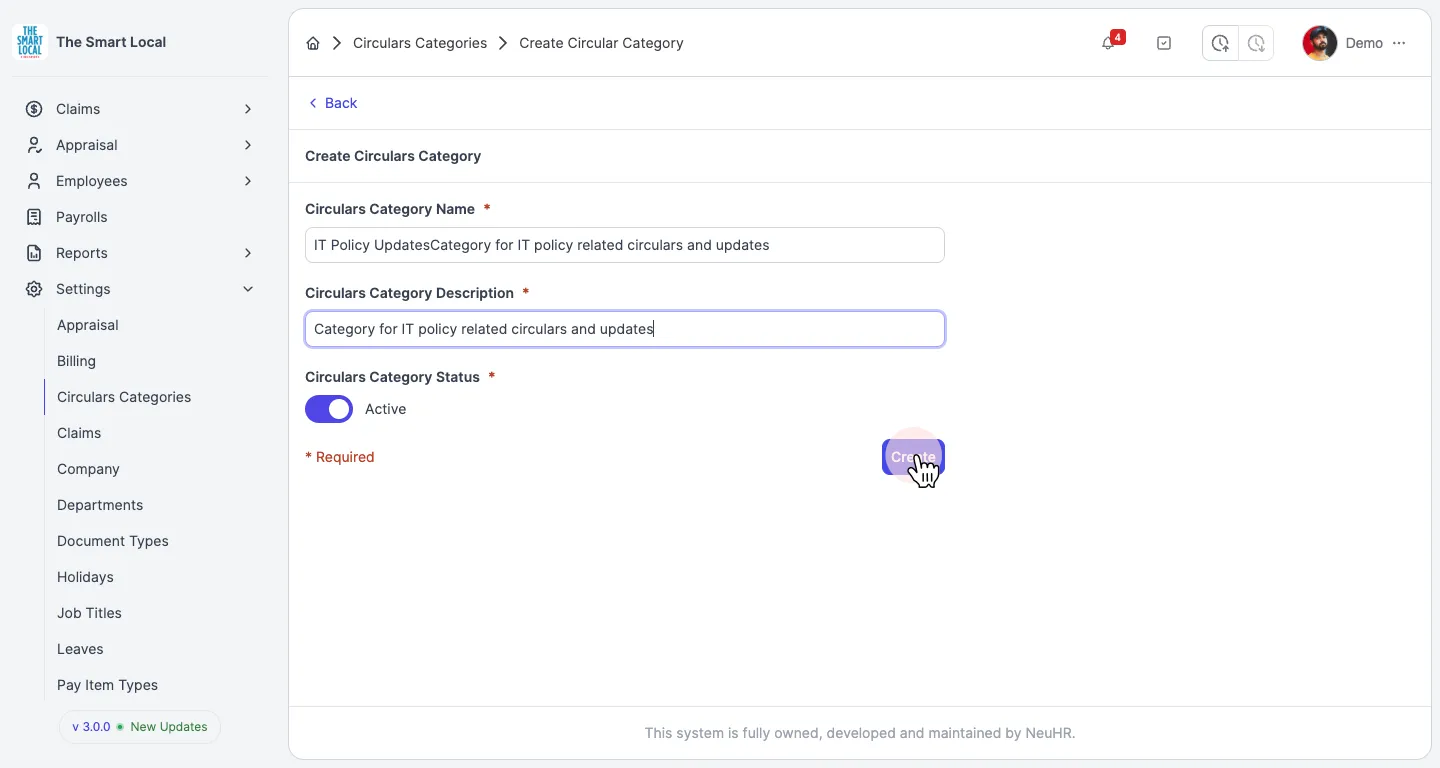
-
Confirm Success
Section titled “Confirm Success”You’ll be redirected to the Circulars Categories page with a success message “New circulars category created!” and your new category will appear in the list.