How to Update an Appraisal Session
This guide shows you how to update an existing appraisal session in NeuHR.
-
Navigate to Settings > Appraisal
Section titled “Navigate to Settings > Appraisal”From the sidebar, click
Settingsto expand the menu, then clickAppraisal.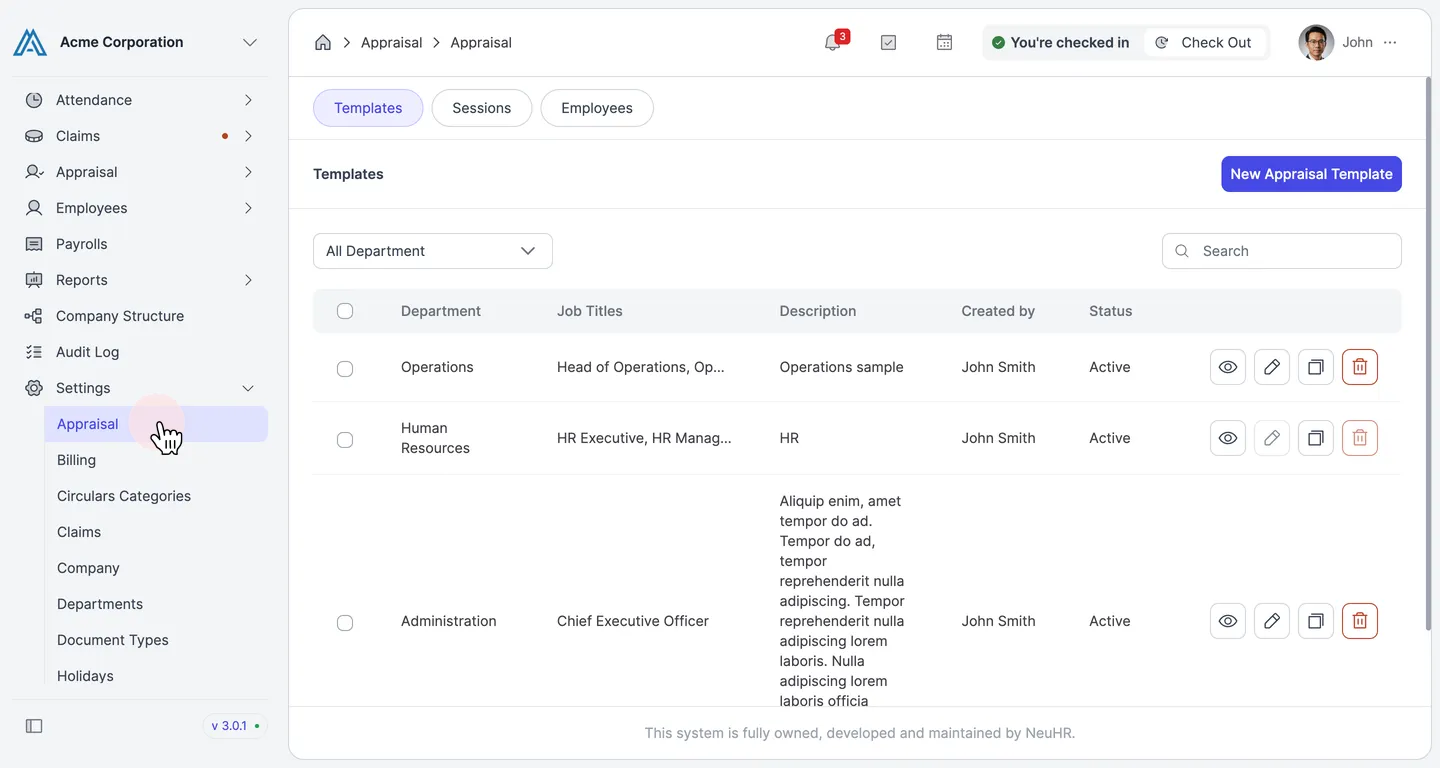
-
Click the Sessions Tab
Section titled “Click the Sessions Tab”On the Appraisal settings page, click the
Sessionstab.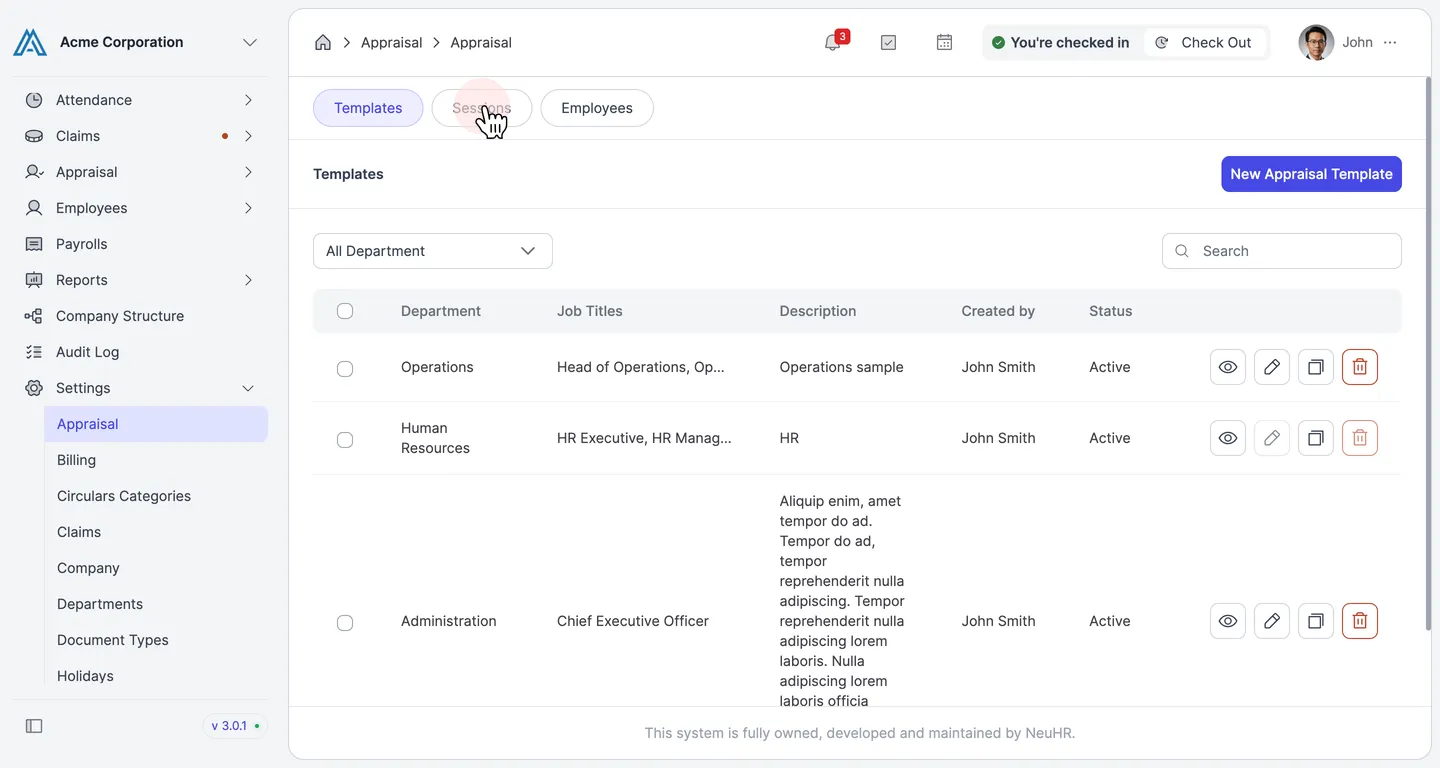
-
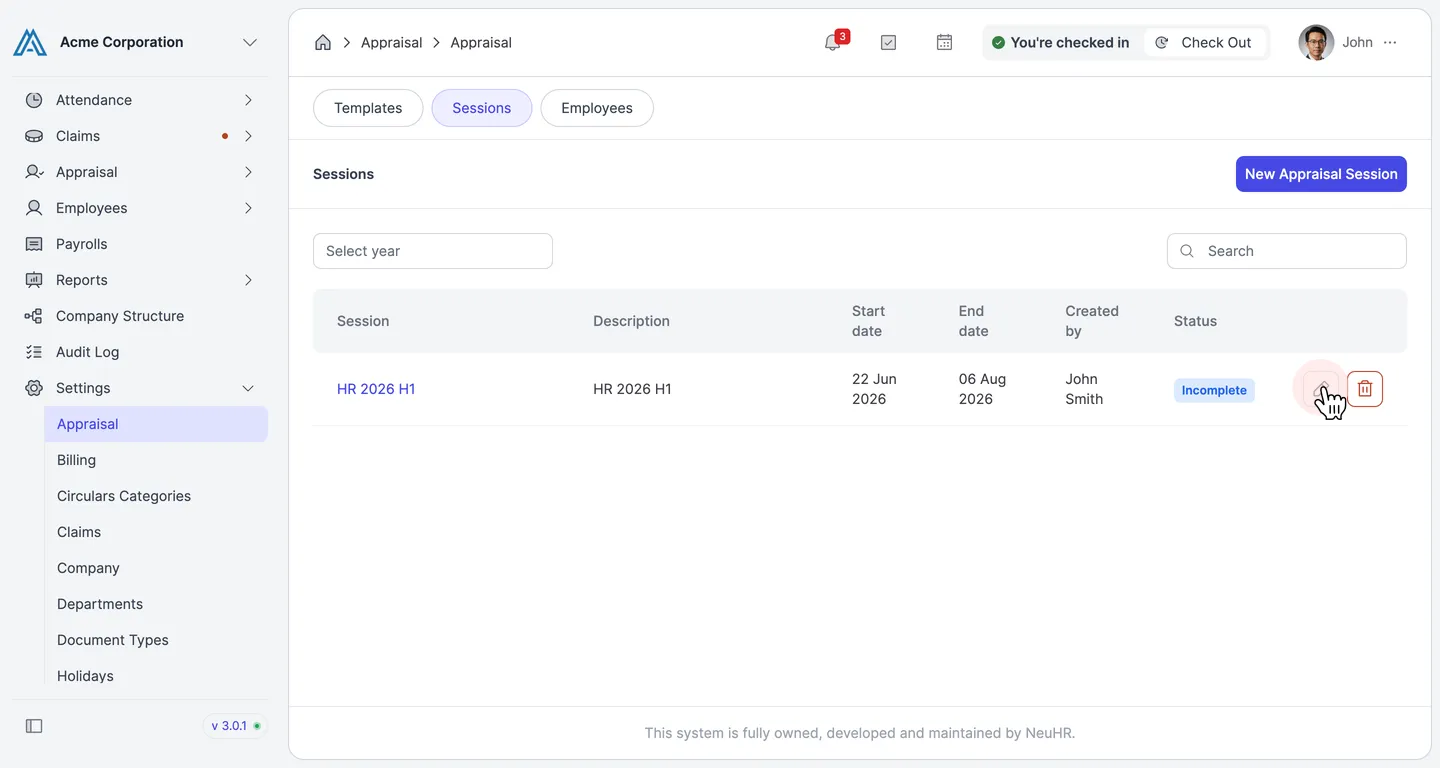
Click the Edit Icon on the Session
Section titled “Click the Edit Icon on the Session”Find the session you want to update and click the edit icon (pencil) on the right side of the row.
-
Update the Session Details
Section titled “Update the Session Details”On the Update Appraisal Session form, modify the fields as needed:
- Title: The name of the appraisal session.
- Description: A brief description of the session.
- Start Date: The start date of the appraisal period.
- End Date: The end date of the appraisal period.
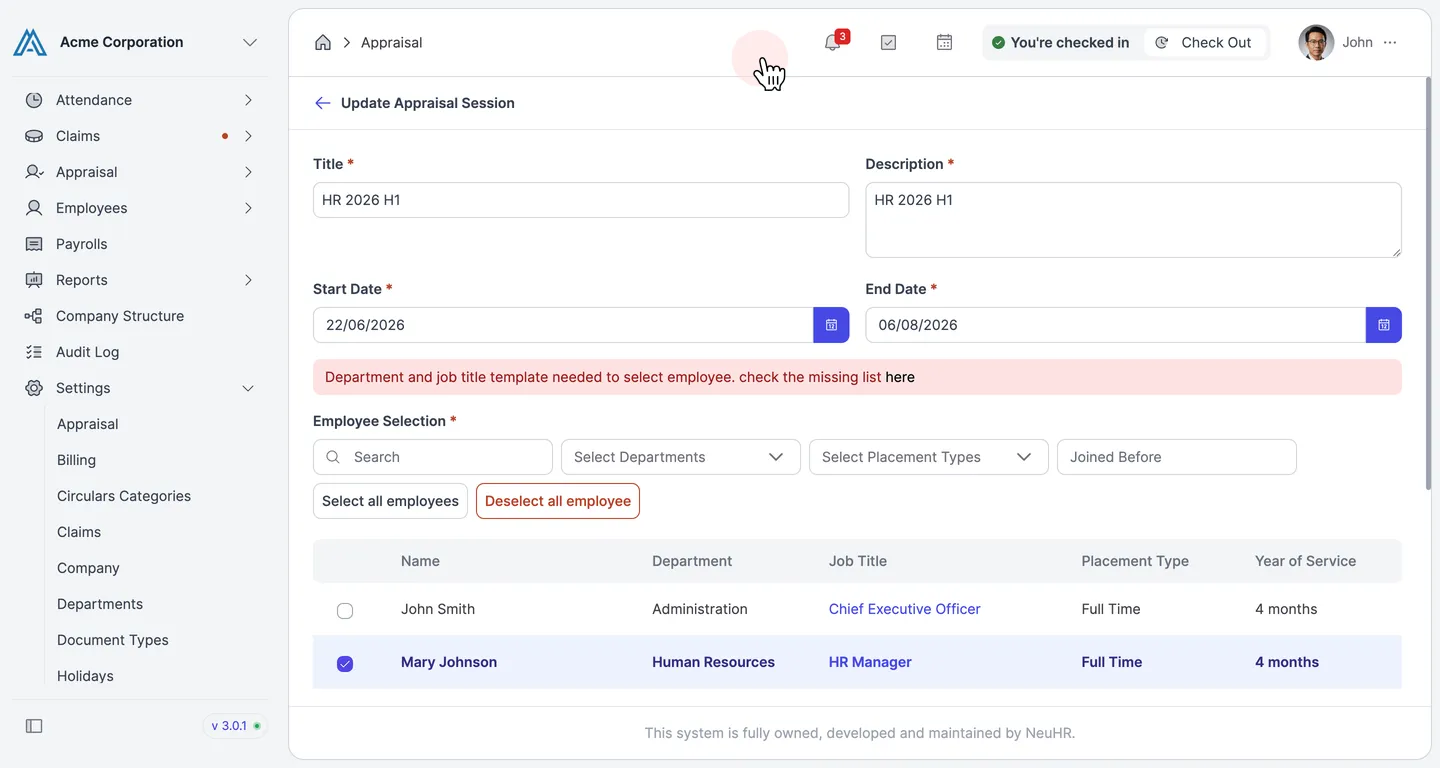
You can also update the Employee Selection section to add or remove employees from the session. Use the
Select Departments,Select Placement Types, orJoined Beforefilters to narrow the list, or useSelect all employeesto include everyone. -
Click Update
Section titled “Click Update”Once you have made your changes, scroll down and click the
Updatebutton.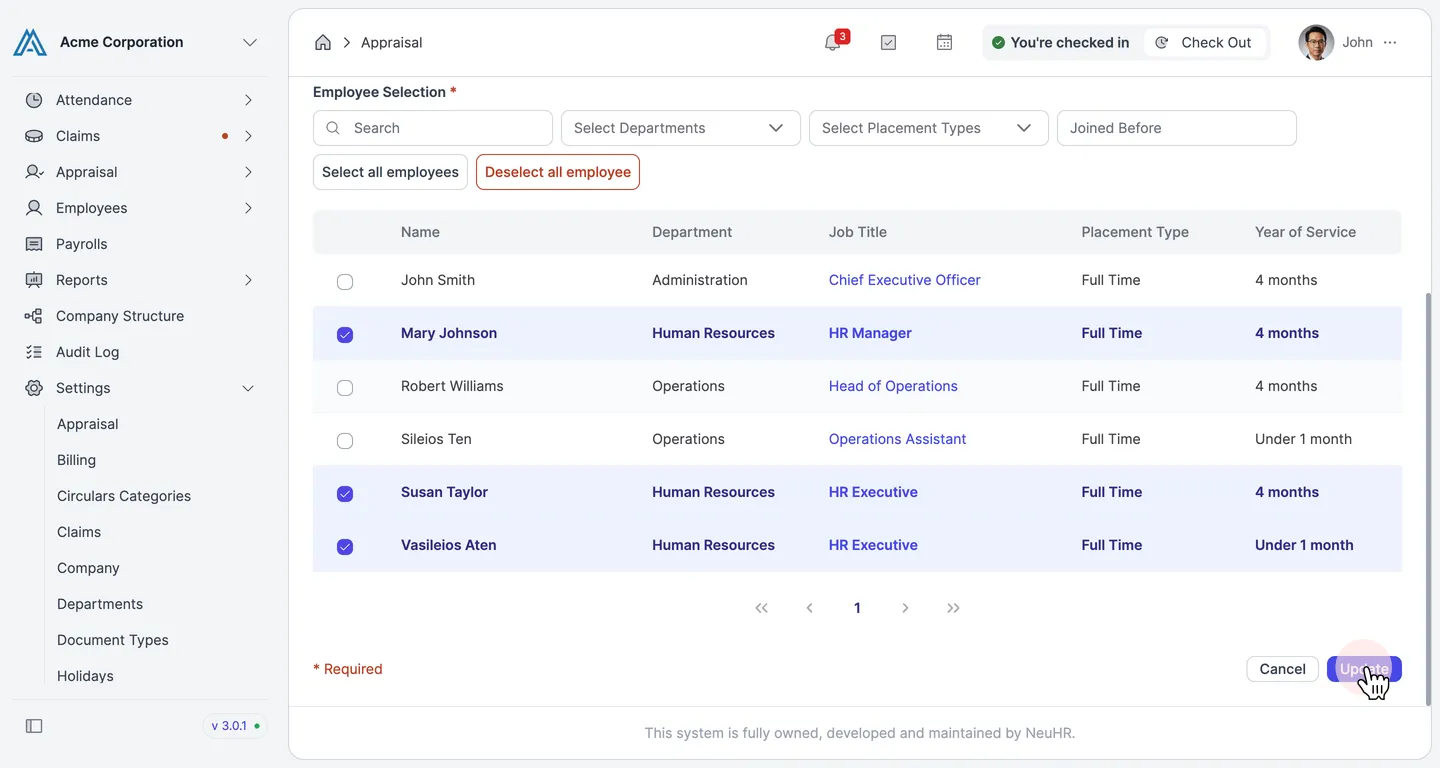
-
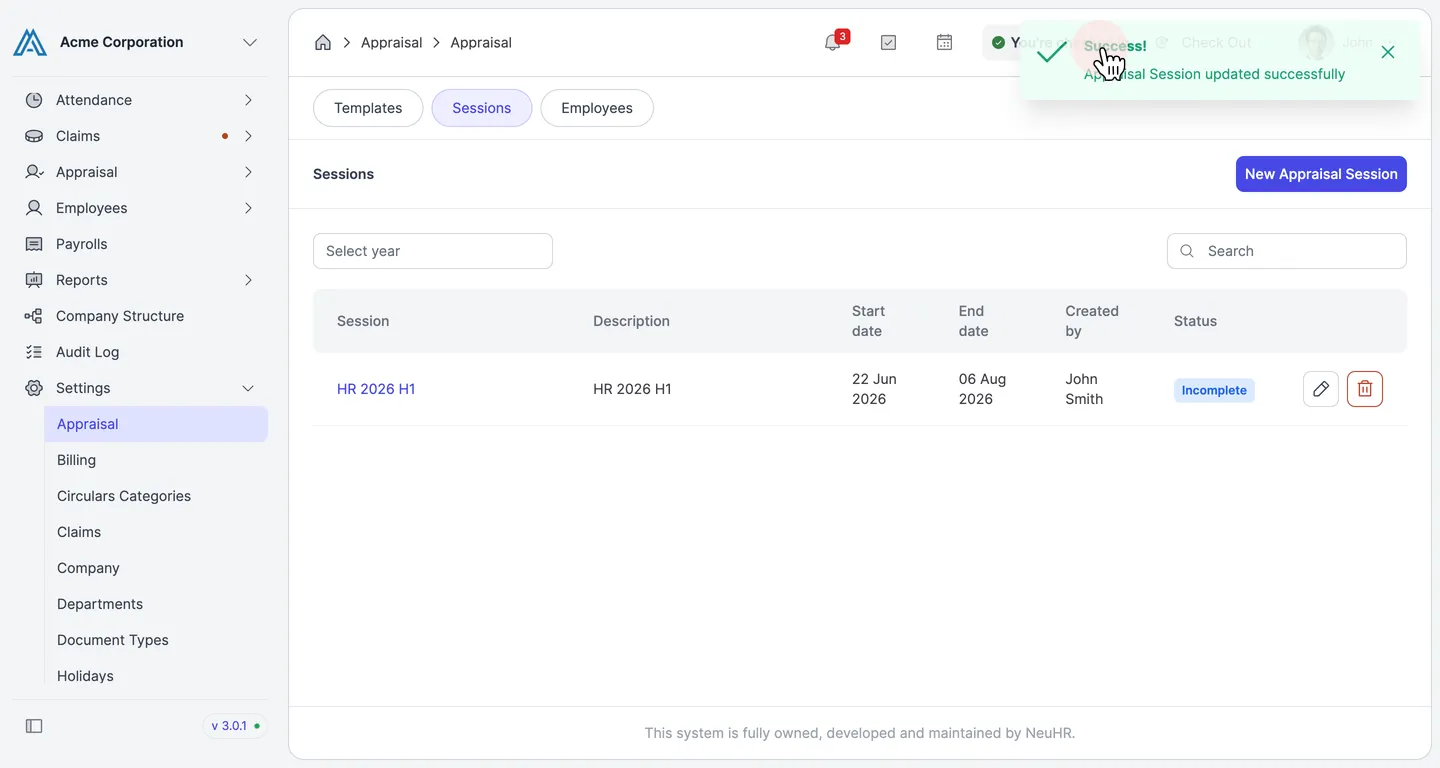
Session Updated Successfully
Section titled “Session Updated Successfully”A success message confirms that the appraisal session has been updated. You are returned to the Sessions list.