How to Update Job Title
This guide shows you how to update an existing job title in NeuHR. You can rename the title or reassign it to a different department.
-
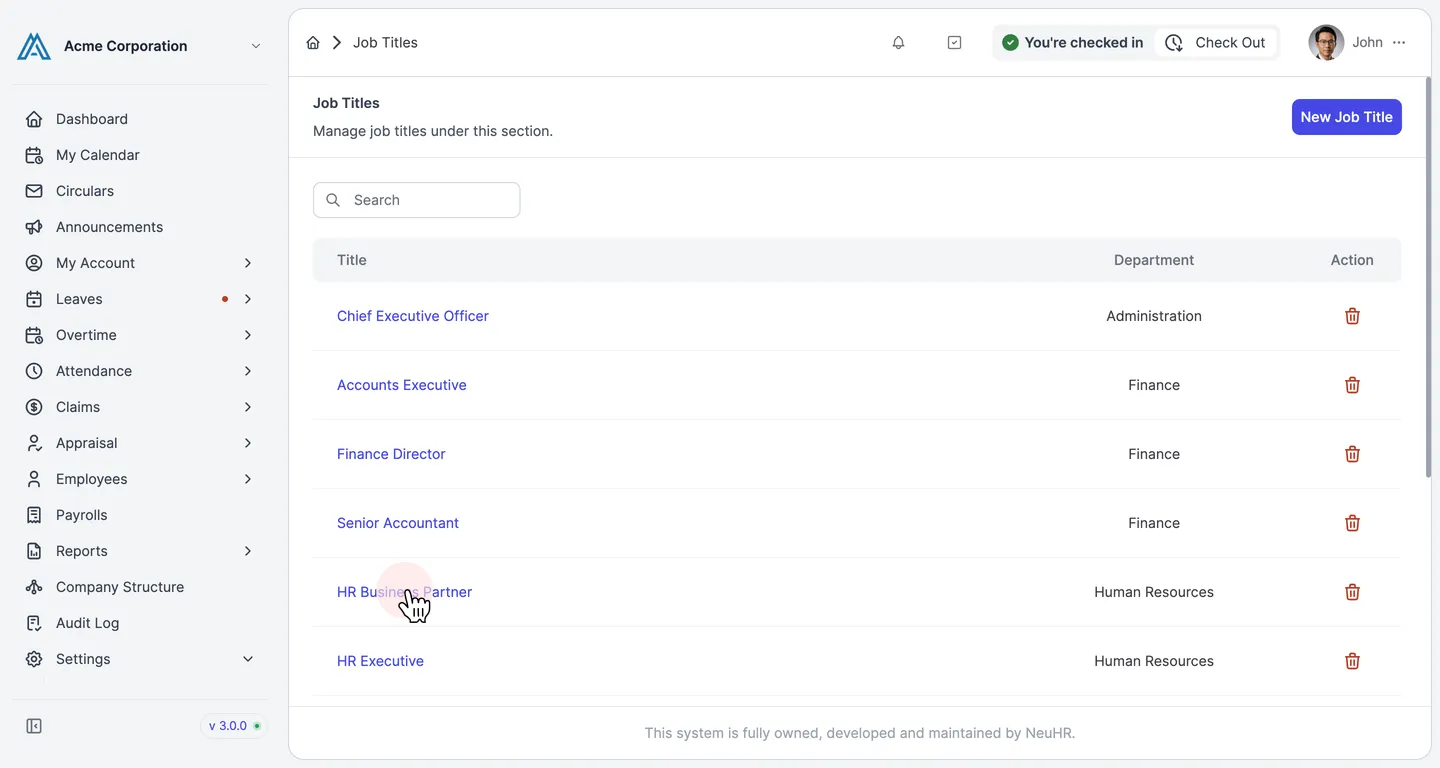
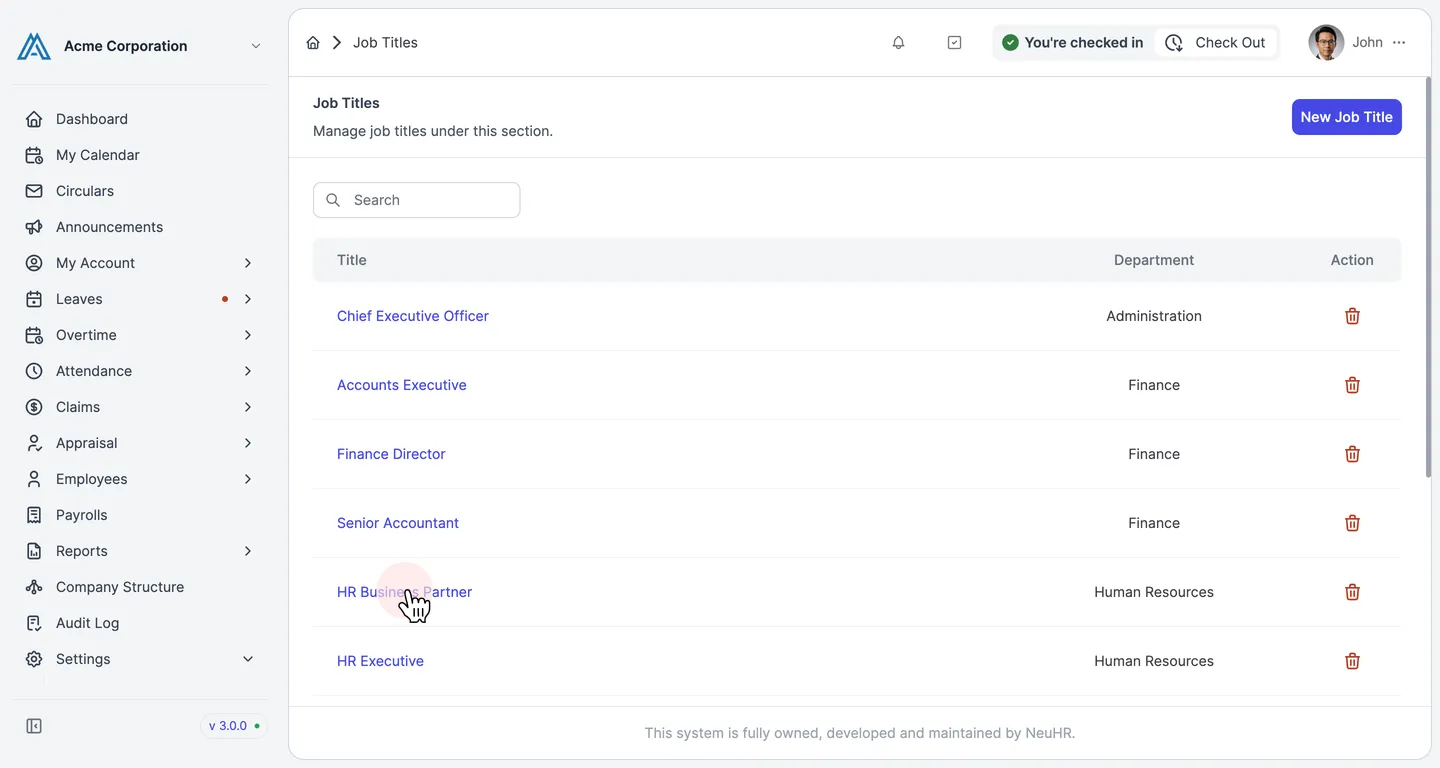
Navigate to Settings > Job Titles and click a job title
Section titled “Navigate to Settings > Job Titles and click a job title”From the sidebar, go to Settings → Job Titles. The page lists all existing titles. Click on the job title name you want to edit.
-
Review the pre-filled Update form
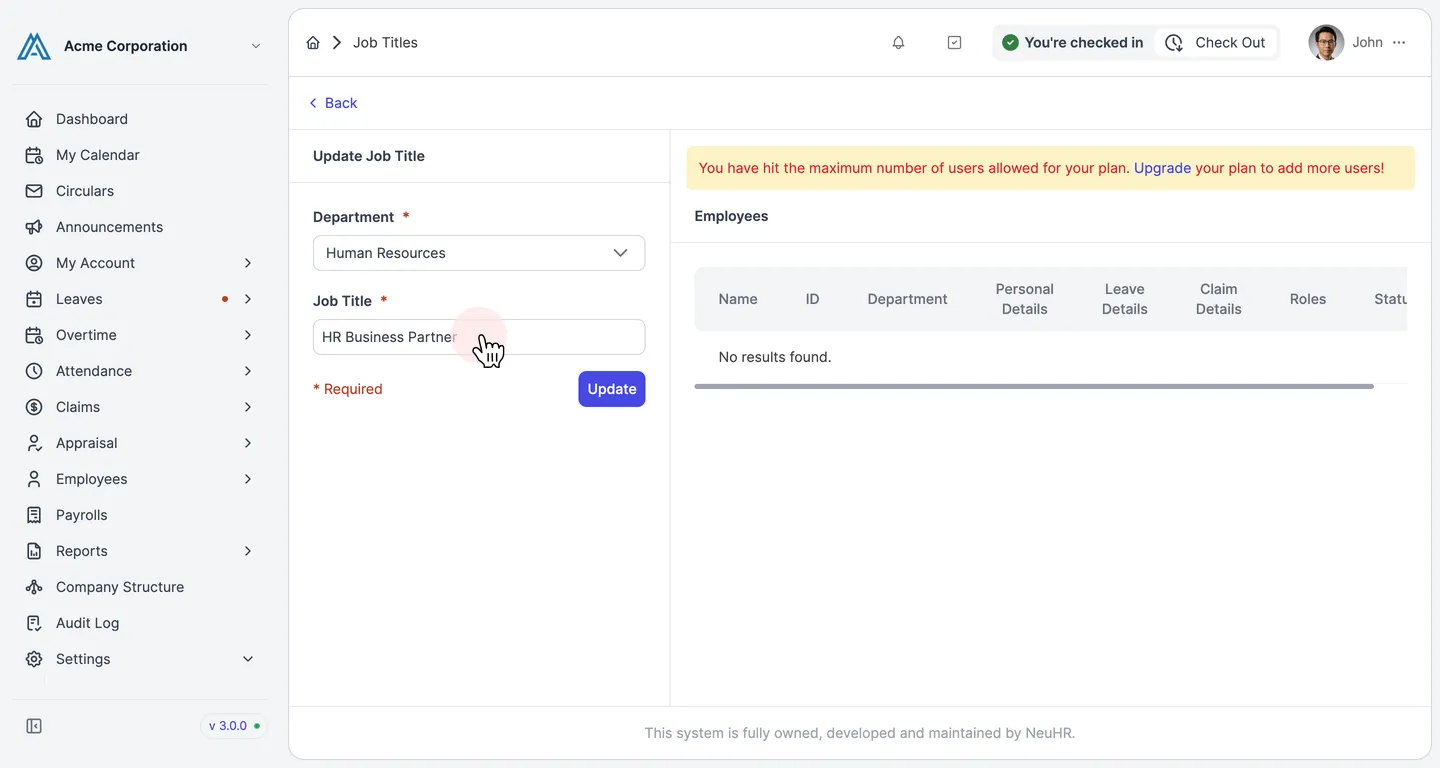
Section titled “Review the pre-filled Update form”The Update Job Title form opens with the current values pre-filled:
- Department — the department this title belongs to
- Job Title — the current name of the job title
You can also see a list of Employees currently assigned to this job title at the bottom of the page.
-
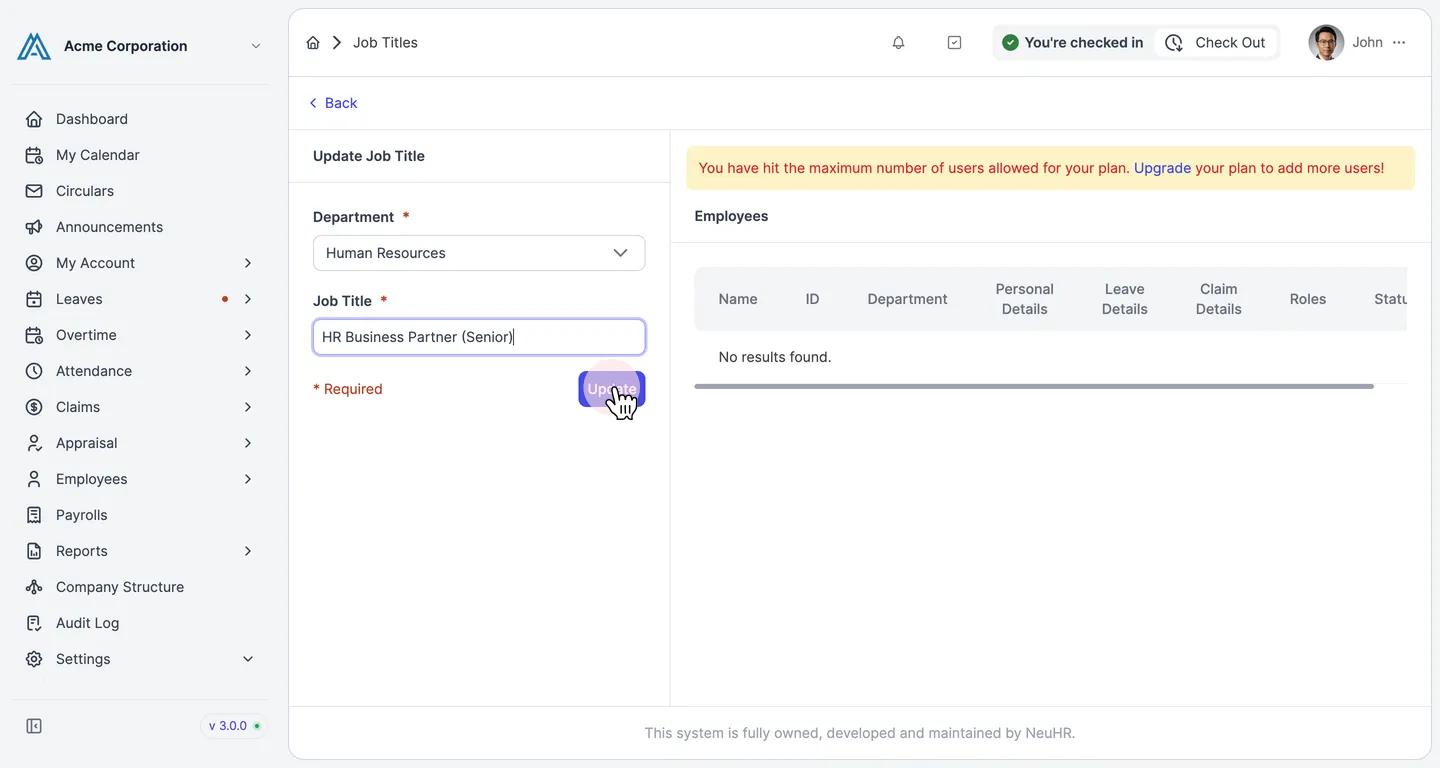
Edit the fields and click Update
Section titled “Edit the fields and click Update”Make your changes to the Department or Job Title fields, then click the Update button to save.
-
Job title updated successfully
Section titled “Job title updated successfully”You are redirected to the Job Titles listing. The updated title appears in the list, confirming the changes were saved.