How to Check My Plan's Payment History
This guide shows you how to check your plan’s payment history and download invoices in NeuHR. You must have Super Admin role to access Billing settings.
-
Navigate to Billing
Section titled “Navigate to Billing”From the sidebar, click
Settingsto expand the menu, then clickBilling.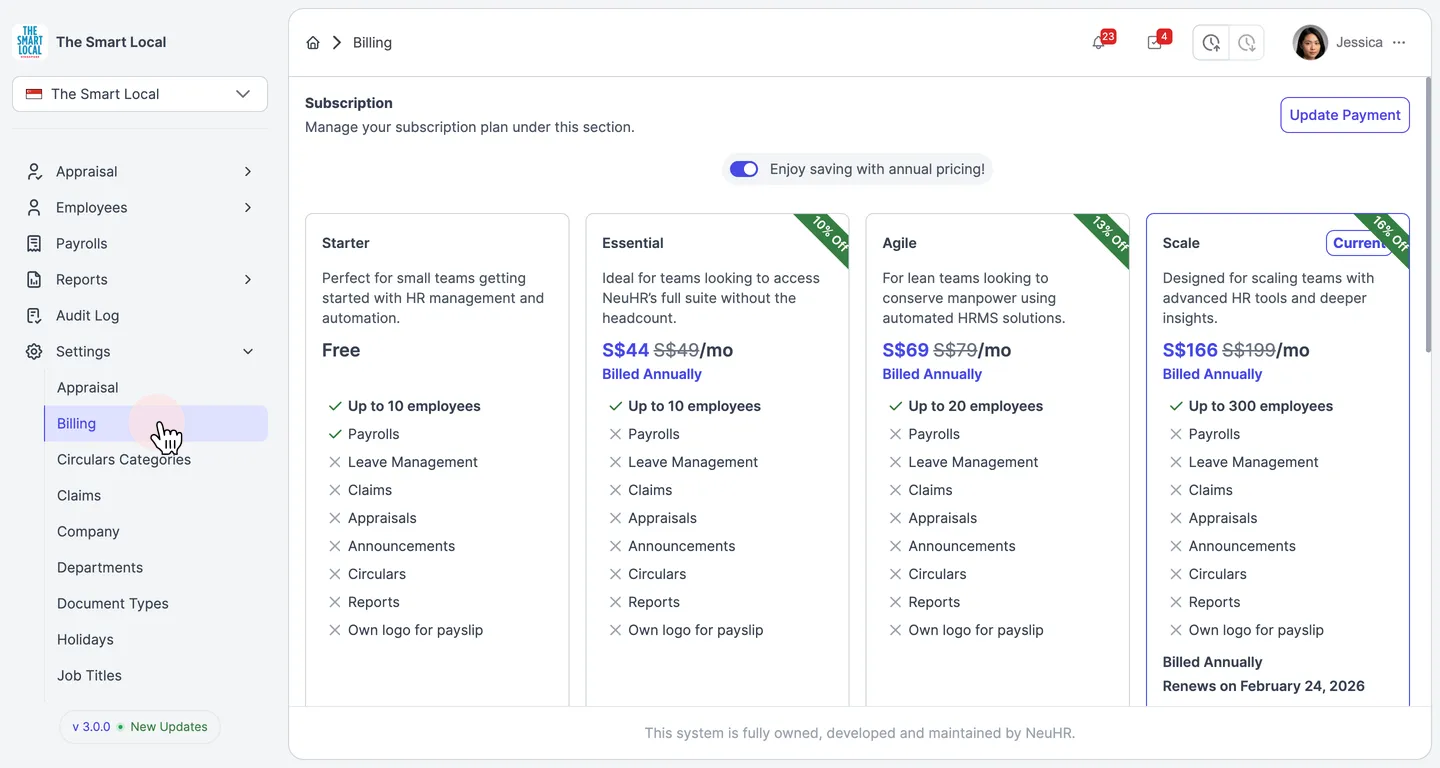
-
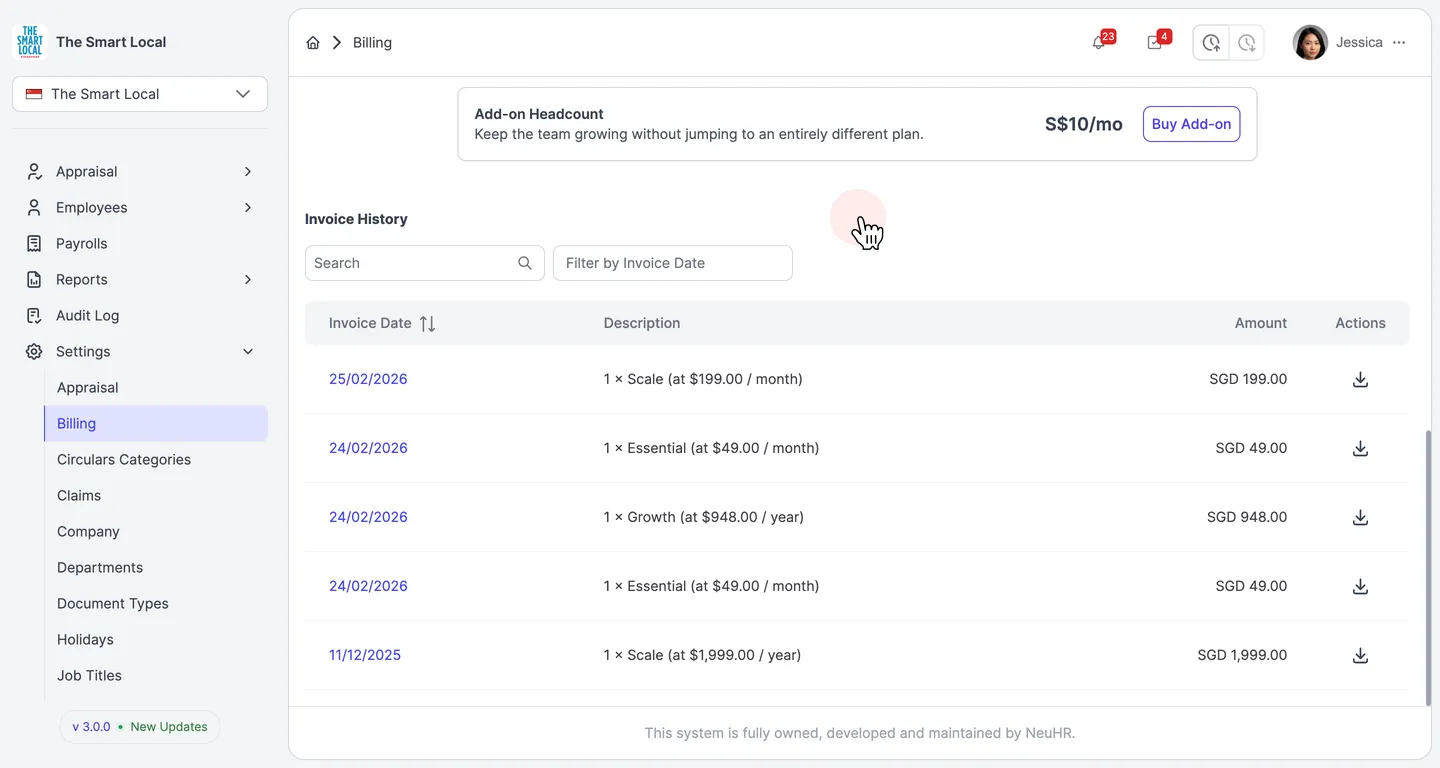
Scroll to Invoice History
Section titled “Scroll to Invoice History”On the Subscription page, scroll down past the plan cards to find the Invoice History section. It lists all past invoices with the Invoice Date, Description, and Amount for each payment.
-
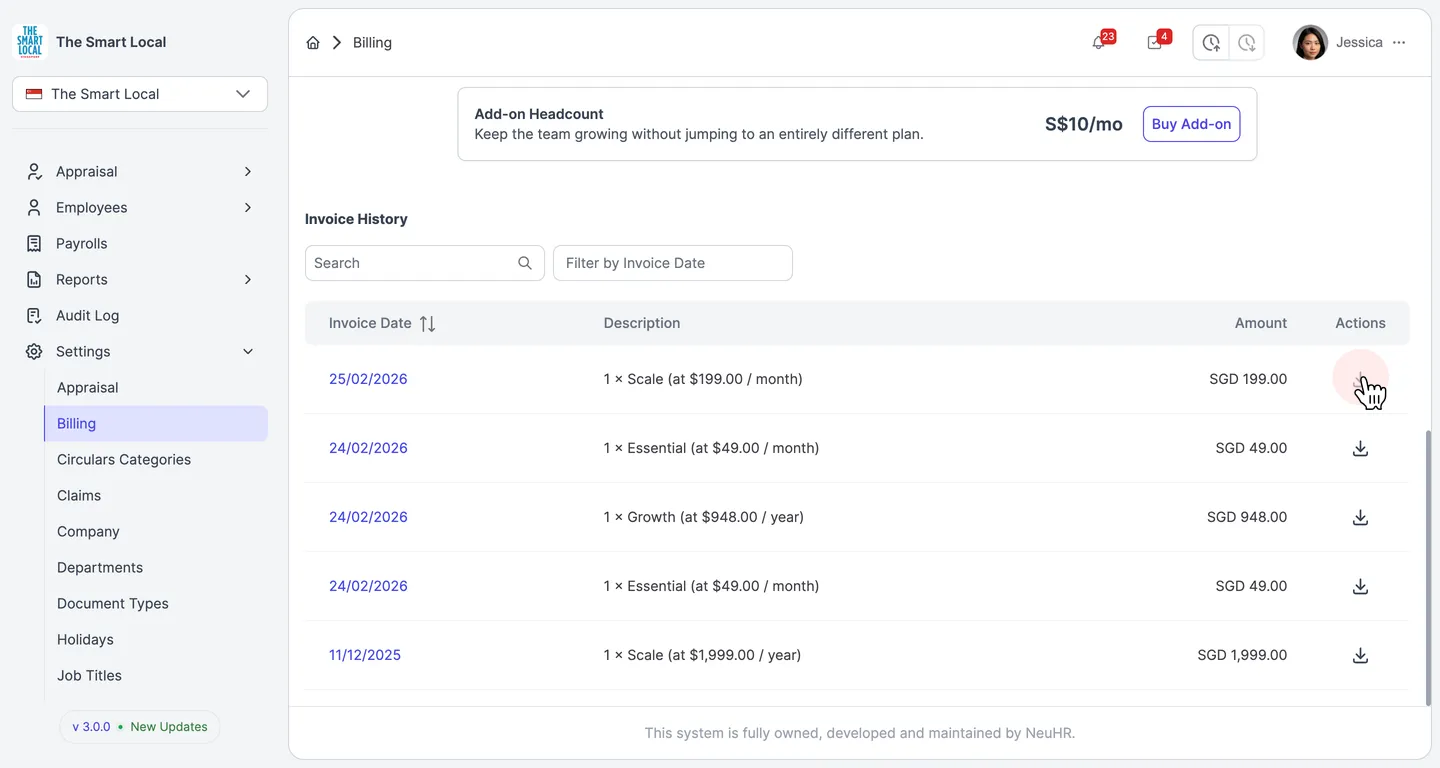
Download an Invoice
Section titled “Download an Invoice”To download a specific invoice, click the download icon in the Actions column next to the invoice you want. The invoice will be downloaded as a PDF.