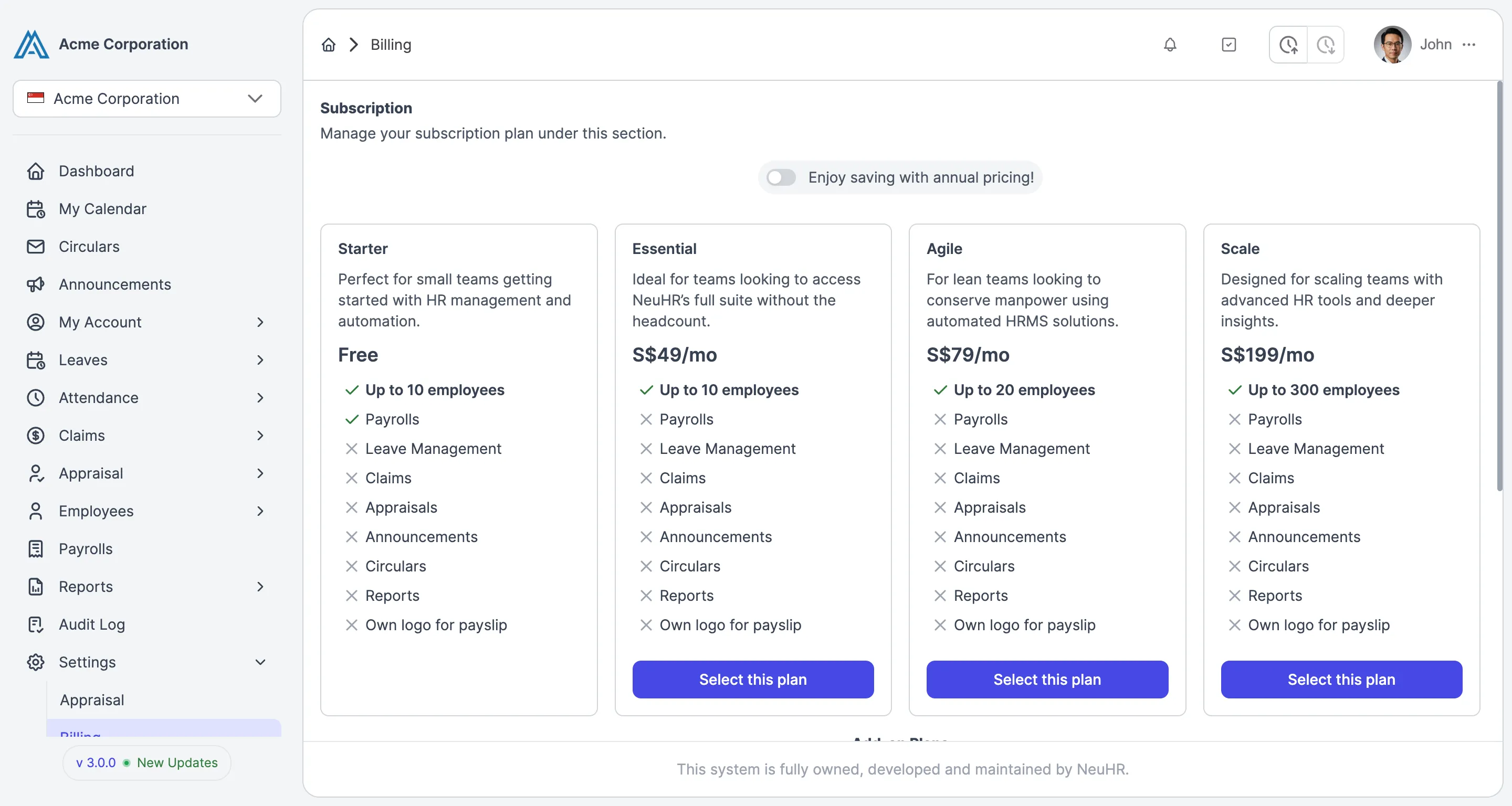
How to Subscribe to a Paid Plan
This guide shows you how to subscribe to a paid plan in NeuHR. You must have Super Admin role to access Billing settings.
-
Navigate to Billing
Section titled “Navigate to Billing”From the sidebar, click
Settingsto expand the menu, then clickBilling.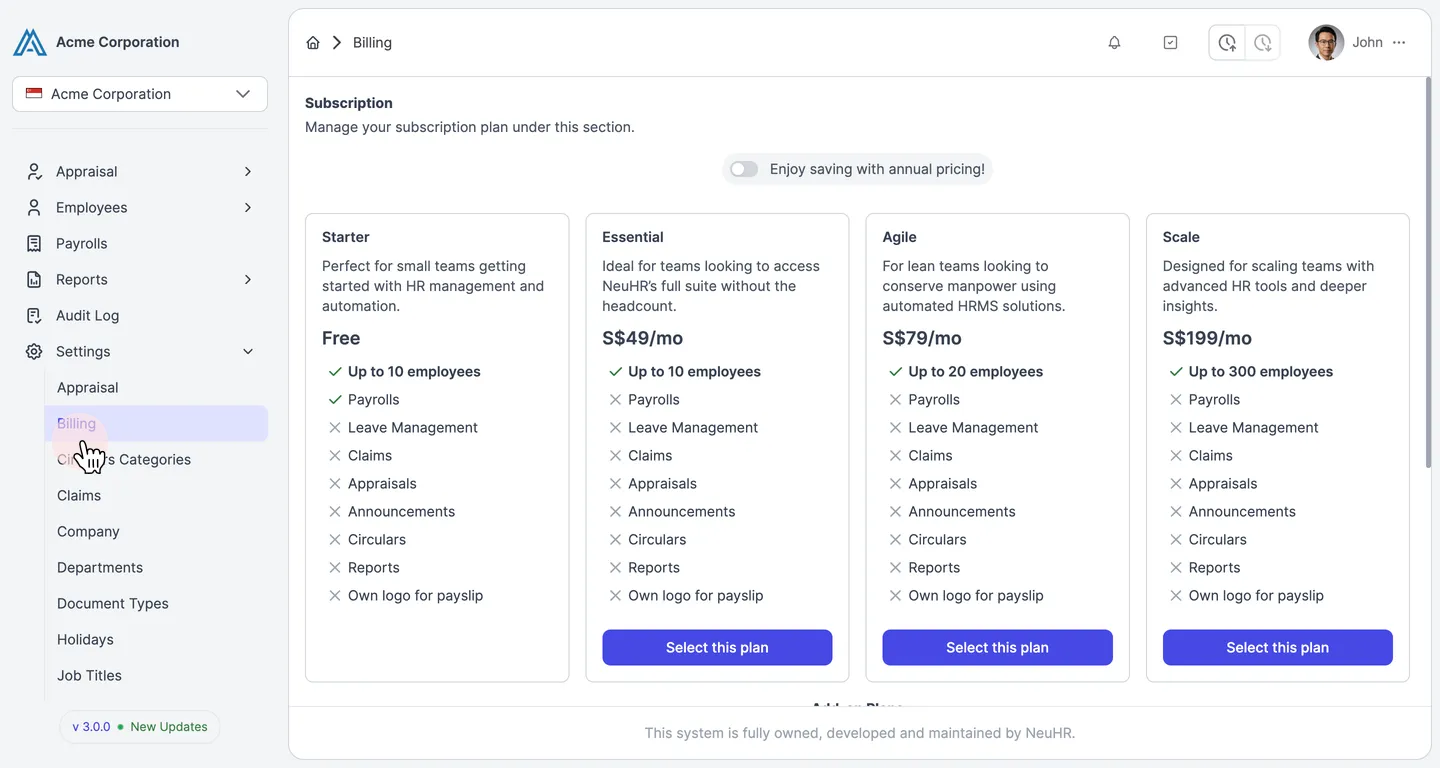
-
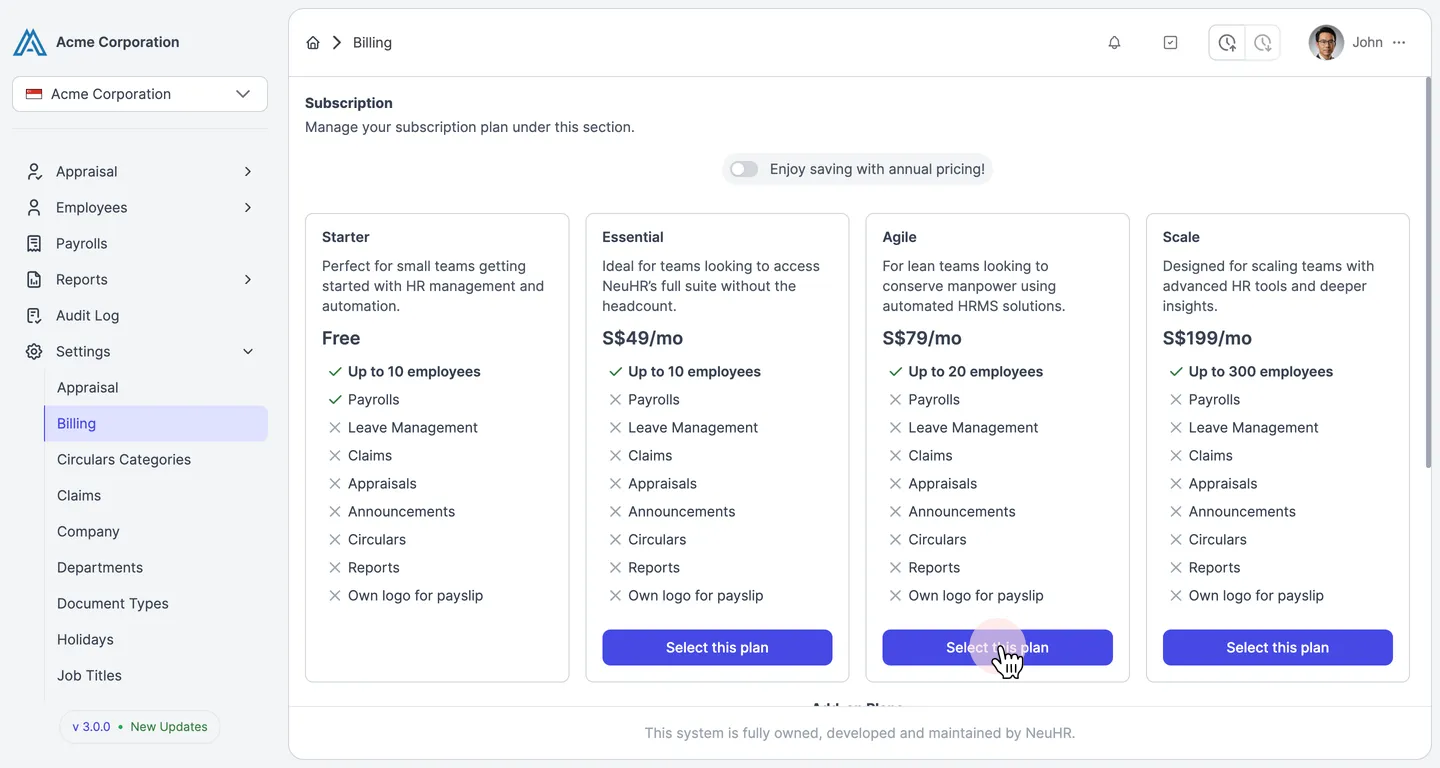
Select the Agile Plan
Section titled “Select the Agile Plan”The Subscription page displays all available plans. Find the Agile plan (S$79/mo, up to 20 employees) and click Select this plan.
-
Enter Your Payment Details
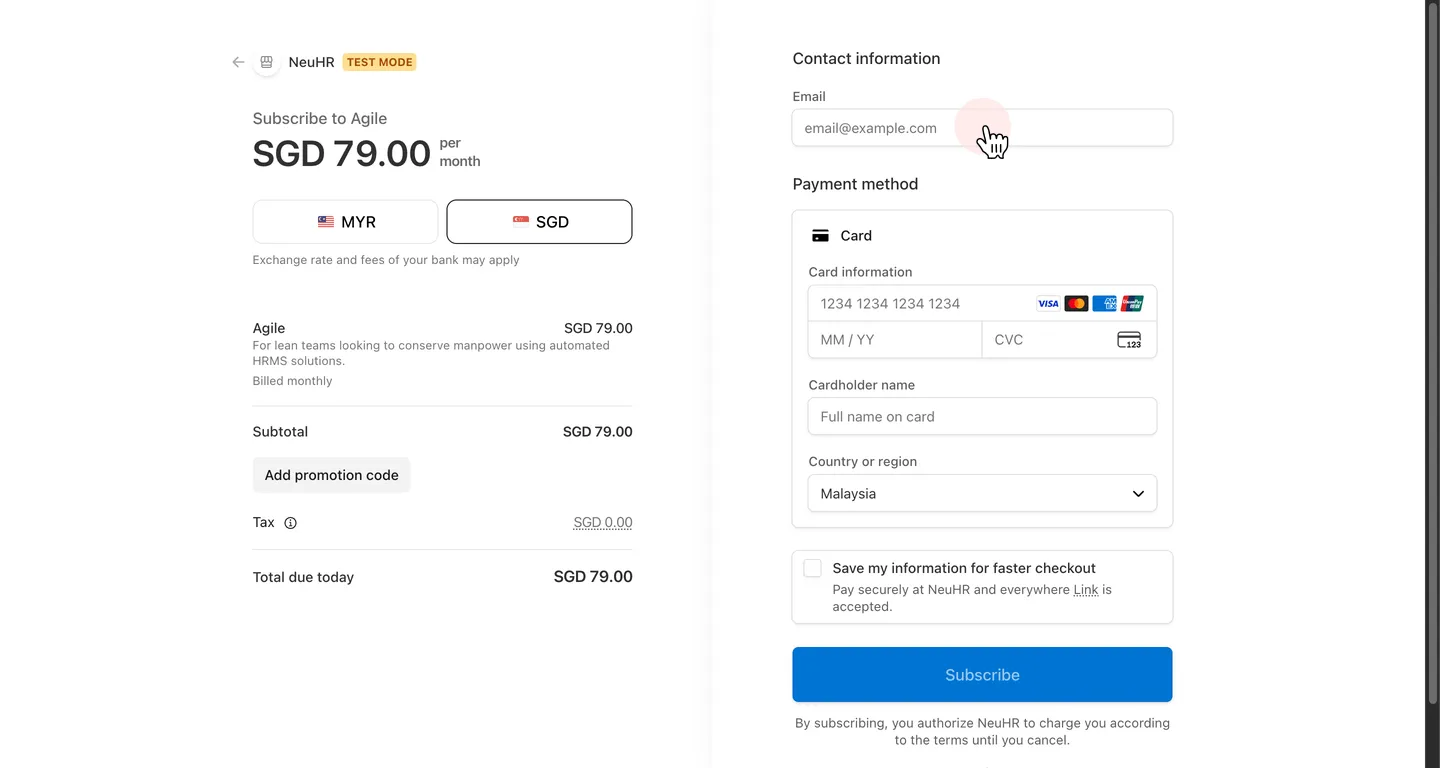
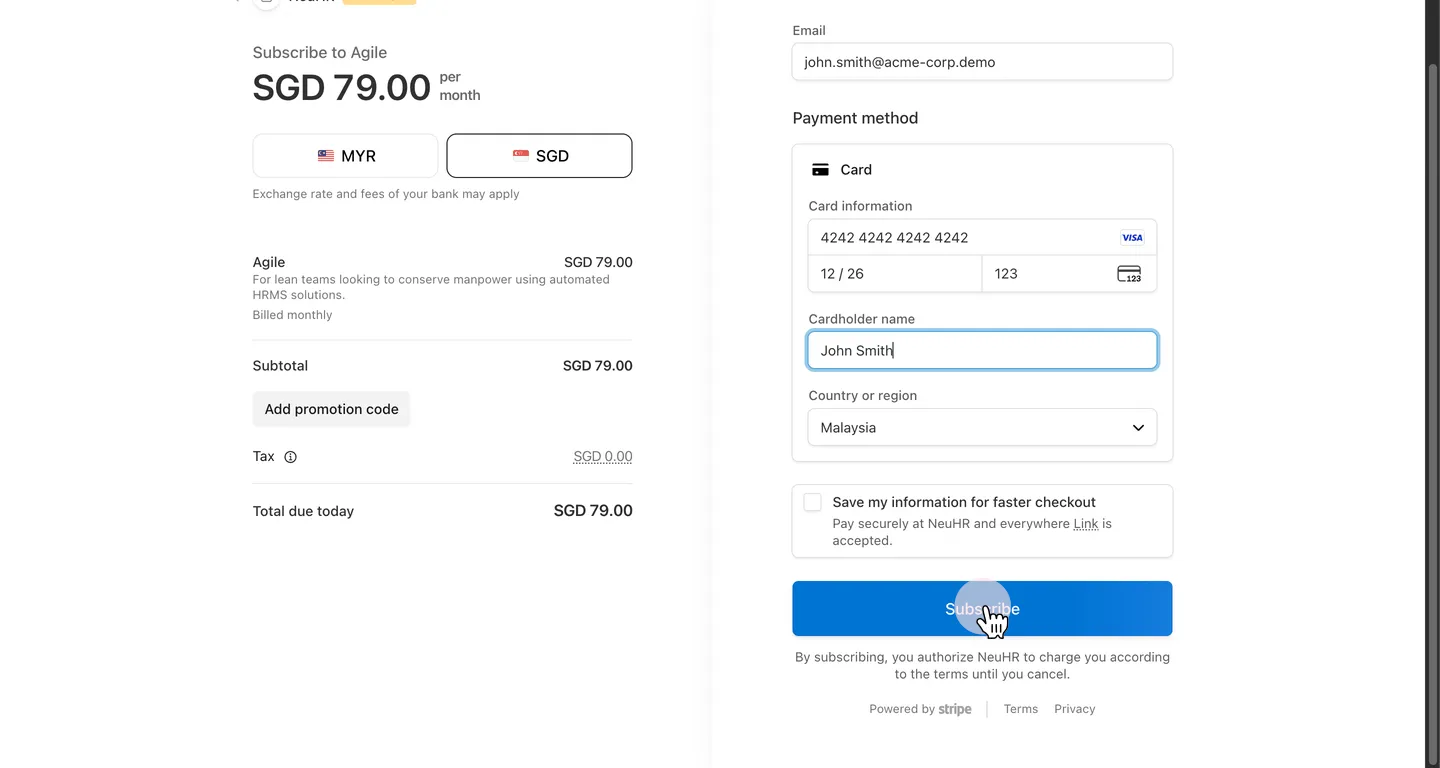
Section titled “Enter Your Payment Details”You’ll be redirected to the Stripe checkout page showing Subscribe to Agile. Fill in the required fields:
- Email: Your billing email address
- Card number: Your card number
- Expiration: Card expiry date (MM / YY)
- CVC: 3-digit security code
- Cardholder name: Name as it appears on the card
- Country or region: Your billing country
-
Click Subscribe
Section titled “Click Subscribe”Once all fields are filled, click the Subscribe button to complete the payment.
-
Subscription Confirmed
Section titled “Subscription Confirmed”After a successful payment, you’ll be redirected back to the Billing page. Your Agile plan subscription is now active.