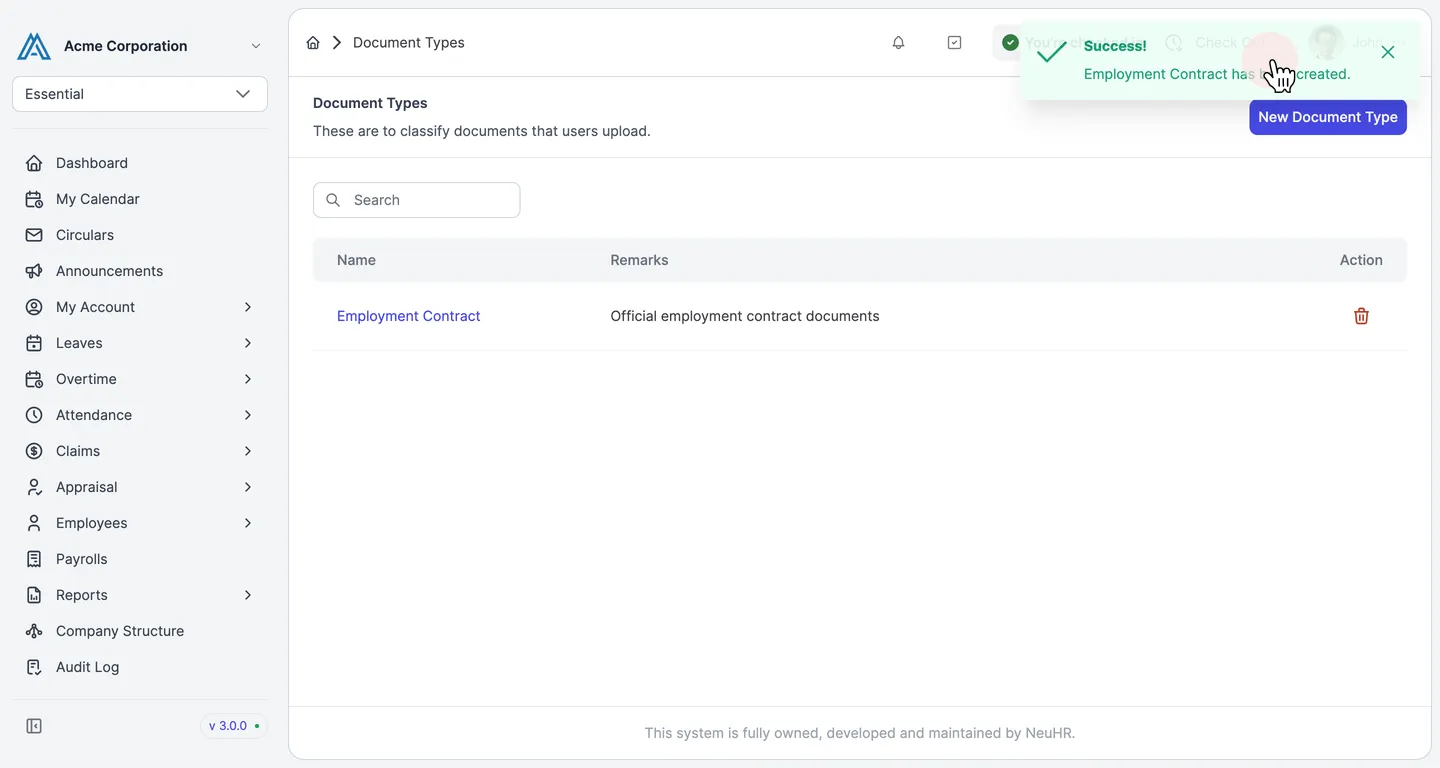
How to Create a New Document Type
This guide shows you how to create a new document type in NeuHR. Document types are used to classify documents that users upload.
-
Navigate to Document Types
Section titled “Navigate to Document Types”From the sidebar, scroll down and click
Settingsto expand the menu, then clickDocument Types.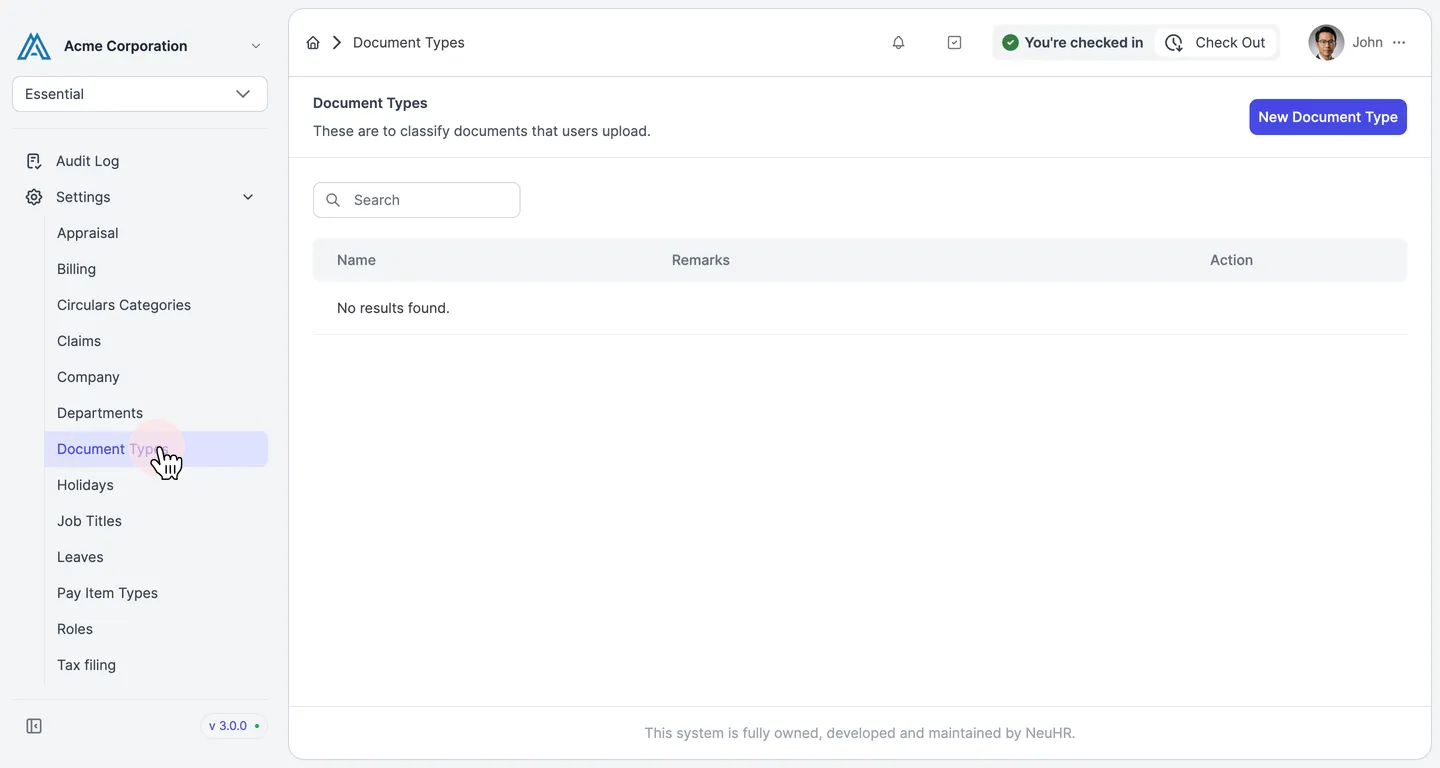
-
Click New Document Type
Section titled “Click New Document Type”On the Document Types page, click the
New Document Typebutton in the top-right corner.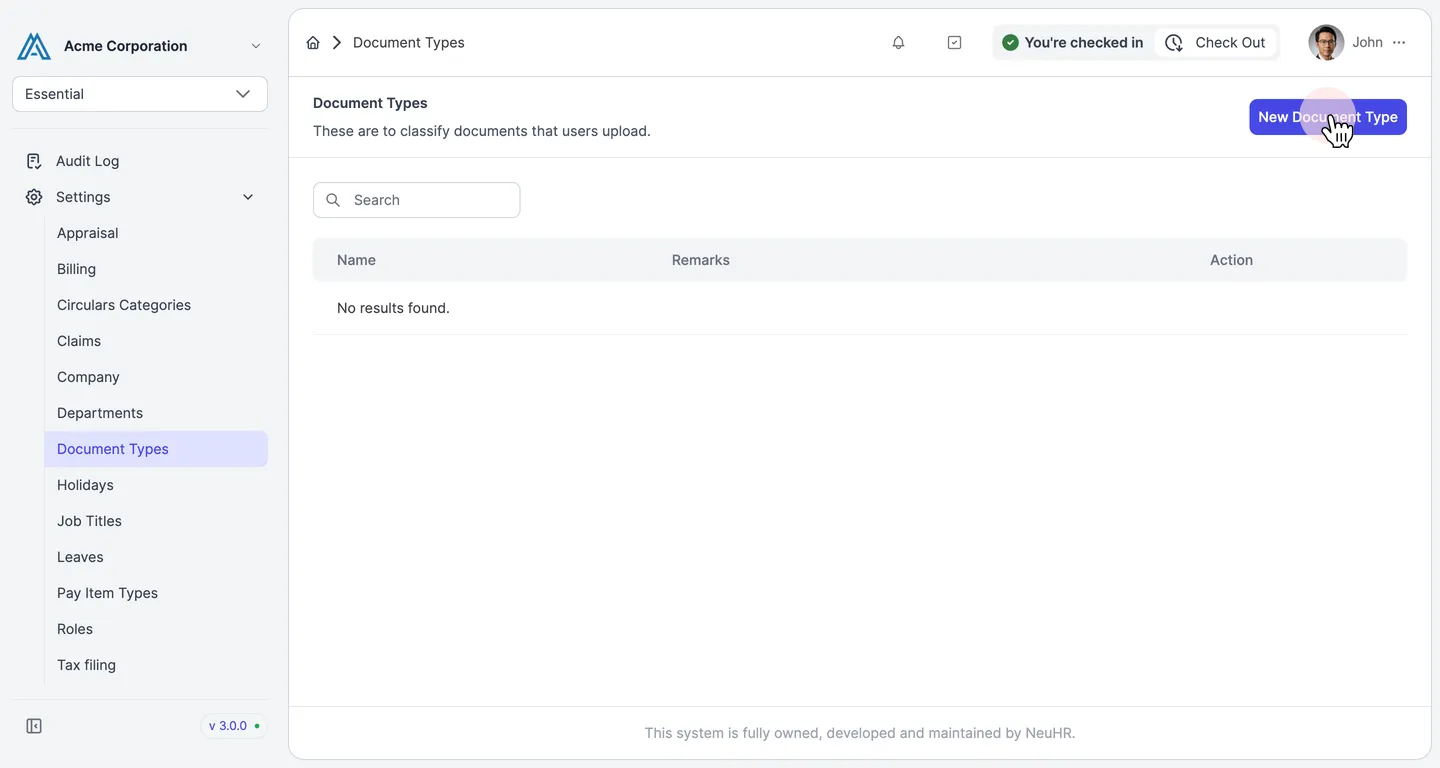
-
Enter the Name of Document Type
Section titled “Enter the Name of Document Type”On the Create User Document Type form, enter a name in the
Name of Document Typefield.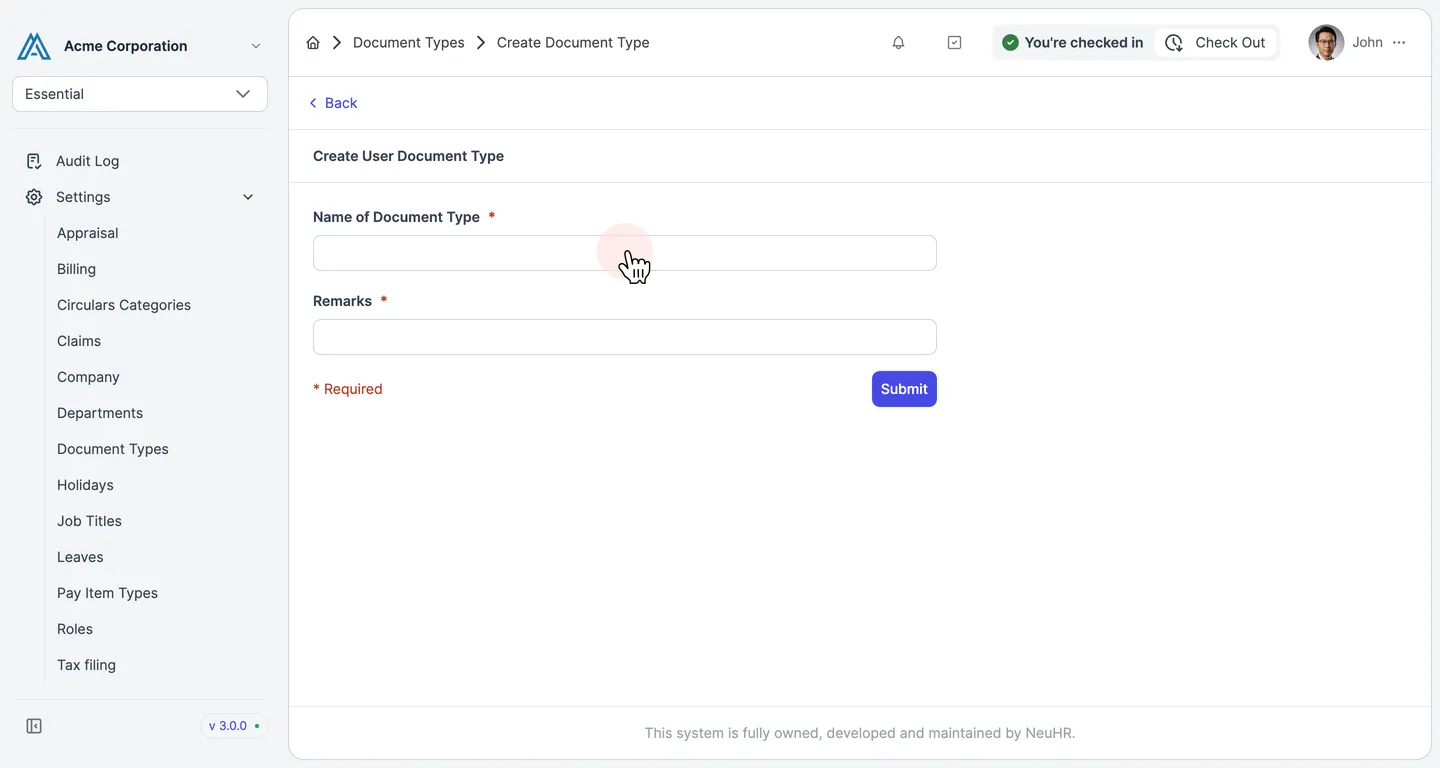
-
Fill in Remarks and Click Submit
Section titled “Fill in Remarks and Click Submit”Enter a description in the
Remarksfield, then clickSubmit.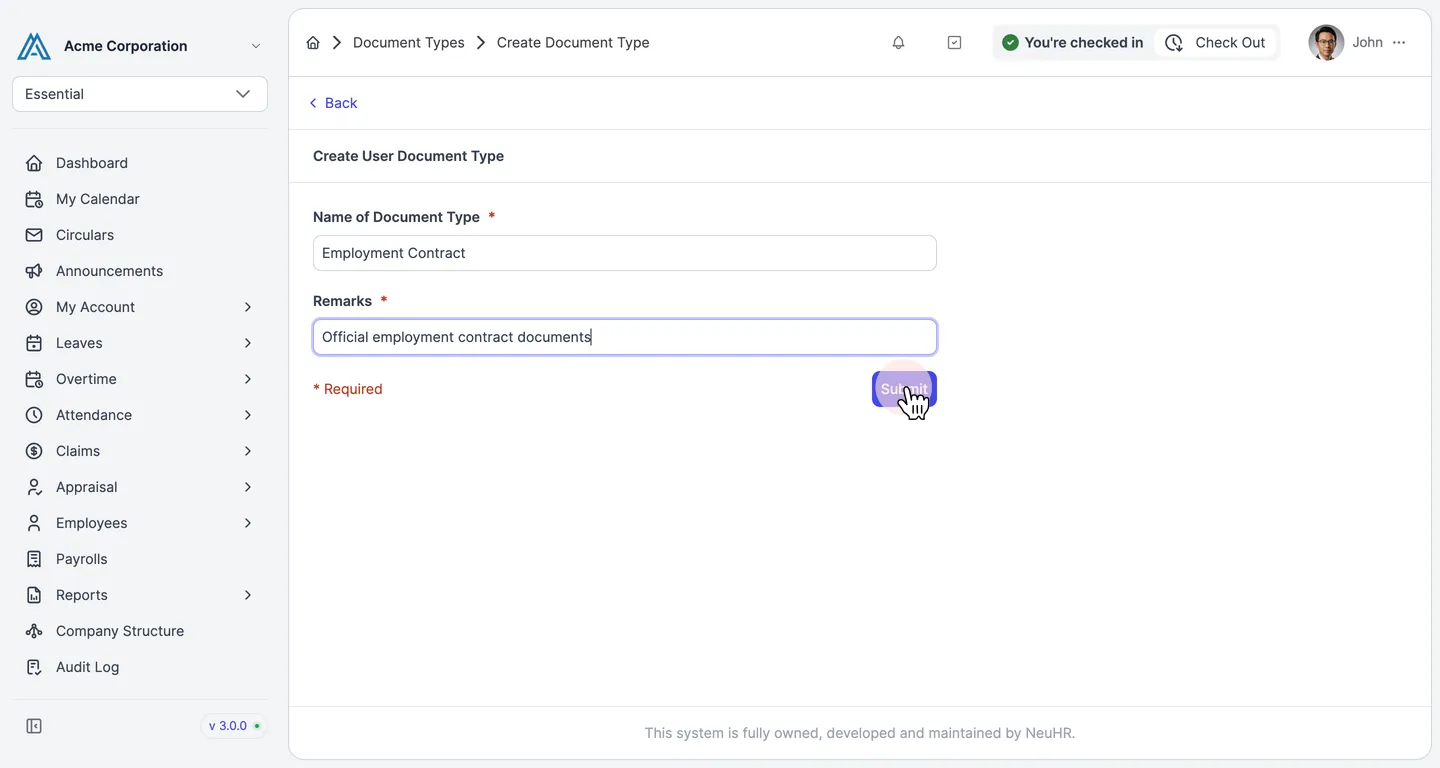
-
Document Type Created Successfully
Section titled “Document Type Created Successfully”A success notification confirms the document type has been created. The new document type now appears in the list.