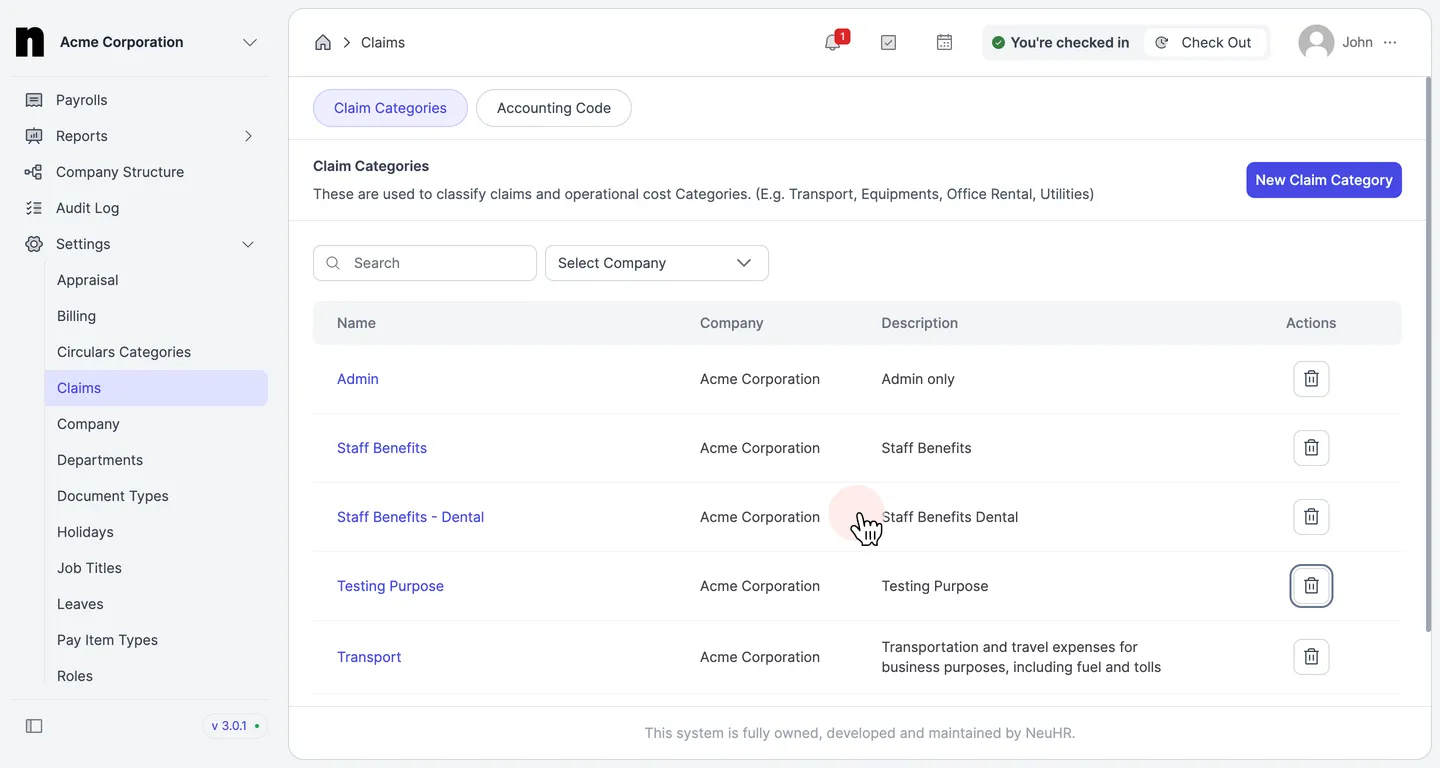
How to Delete Claim Category
This guide shows you how to delete a claim category in NeuHR. Note that deleting a category will also permanently delete all associated subcategories.
-
Navigate to Claims Settings
Section titled “Navigate to Claims Settings”From the left sidebar, click on
Settingsto expand the menu, then click onClaims.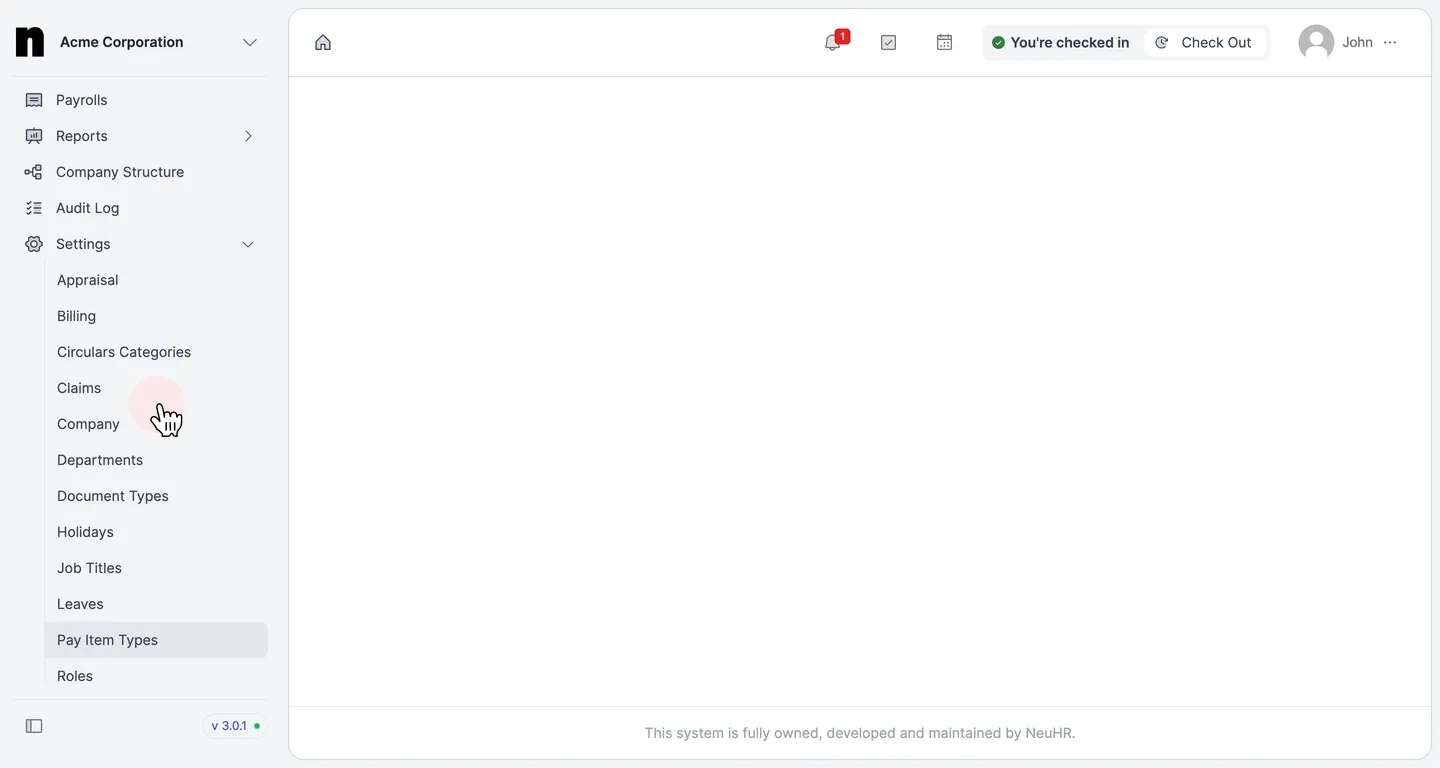
-
Click the Delete Icon
Section titled “Click the Delete Icon”On the
Claim Categoriespage, locate the category you want to delete. Click the trash icon in theActionscolumn of that row.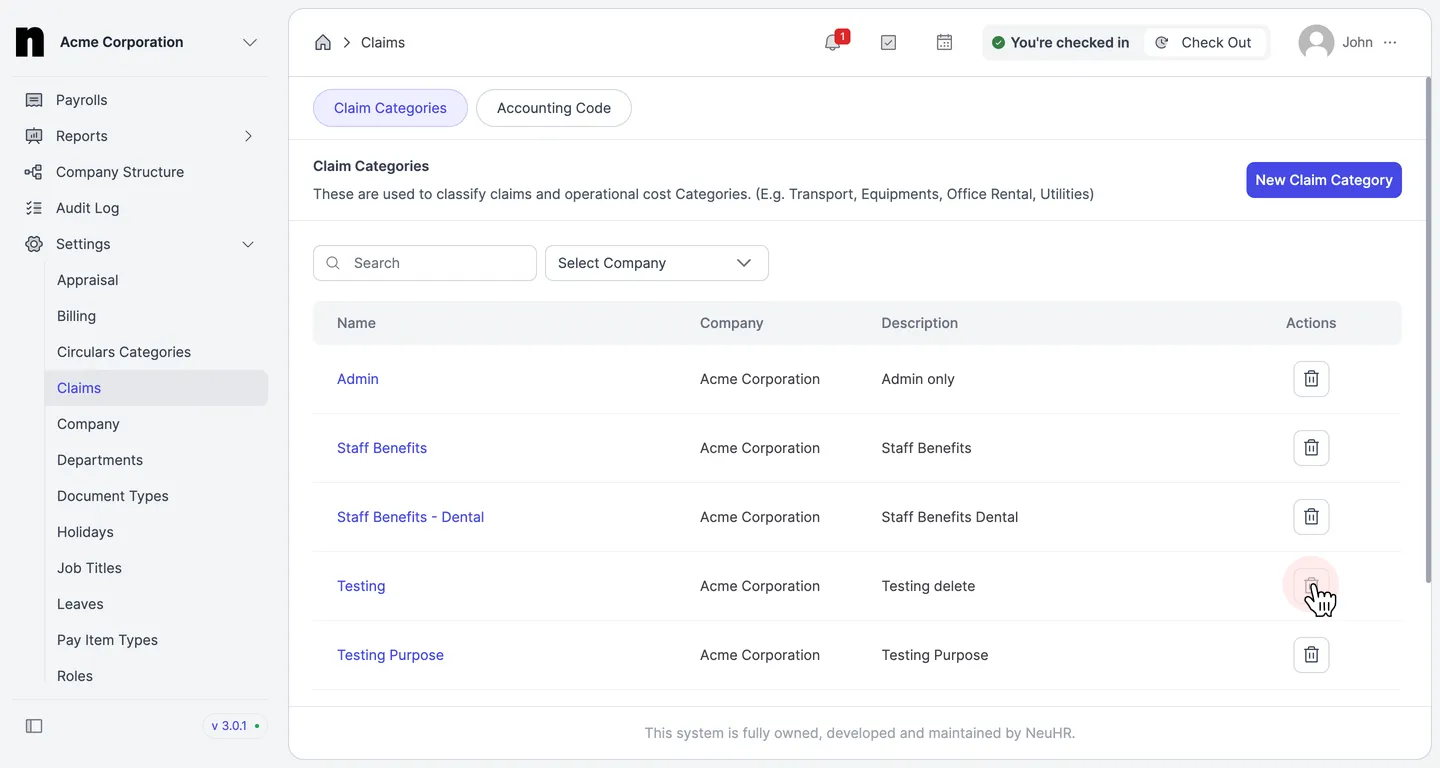
-
Confirm the Deletion
Section titled “Confirm the Deletion”A confirmation dialog will appear: “Delete [Category Name] Claim Category”. Review the warning that this action will also delete all associated subcategories, then click the
Deletebutton to confirm.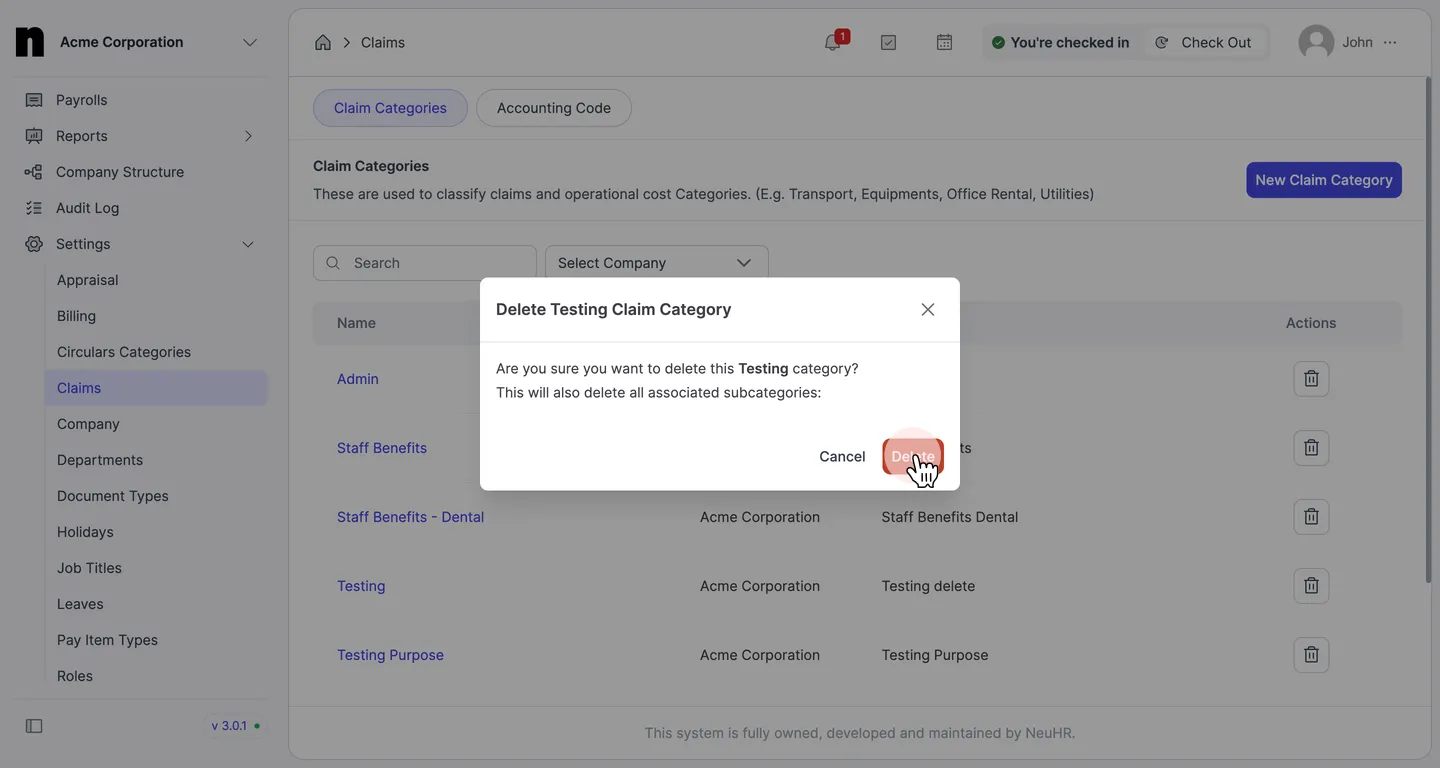
-
Deletion Complete
Section titled “Deletion Complete”The category is removed from the
Claim Categorieslist. The deleted category will no longer appear in the list.