How to Create a New Job Title
This guide shows you how to create a new job title in NeuHR. Job titles are linked to a department and can be assigned to employees across your organization.
-
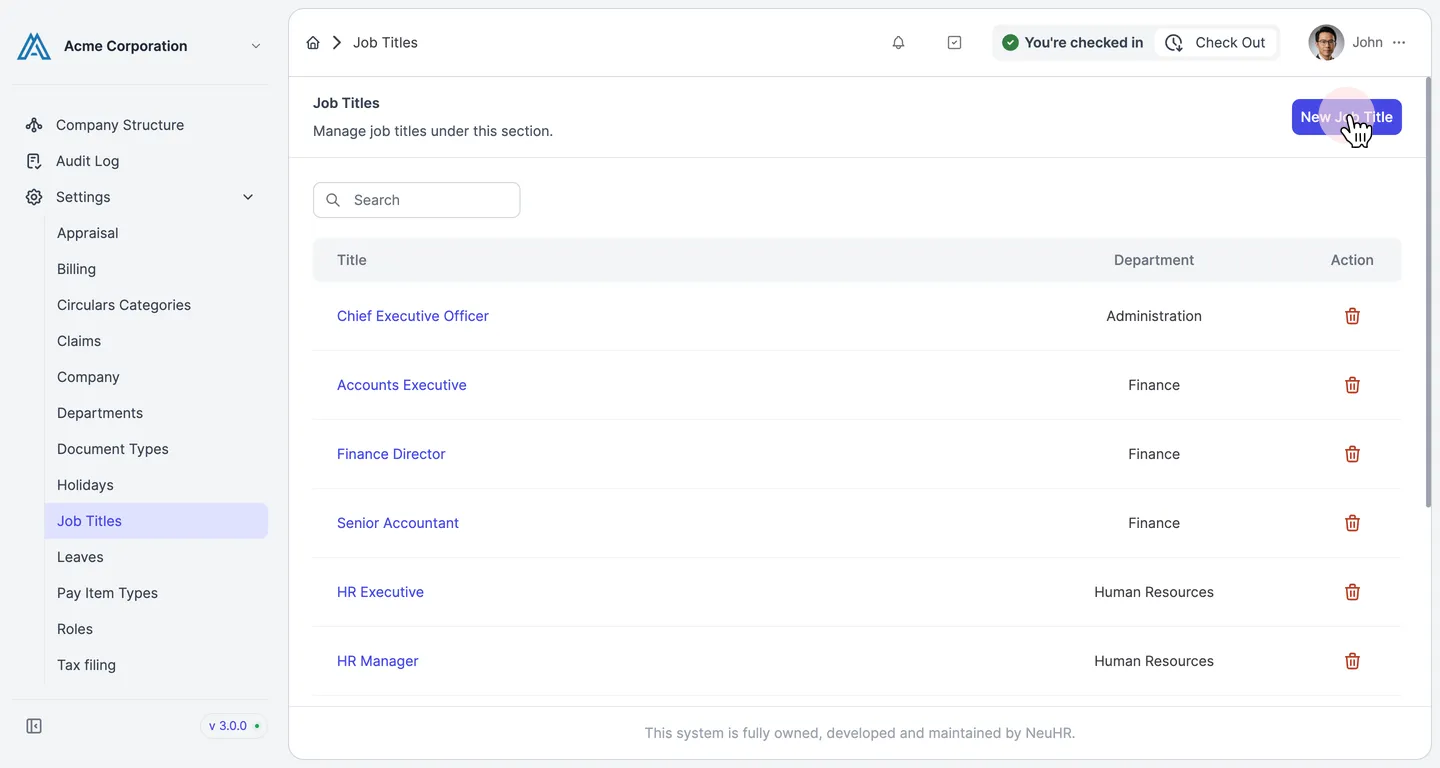
Navigate to Settings > Job Titles and click New Job Title
Section titled “Navigate to Settings > Job Titles and click New Job Title”From the sidebar, go to Settings → Job Titles. The Job Titles page lists all existing titles. Click the New Job Title button in the top-right corner.
-
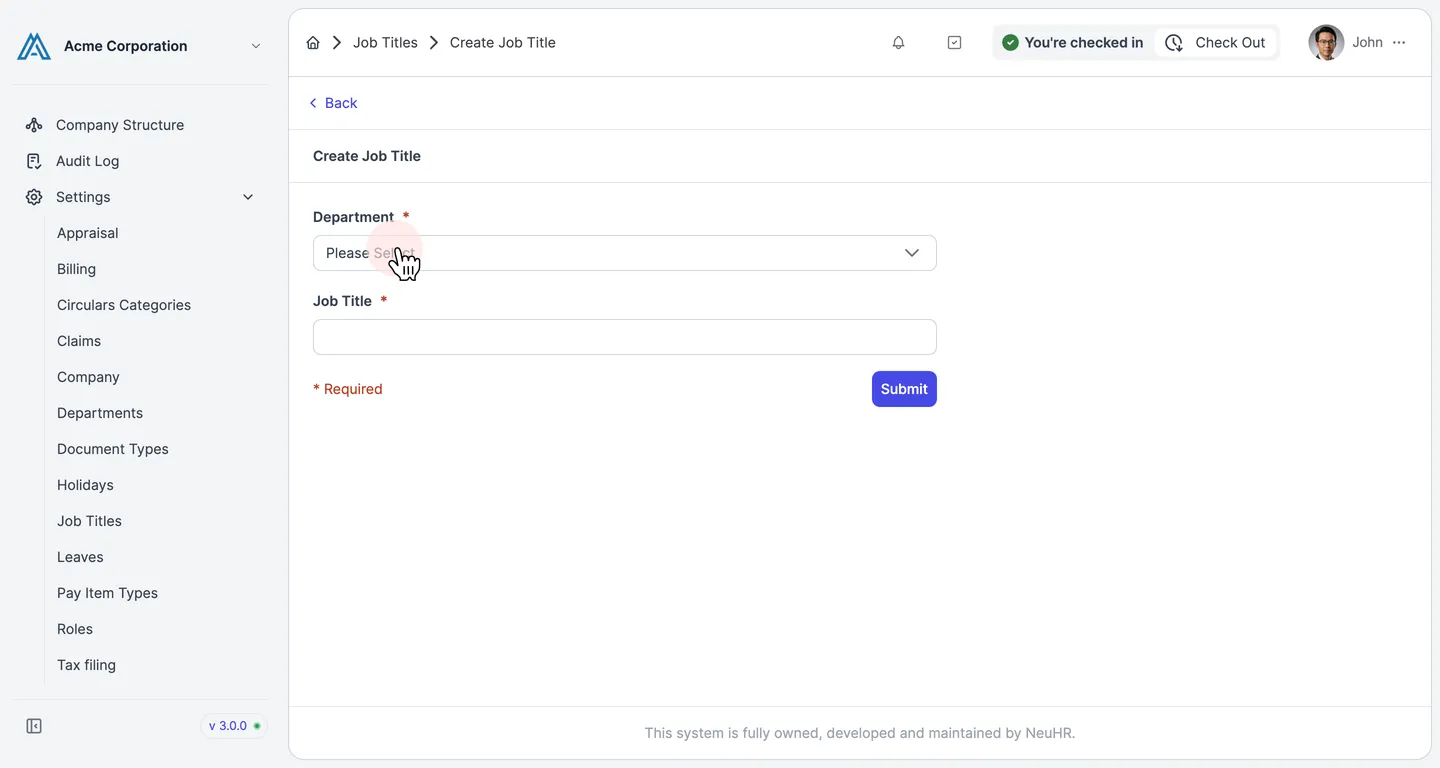
Select a Department
Section titled “Select a Department”On the Create Job Title form, click the Department dropdown and select the department this job title belongs to.
-
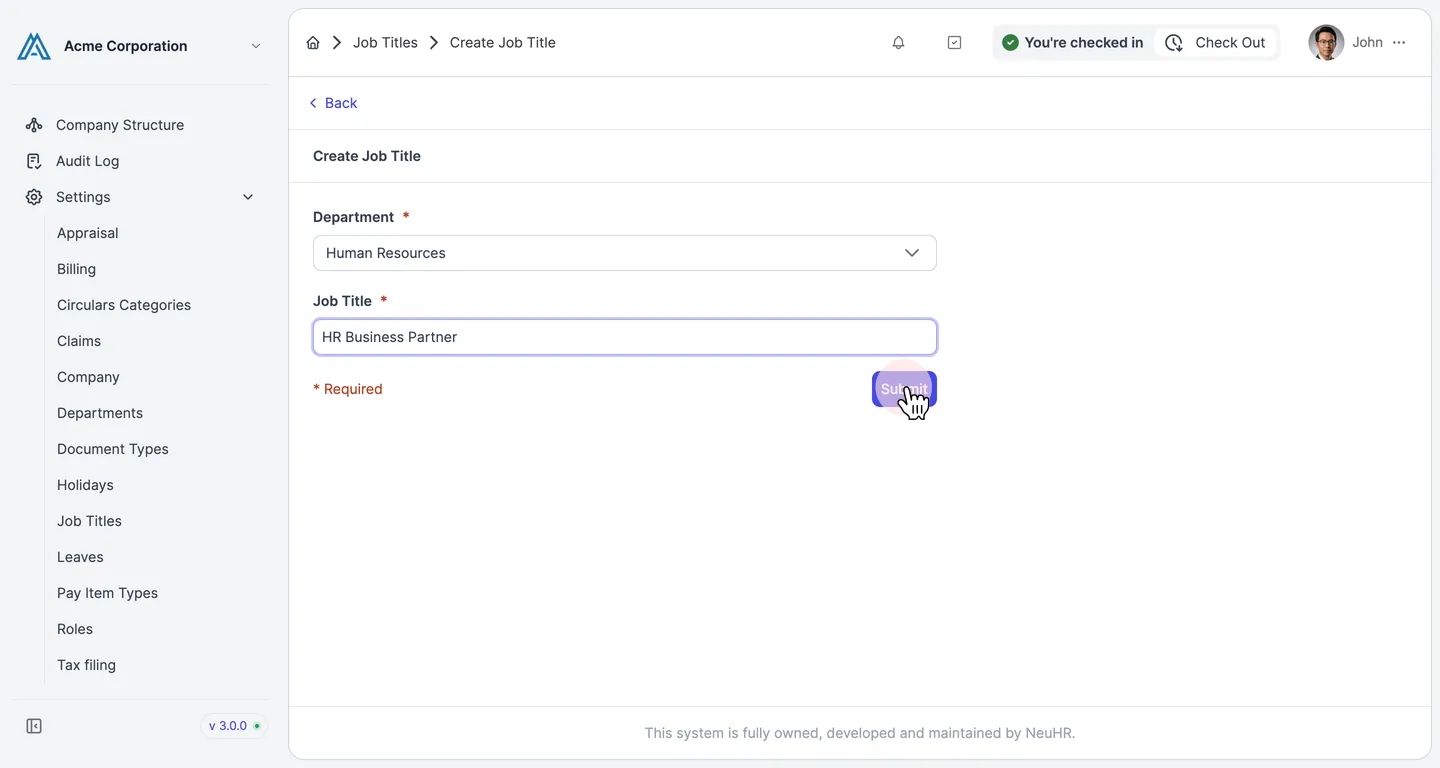
Enter the Job Title and click Submit
Section titled “Enter the Job Title and click Submit”Type the job title name in the Job Title field, then click the Submit button to save.
-
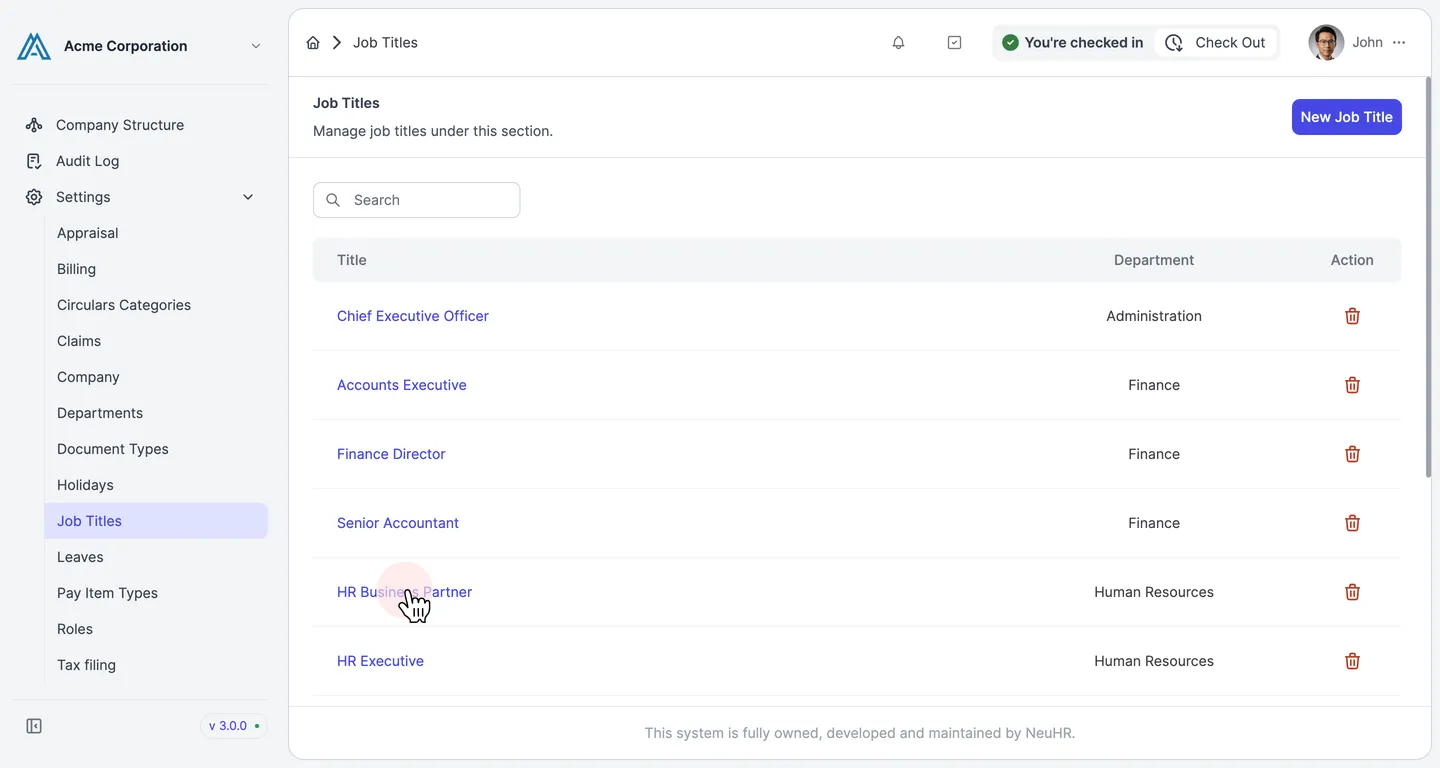
Job title created successfully
Section titled “Job title created successfully”You are redirected to the Job Titles listing. The new job title appears in the list with its name and associated department.