How to Update Pay Item Type
This guide shows you how to update the details of an existing pay item type, such as its name, IR8A code, CPF type, category, and whether CPF, SHG, or SDL contributions apply.
-
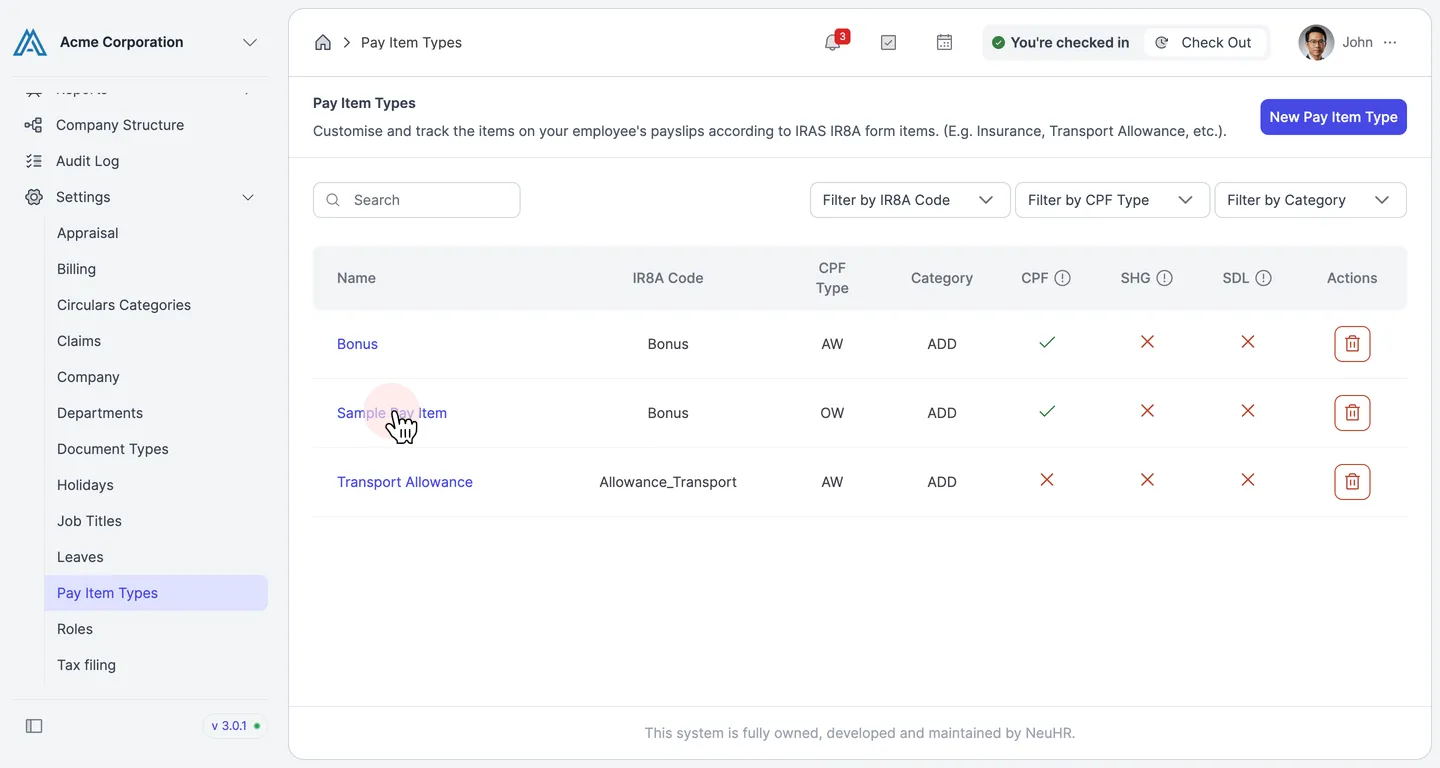
Open the pay item type you want to edit
Section titled “Open the pay item type you want to edit”In the left sidebar, expand Settings and click Pay Item Types. The Pay Item Types list appears. Click the name of the pay item type you want to update — for example, Sample Pay Item.
-
Update the pay item details
Section titled “Update the pay item details”The Update Pay Item Details form opens, pre-filled with the current values. Edit any of the following fields as needed:
Field Description Pay Item Name The display name for this pay item on payslips I8RA Code The IRAS IR8A form category this item maps to (e.g. Bonus, Allowance_Transport) CPF Type Whether the wage is Ordinary Wage (OW) or Additional Wage (AW) for CPF purposes Category Whether this item is an Addition or Deduction on the payslip Is CPF Payable? Toggle on if CPF contributions apply to this item Is SHG Payable? Toggle on if Self-Help Group fund deductions apply Is SDL Payable? Toggle on if Skills Development Levy applies 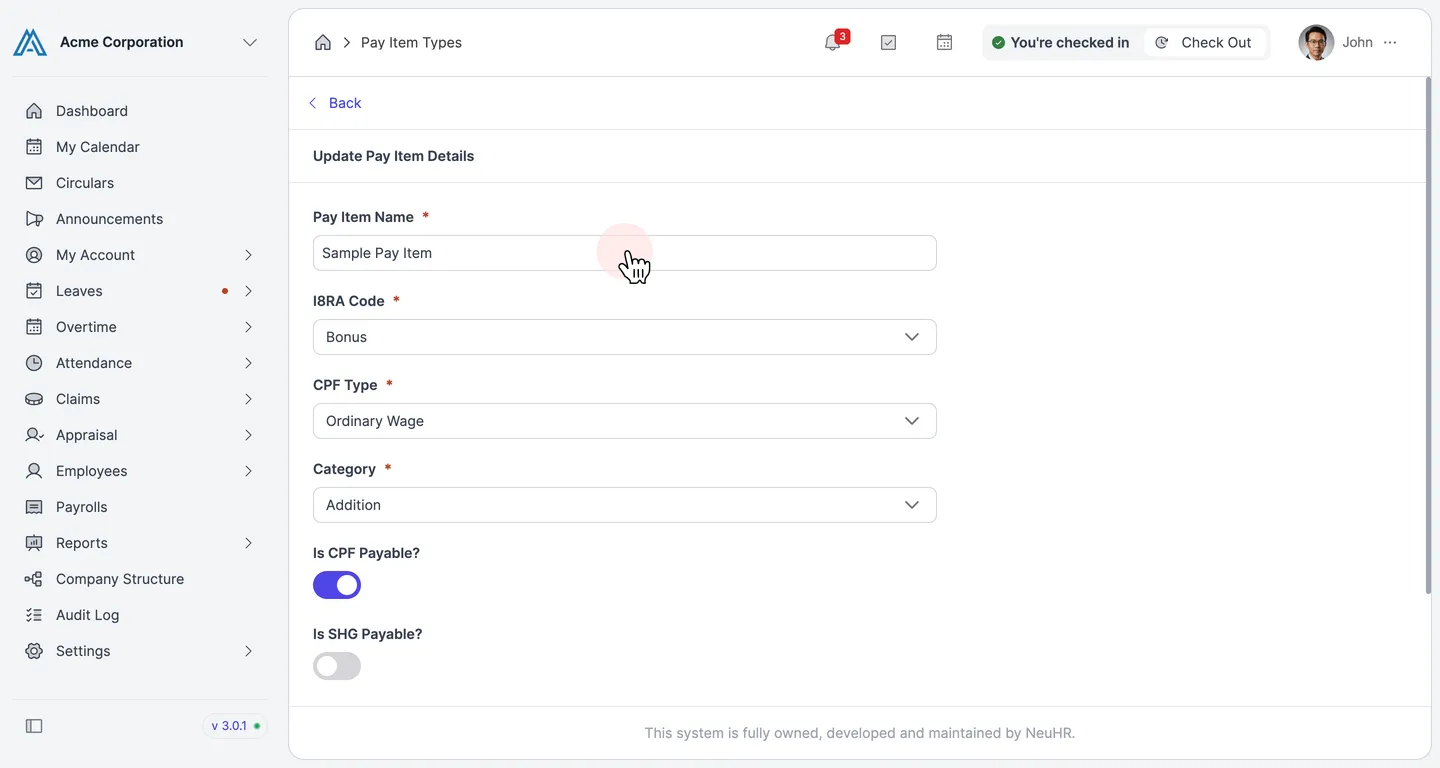
-
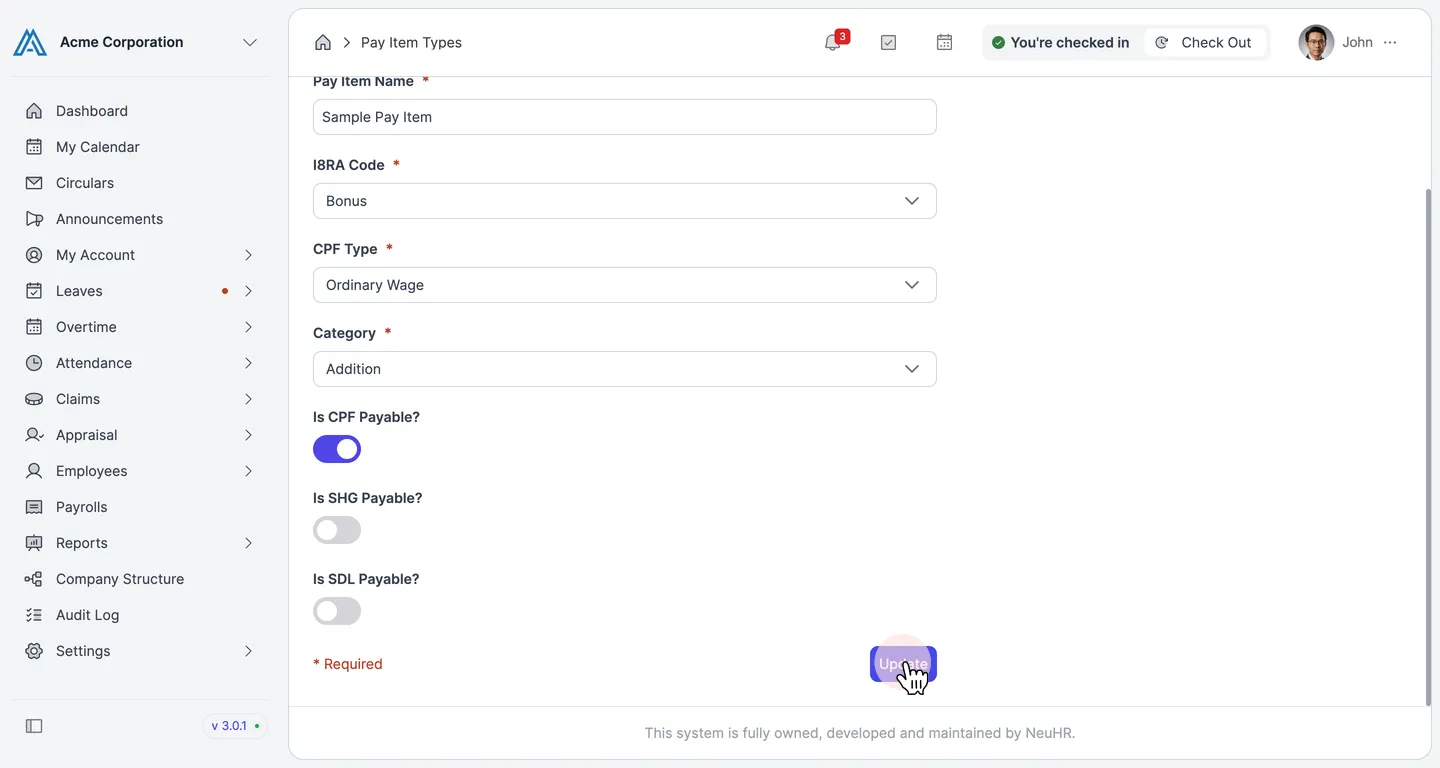
Save the changes
Section titled “Save the changes”Scroll to the bottom of the form and click Update to save your changes.