

How to Create New Pay Item Type
This guide shows you how to create a new pay item type in NeuHR. Pay item types define the custom items that appear on employee payslips, such as transport allowances, bonuses, or insurance.
-
Navigate to Pay Item Types
Section titled “Navigate to Pay Item Types”From the left sidebar, click on
Settingsto expand the menu, then click onPay Item Types.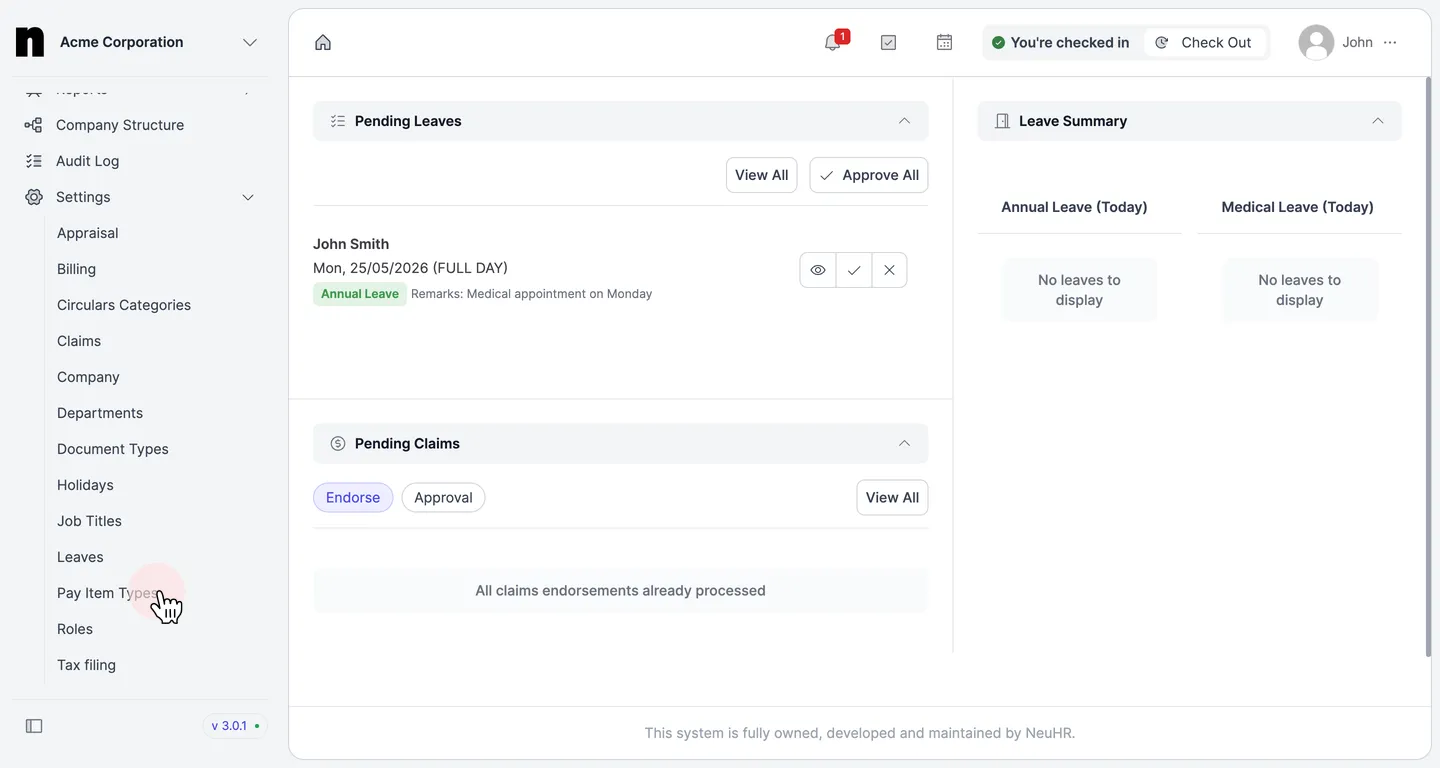
-
Click New Pay Item Type
Section titled “Click New Pay Item Type”On the
Pay Item Typespage, click theNew Pay Item Typebutton in the top right corner.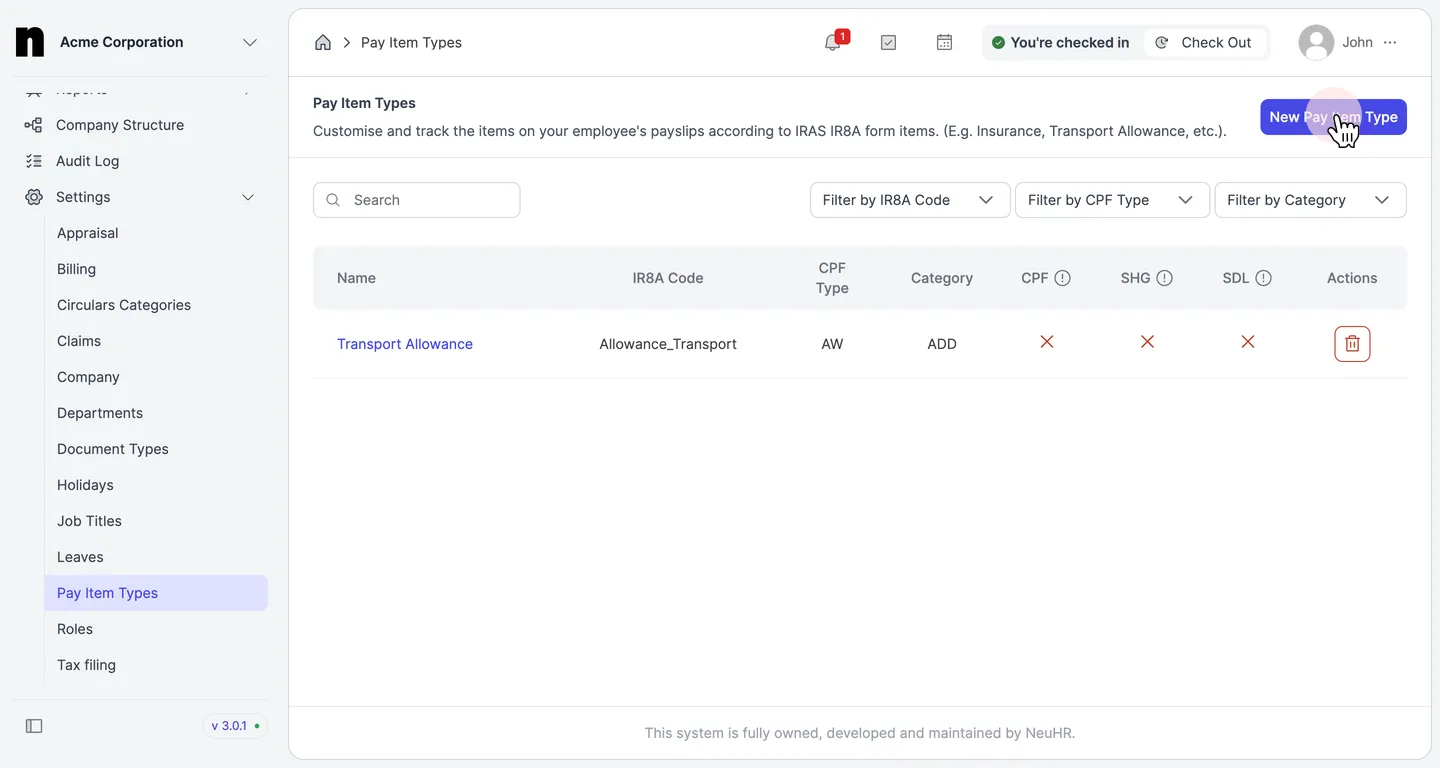
-
Fill in the Pay Item Details
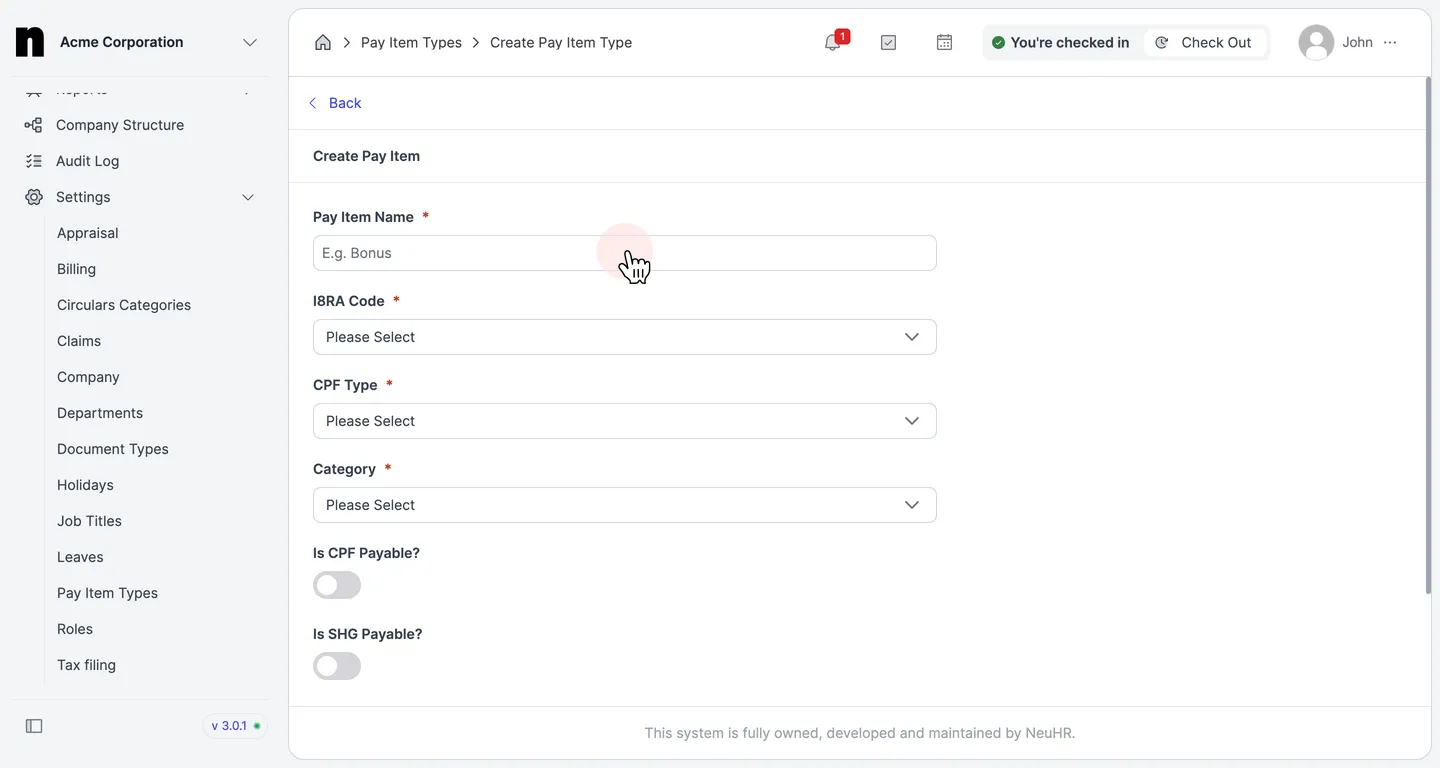
Section titled “Fill in the Pay Item Details”The
Create Pay Itemform opens. Fill in the required fields:- Pay Item Name — enter a descriptive name for the pay item (e.g.,
Transport Allowance,Bonus) - I8RA Code — select the corresponding IRAS IR8A form code from the dropdown
- CPF Type — select the CPF contribution type applicable to this pay item
- Category — select whether this pay item is an addition (
ADD) or deduction (DED)
- Pay Item Name — enter a descriptive name for the pay item (e.g.,
-
Configure Payable Toggles and Create
Section titled “Configure Payable Toggles and Create”Below the required fields, configure the payability toggles as needed:
- Is CPF Payable? — toggle on if CPF contributions apply to this pay item
- Is SHG Payable? — toggle on if Self-Help Group (SHG) fund contributions apply
- Is SDL Payable? — toggle on if Skills Development Levy (SDL) applies
Once all details are filled in, click the
Createbutton to save the new pay item type.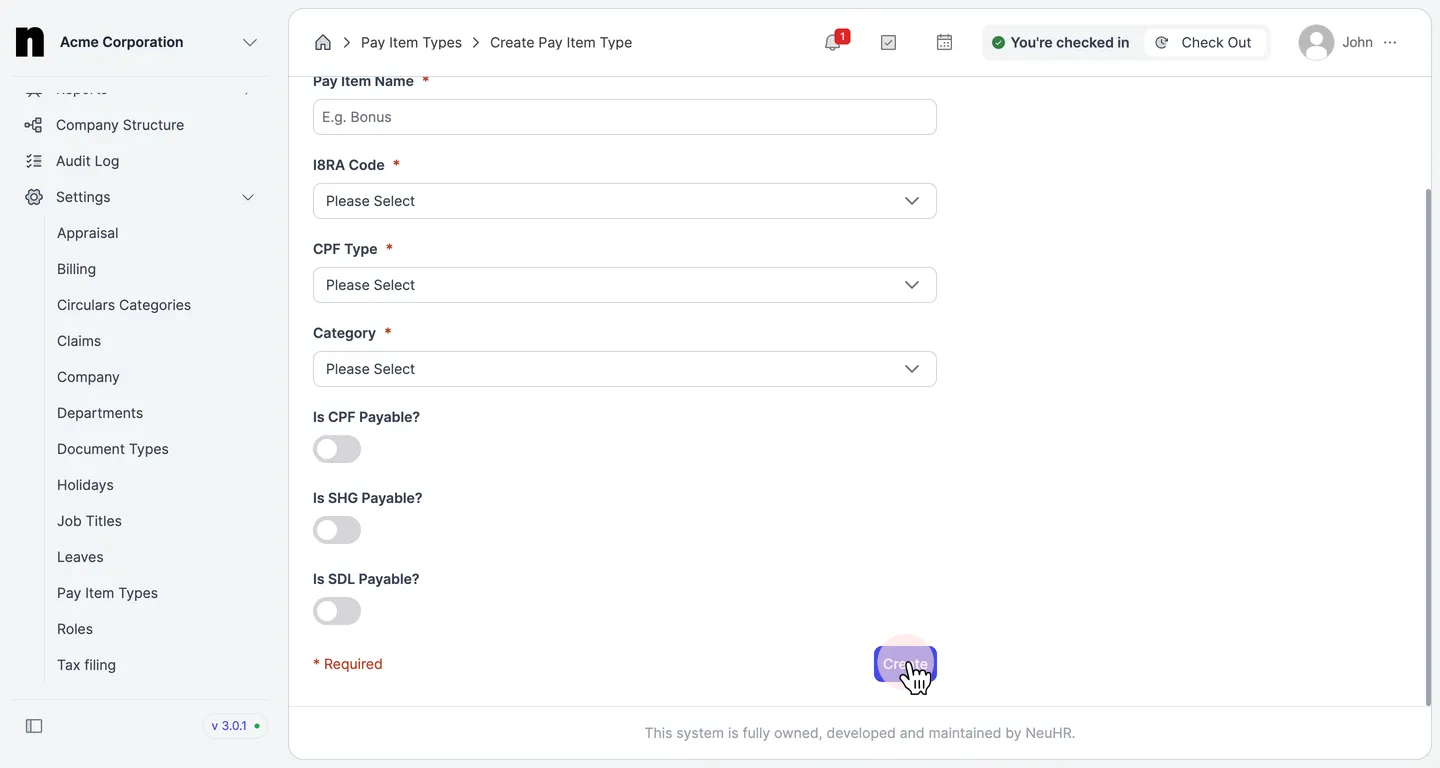
The new pay item type will be added to the
Pay Item Typeslist and will be available for use in payroll.