

How to Check and Read the Audit Log Page
This guide explains how to access and read the Audit Log page in NeuHR. The Audit Log provides a comprehensive record of all system activities, changes, and user actions within your NeuHR instance.
What is the Audit Log?
Section titled “What is the Audit Log?”The Audit Log is a security and compliance feature that records all significant actions performed in the NeuHR system. This includes:
- User login and logout activities
- Employee record modifications
- Leave application submissions and approvals
- Payroll changes
- Settings modifications
- Role and permission changes
- Data exports and imports
-
Navigate to Audit Log Page
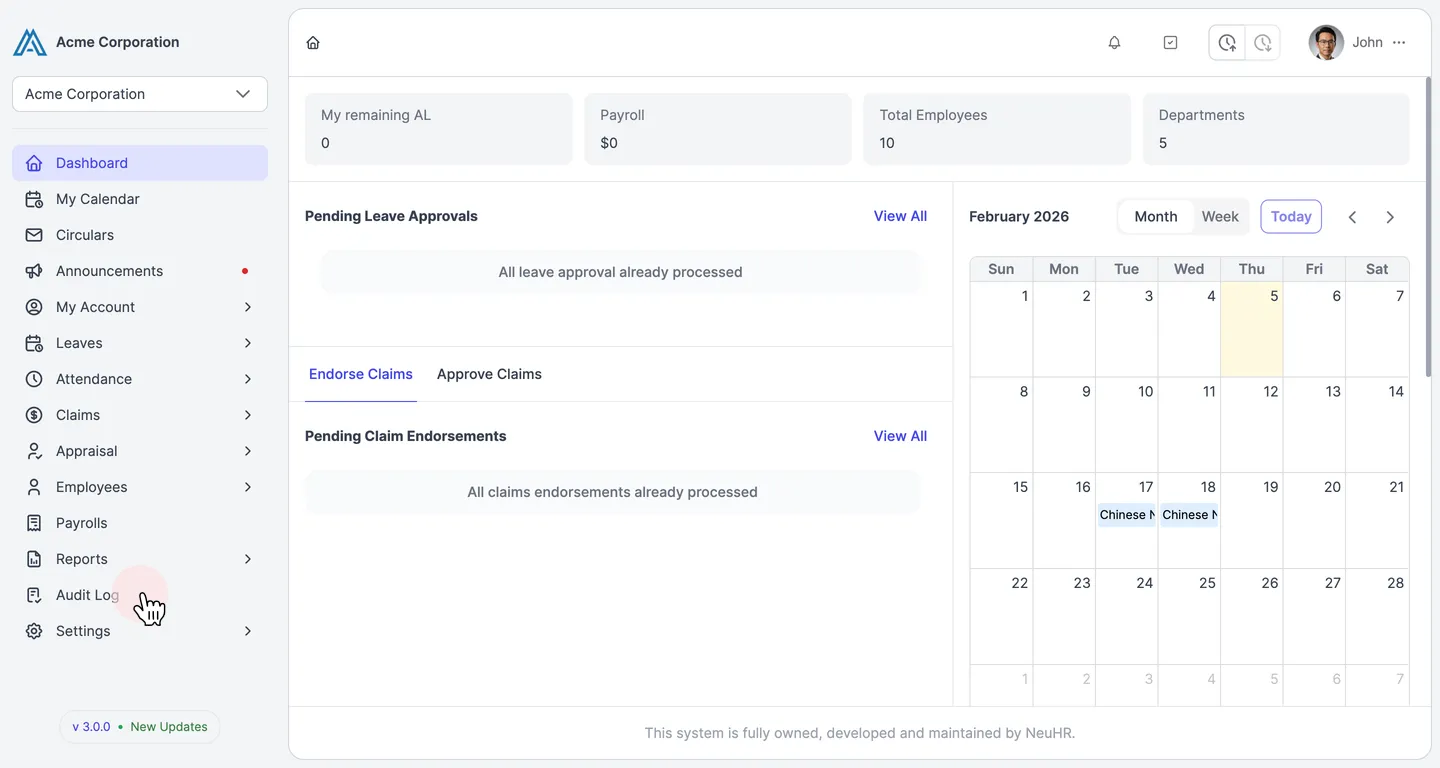
Section titled “Navigate to Audit Log Page”From the main dashboard, click on the Audit Log menu item in the left sidebar.
-
View and Filter Audit Log Entries
Section titled “View and Filter Audit Log Entries”The Audit Log page displays “Company wide activity logs” with a table showing recorded system activities.
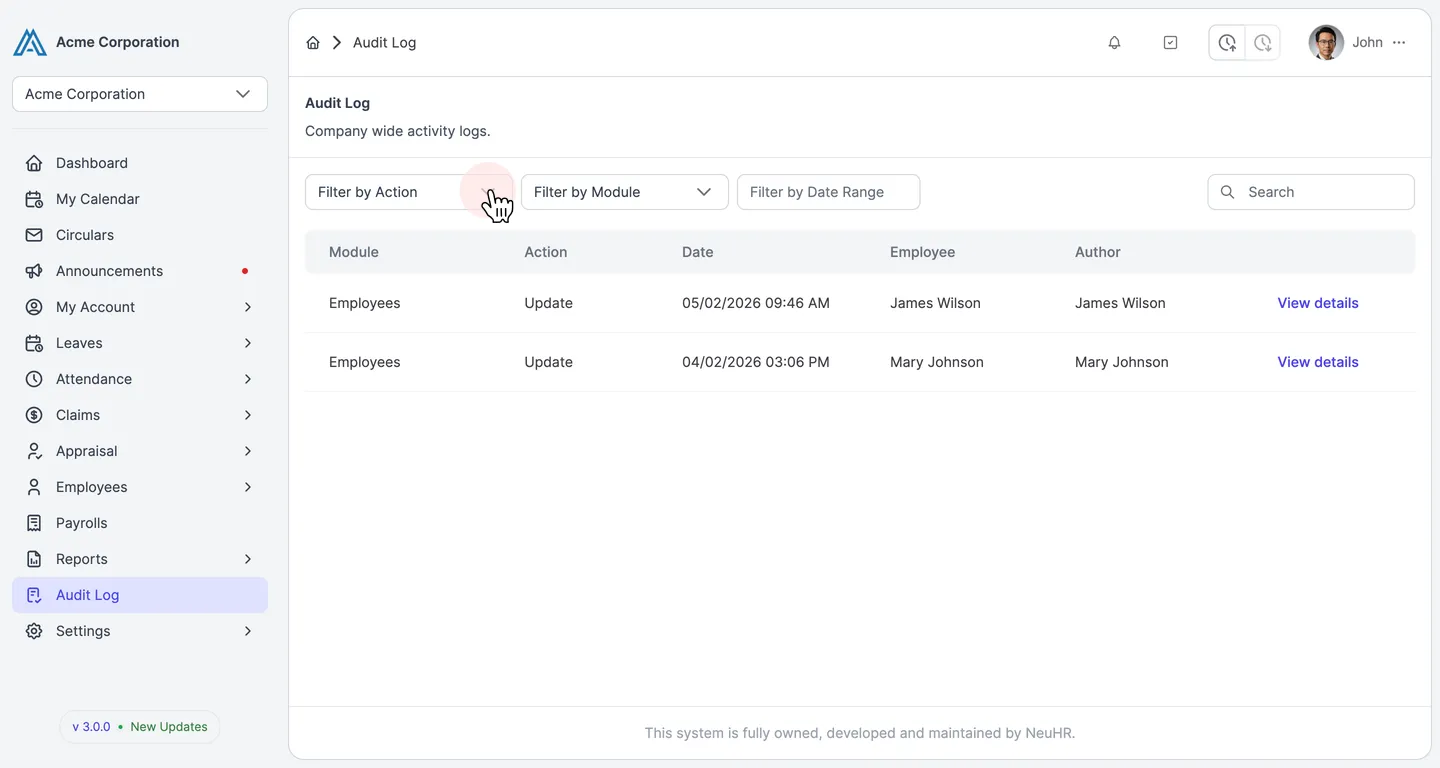
The table includes the following columns:
- Module: The system module affected (e.g., Employees, Leaves, Claims)
- Action: The type of activity (e.g., Create, Update, Delete)
- Date: Date and time when the action occurred
- Employee: The employee record affected (if applicable)
- Author: The user who performed the action
Use the filtering options at the top to narrow down entries:
- Filter by Action: Filter by specific action types (Create, Update, Delete, etc.)
- Filter by Module: Filter by system module (Employees, Leaves, Claims, etc.)
- Filter by Date Range: Select a date range to view activities within a specific period
- Search: Search for specific entries by keyword
-
View Entry Details
Section titled “View Entry Details”To see more information about a specific audit log entry, click the View details button in the corresponding row.
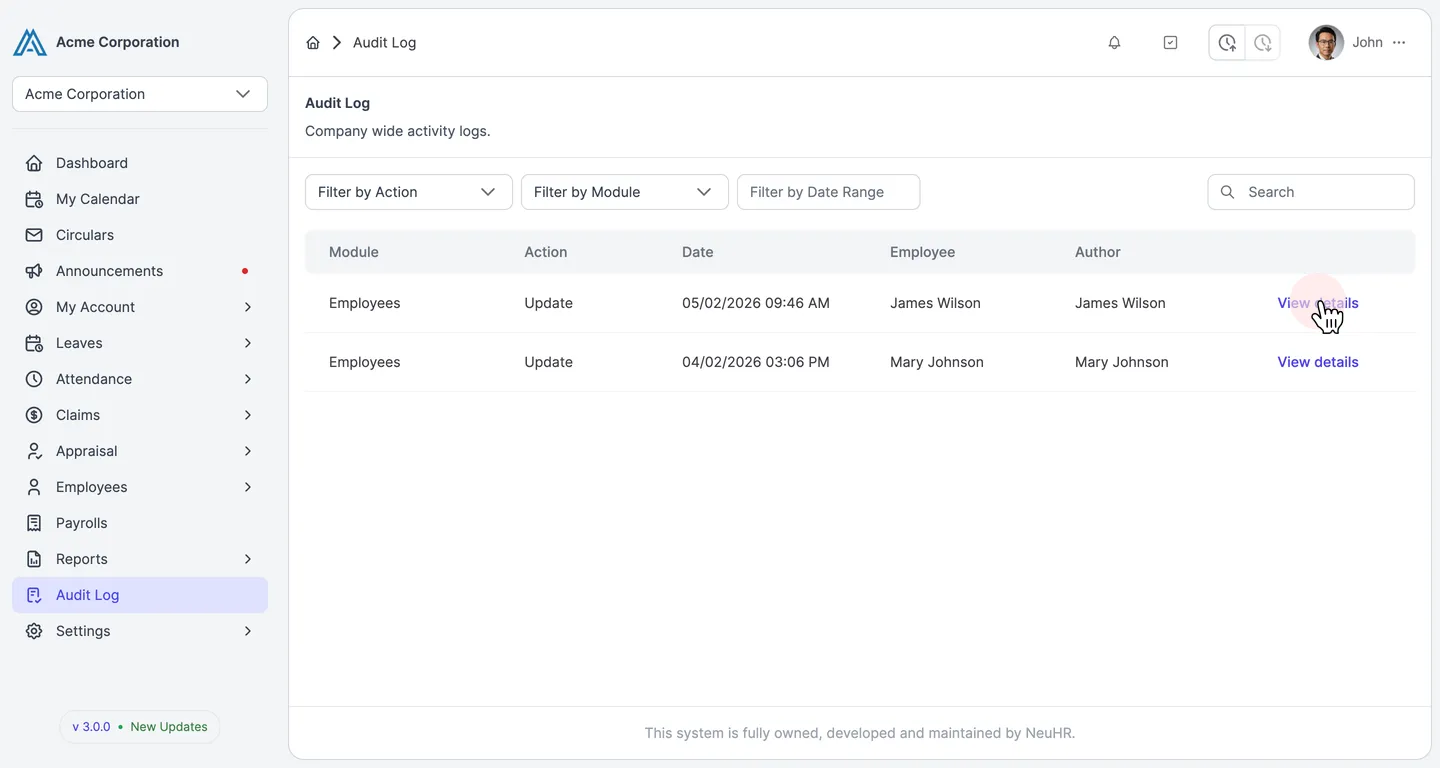
This will show:
- Detailed information about the activity
- Before/After values for UPDATE actions
- Additional context about the changes made
Understanding Audit Log Entries
Section titled “Understanding Audit Log Entries”Common Action Types
Section titled “Common Action Types”- Create: New record was created
- Update: Existing record was modified
- Delete: Record was deleted or deactivated
- Login: User logged into the system
- Logout: User logged out of the system
- View: Sensitive data was accessed or viewed
- Export: Data was exported from the system
- Import: Data was imported into the system
Security Monitoring
Section titled “Security Monitoring”Use the Audit Log to monitor for:
- Unauthorized access attempts
- Unusual login patterns (off-hours, multiple locations)
- Bulk data exports
- Sensitive record modifications
- Administrative action tracking
Compliance and Reporting
Section titled “Compliance and Reporting”The Audit Log supports:
- Regulatory Compliance: Meet audit requirements for HR data management
- Internal Audits: Track administrative activities for internal reviews
- Incident Investigation: Trace the sequence of events when investigating issues
- Change Management: Document who made changes and when
Best Practices
Section titled “Best Practices”- Regular Review: Periodically review audit logs for unusual activities
- Use Filters: Leverage the filtering options to quickly find specific activities
- Access Control: Limit audit log access to authorized personnel only
- Investigation Protocol: Establish procedures for investigating suspicious activities
- Documentation: Keep records of important audit findings for compliance purposes