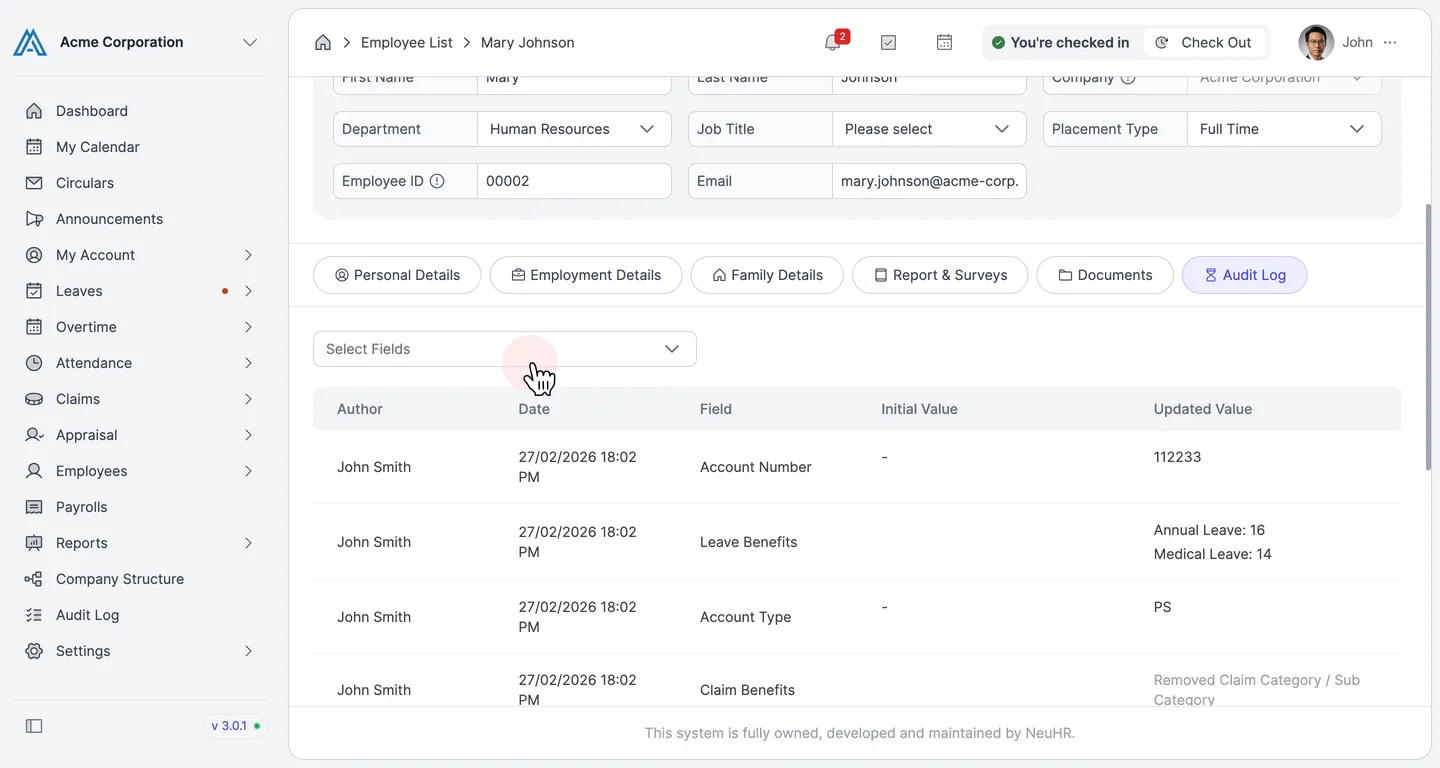
How to Check Employee Audit Log
The Audit Log tab on an employee’s profile shows every field change made to that employee’s record — including who made the change, when it was made, the original value, and the updated value. Use it to track edits and maintain accountability.
-
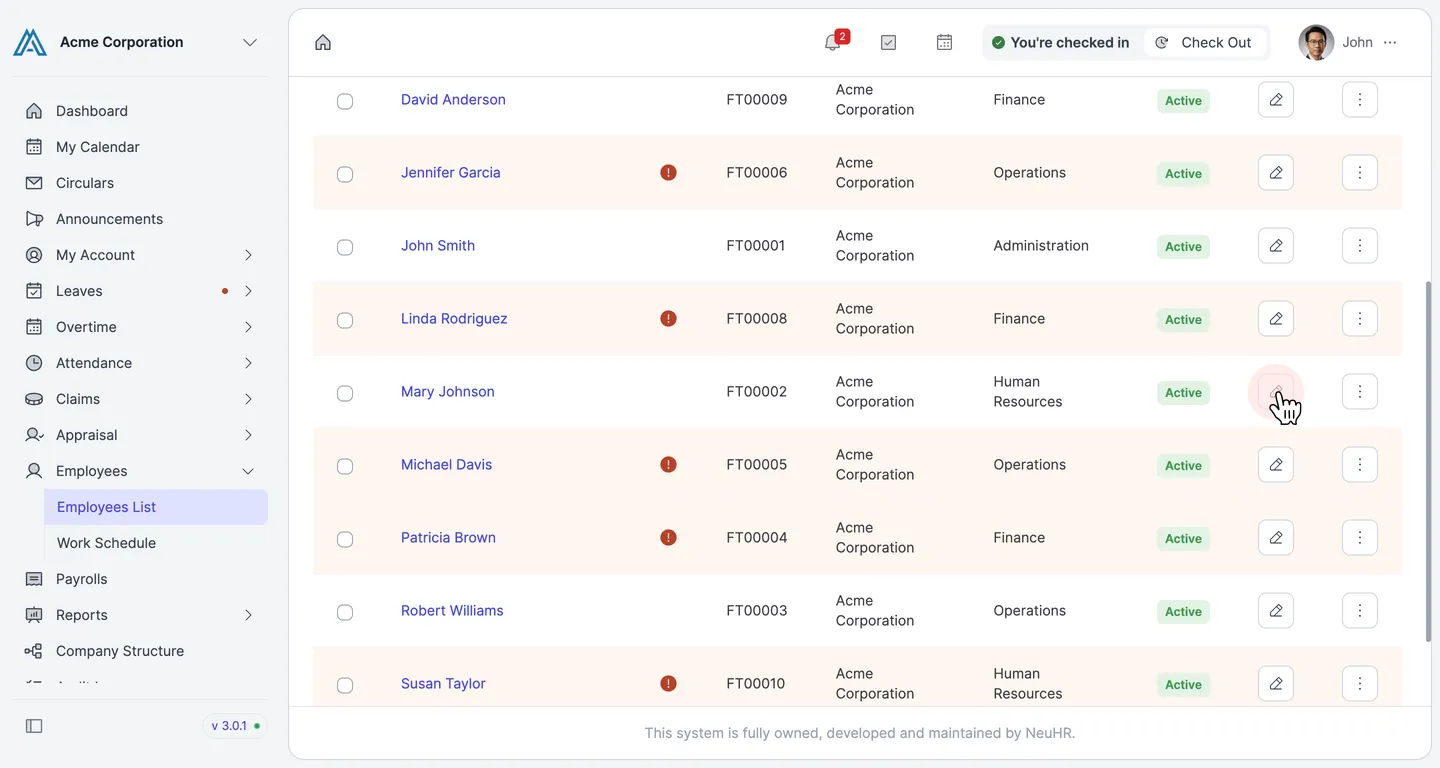
Open the Employees List and click the pencil (edit) icon on the row of the employee you want to audit. In this example, we are viewing Mary Johnson’s audit log.
-
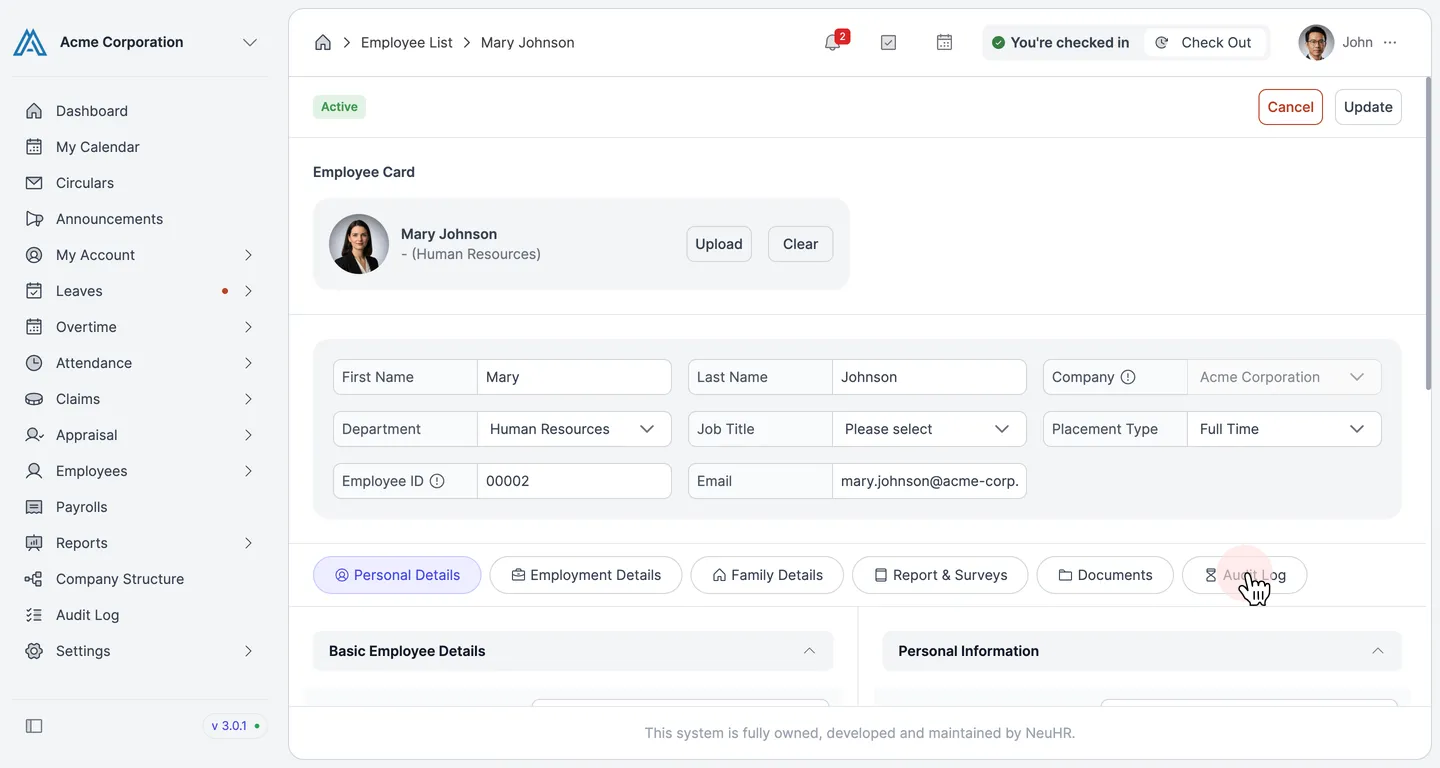
The Update Employee form opens. Click the Audit Log tab — the last tab in the tab bar at the top of the form.
-
The Audit Log tab displays the change history for this employee. Use the Select Fields dropdown to filter the log by a specific field. The table shows:
Column Description Author The user who made the change Date Date and time of the change Field The employee field that was modified Initial Value The value before the change Updated Value The new value after the change