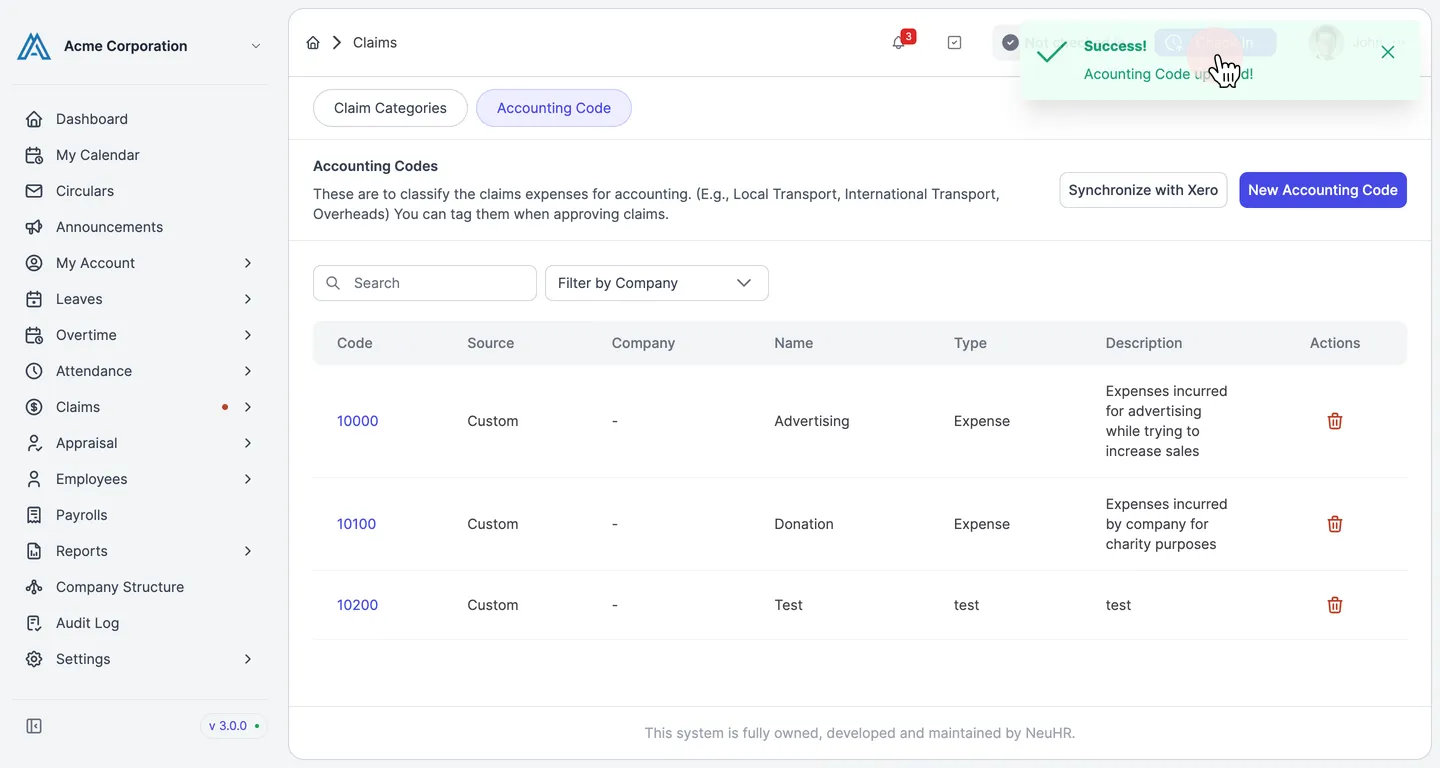
How to Update Accounting Code
-
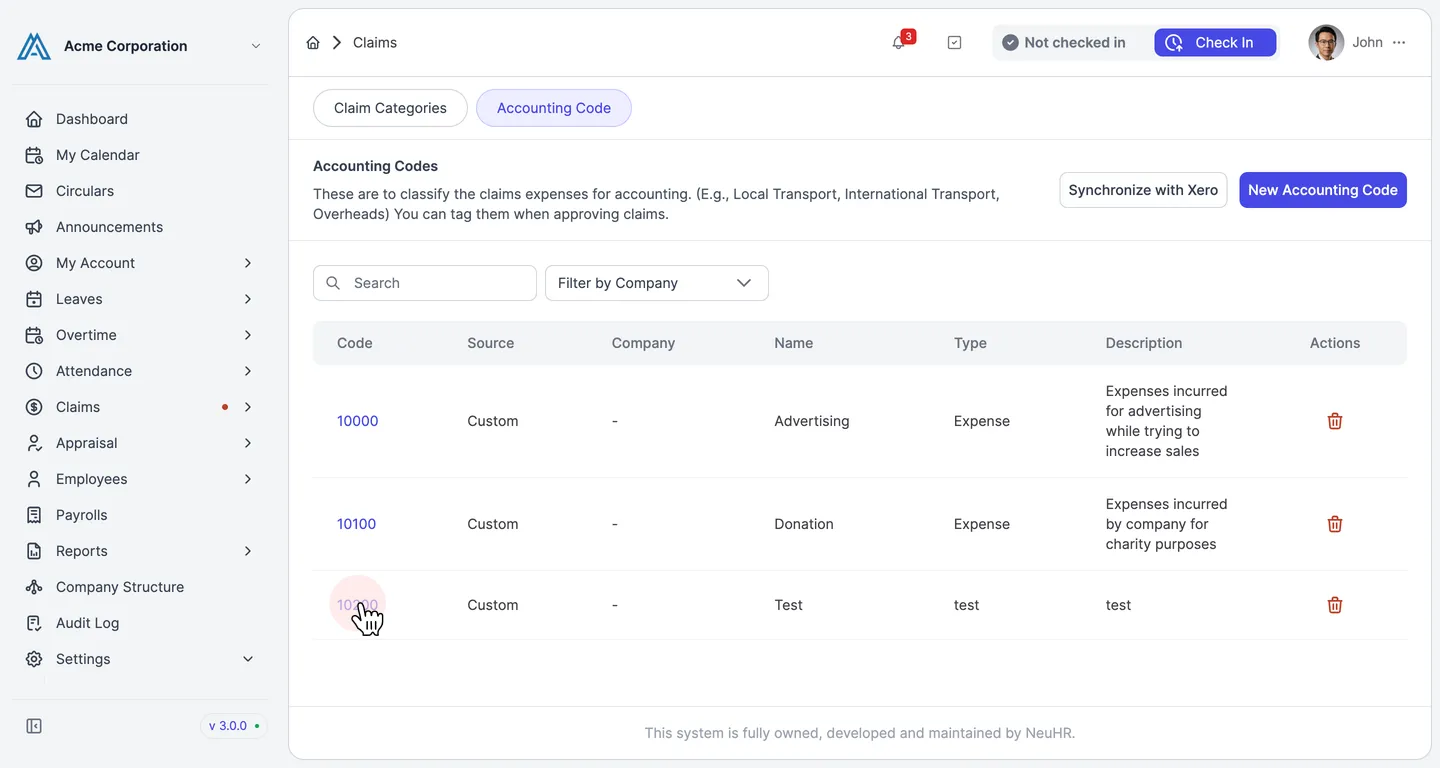
Go to Settings → Claims. Click the Accounting Code tab. In the list of accounting codes, click the code number of the entry you want to update.
-
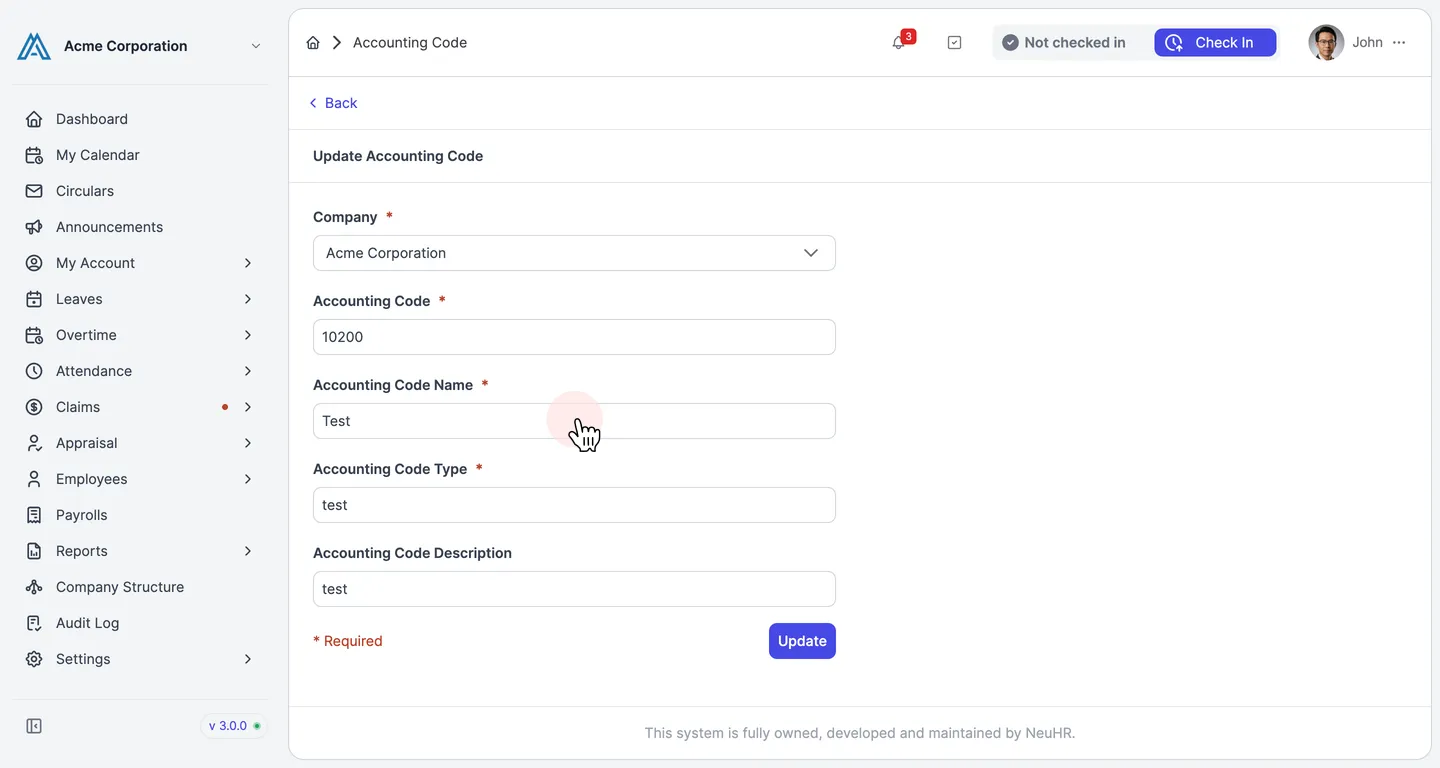
You are now on the Update Accounting Code form. Update the fields you want to change — such as the Accounting Code Name, Accounting Code Type, or Accounting Code Description. Then click Update.
-
A confirmation message will appear indicating the accounting code has been updated successfully.