

How to Update Department
This guide shows you how to update department details in NeuHR.
-
Navigate to Departments
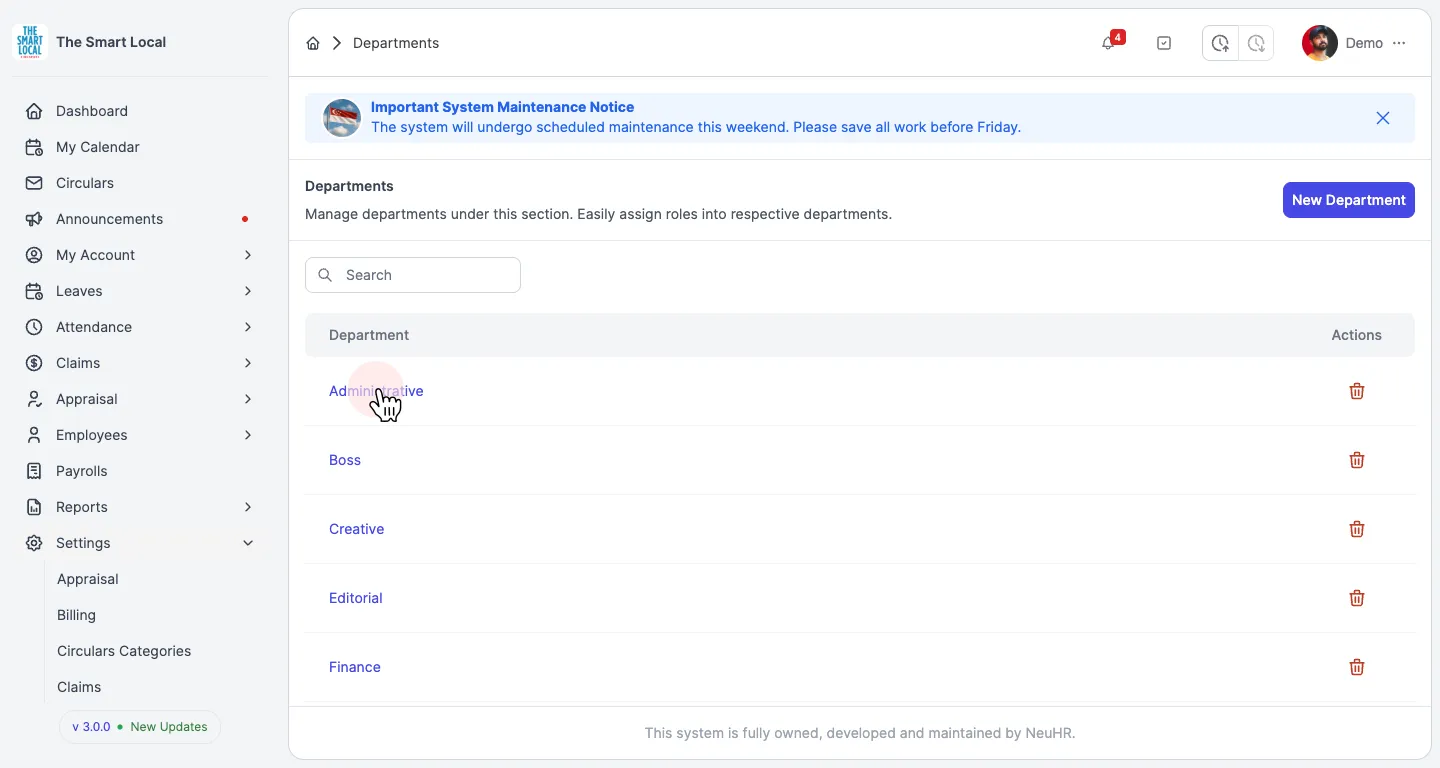
Section titled “Navigate to Departments”From the sidebar, click on Settings to expand the menu, then click on Departments.
-
Select Department to Update
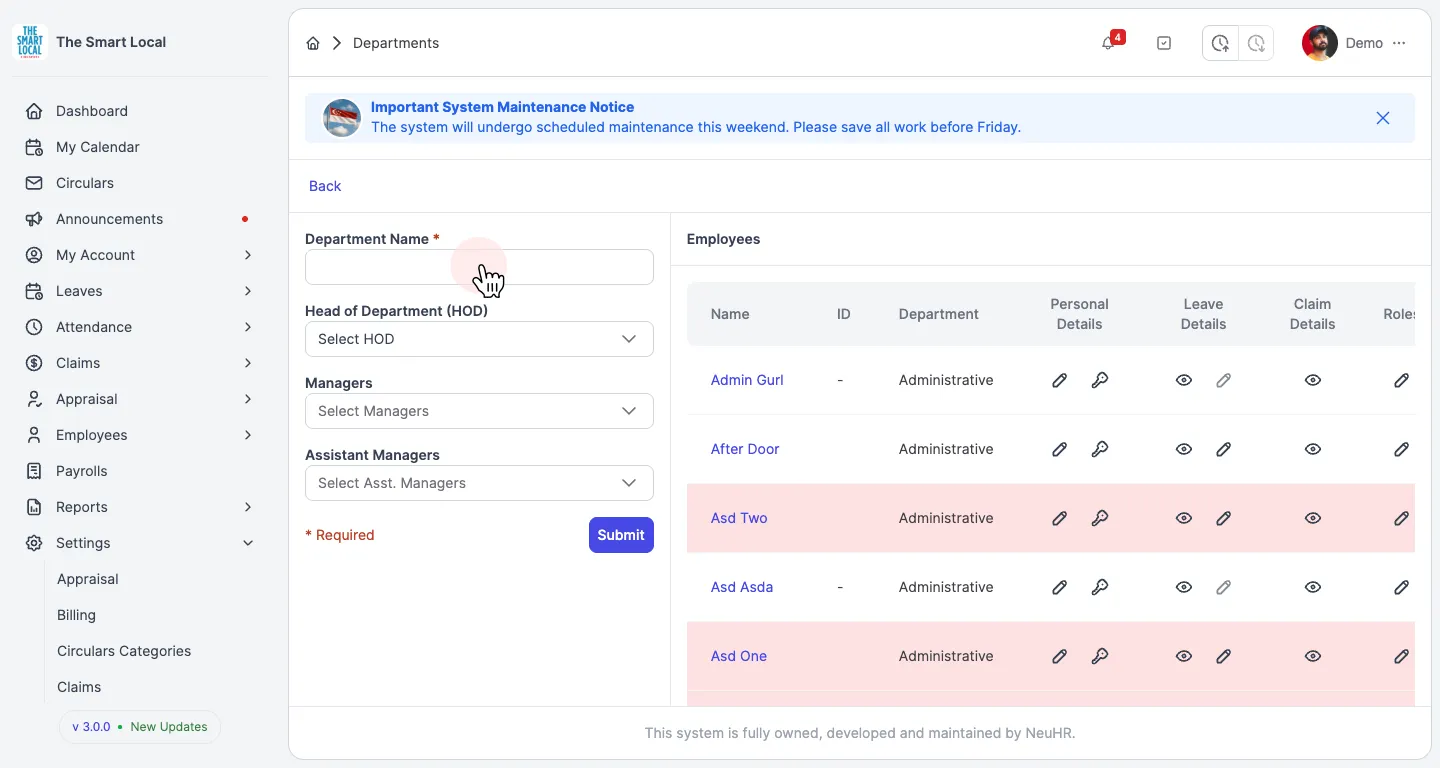
Section titled “Select Department to Update”You’ll see the Departments page listing all departments. Click on the department name you want to update.
-
Update Department Information
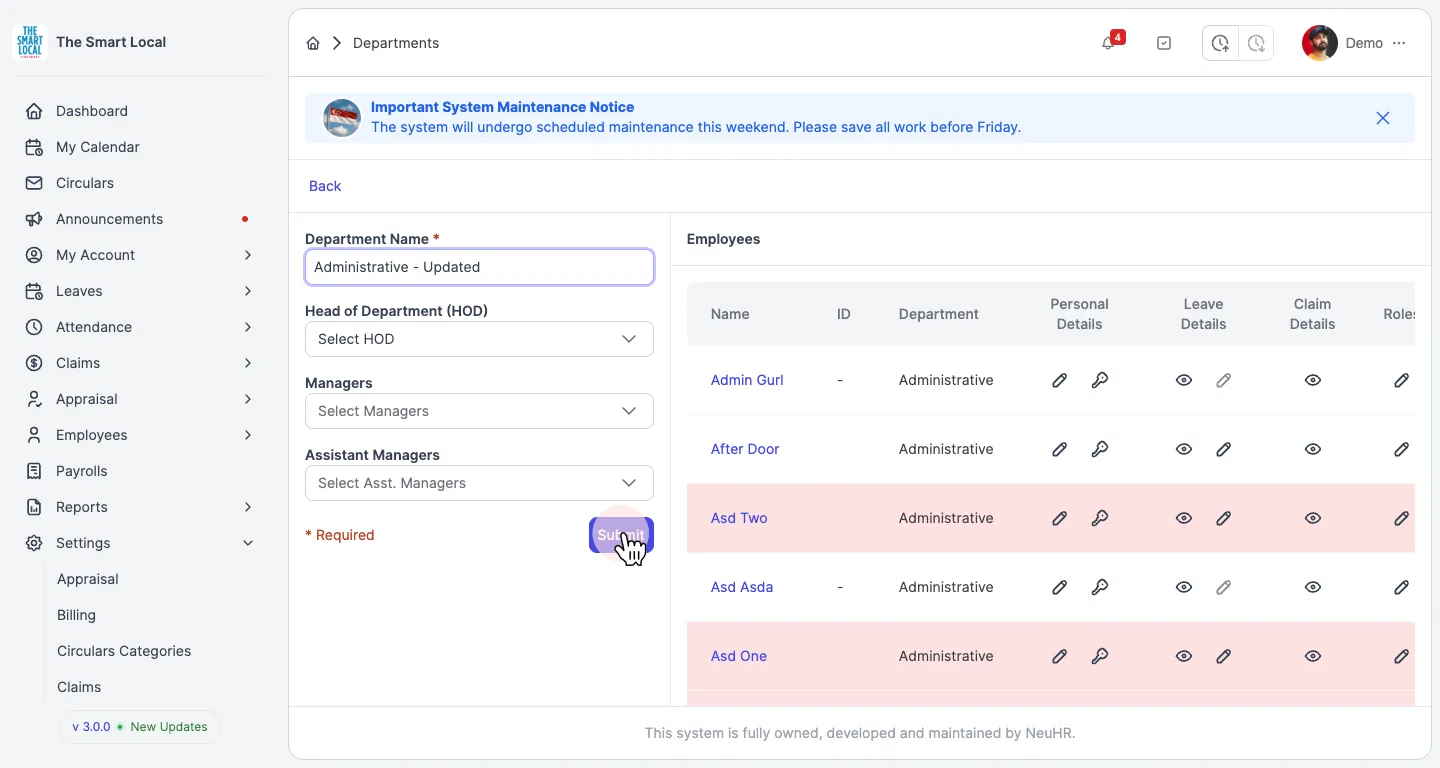
Section titled “Update Department Information”Update the department information in the form:
- Department Name: Edit the name of the department
- Head of Department (HOD): Select or change the head of department
- Managers: Add or remove managers for this department
- Assistant Managers: Add or remove assistant managers
The Department Name field is required.
-
Save Changes
Section titled “Save Changes”Click the Submit button to save your changes. The department information has been updated successfully.