

How to Delete Appraisal Template
This guide shows you how to delete an appraisal template in NeuHR.
-
Navigate to Settings > Appraisal
Section titled “Navigate to Settings > Appraisal”From the sidebar, click
Settingsto expand the menu, then clickAppraisal.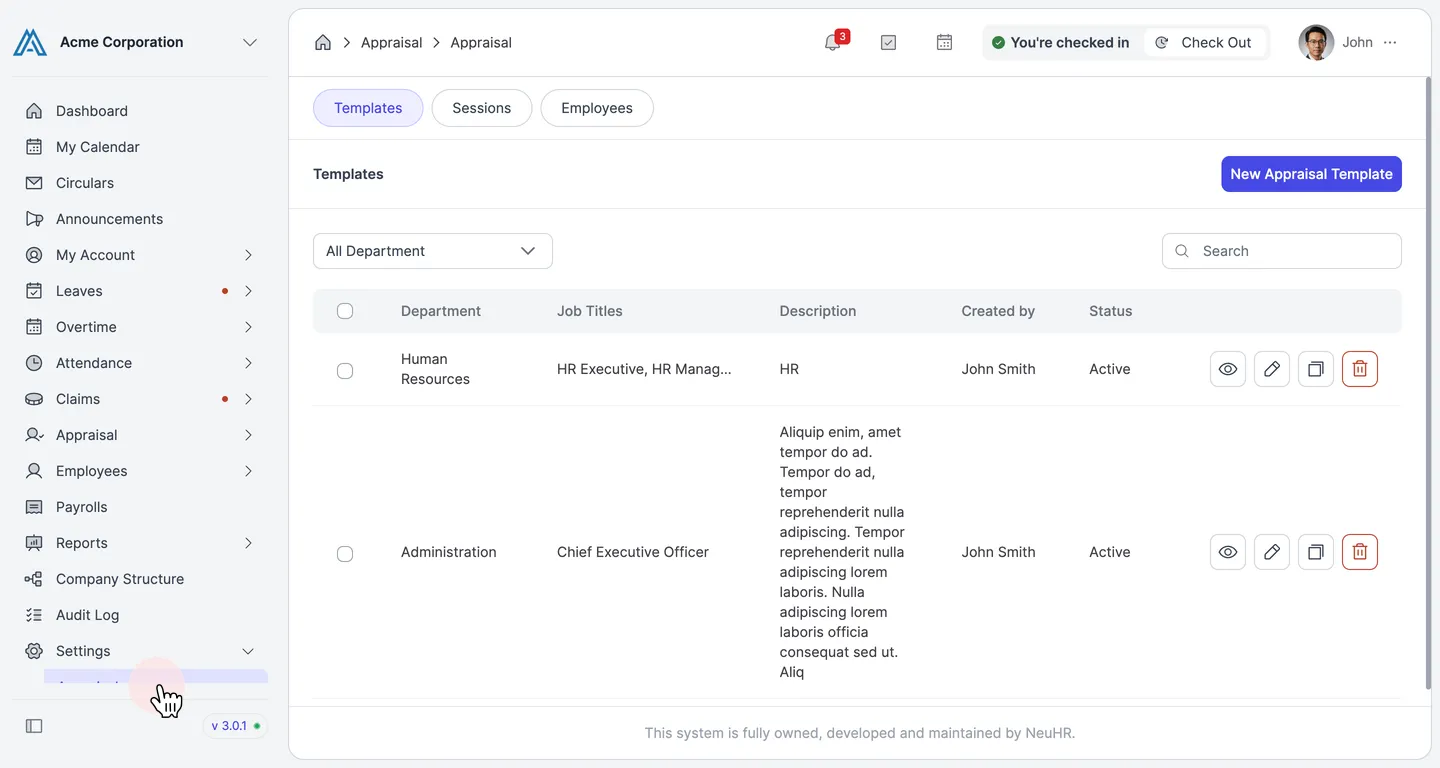
-
Click the Delete Button on the Template
Section titled “Click the Delete Button on the Template”On the
Templatestab, locate the template you want to delete. Click the delete button (trash icon) on the right side of that template’s row.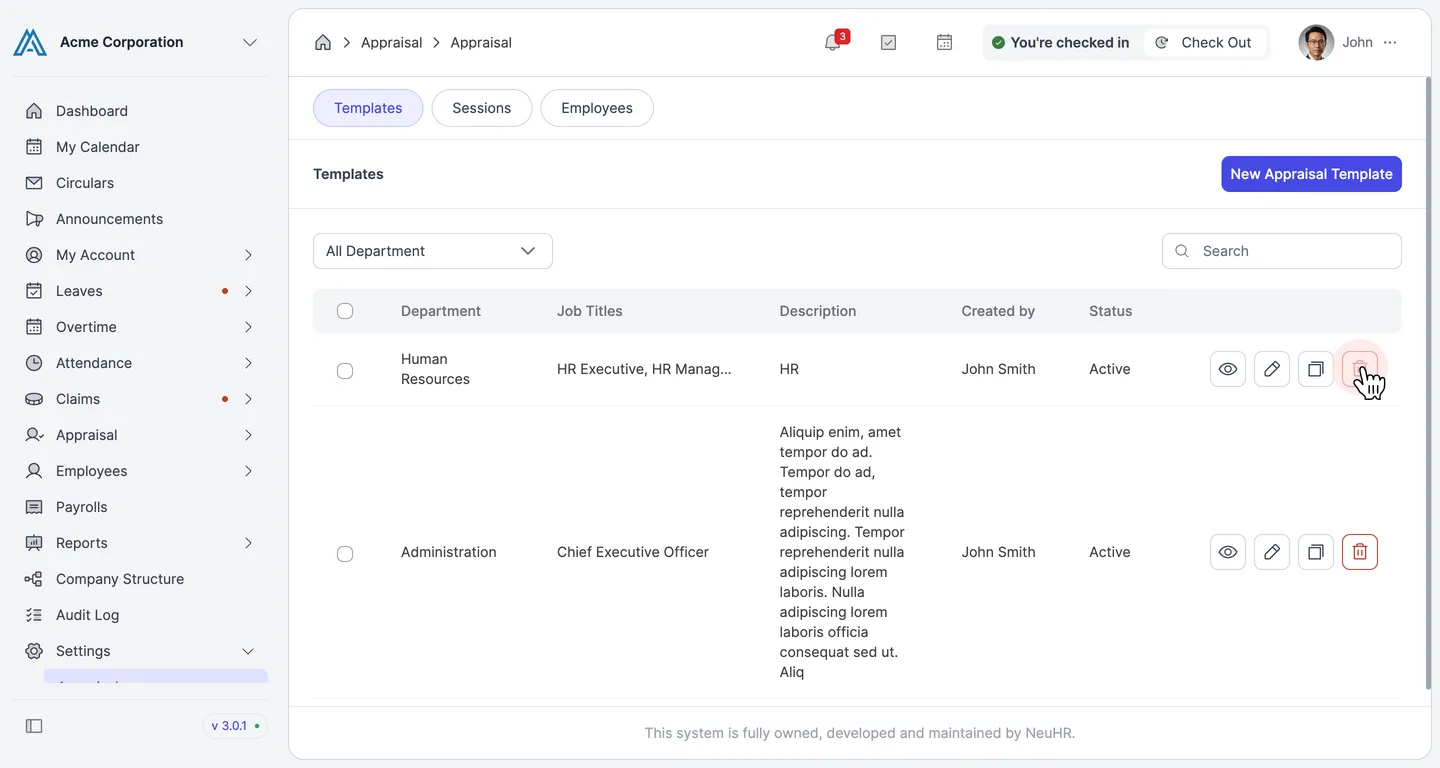
-
Confirm the Deletion
Section titled “Confirm the Deletion”A confirmation dialog will appear. Click
Deleteto permanently delete the template, orCancelto go back.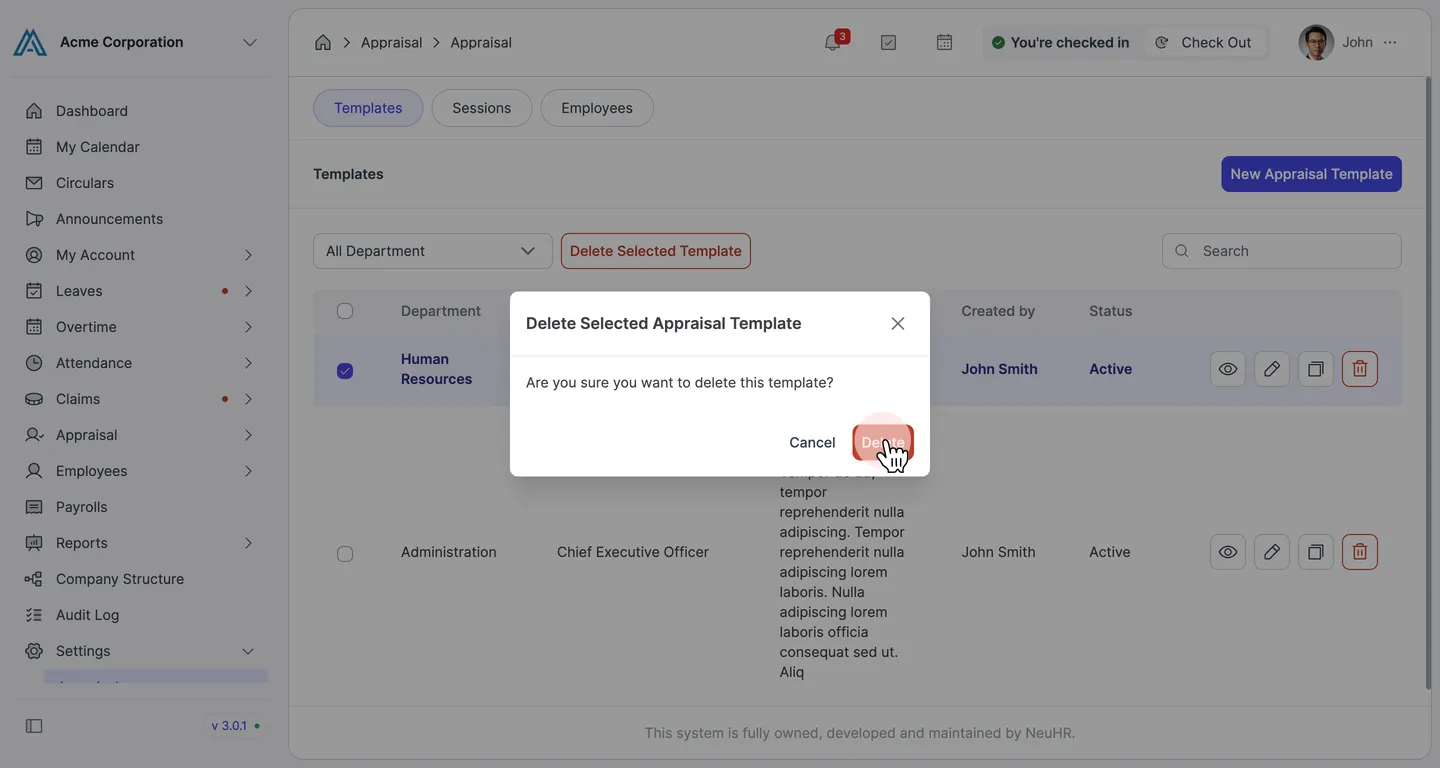
The appraisal template has been deleted and will no longer appear in the Templates list.