Pro-ration of Salary
When an employee joins or leaves the company part-way through a payroll period, they should only be paid for the days they actually worked — this is called salary pro-ration. NeuHR handles this automatically based on the employee’s join date and the configured Payroll Cut-off Date.
How Pro-ration Works
Section titled “How Pro-ration Works”NeuHR uses the following formula to calculate a pro-rated salary:
Pro-rated Salary = (Monthly Basic Salary / Total Work Days in Pay Period) × Days WorkedExample: If an employee has a monthly salary of $4,000, the pay period has 22 working days, and they joined on the 12th (working 13 days):
($4,000 / 22) × 13 = $2,363.64What Triggers Pro-ration
Section titled “What Triggers Pro-ration”NeuHR automatically pro-rates a payslip when an employee’s join date falls after the payroll cut-off period start date. This means:
- New employees joining mid-month will have their first payslip automatically pro-rated
- Resigned employees may also have their final payslip adjusted if their last working day is before the period end
The cut-off period is shown on the payslip as Cut-off Date (e.g., 02 Mar - 01 Apr). Employees who joined after the cut-off start date will have fewer working days in their pay period.
Payroll Cut-off Date Setting
Section titled “Payroll Cut-off Date Setting”The Payroll Cut-off Date defines when the current pay period starts accumulating work days. You can find this setting in Settings > Company > Finance & Bank tab.
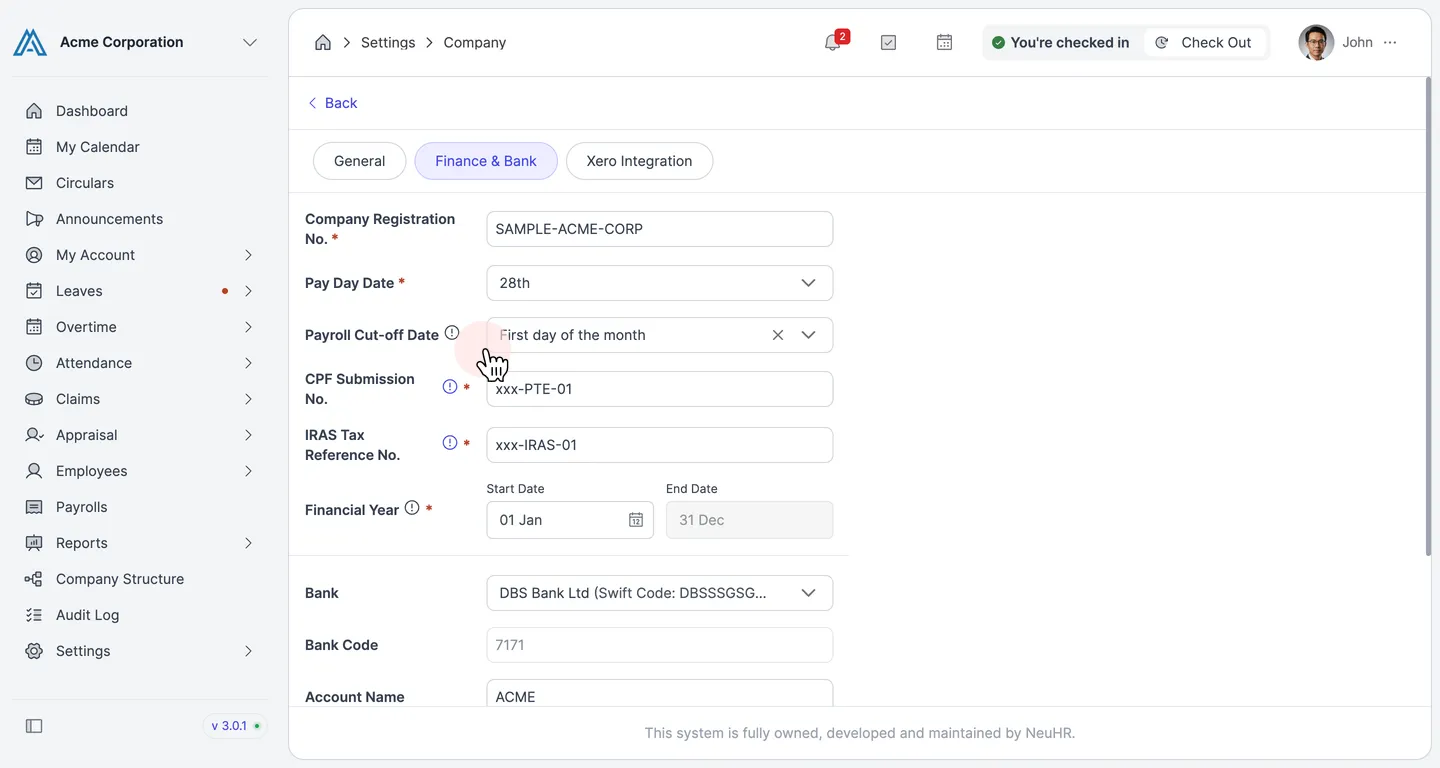
Common options include:
- First day of the month — the pay period runs from the 1st to the last day of the month
- Other dates such as the 16th or 26th for companies with mid-month pay periods
Viewing Pro-ration on a Payslip
Section titled “Viewing Pro-ration on a Payslip”When a payslip is auto-generated, the payslip preview shows:
- Pay Period — the start and end dates of the pay period (e.g.,
01 Apr - 30 Apr) - Cut-off Date — the period used to determine days worked (e.g.,
02 Mar - 01 Apr) - Basic Pay — the actual amount paid after pro-ration is applied
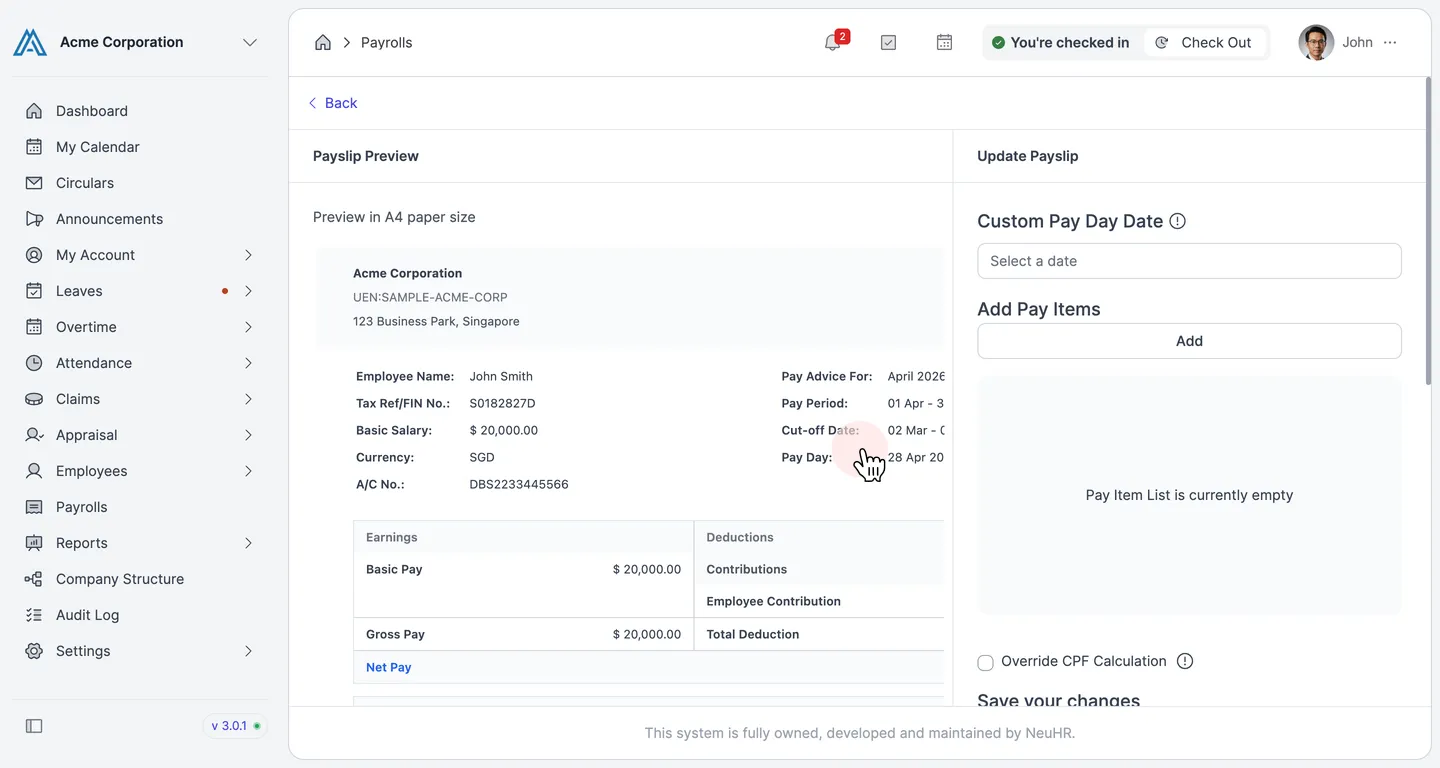
If the employee worked the full pay period, the Basic Pay equals their monthly salary. If they joined mid-period, the Basic Pay will be a fraction of their monthly salary.
Overriding Work Days When Creating a Payroll
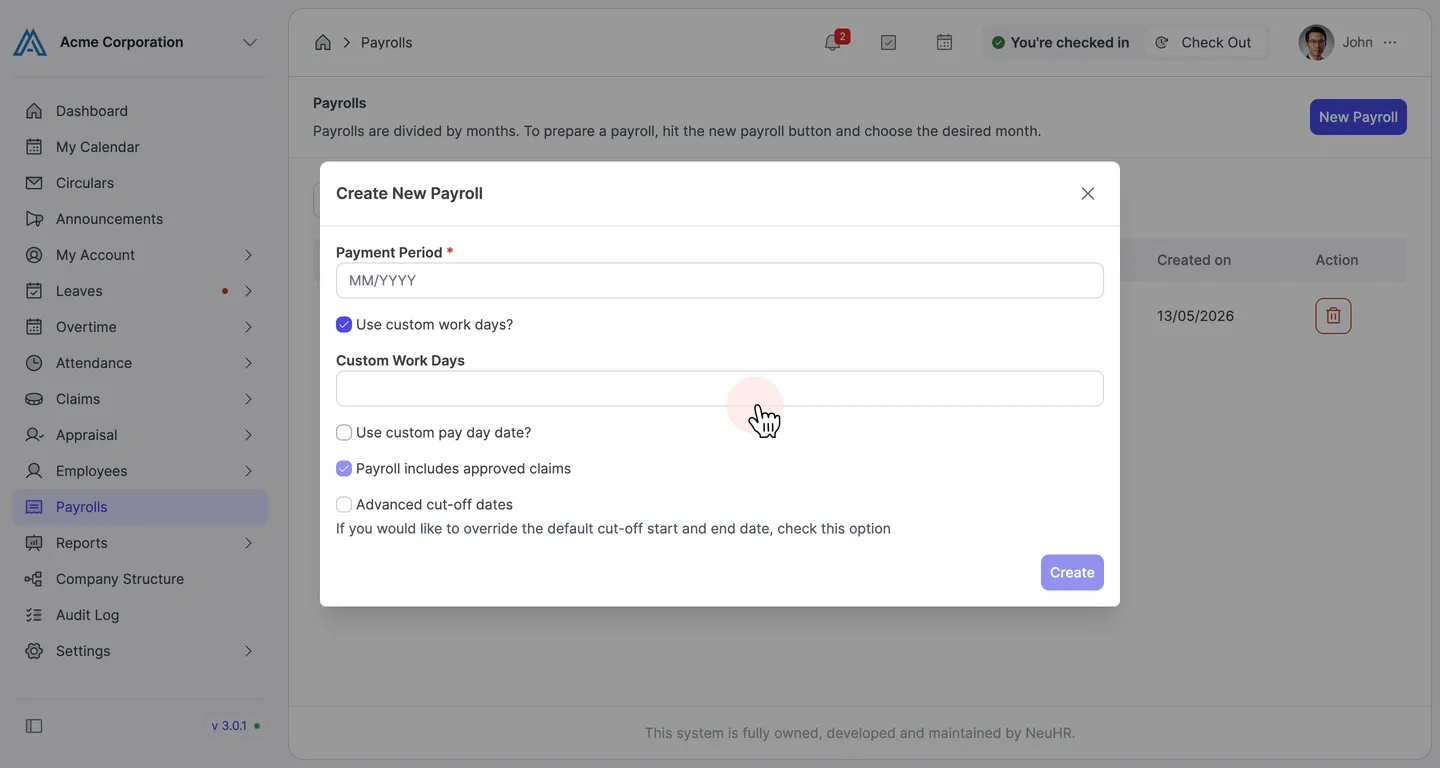
Section titled “Overriding Work Days When Creating a Payroll”By default, NeuHR calculates the number of work days based on the company’s configured working days schedule. When creating a new payroll, you can override this by enabling Use custom work days? in the Create New Payroll dialog.
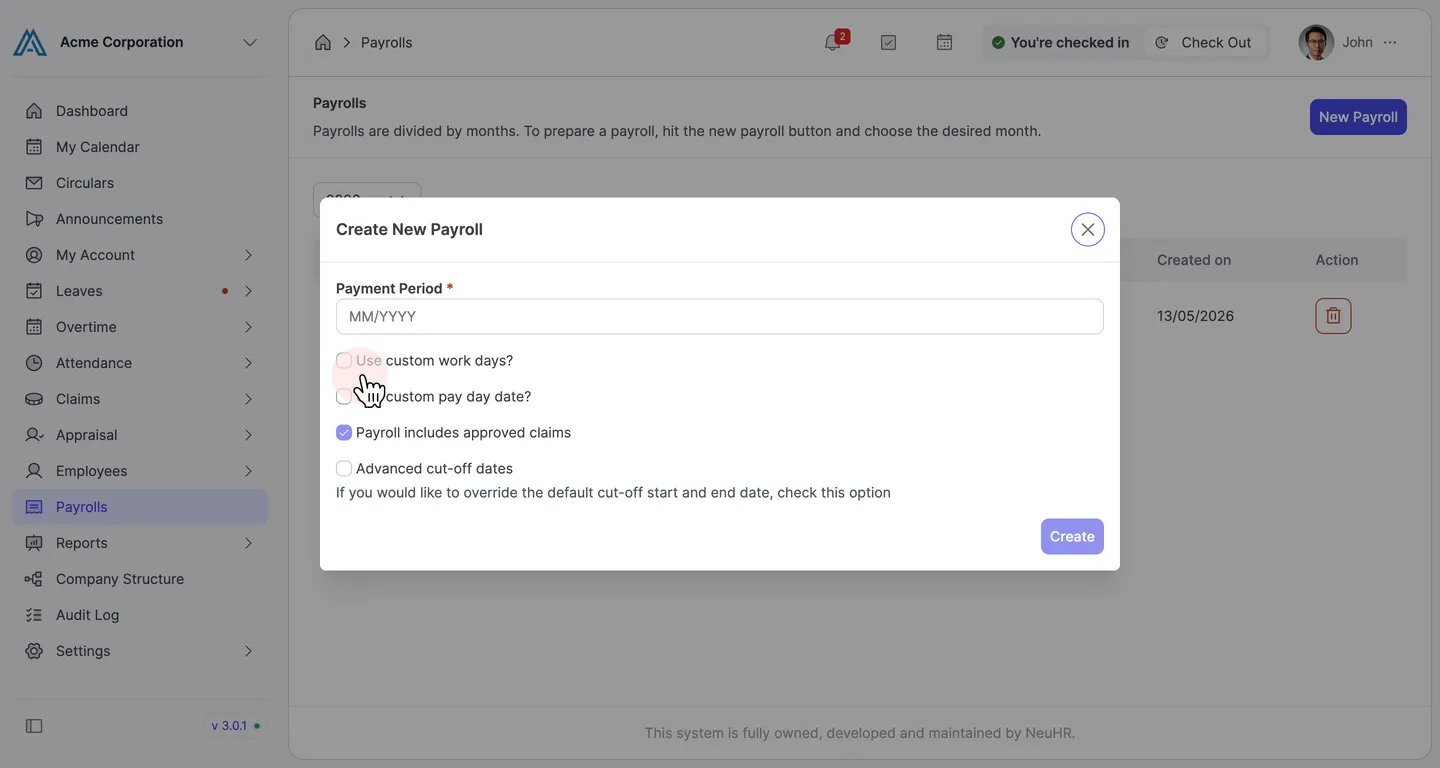
When enabled, a Custom Work Days field appears allowing you to specify the exact number of work days for that payroll month. This affects the denominator in the pro-ration formula for all employees in that payroll.