

Where Announcements will be Delivered
This guide explains where employees will see announcements that have been created and published in NeuHR. Understanding the delivery points helps ensure your important messages reach employees effectively.
Announcement Delivery Locations
Section titled “Announcement Delivery Locations”-
Dashboard Announcement Popup
Section titled “Dashboard Announcement Popup”When employees log in to NeuHR, active announcements are automatically displayed as a popup on the dashboard. This ensures immediate visibility for important company updates.
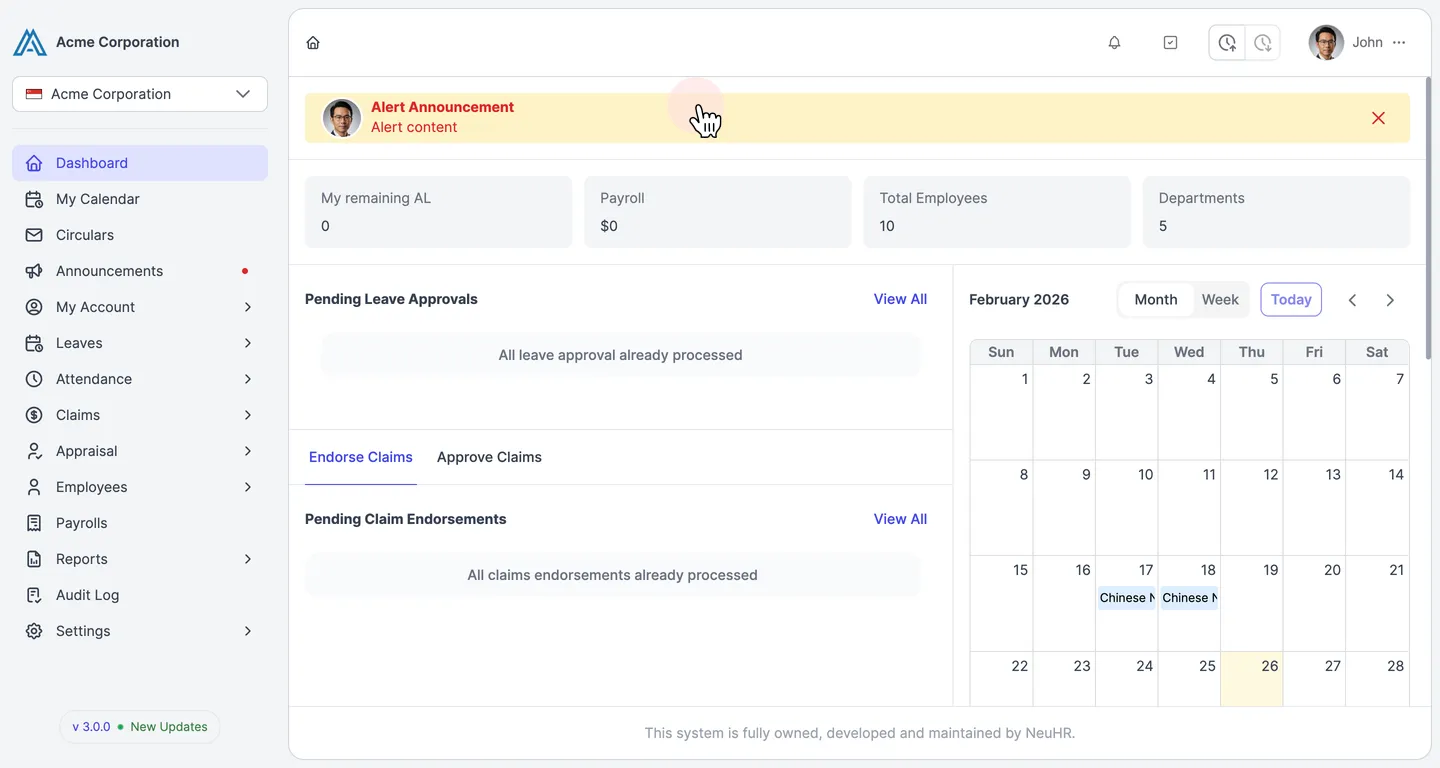
The popup displays:
- Announcement Title: The header of the announcement
- Content: The full message text
- Close Button: Allows employees to dismiss the popup
-
Announcements Page
Section titled “Announcements Page”Employees can access all announcements through the dedicated Announcements page. This page is available from the main navigation menu in the left sidebar.
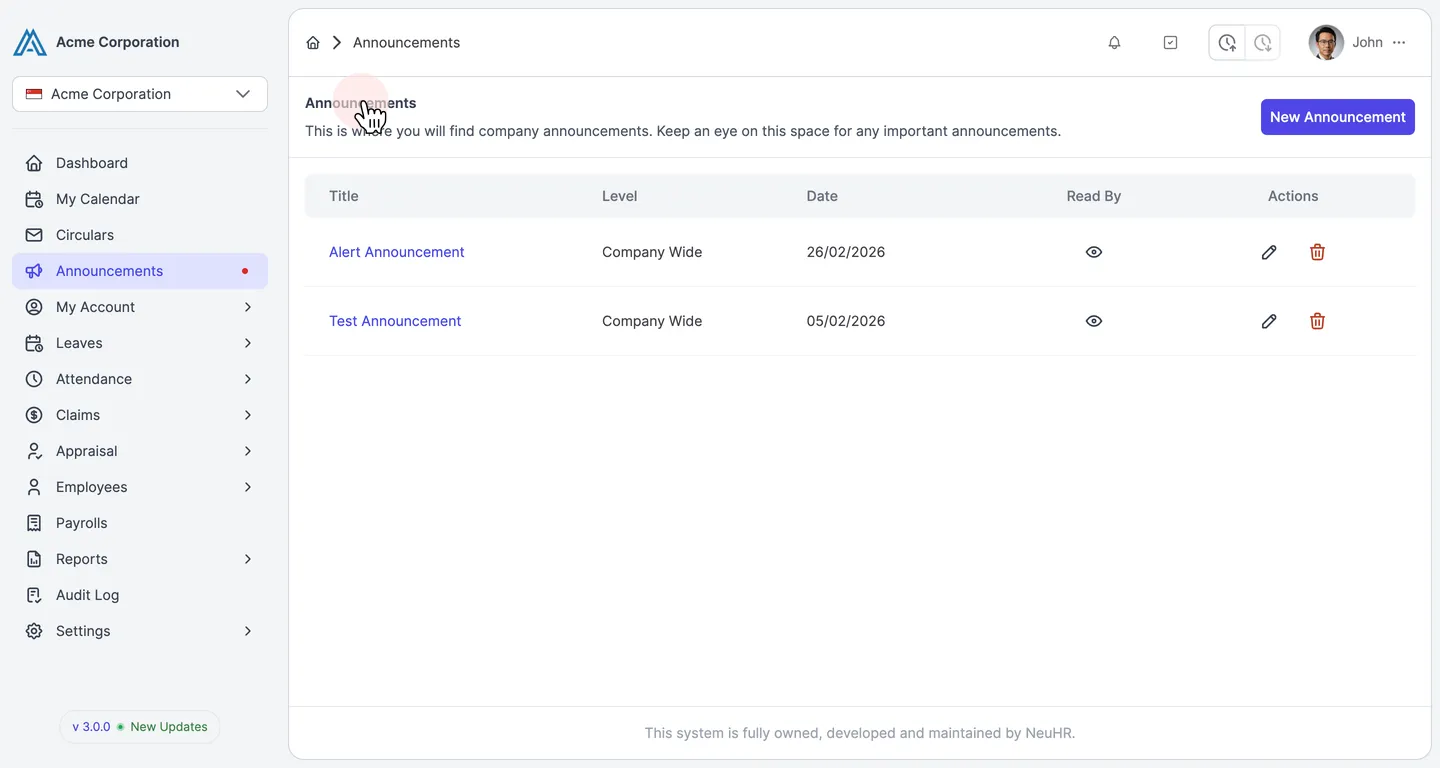
On the Announcements page, employees can:
- View a complete list of all announcements relevant to them
- See announcement details including title, applied level, and date
- Track which announcements they have read
- Access archived announcements
The announcements list shows:
- Title: The announcement header
- Level: Applied level (Company Wide, Department Wide)
- Date: When the announcement was published
- Actions: Options to view announcement details
-
Announcement Details View
Section titled “Announcement Details View”Clicking on any announcement in the list opens the detailed view where employees can read the full content.
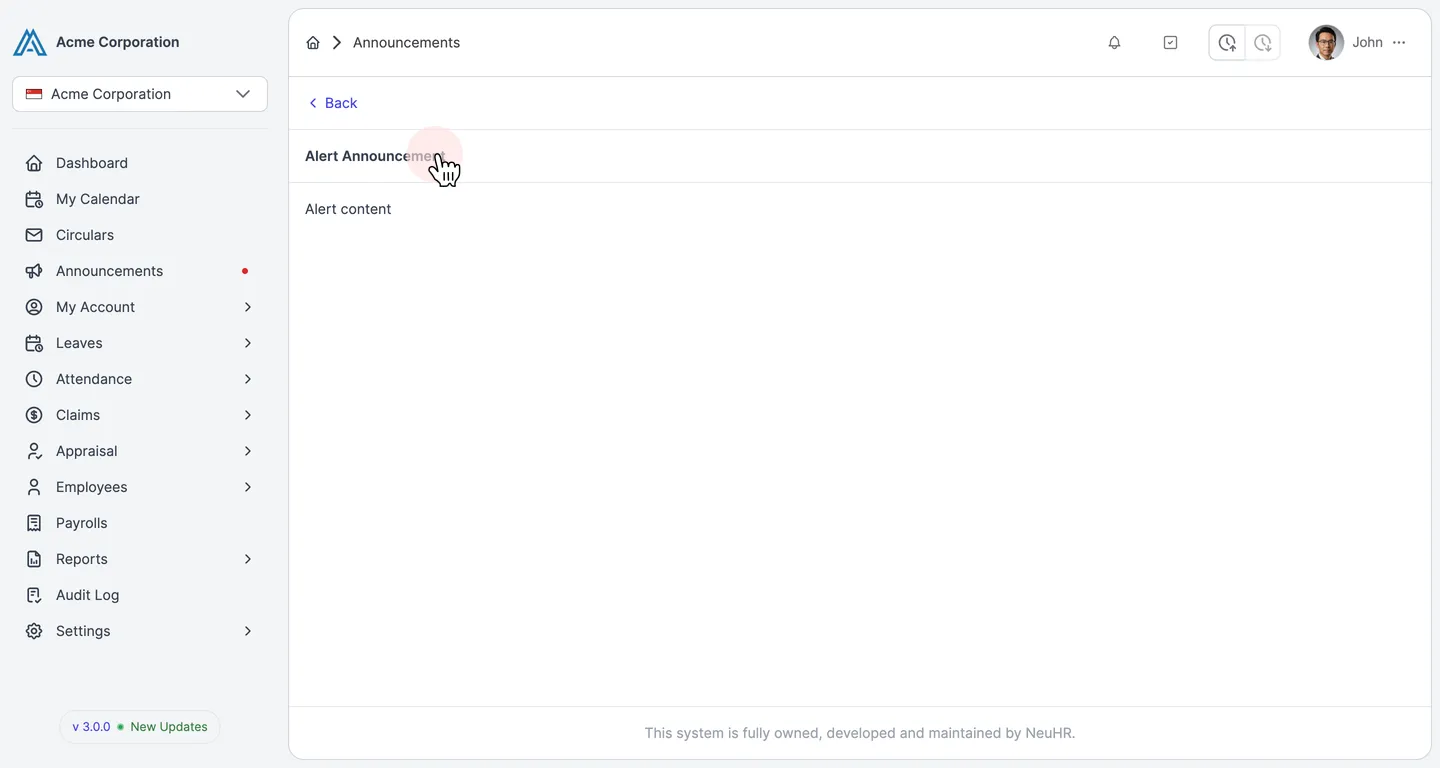
The details page displays:
- Announcement Title: The full header
- Complete Content: The entire announcement message
- Back Button: To return to the announcements list
Email Notifications
Section titled “Email Notifications”If the Send email notification option was enabled when creating the announcement, employees will receive an email notification to their registered email address.
The email notification includes:
- Subject line with the announcement title
- Full announcement content
- Sender information (system notification)
- Date and time of the announcement
This ensures that employees are notified even when they are not actively logged into the NeuHR system.
Announcement Visibility Based on Applied Level
Section titled “Announcement Visibility Based on Applied Level”The visibility of announcements depends on the Applied Level selected during creation:
- Company Wide: Visible to all employees across the entire organization
- Department Wide: Visible only to employees within specific departments
Employees will only see announcements that are relevant to their organizational level, ensuring they receive targeted and appropriate communications.