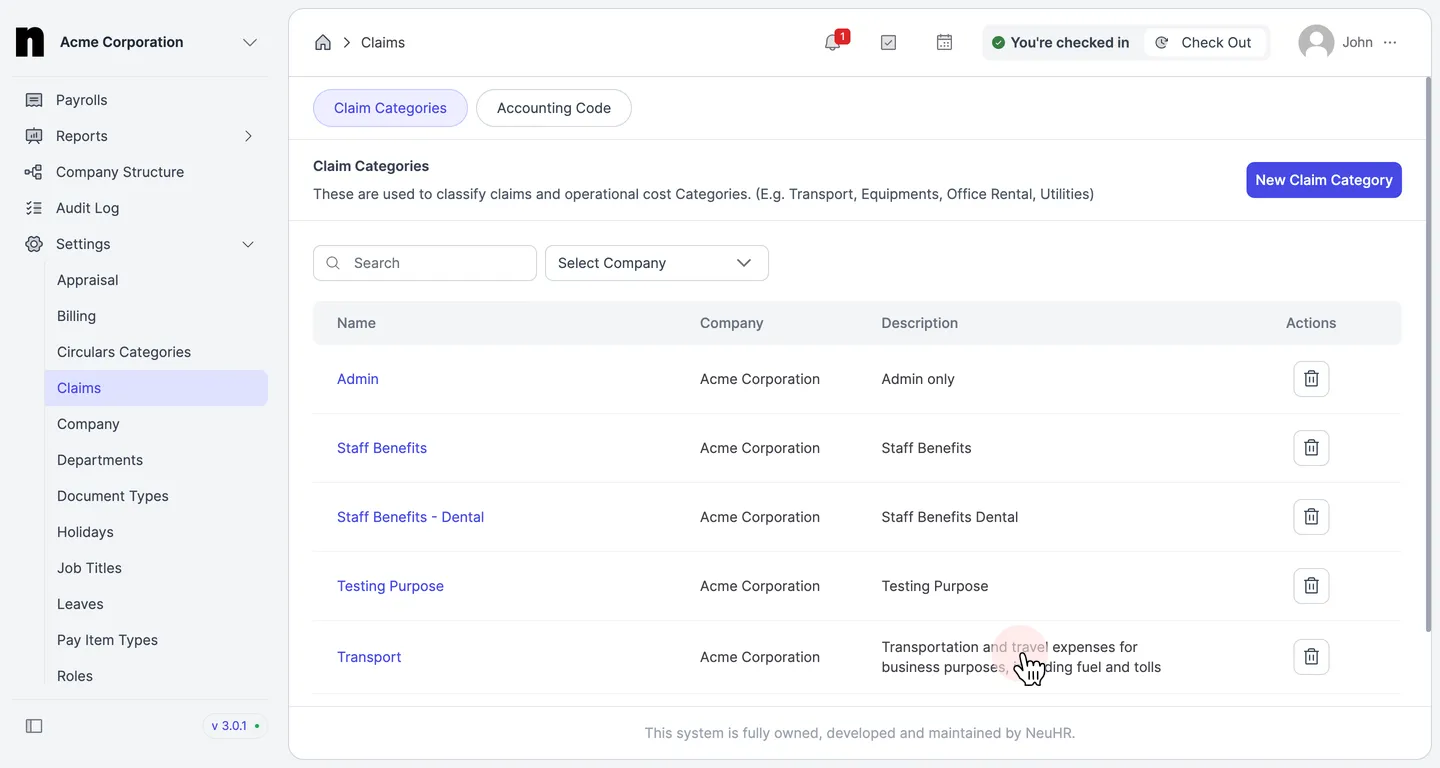
How to Update Claim Category
This guide shows you how to update an existing claim category in NeuHR.
-
Navigate to Claims Settings
Section titled “Navigate to Claims Settings”From the left sidebar, click on
Settingsto expand the menu, then click onClaims.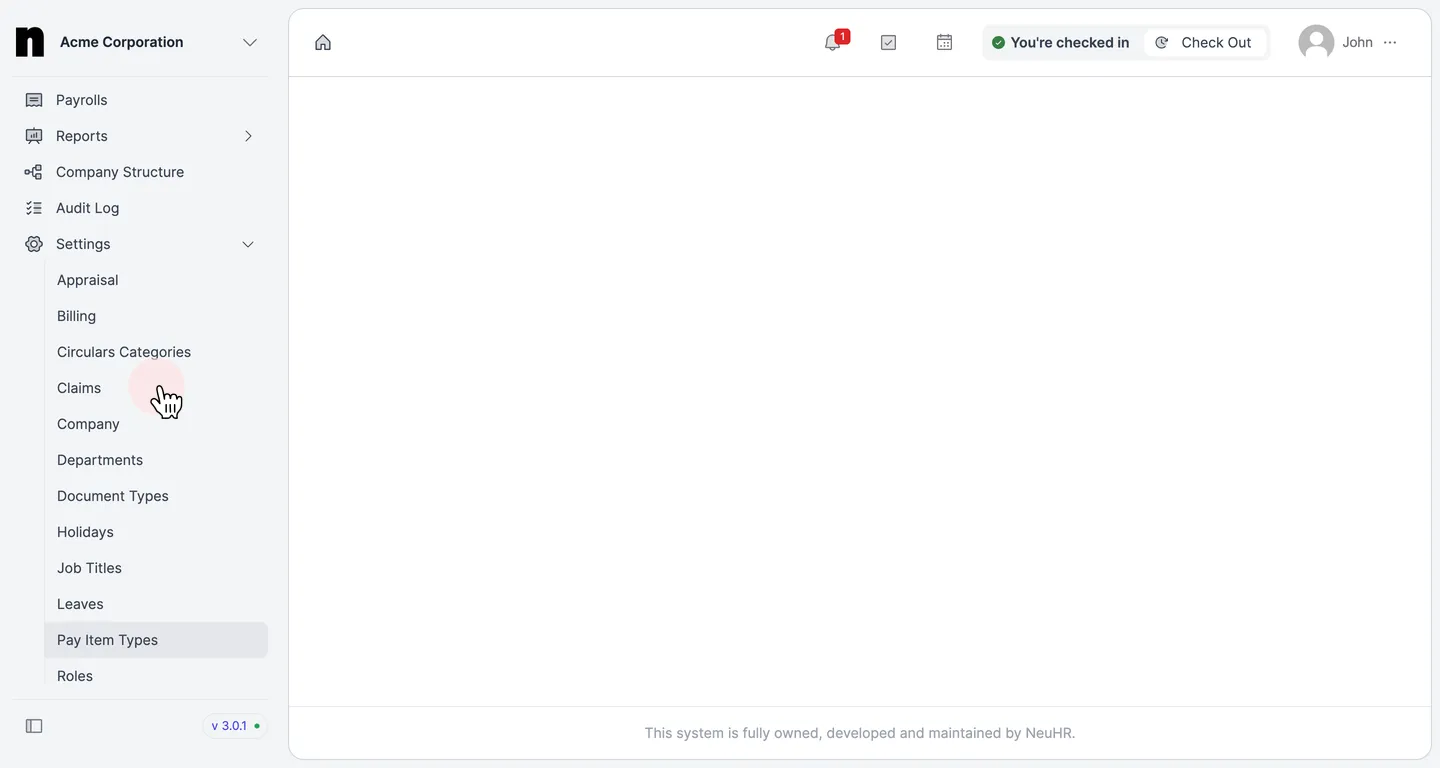
-
Select a Claim Category to Edit
Section titled “Select a Claim Category to Edit”You will see the
Claim Categoriespage listing all existing claim categories. Click on the name of the category you want to update.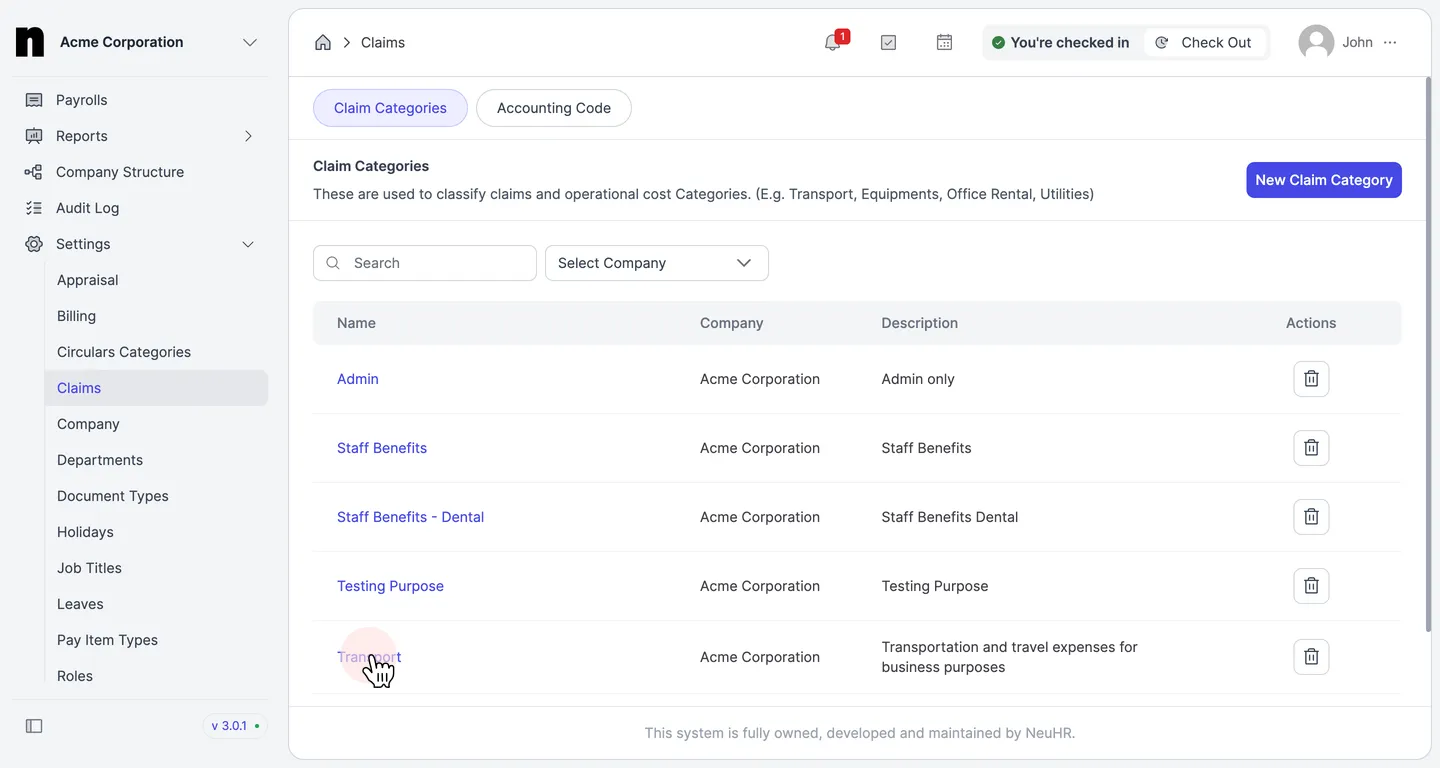
-
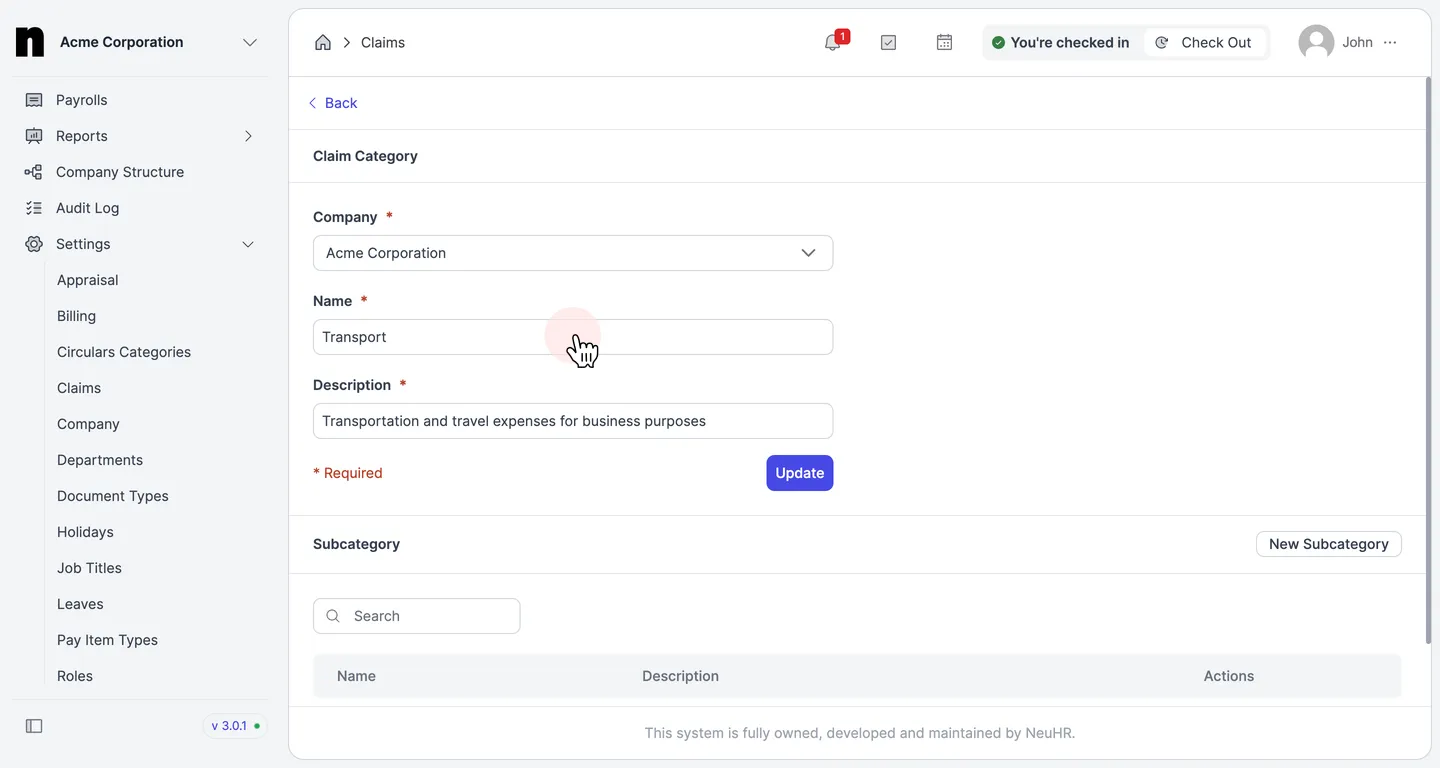
Review the Claim Category Form
Section titled “Review the Claim Category Form”The
Claim Categoryform opens with the current details pre-filled:- Company — the company this category belongs to
- Name — the display name of the claim category
- Description — a description of what this category covers
-
Update the Details
Section titled “Update the Details”Edit the fields you want to change. All fields marked with
*are required. When done, click theUpdatebutton.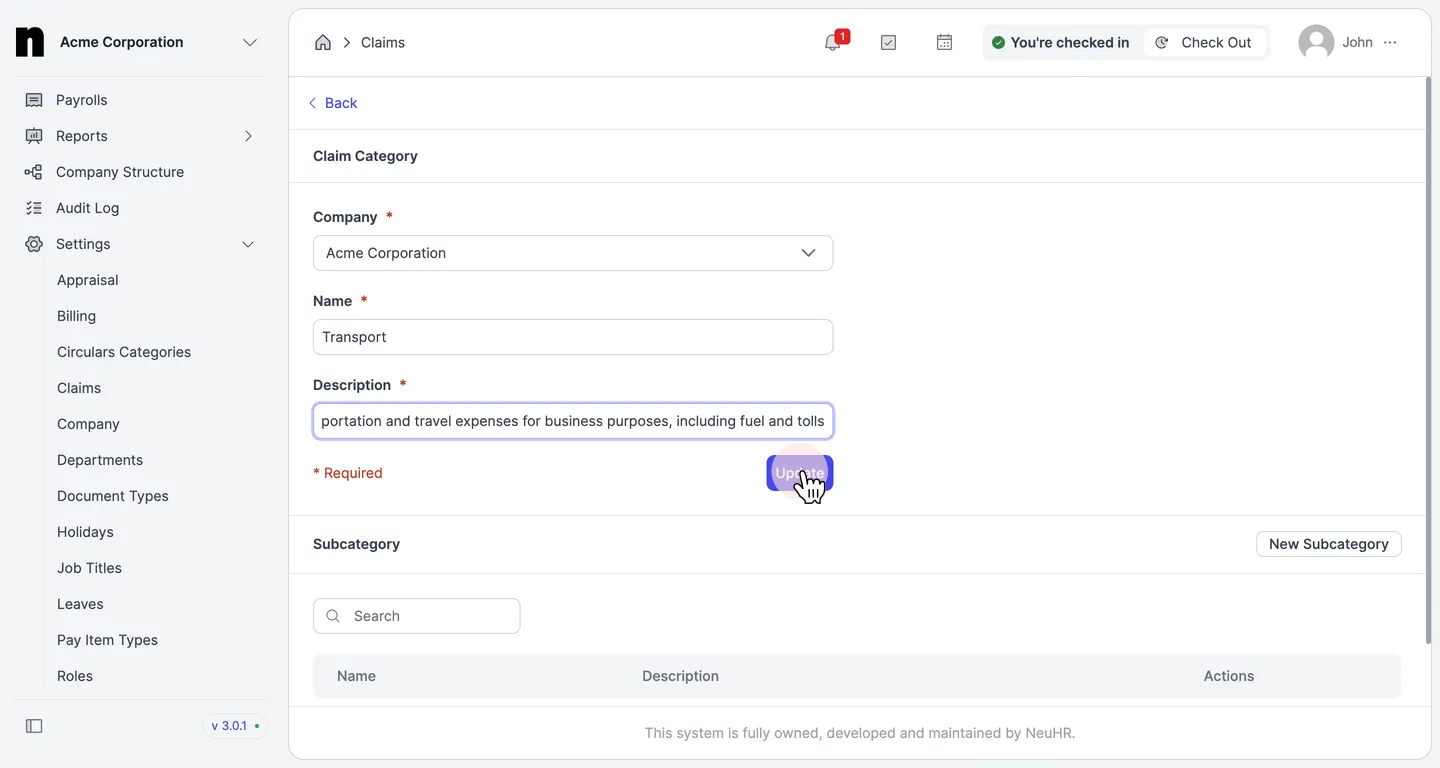
-
Confirm the Update
Section titled “Confirm the Update”You will be redirected to the
Claim Categoriespage. The updated category will reflect the new details in the list.