How Employee Limits are Allocated
Every NeuHR subscription plan includes a maximum number of employees your organisation can have active at any time. This limit applies across all employees in your account and is enforced when adding new employees.
Subscription Plans and Employee Limits
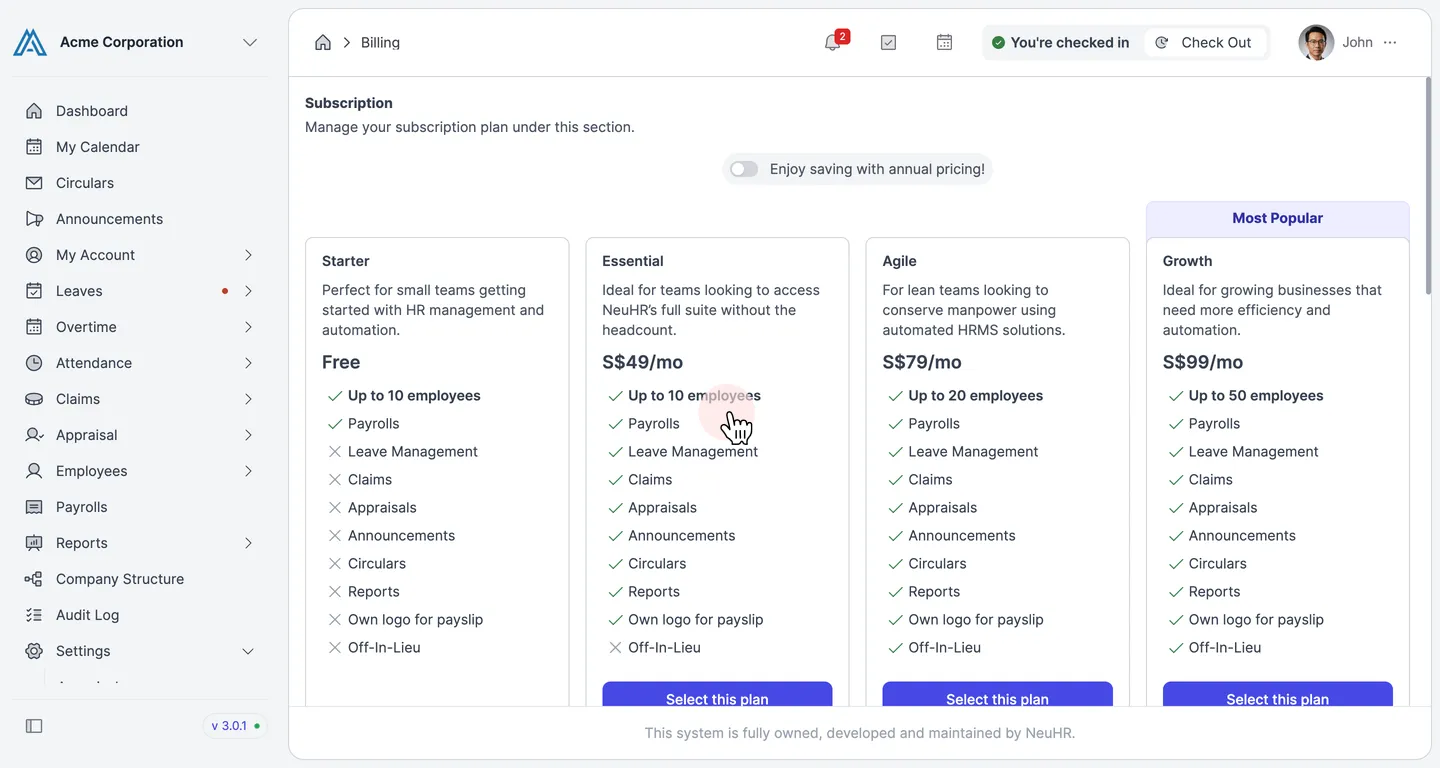
Section titled “Subscription Plans and Employee Limits”Your employee limit is set by your subscription plan. Navigate to Settings → Billing to view the available plans and their employee limits.
| Plan | Price | Employee Limit |
|---|---|---|
| Starter | Free | Up to 10 employees |
| Essential | S$49/mo | Up to 10 employees |
| Agile | S$79/mo | Up to 20 employees |
| Growth | S$99/mo | Up to 50 employees |
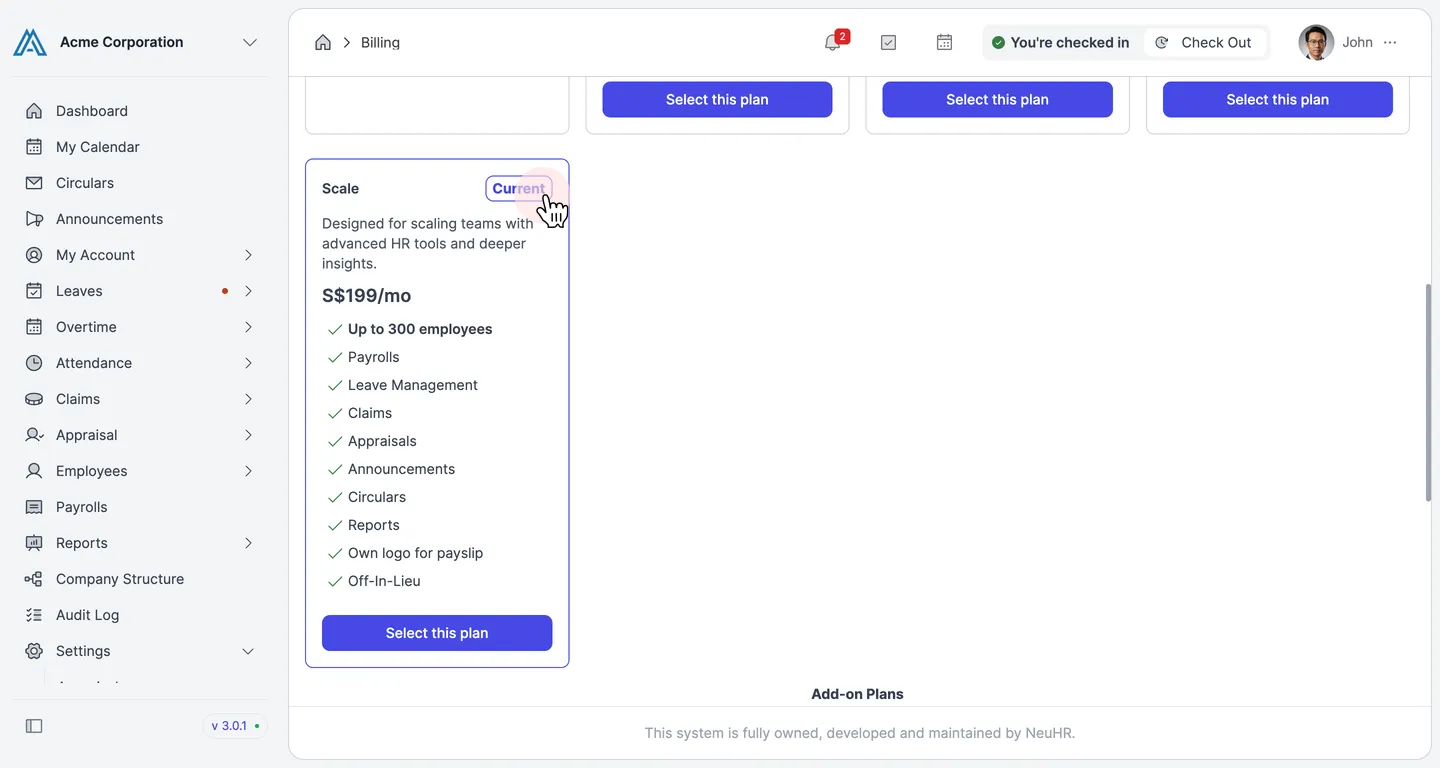
| Scale | S$199/mo | Up to 300 employees |
Your current plan is highlighted with a Current badge on the Billing page.
What Counts Toward the Limit
Section titled “What Counts Toward the Limit”Only Active and Offboarding employees are counted toward your plan’s employee limit. Employees with the following statuses do not count:
- Draft — employees who have been created but not yet published
- Deactivated — employees who have been offboarded and deactivated
Expanding Your Employee Limit
Section titled “Expanding Your Employee Limit”If you need more employees than your current plan allows without upgrading to the next tier, you can purchase additional headcount through the Add-on Plans section.
Add-on Headcount
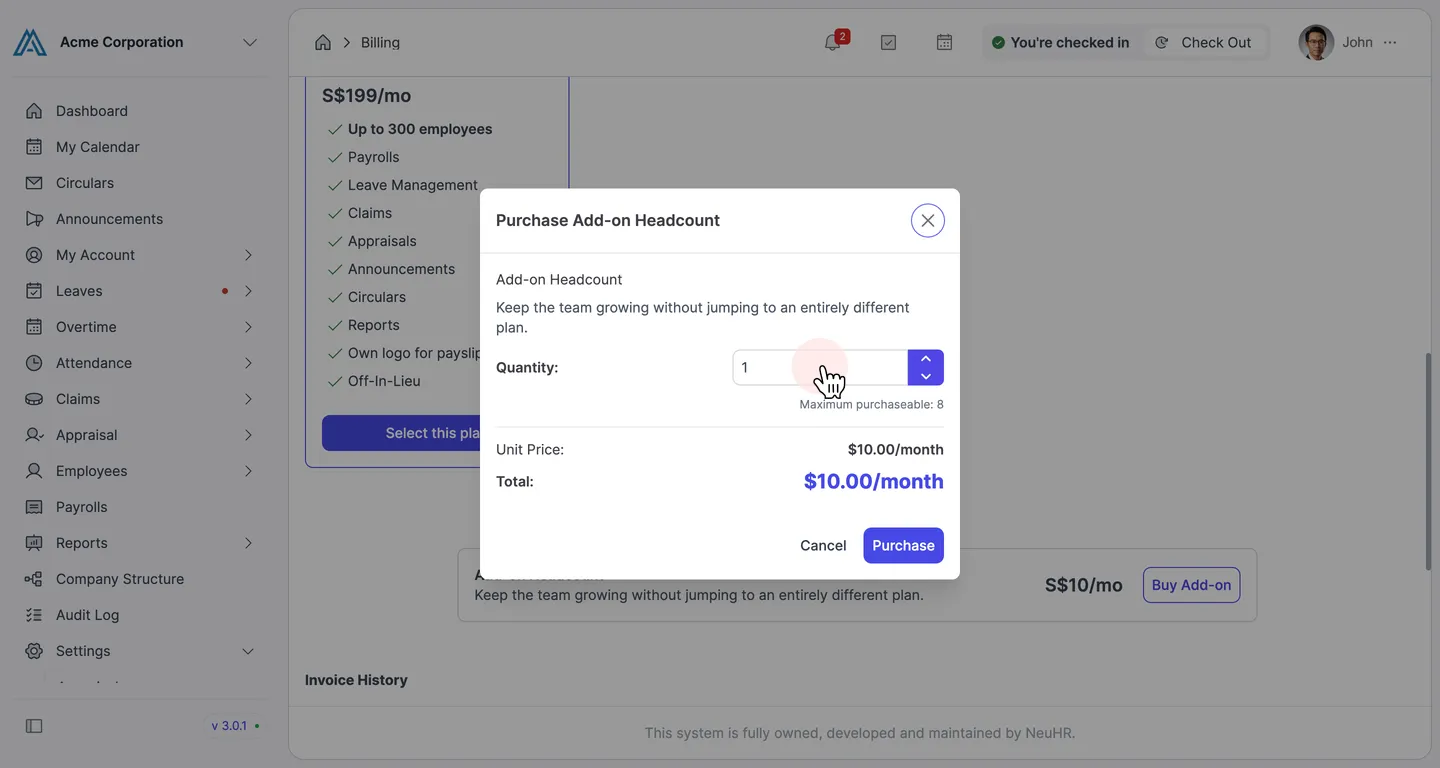
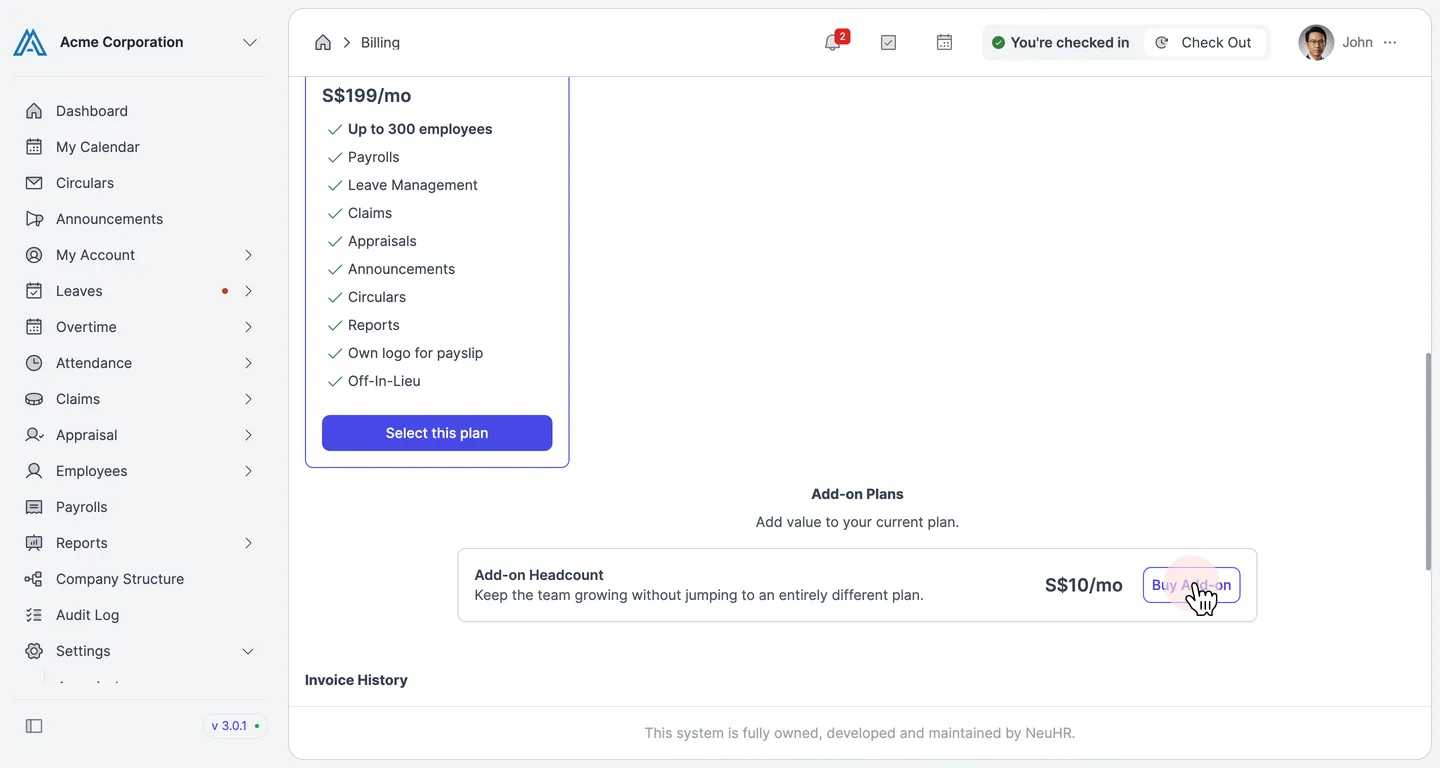
Section titled “Add-on Headcount”The Add-on Headcount option costs S$10/month per additional employee and allows you to grow your team without switching plans. Scroll to the Add-on Plans section on the Billing page and click Buy Add-on.
In the Purchase Add-on Headcount dialog, enter the Quantity of additional employee slots you need. The dialog shows the unit price, total monthly cost, and the maximum number of add-on seats available for your current plan.