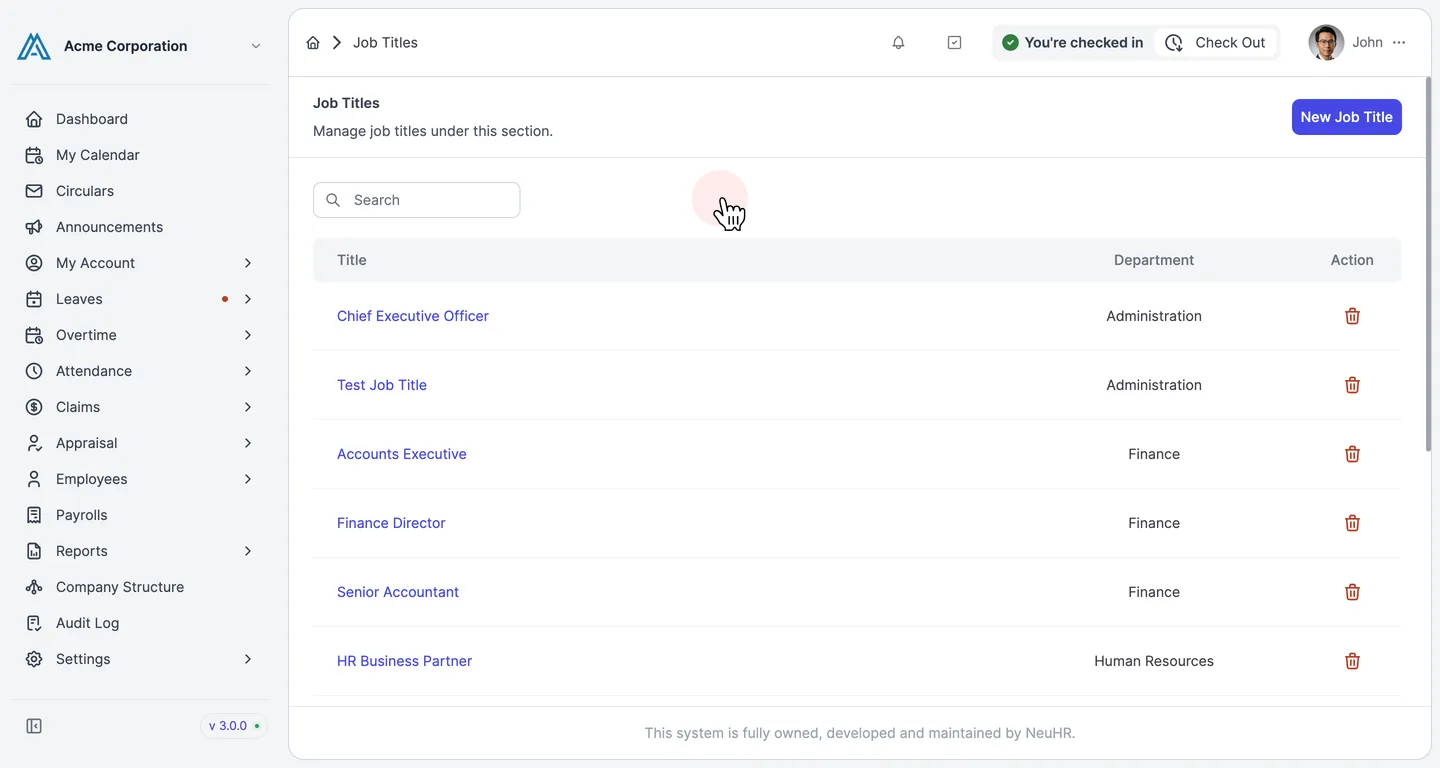
How to Delete Job Title
This guide shows you how to delete a job title in NeuHR. Deleting a job title permanently removes it from the system.
-
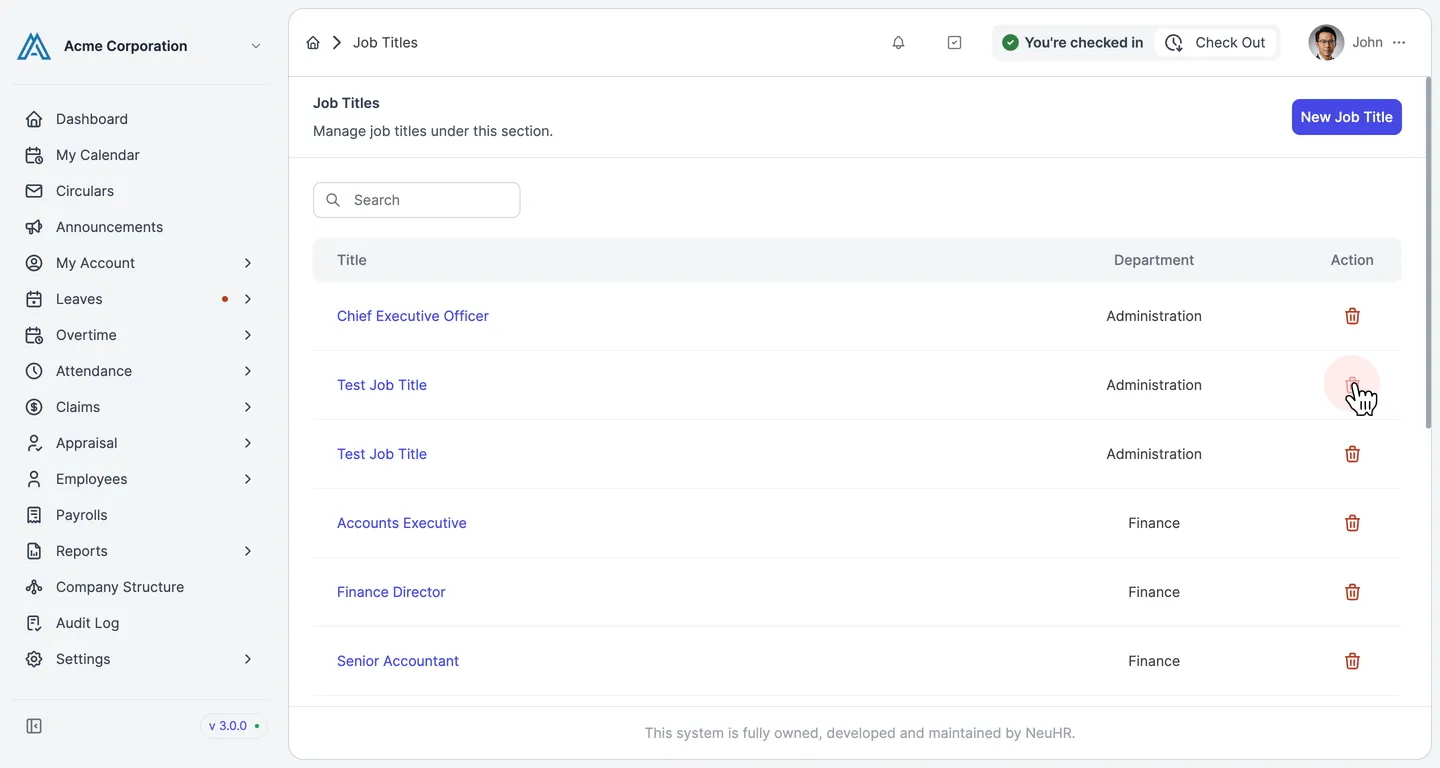
Navigate to Settings > Job Titles and click the delete icon
Section titled “Navigate to Settings > Job Titles and click the delete icon”From the sidebar, go to Settings → Job Titles. Find the job title you want to remove and click the trash icon button in its row.
-
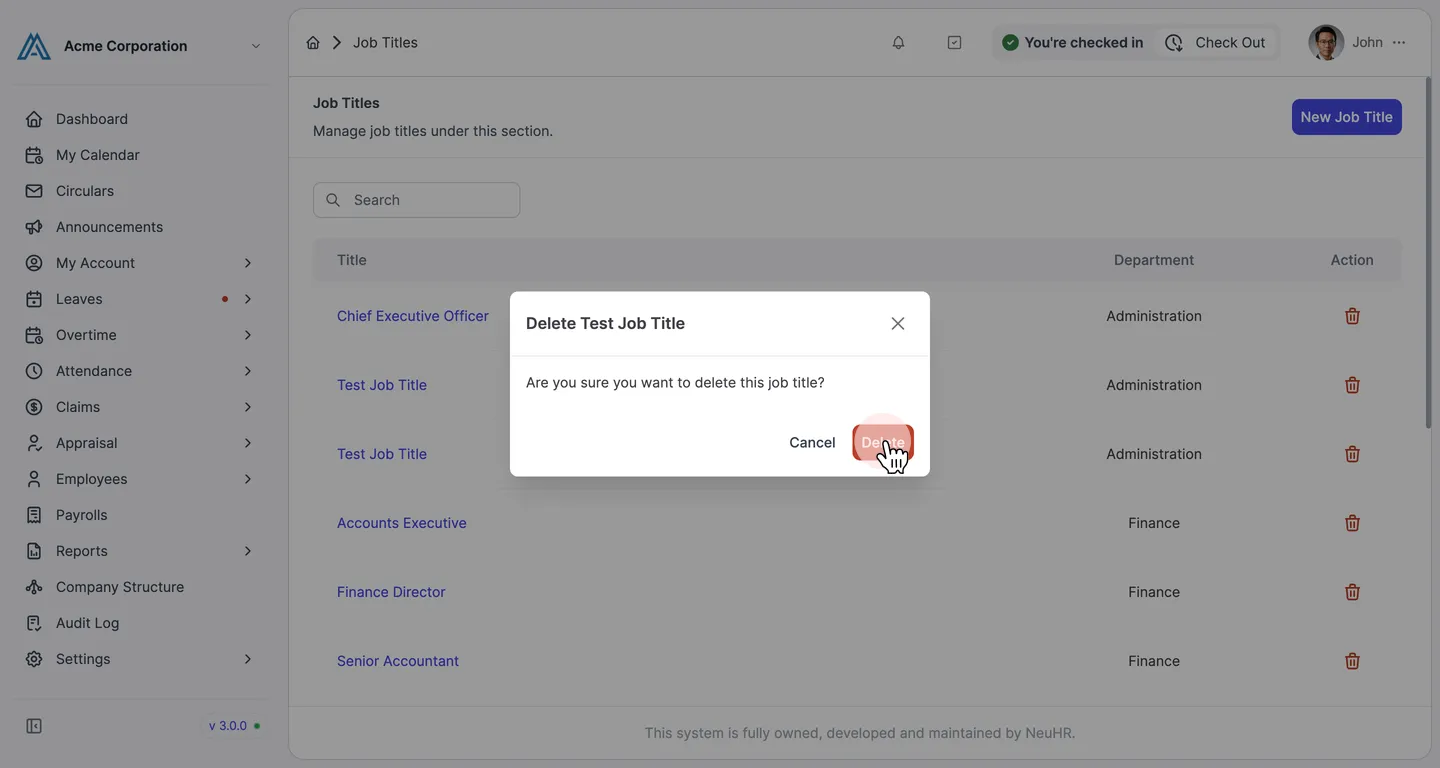
Confirm the deletion
Section titled “Confirm the deletion”A confirmation dialog appears asking “Are you sure you want to delete this job title?”. Click the Delete button to confirm.
-
Job title deleted successfully
Section titled “Job title deleted successfully”The dialog closes and the job title is removed from the listing. A success message confirms the deletion.