Assign Accounting Code to Claim Subcategory
-
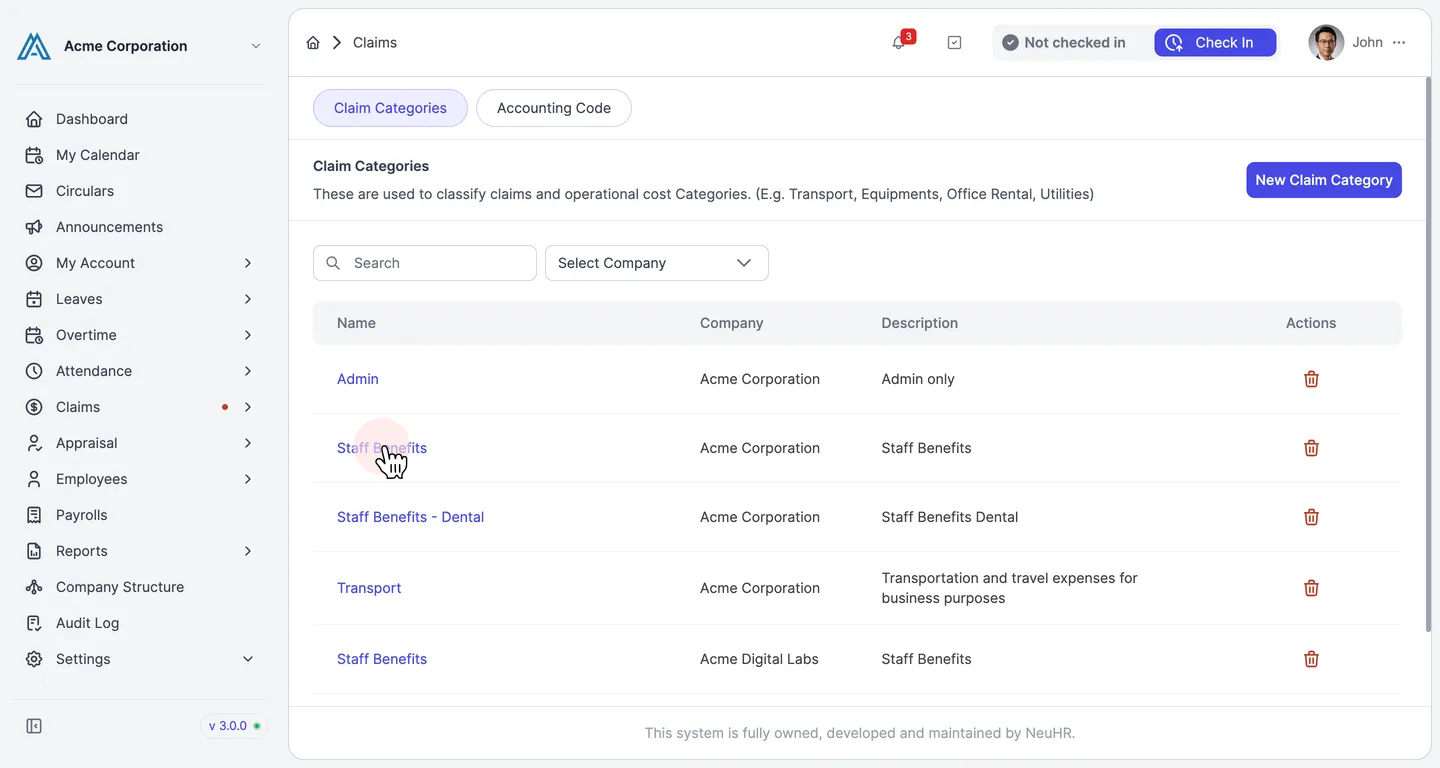
Go to Settings → Claims. The Claims settings page shows a list of claim categories. Click the name of the category containing the subcategory you want to configure.
-
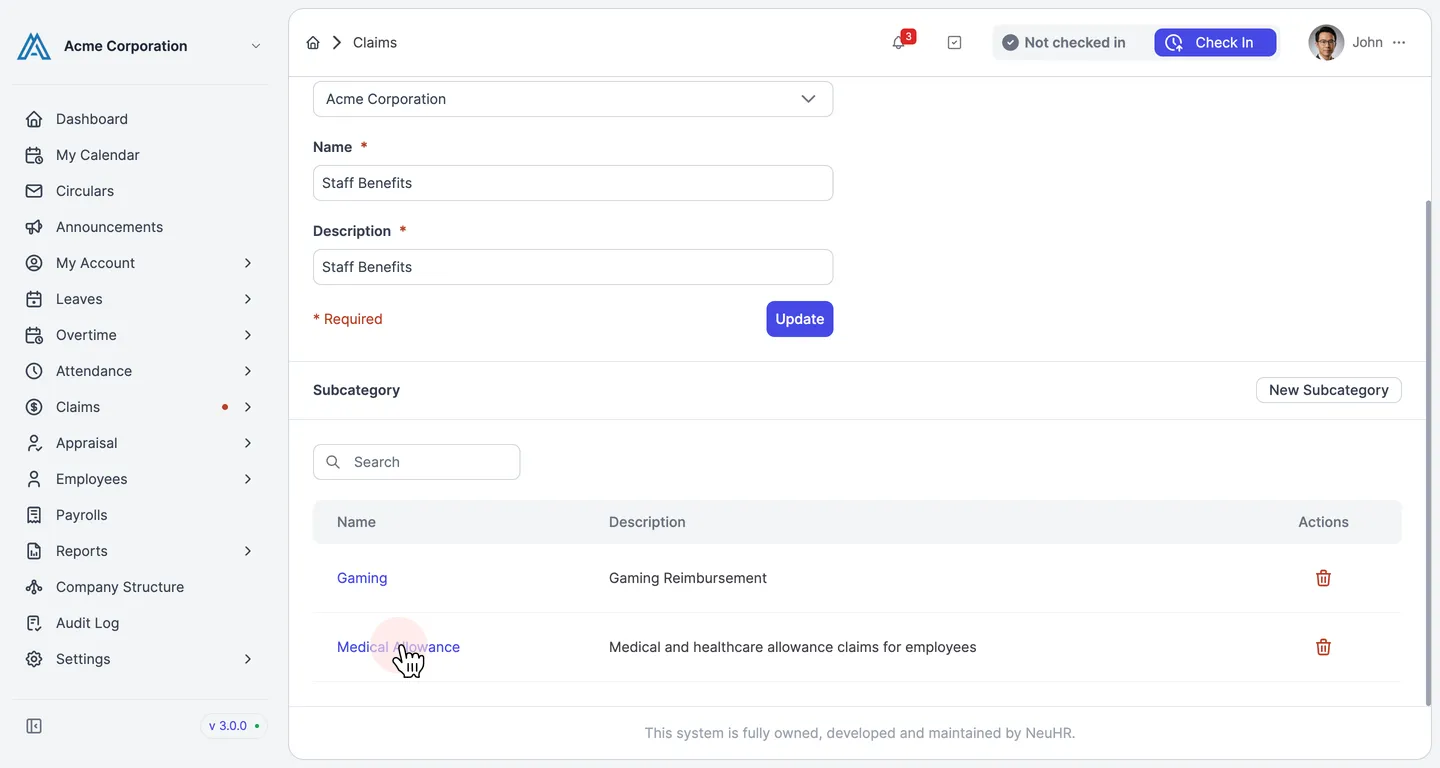
You are now on the category edit page. In the Subcategory section, click the name of the subcategory you want to assign an accounting code to.
-
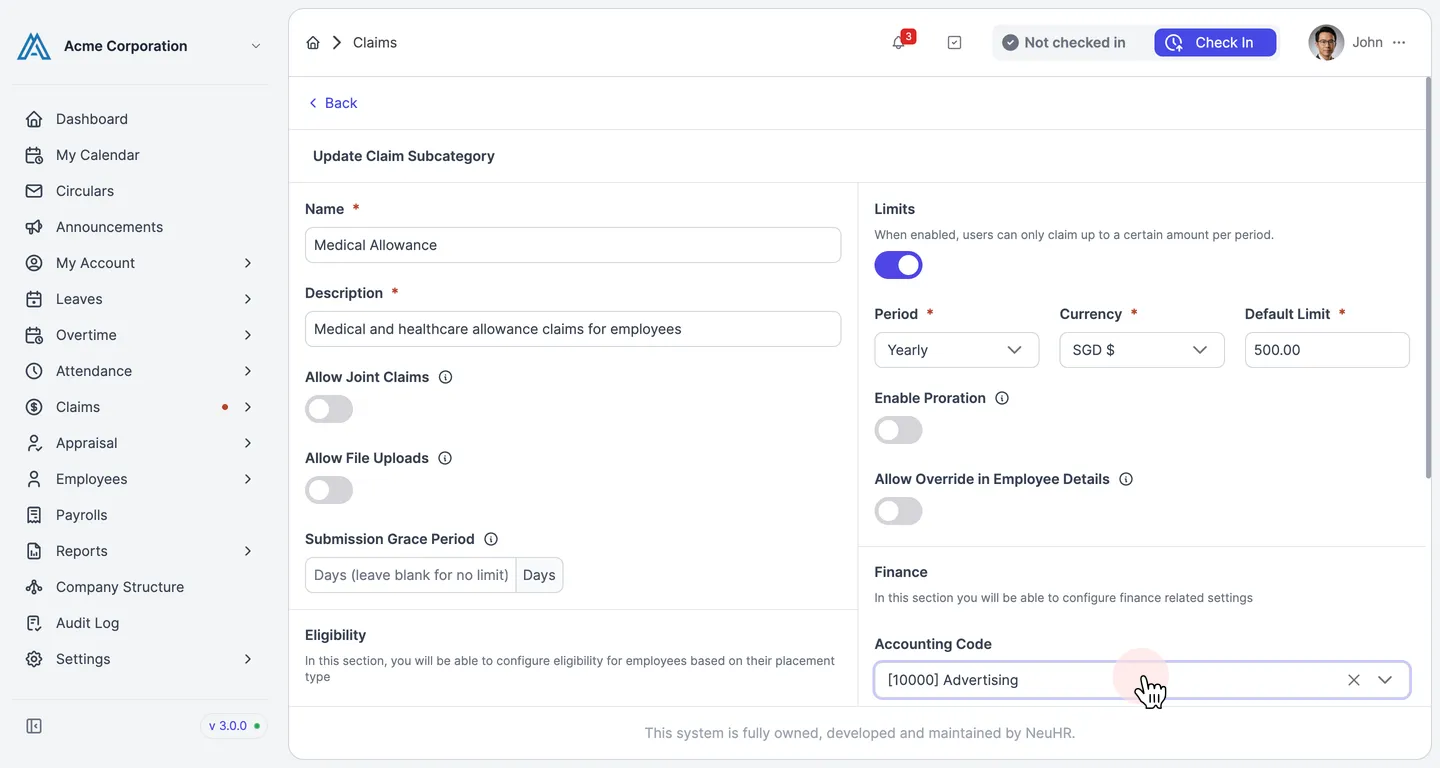
You are now on the subcategory edit page. Scroll down to the Finance section. Click the Accounting Code dropdown and select the accounting code you want to assign.
-
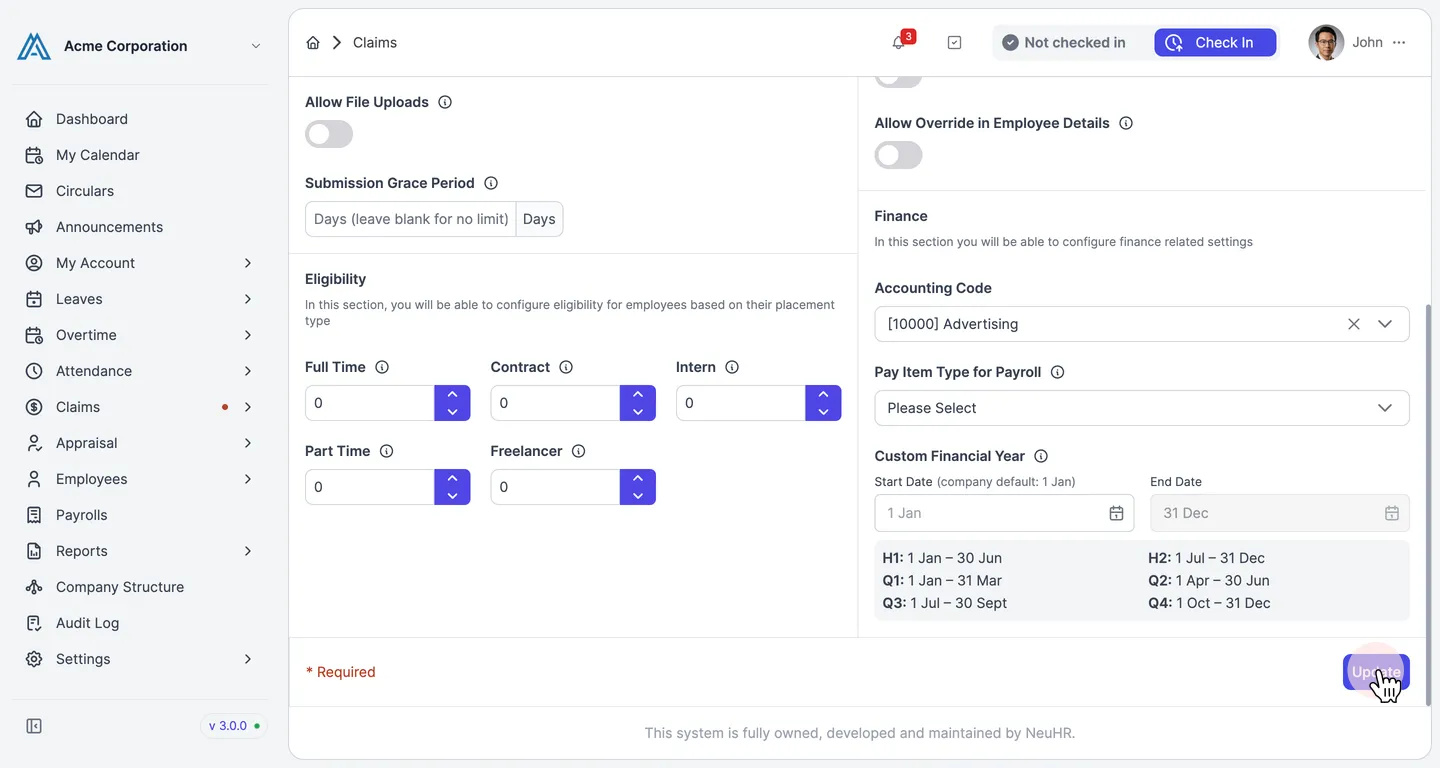
Click Update to save your changes. A confirmation message will appear indicating the claim subcategory has been updated successfully.