How to Update Circulars Category
This guide shows you how to update an existing Circulars category in NeuHR. You can rename the category, change its description, or toggle its active status.
-
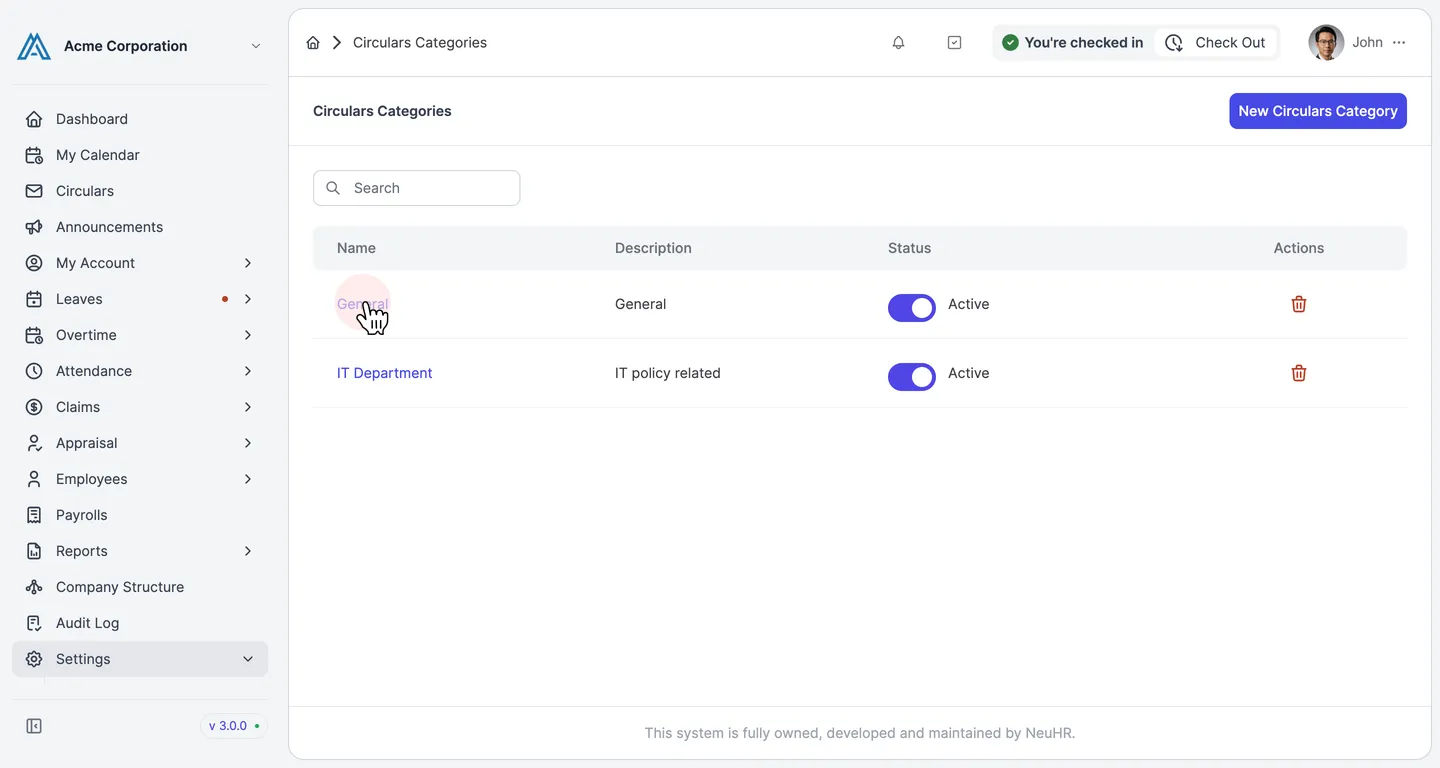
Navigate to Settings > Circulars Categories and click a category
Section titled “Navigate to Settings > Circulars Categories and click a category”From the sidebar, go to Settings → Circulars Categories. The page lists all existing categories. Click on the category name you want to edit.
-
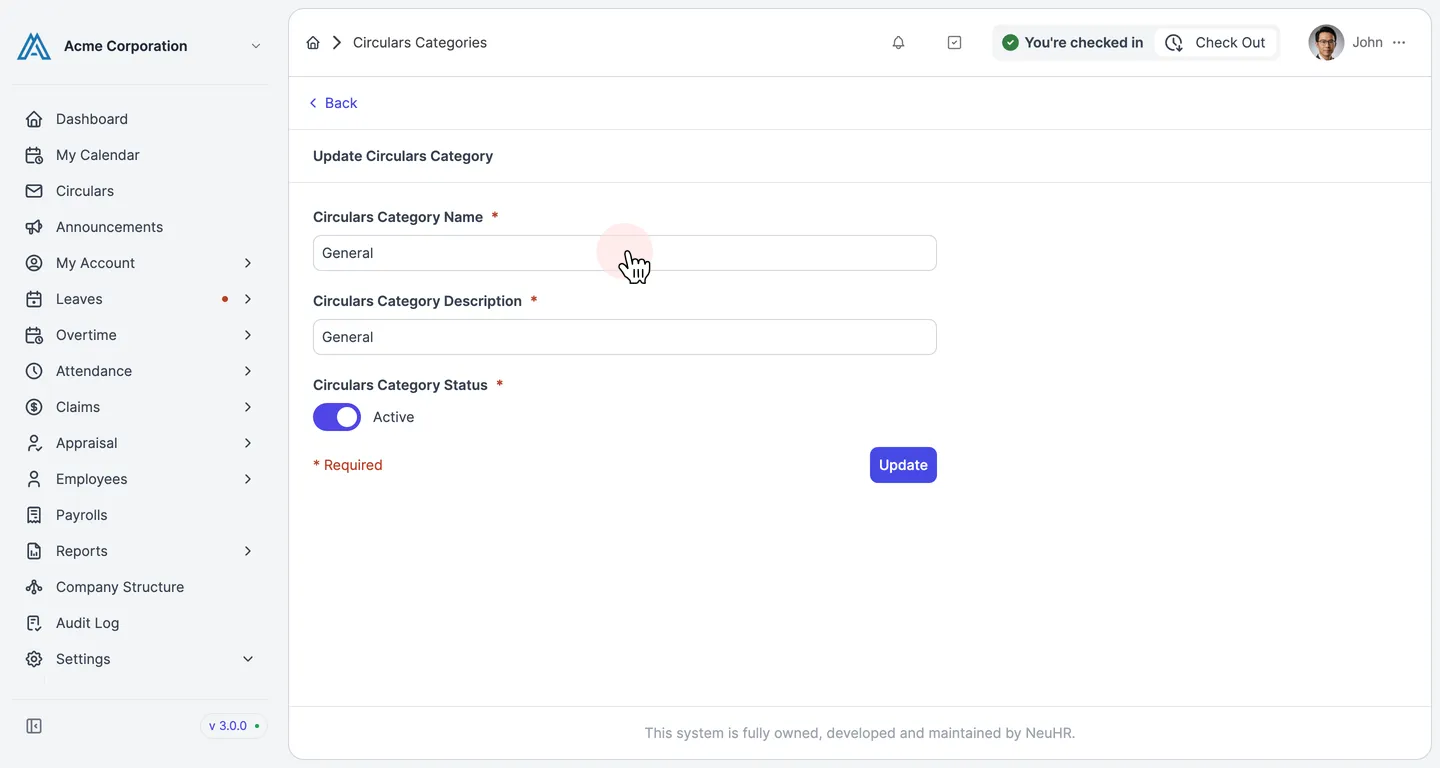
Review the pre-filled Update form
Section titled “Review the pre-filled Update form”The Update Circulars Category form opens with the current values pre-filled:
- Circulars Category Name — the current name
- Circulars Category Description — the current description
- Circulars Category Status — toggle to set the category as Active or Inactive
-
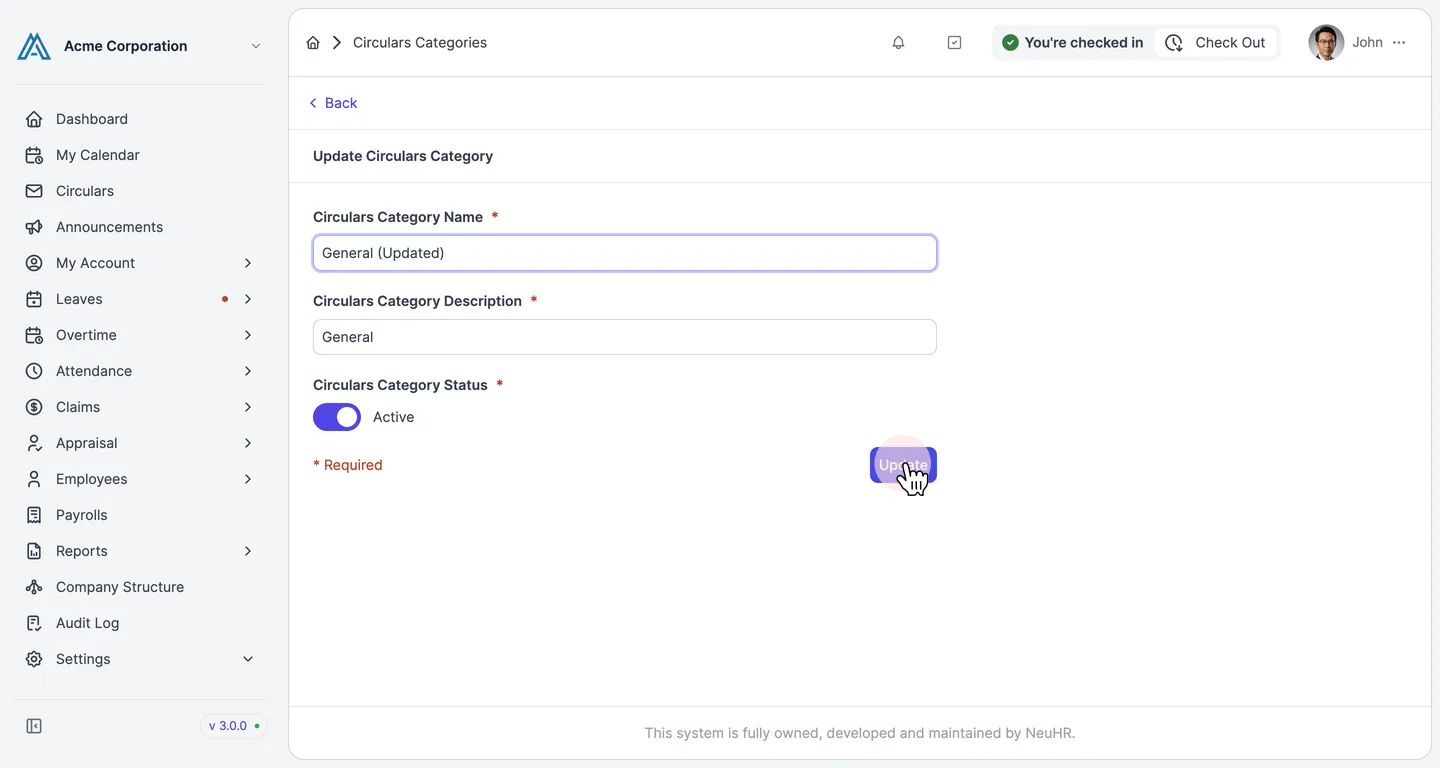
Edit the fields and click Update
Section titled “Edit the fields and click Update”Make your changes to the name, description, or status, then click the Update button to save.
-
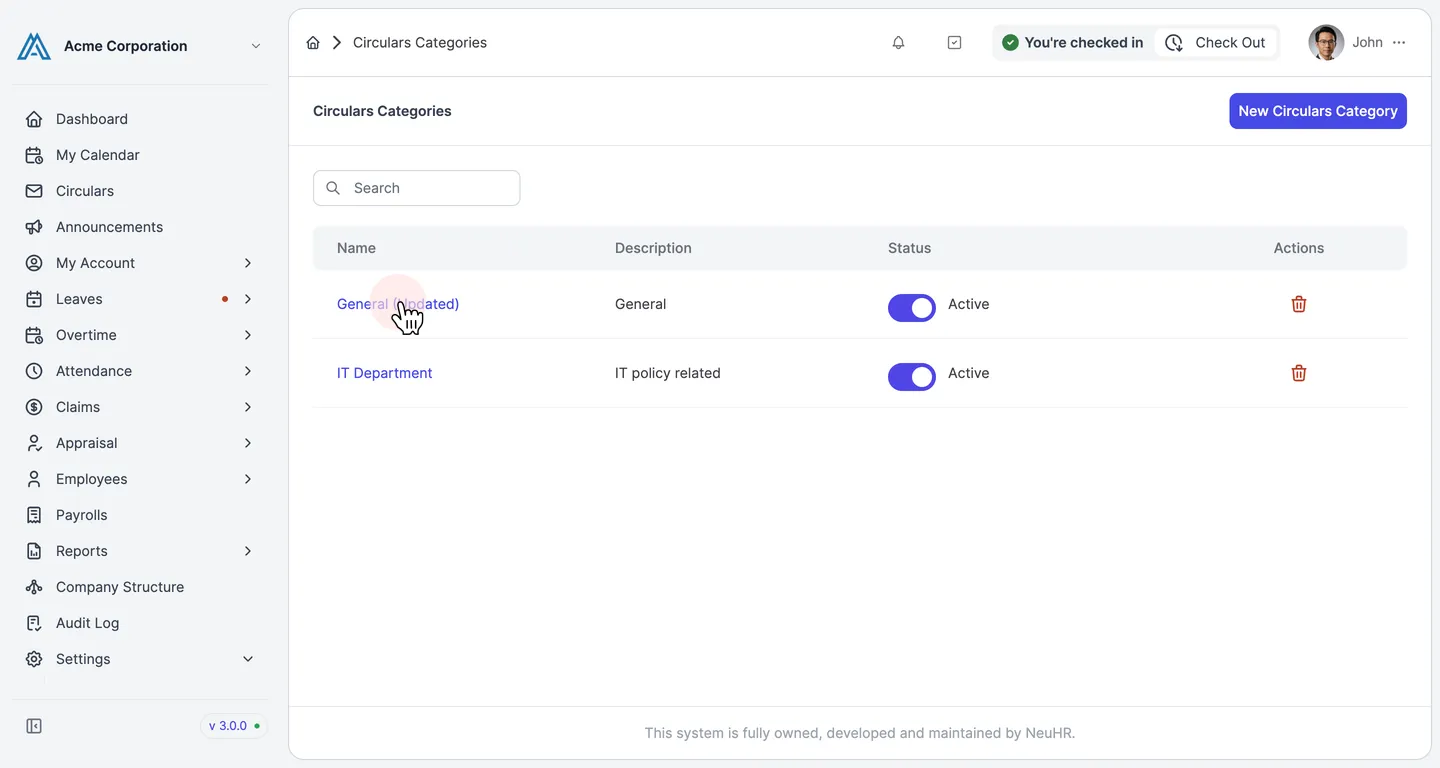
Category updated successfully
Section titled “Category updated successfully”You are redirected to the Circulars Categories listing. The updated category name appears in the list, confirming the changes were saved.