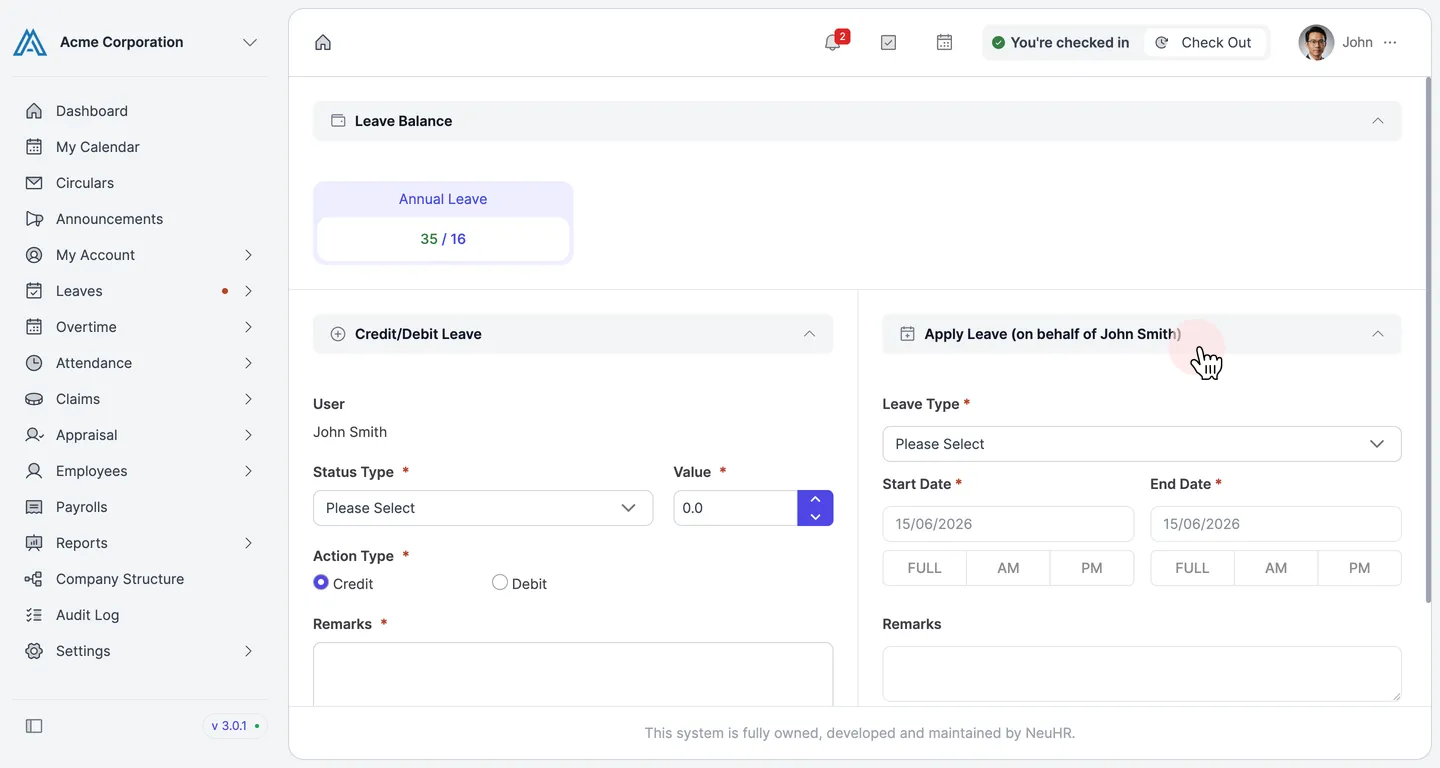
How to Apply on Behalf of an Employee
Admins can apply for leave on behalf of employees directly from the Employees List.
-
Go to the Employees List
Section titled “Go to the Employees List”Navigate to
Employees>Employees Listin the sidebar.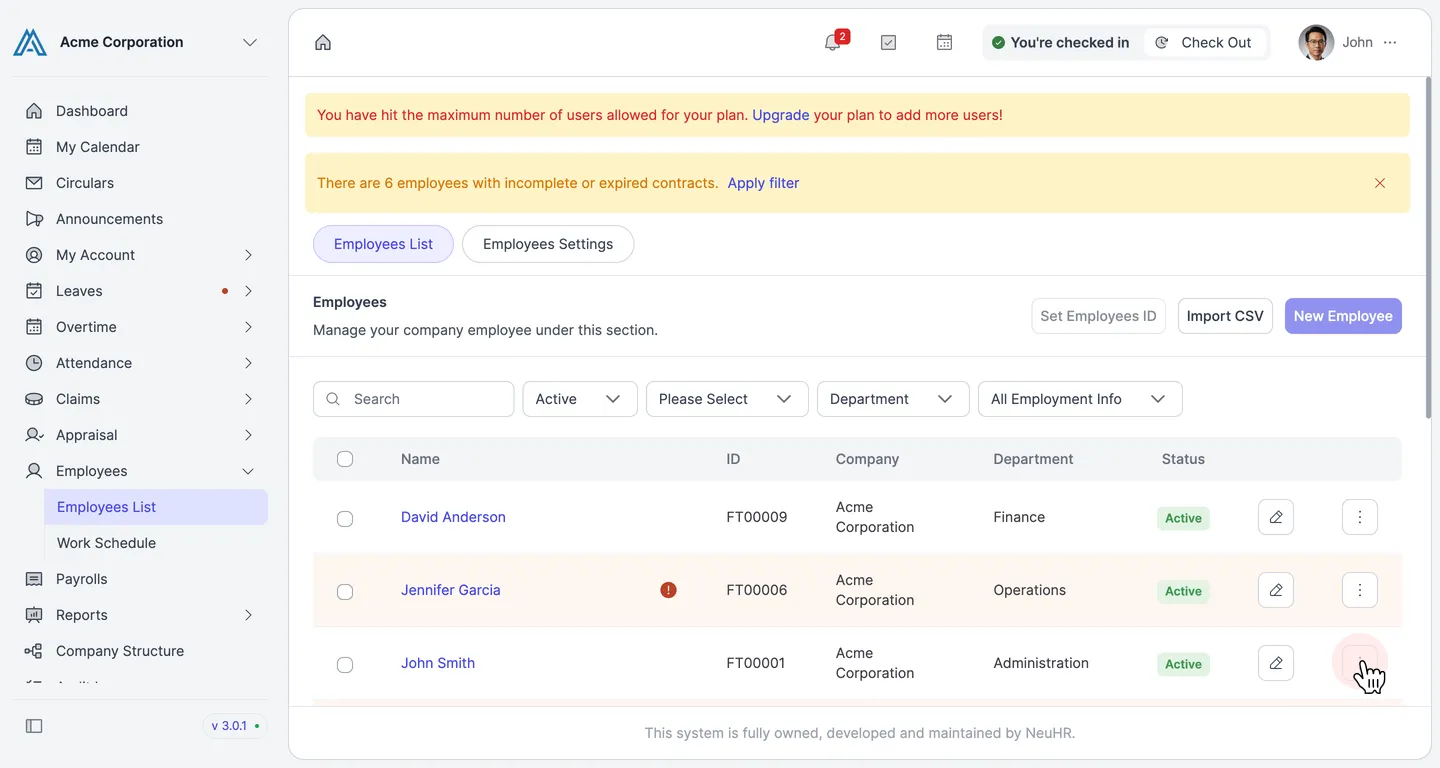
-
Open the more options menu for the employee
Section titled “Open the more options menu for the employee”Click the
⋮button on the employee’s row to open the action menu.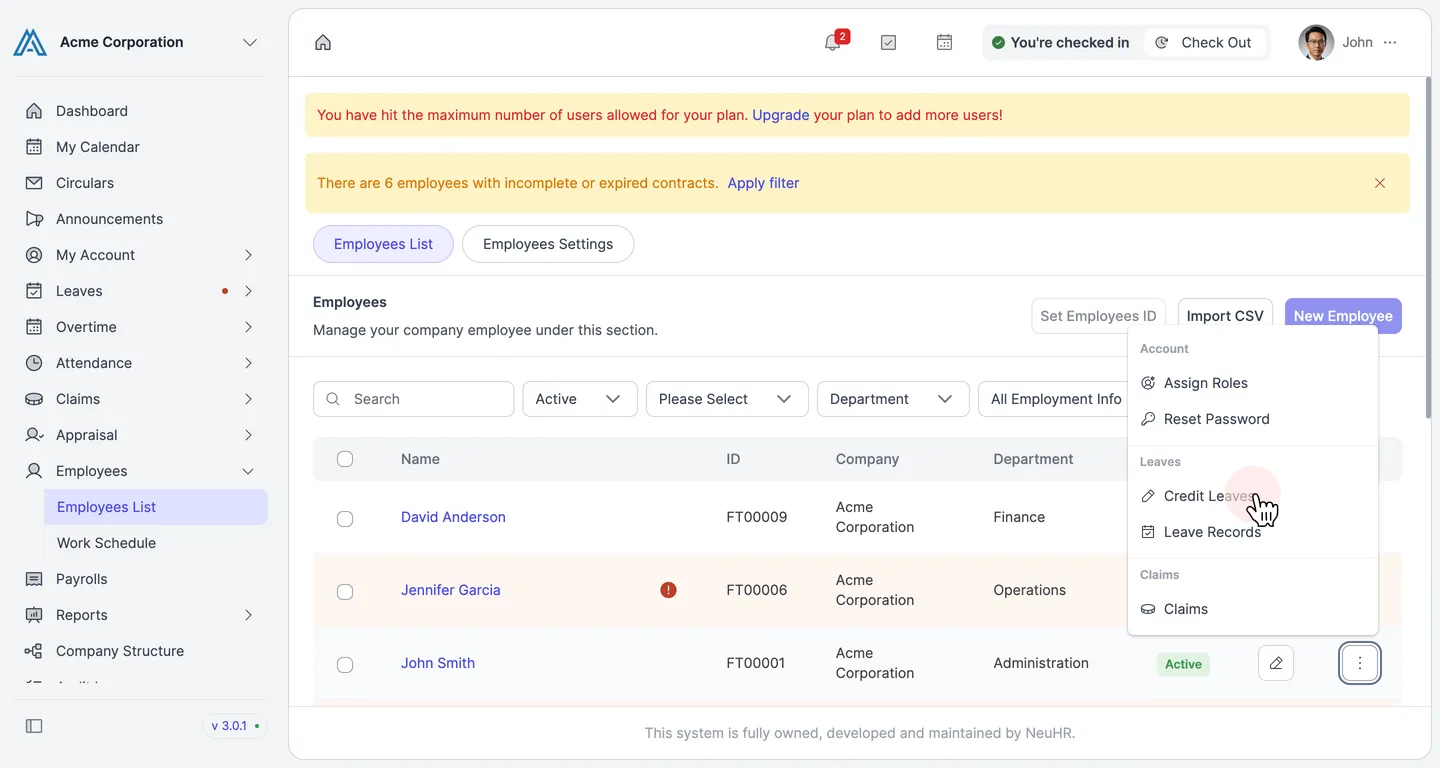
-
Click Credit Leaves
Section titled “Click Credit Leaves”Under the
Leavessection, click Credit Leaves to open the Leave Credit Status page.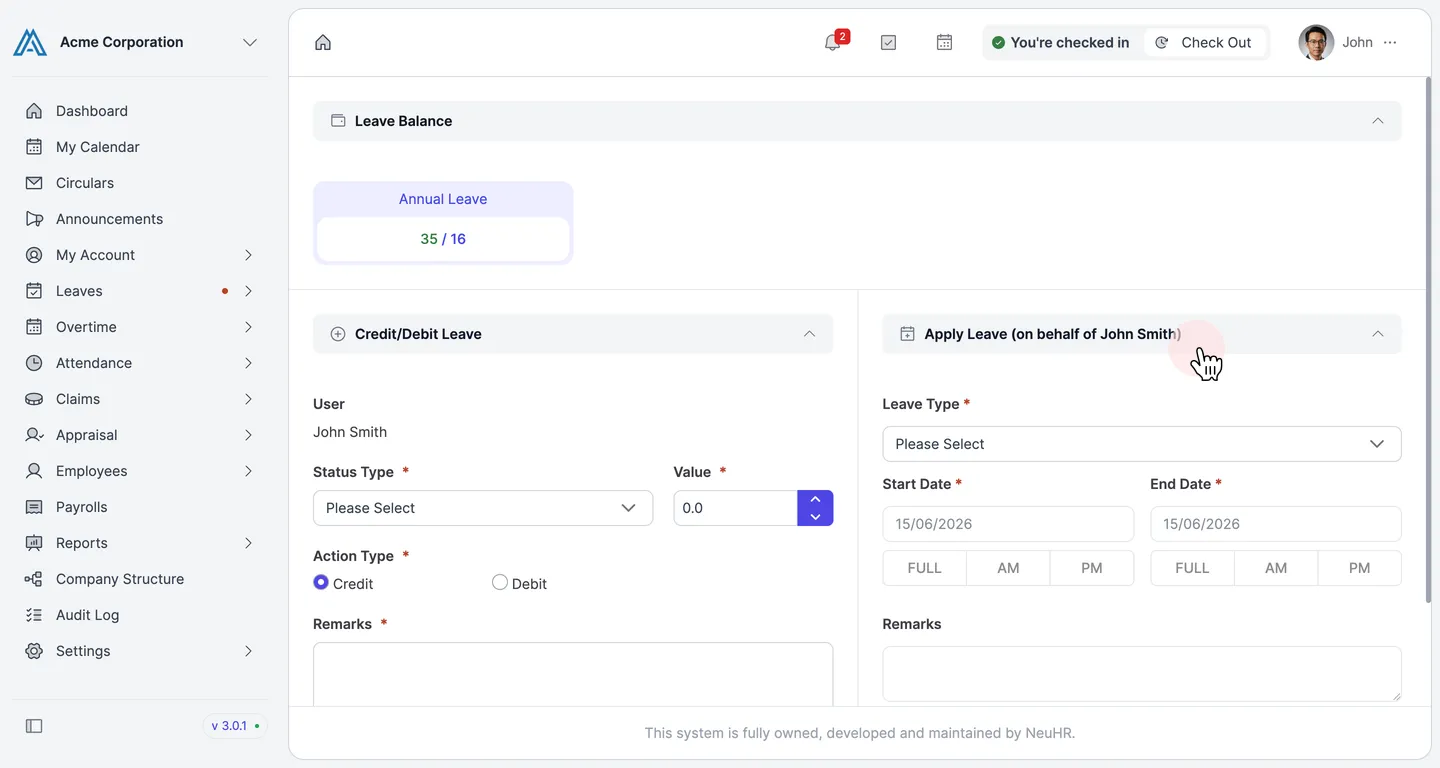
-
Select the leave type
Section titled “Select the leave type”In the
Apply Leave (on behalf of...)panel, click the Leave Type dropdown and select the desired leave type.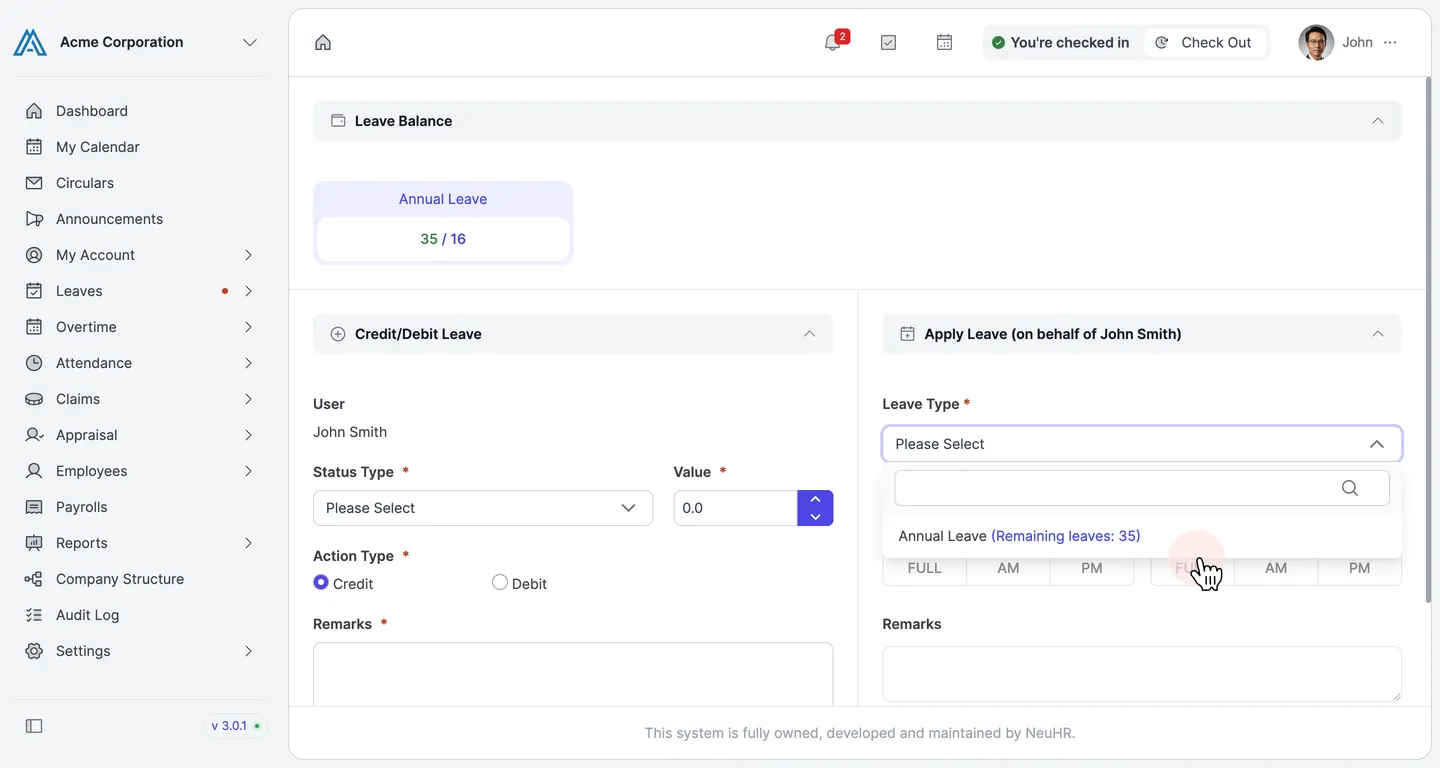
-
Set the leave dates
Section titled “Set the leave dates”Set the
Start DateandEnd Date. ChooseFULL,AM, orPMfor each day depending on the leave duration.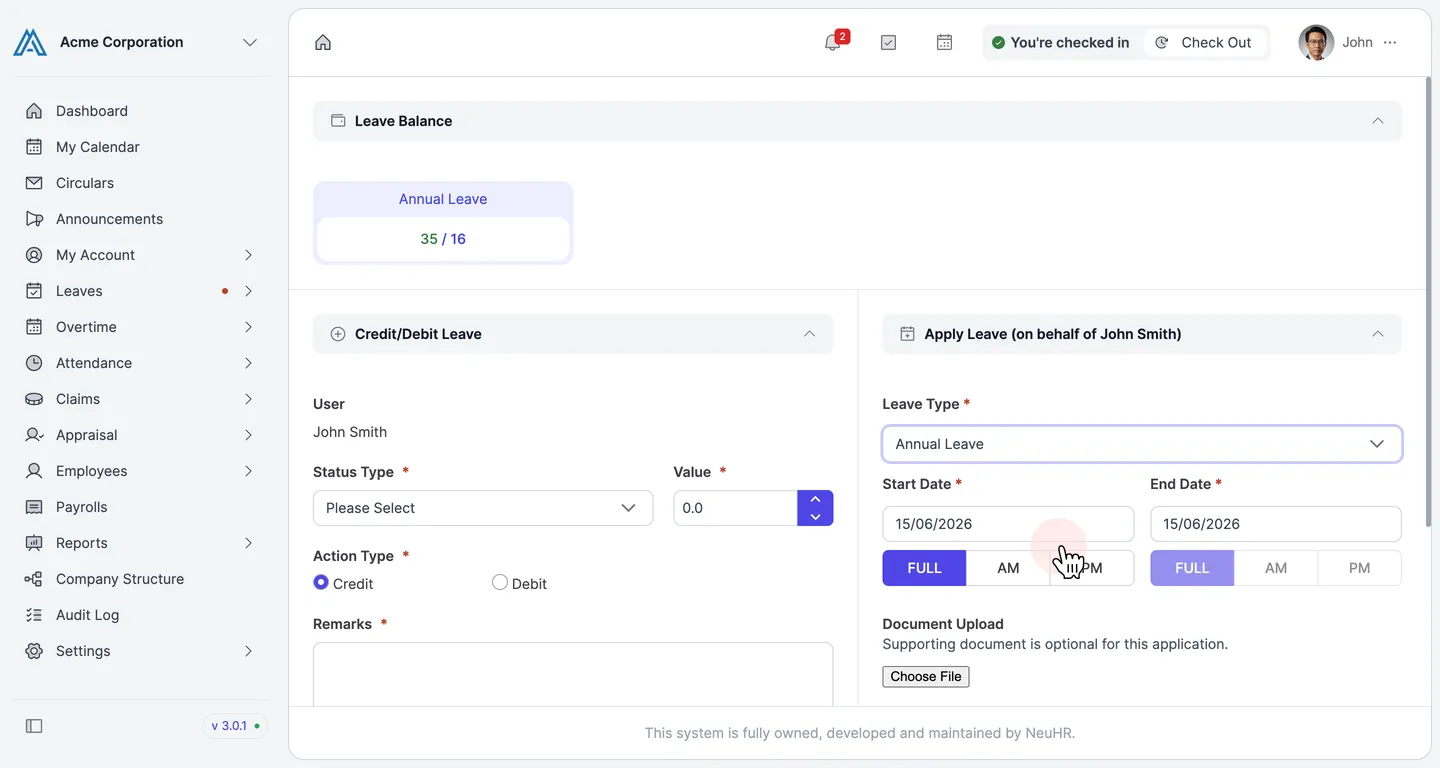
-
Fill in Remarks and click Apply
Section titled “Fill in Remarks and click Apply”Enter a reason in the
Remarksfield (required), then click Apply to submit the leave application.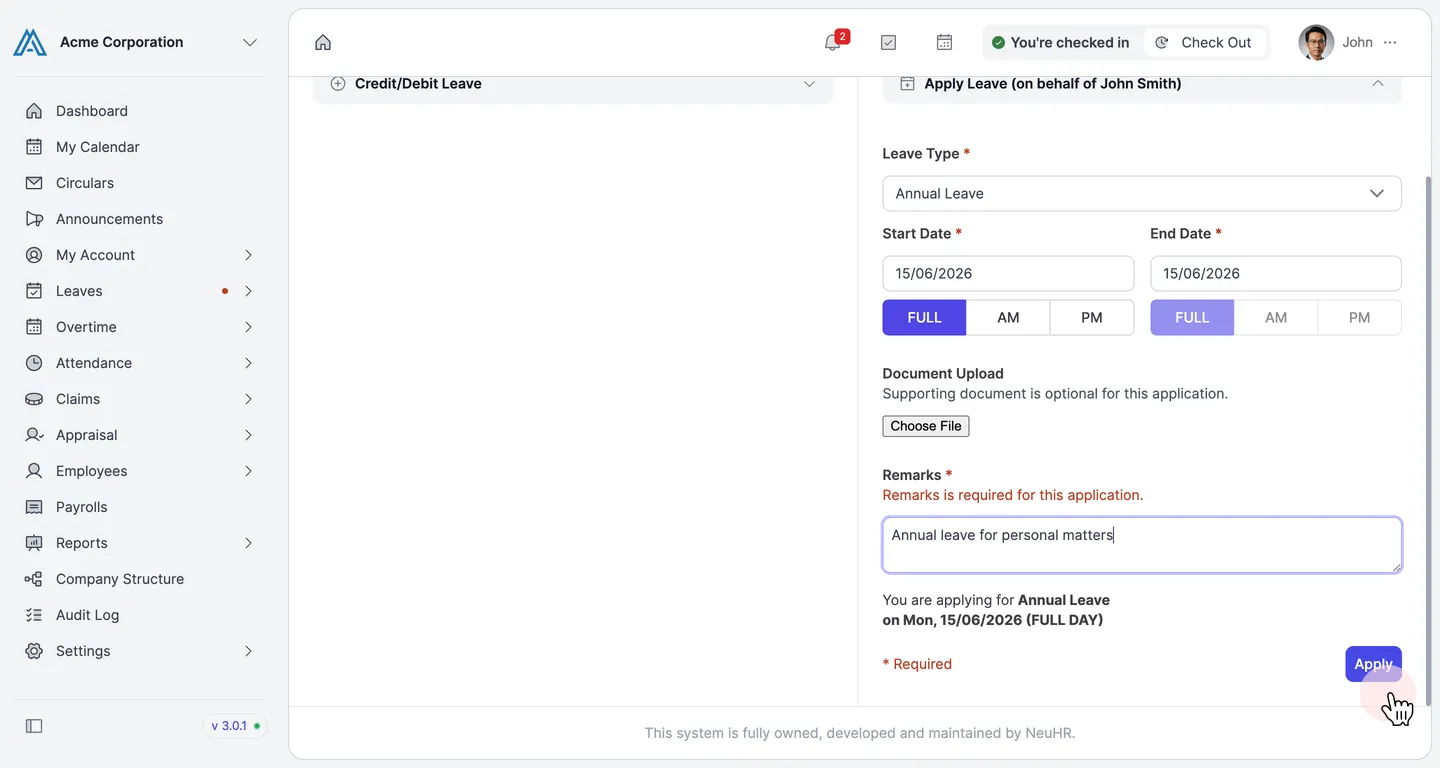
-
Confirm submission
Section titled “Confirm submission”The form resets to its default state, confirming the leave application was submitted successfully on behalf of the employee.