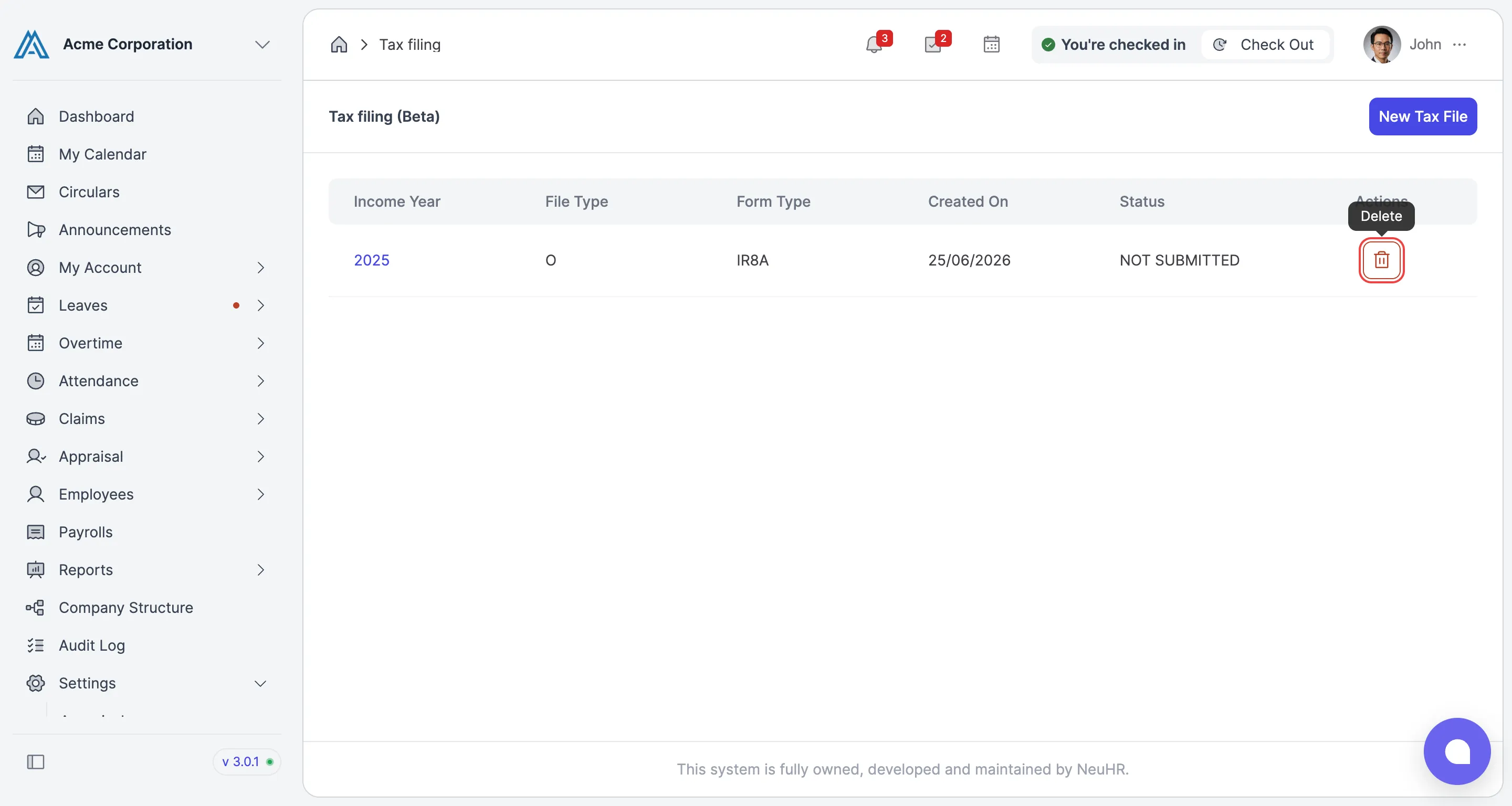
How to Delete IRAS Tax Filing Year
This guide shows you how to delete an IRAS tax filing year in NeuHR.
-
Navigate to Tax Filing
Section titled “Navigate to Tax Filing”From the sidebar, scroll down to
Settingsand clickTax filing. On the Tax filing (Beta) page, click the delete icon in the Actions column for the tax filing year you want to delete (e.g. 2024).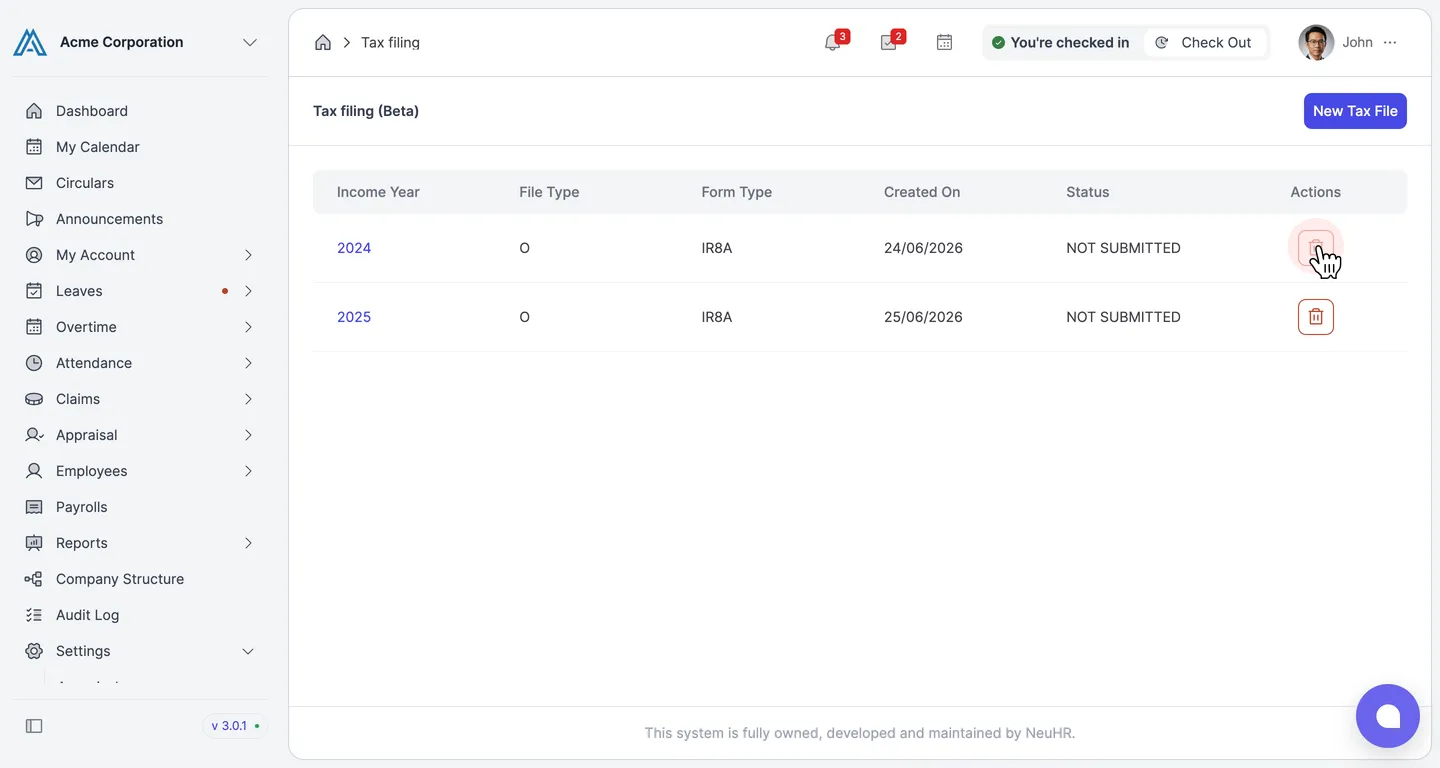
-
Confirm Deletion
Section titled “Confirm Deletion”A Delete Tax File dialog appears asking: “Are you sure you want to delete Tax File Year 2024”. Click
Deleteto confirm.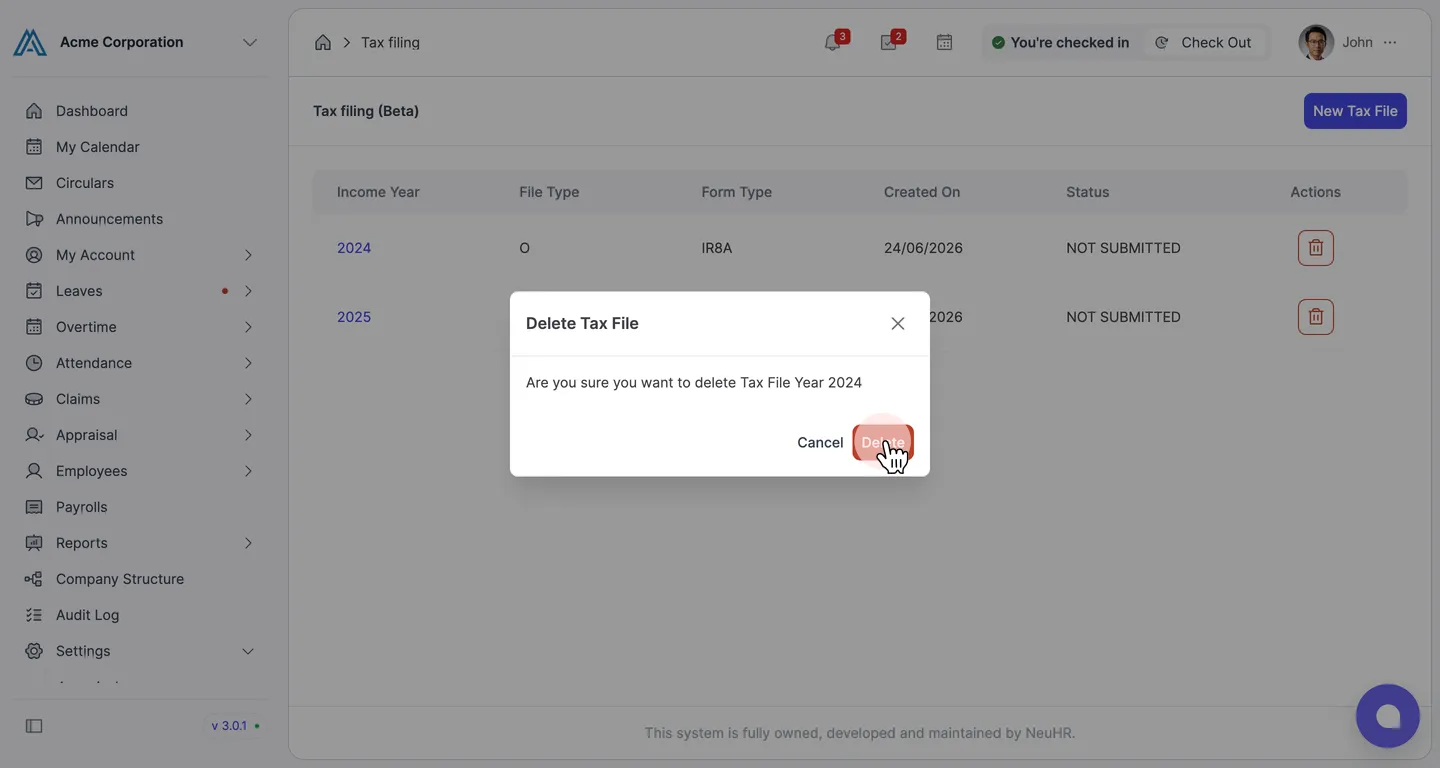
-
Tax Filing Year Deleted
Section titled “Tax Filing Year Deleted”The system removes the tax filing year and shows a Successfully deleted confirmation message. The 2024 entry no longer appears in the list.