How to Mark a Task as Complete
This guide shows you how to mark a task as complete in NeuHR.
-
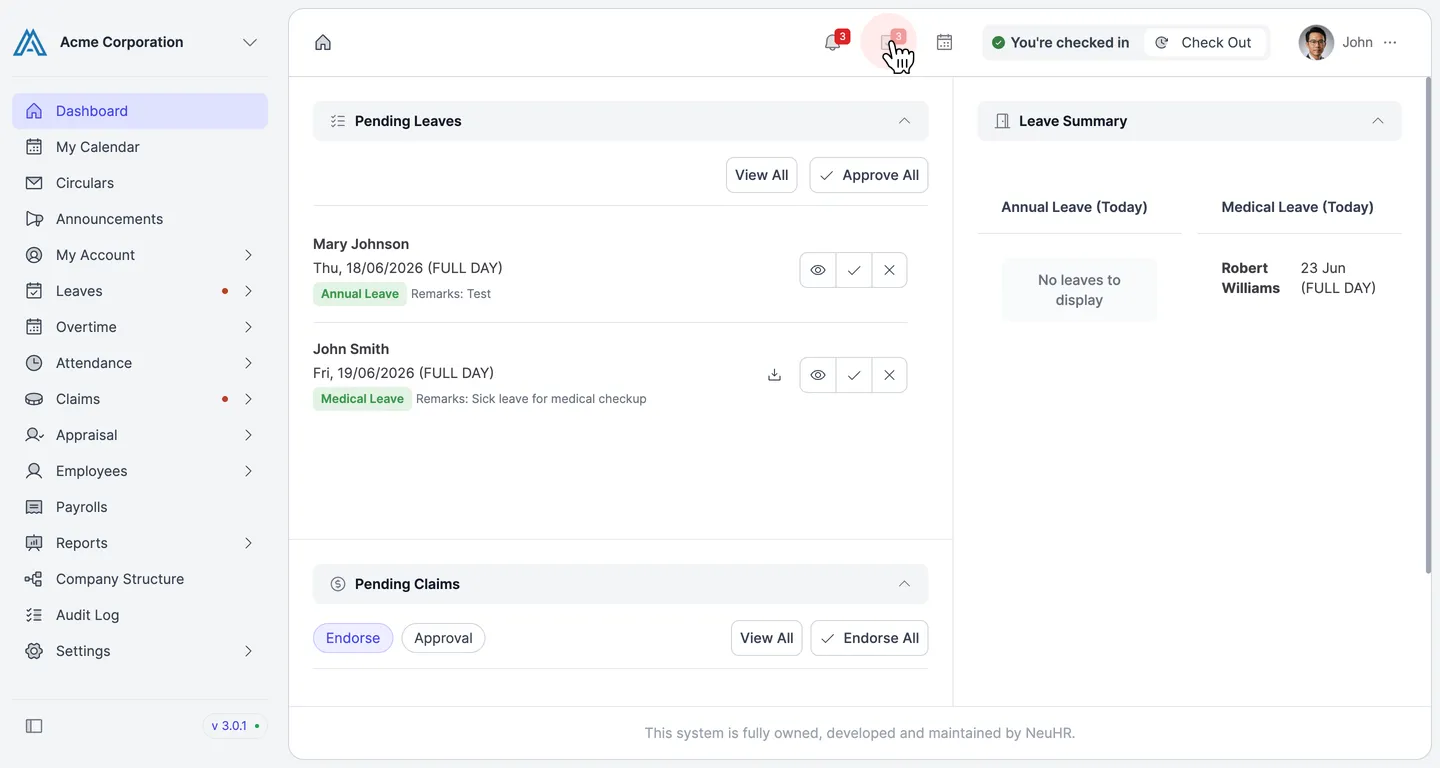
Click the Tasks Icon
Section titled “Click the Tasks Icon”In the top navigation bar, click the Tasks icon (the clipboard icon with a number badge).
-
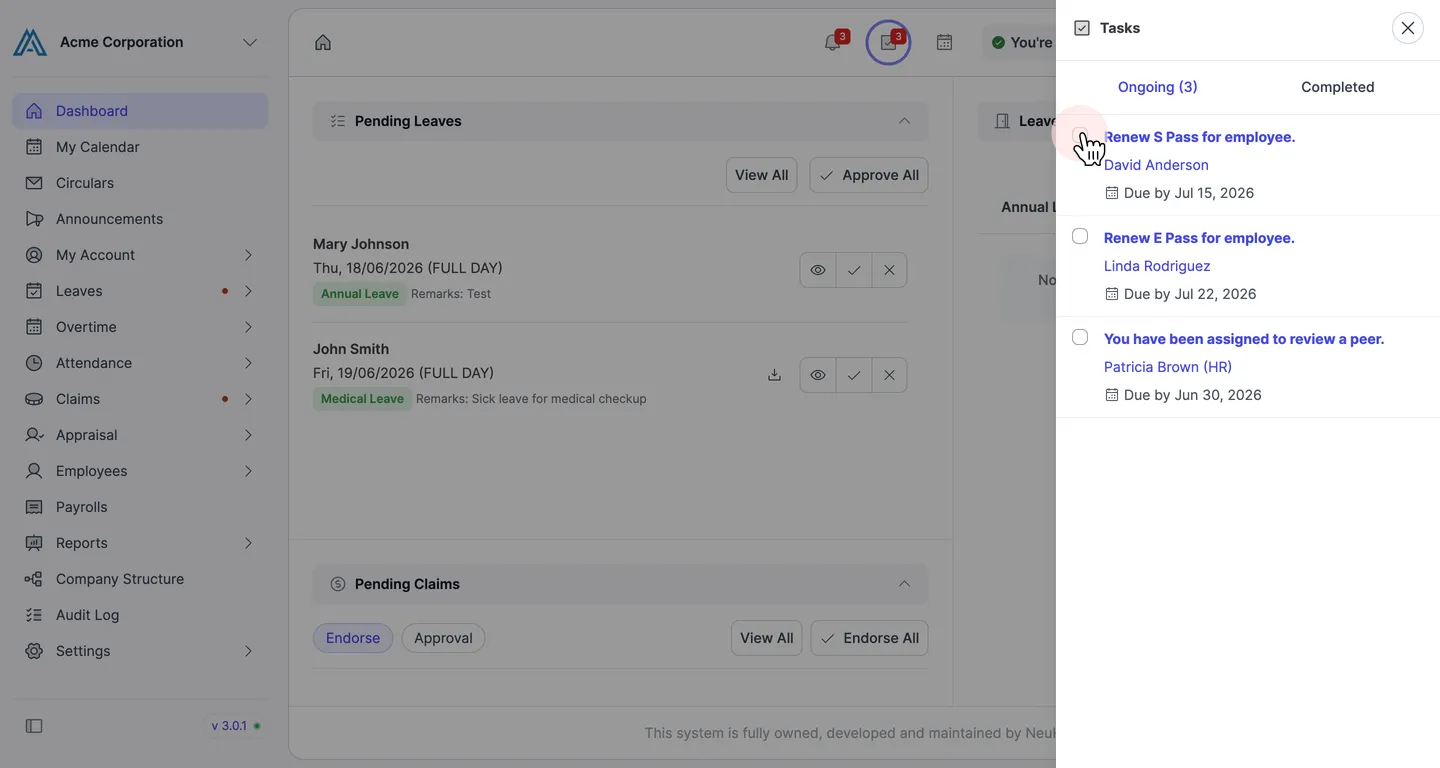
Check the Checkbox Next to the Task
Section titled “Check the Checkbox Next to the Task”In the Ongoing tab, click the checkbox next to the task you want to mark as complete.
-
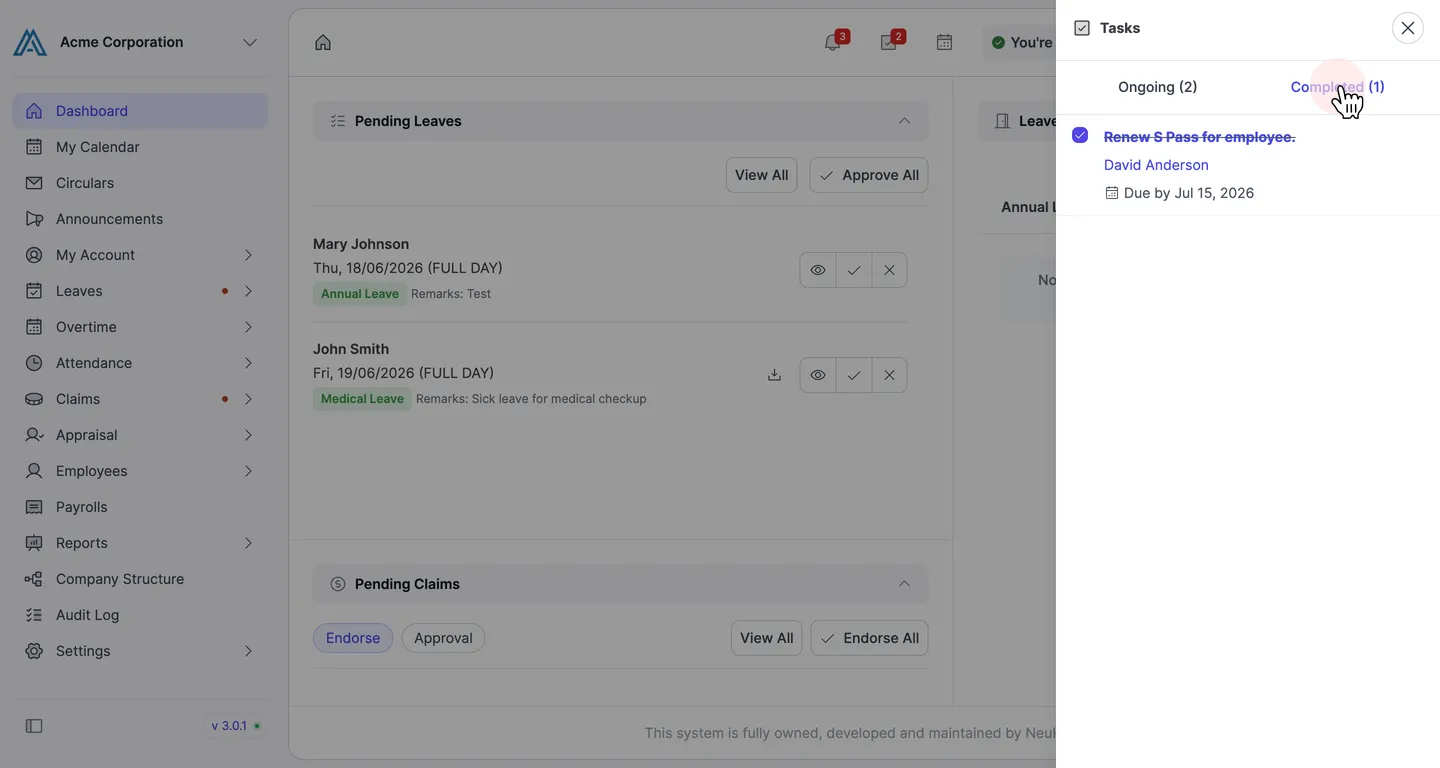
Confirm the Task is Completed
Section titled “Confirm the Task is Completed”The task is removed from Ongoing and moved to the Completed tab. Click Completed to confirm it has been recorded.