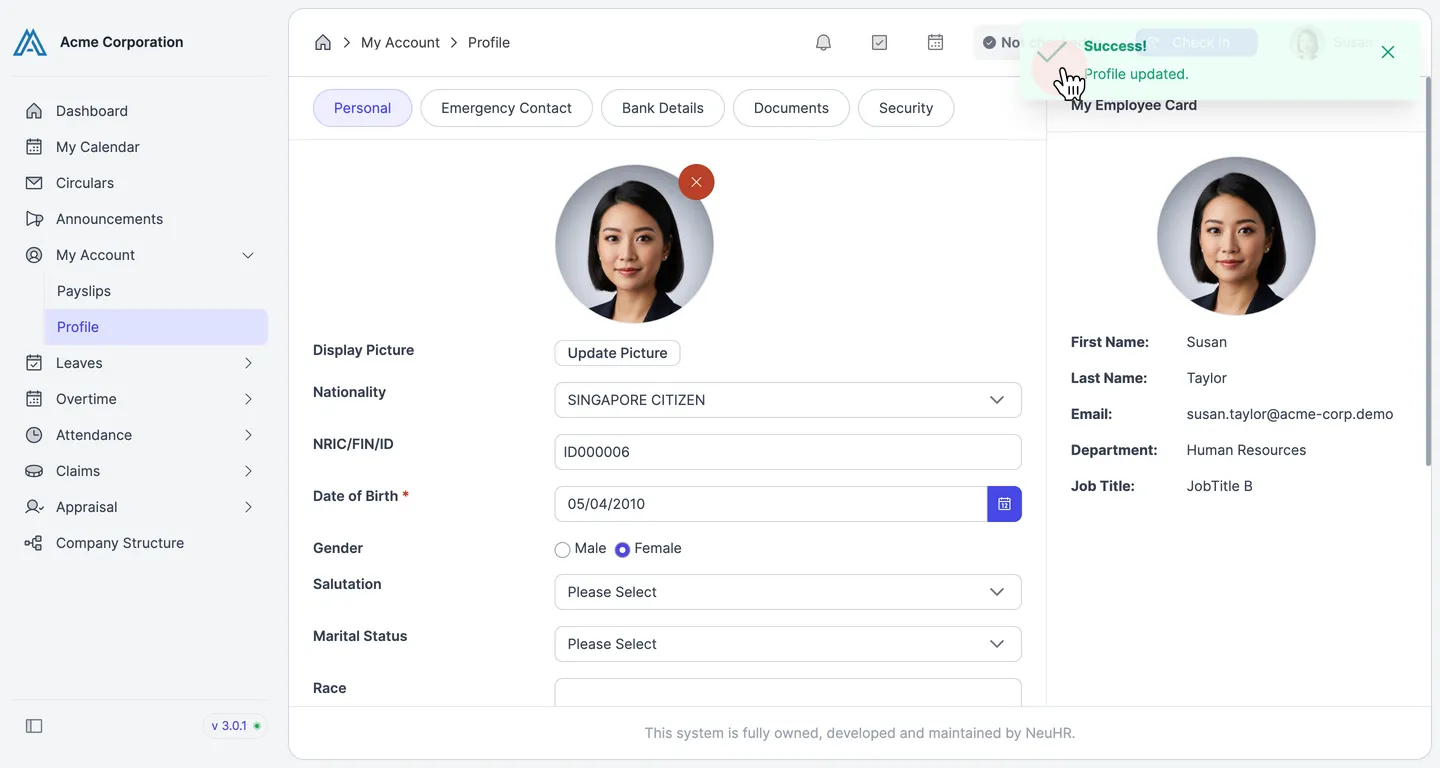
How to Update My Profile
This guide shows you how to update your personal profile information in NeuHR.
-
Navigate to My Account
Section titled “Navigate to My Account”From the sidebar, click
My Accountto expand the menu, then clickProfile.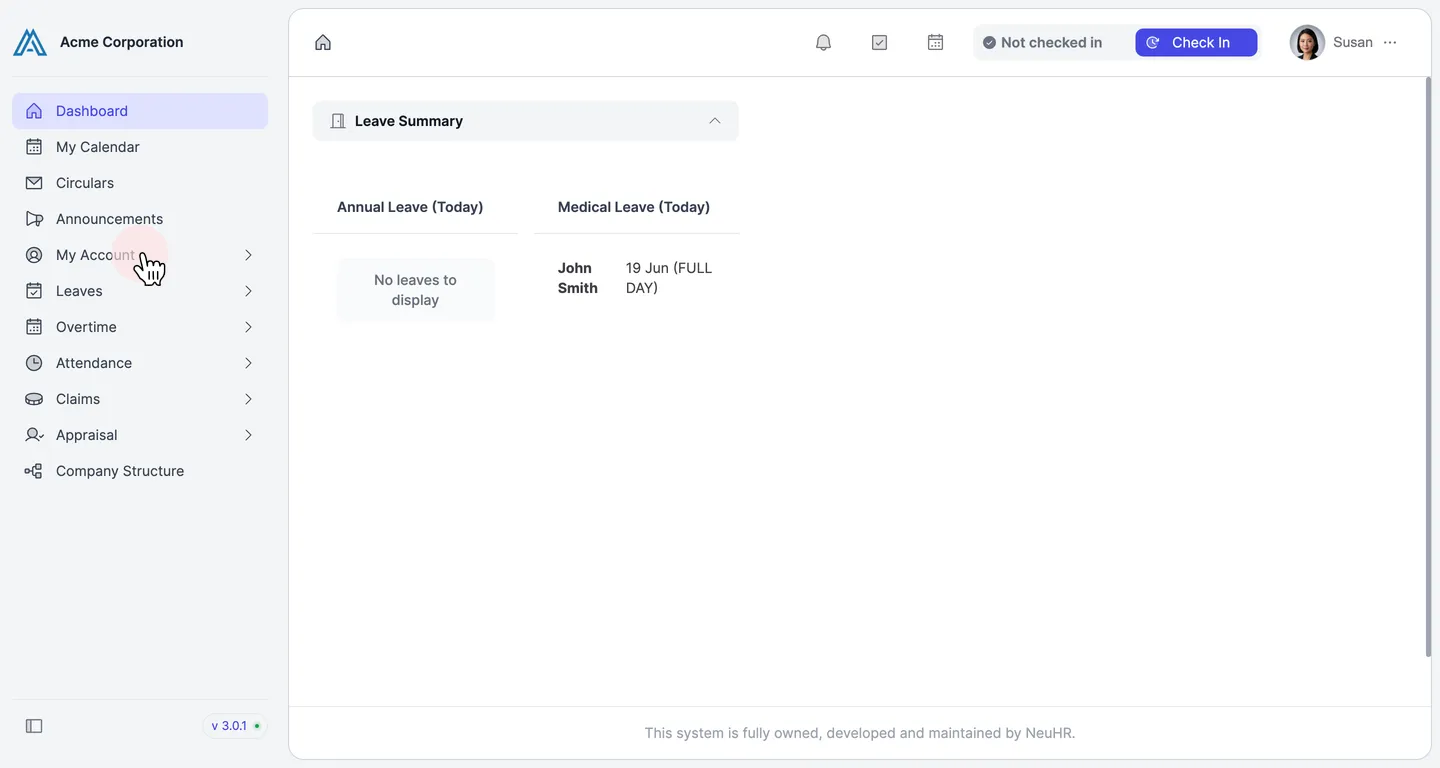
-
View Your Profile
Section titled “View Your Profile”The Profile page opens on the
Personaltab, showing your editable personal information.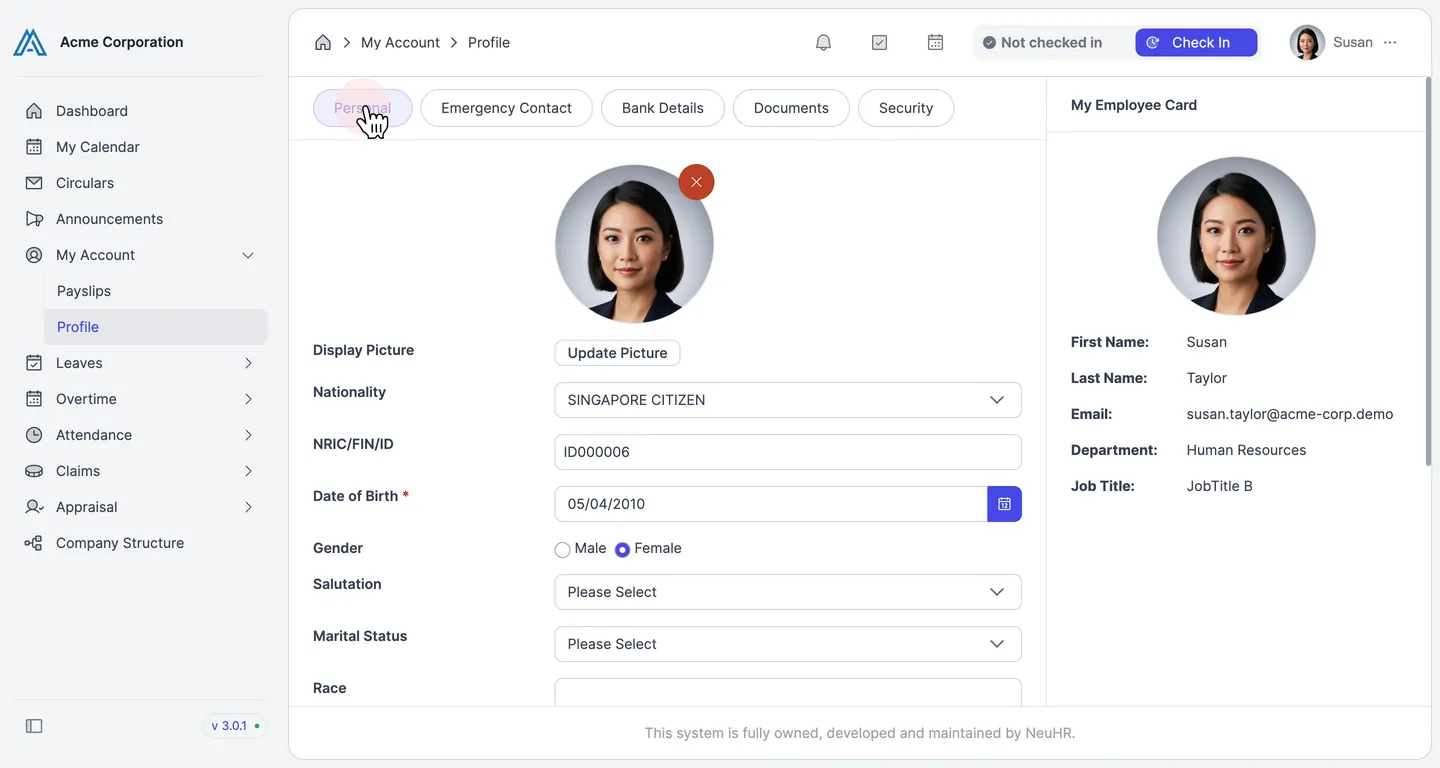
-
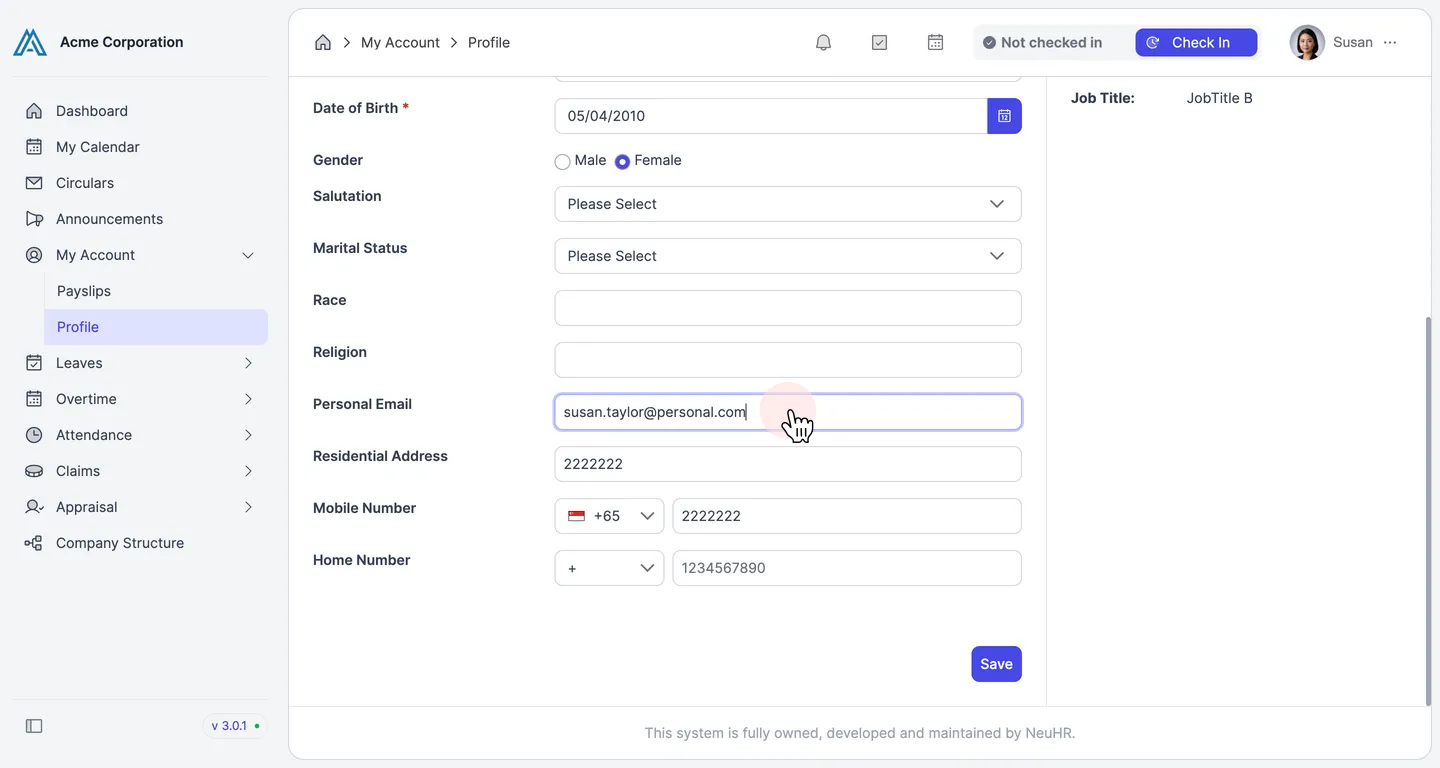
Update Your Personal Information
Section titled “Update Your Personal Information”Fill in or update the fields you want to change. Available fields include:
NationalityNRIC/FIN/IDDate of BirthGenderSalutationMarital StatusRaceReligionPersonal EmailResidential AddressMobile NumberHome Number
-
Save Your Changes
Section titled “Save Your Changes”Click the
Savebutton to save your updated profile information.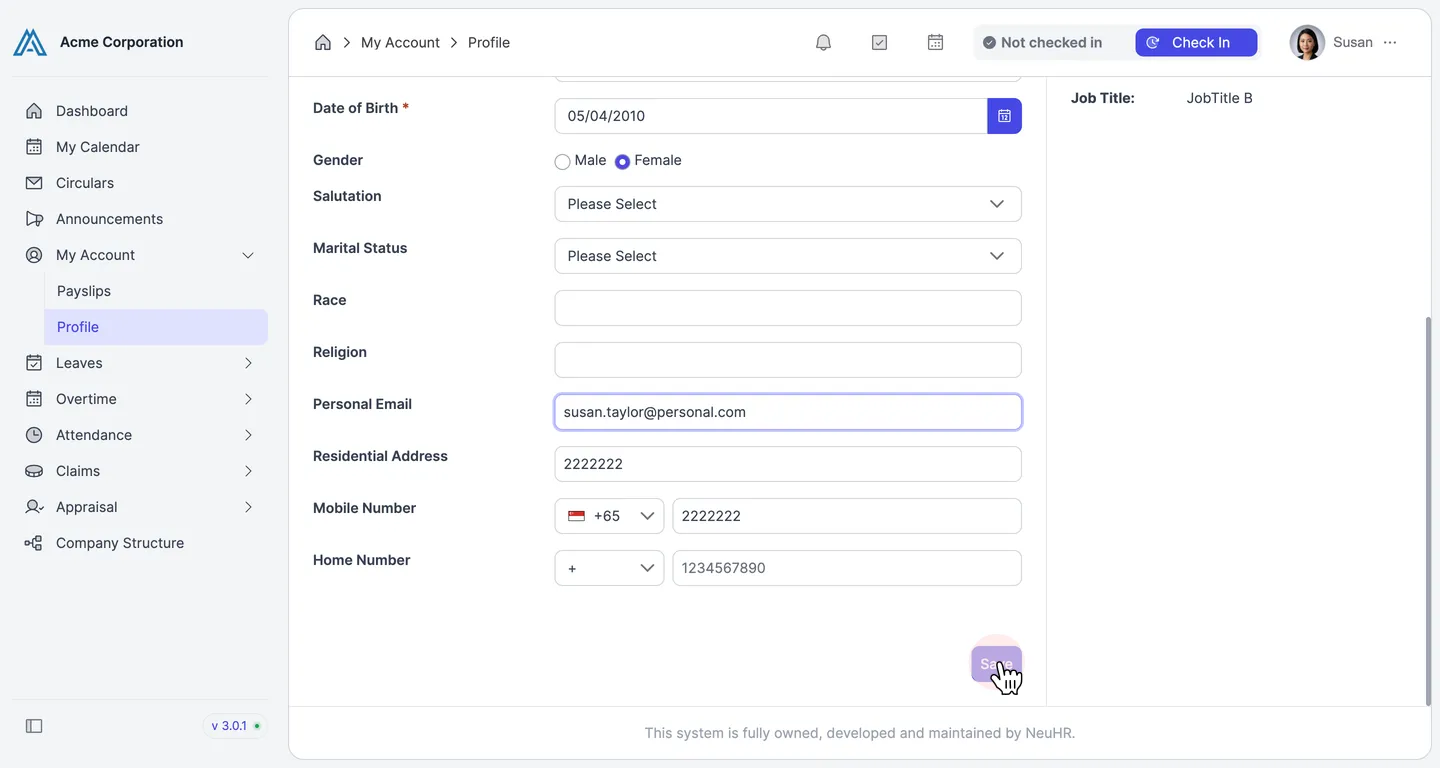
A success message “Profile updated.” confirms your changes have been saved.