How to Delete Claims
This guide shows you how to cancel a pending claim in NeuHR. Cancelling a claim removes it from your active pending claims.
-
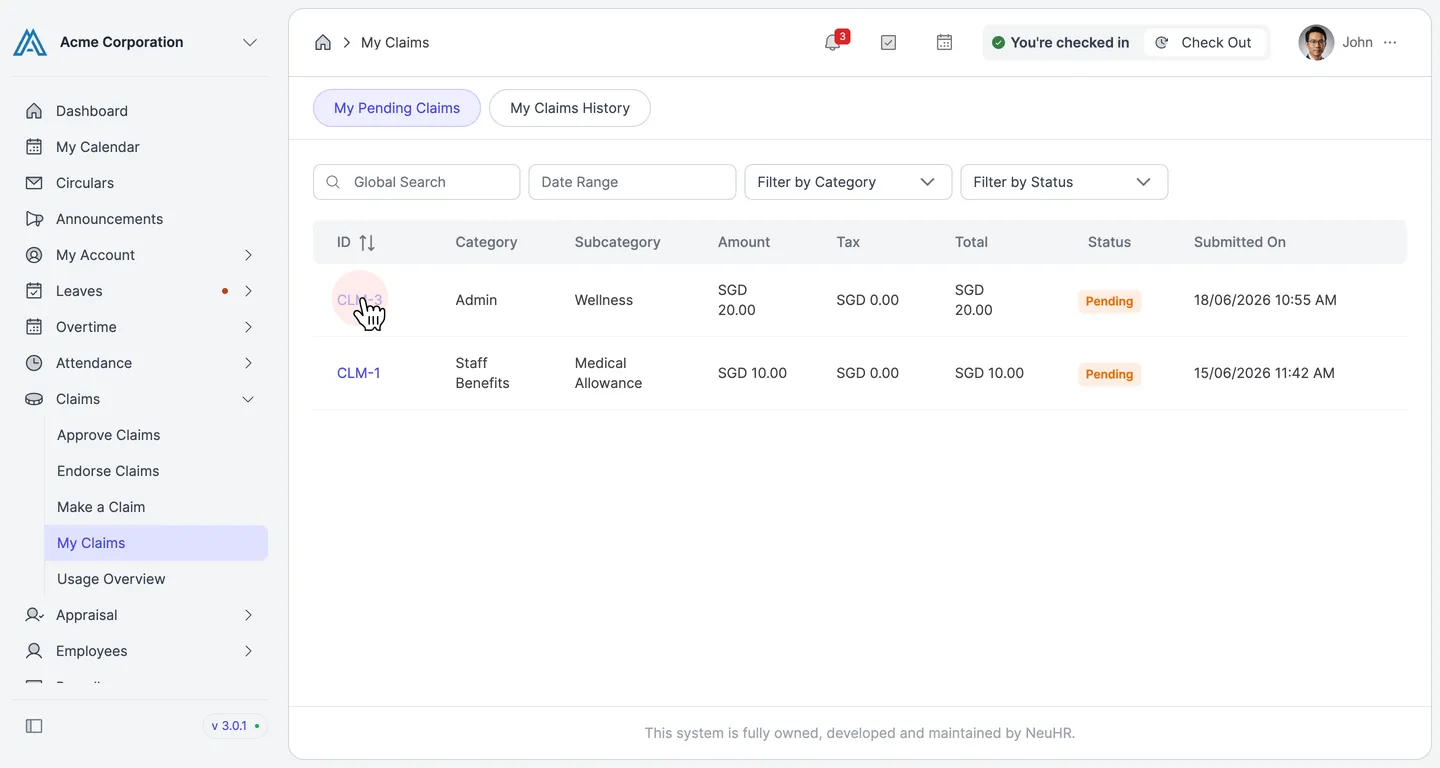
Navigate to My Claims
Section titled “Navigate to My Claims”From the sidebar, click on Claims to expand the menu, then click on My Claims.
-
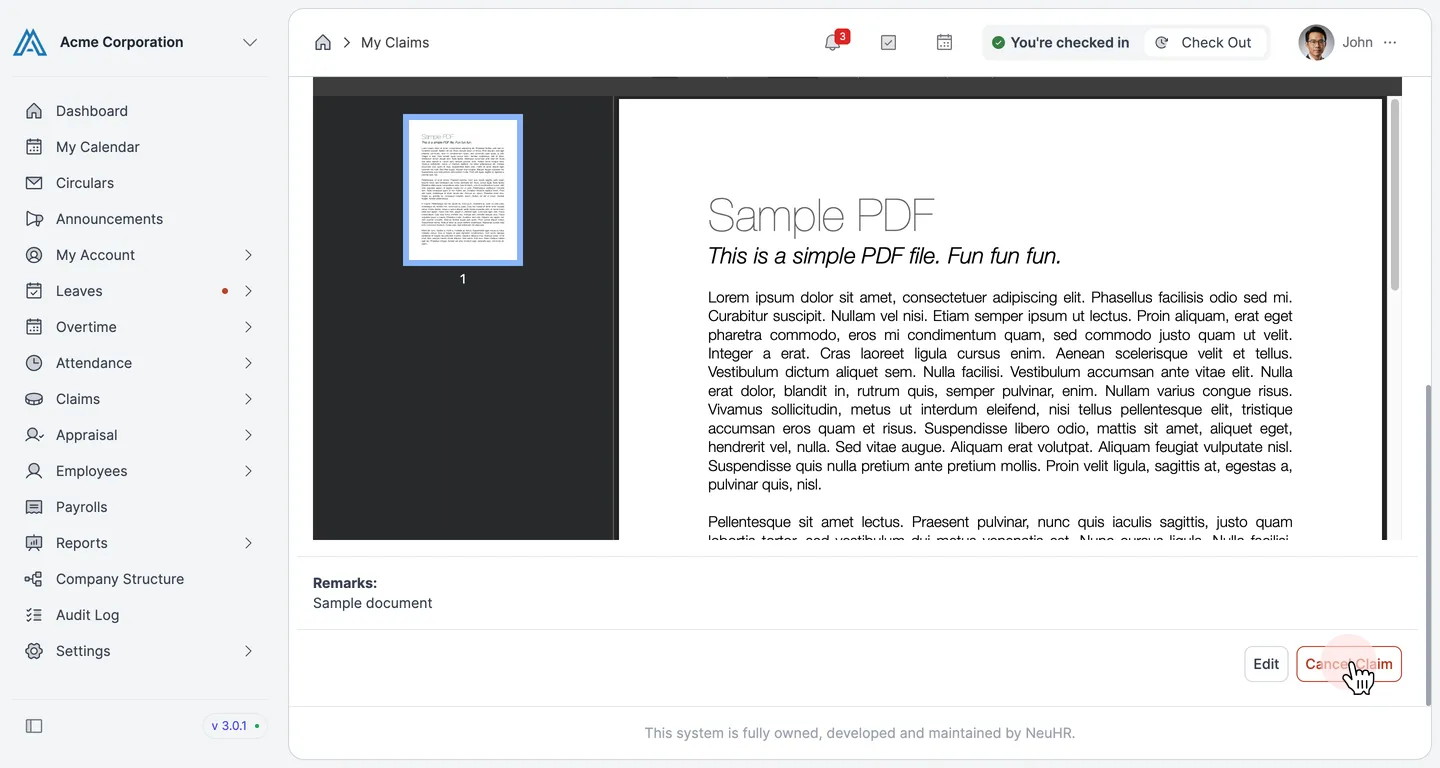
Open the Claim and Click Cancel Claim
Section titled “Open the Claim and Click Cancel Claim”Click the claim ID link (e.g., CLM-3) to open the claim details. Scroll to the bottom of the page, then click the Cancel Claim button.
-
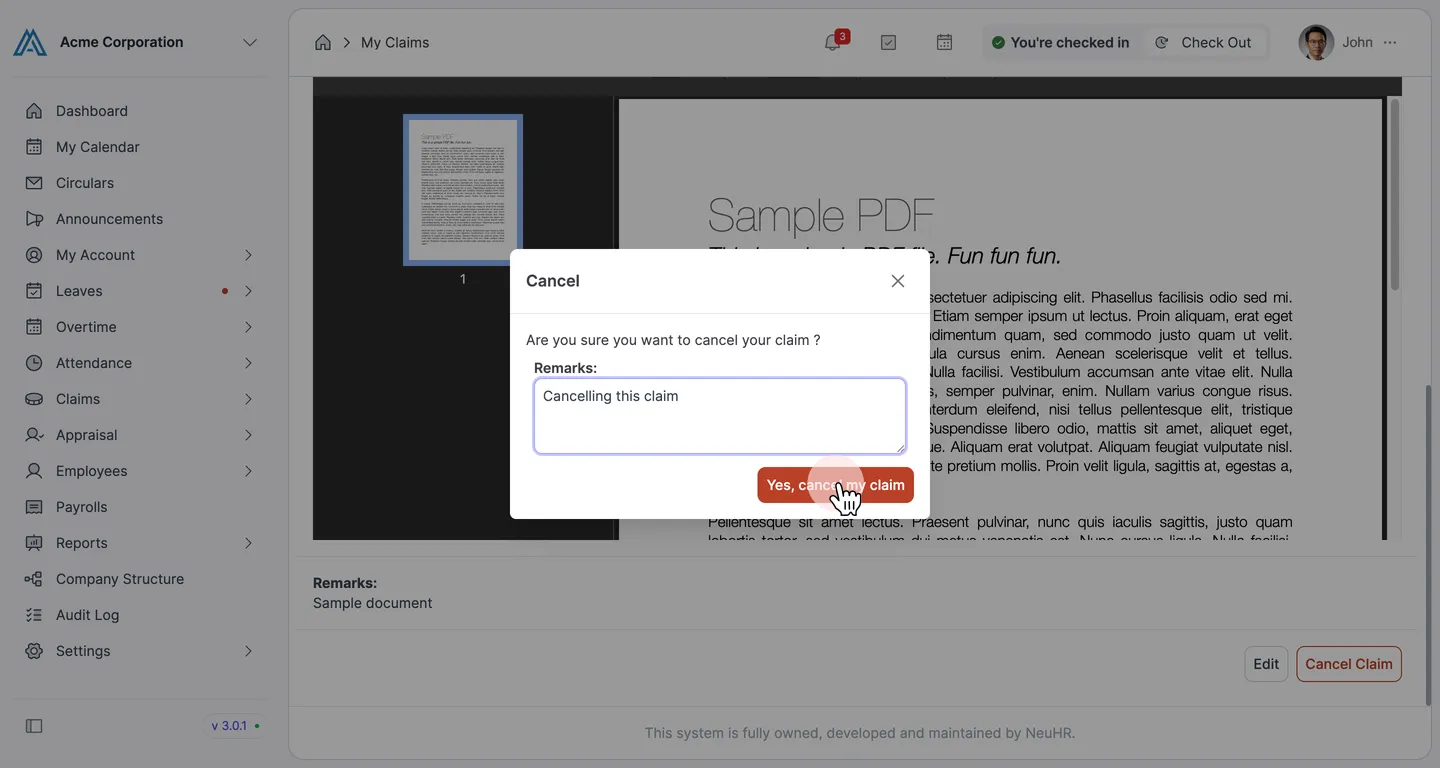
Confirm the Cancellation
Section titled “Confirm the Cancellation”A Cancel confirmation dialog appears. Enter a reason in the Remarks field, then click Yes, cancel my claim.
-
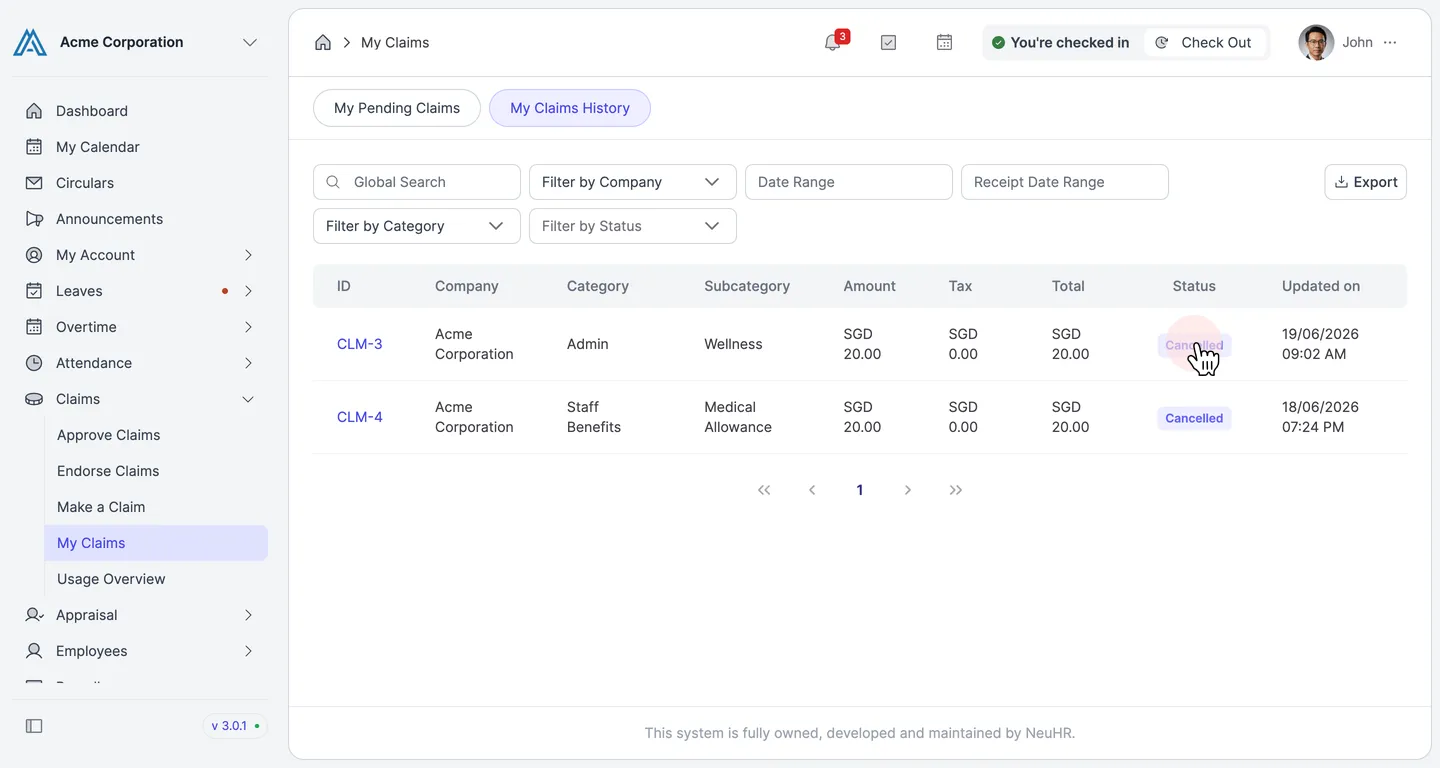
Claim Cancelled
Section titled “Claim Cancelled”The claim now appears under the My Claims History tab with a Cancelled status.