How to Check My Task List
This guide shows you how to check your task list in NeuHR. Tasks are automatically assigned to you when certain events occur, such as when a work pass is nearing expiry or when you are assigned as an appraisal reviewer.
-
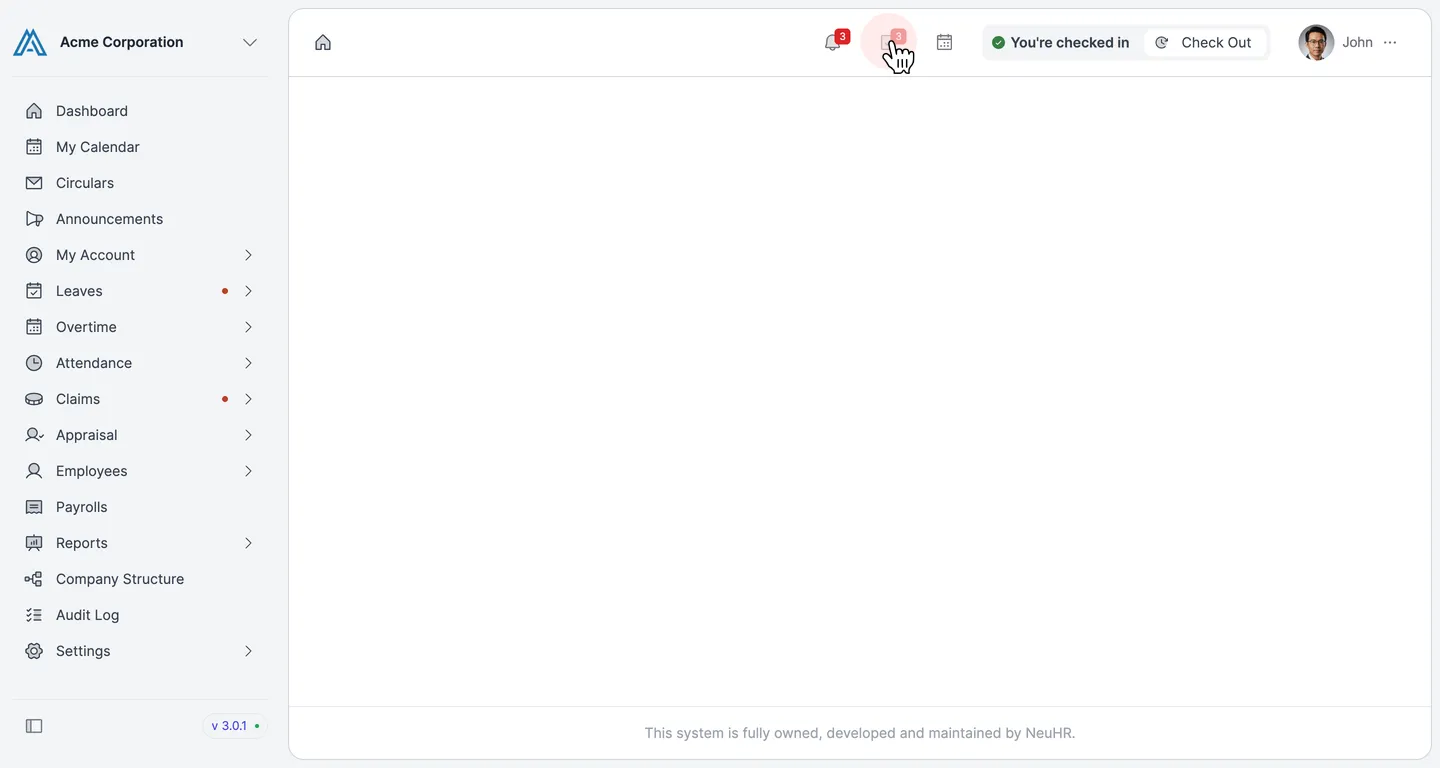
Click the Tasks Icon
Section titled “Click the Tasks Icon”In the top navigation bar, click the Tasks icon (the clipboard icon with a number badge). The badge shows how many pending tasks you have.
-
View Your Task List
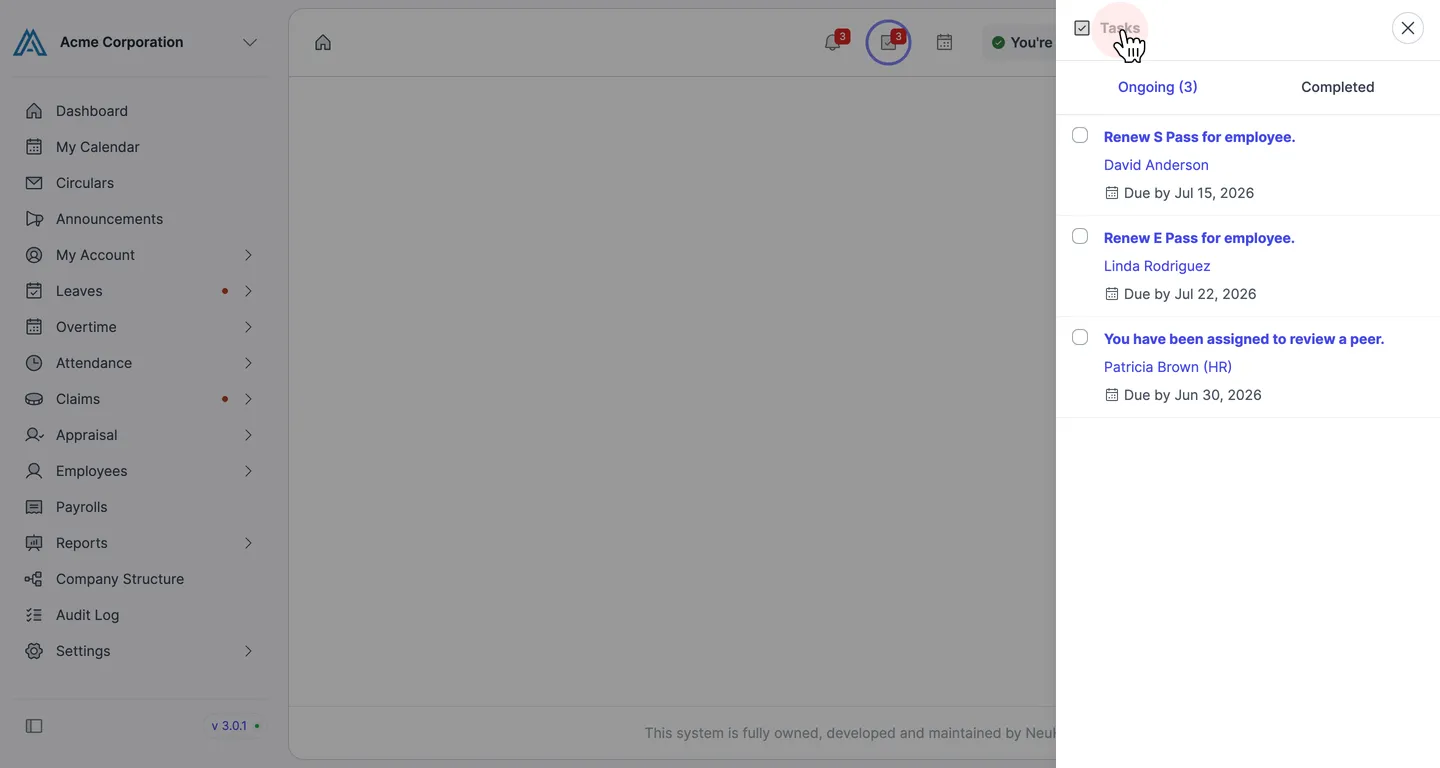
Section titled “View Your Task List”A panel opens on the right side of the screen. The Ongoing tab shows your active tasks. Each task displays the task description, the related employee or person, and the due date.
Click the Completed tab to view tasks you have already finished.