How to Check My Leave Balance
This guide shows you how to check your leave balance and view your leave application history in NeuHR.
-
Navigate to Balance & History
Section titled “Navigate to Balance & History”From the sidebar, click on
Leavesto expand the menu, then click onBalance & History.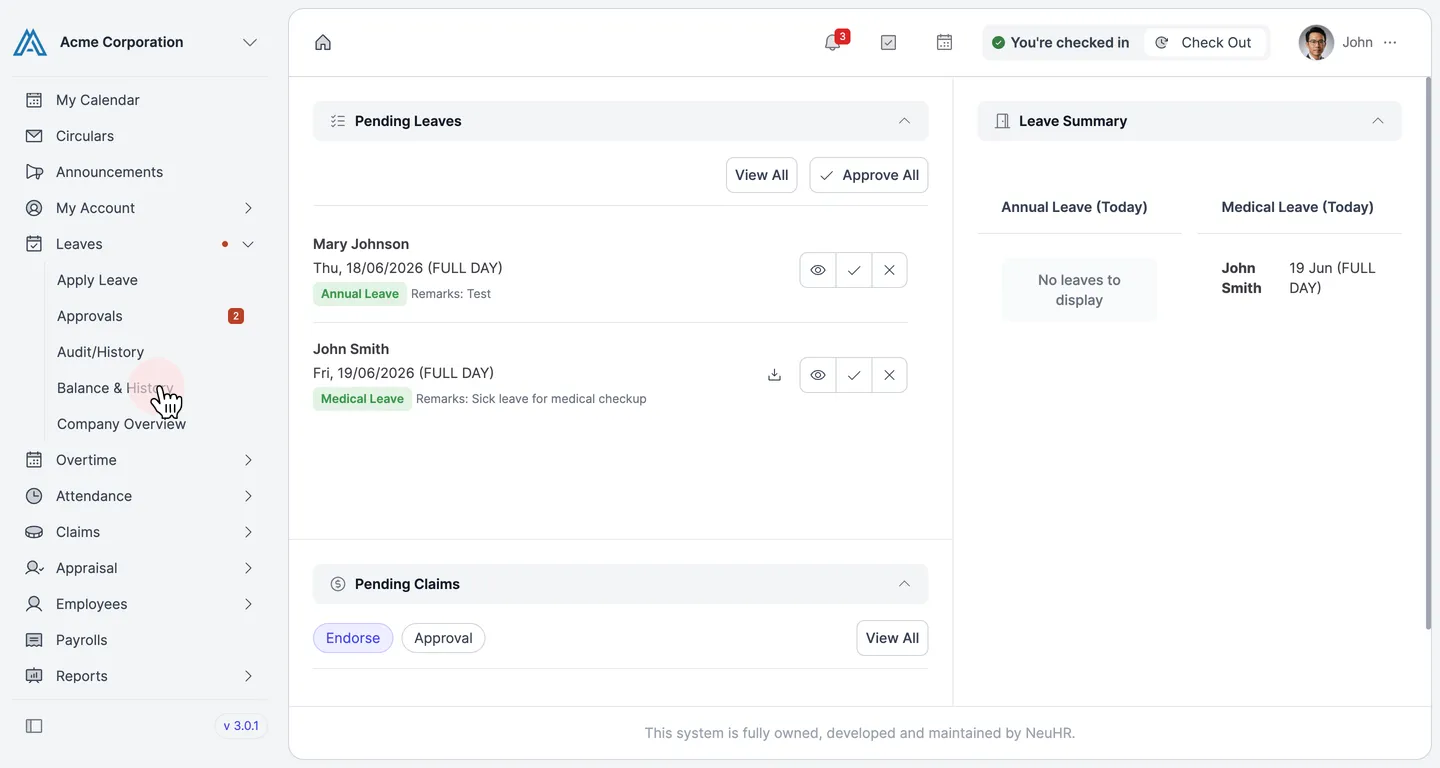
-
View Your Leave Balance and History
Section titled “View Your Leave Balance and History”The
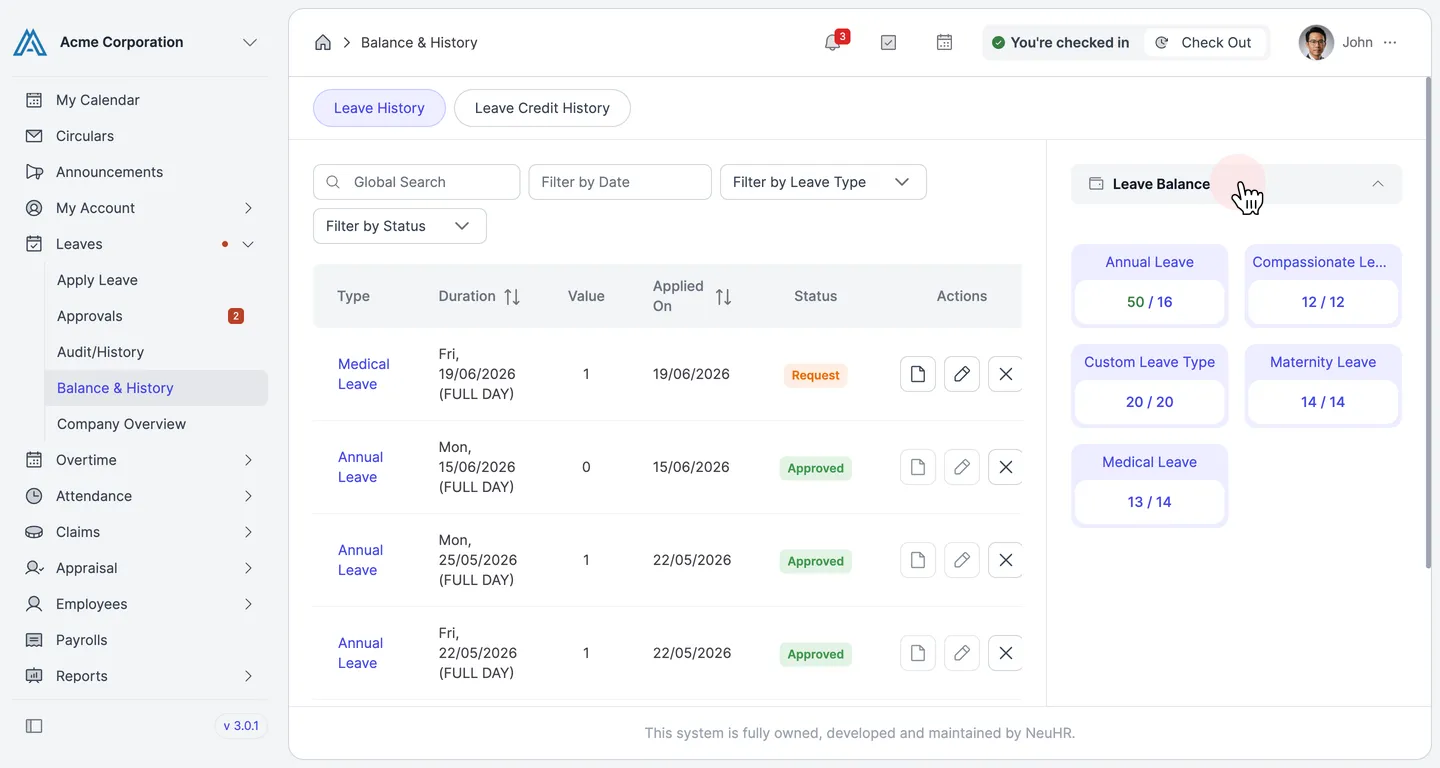
Balance & Historypage displays your leave information in two sections:- Leave Balance (right panel): Shows your remaining balance for each leave type
- Leave History (main table): Lists all your past and current leave applications with their status
You can switch between the
Leave HistoryandLeave Credit Historytabs to view different records. Use the filters (Filter by Date,Filter by Leave Type,Filter by Status) to narrow down the results.