

How to Cancel My Leave
This guide explains how to cancel a leave application that you have submitted but has not yet been approved or processed.
Steps to Cancel Your Leave
Section titled “Steps to Cancel Your Leave”Step 1: Navigate to Leave Balance & History
Section titled “Step 1: Navigate to Leave Balance & History”- From the sidebar menu, click on Leaves
- Click on Balance & History
- Locate the leave application you want to cancel in the Leave History table
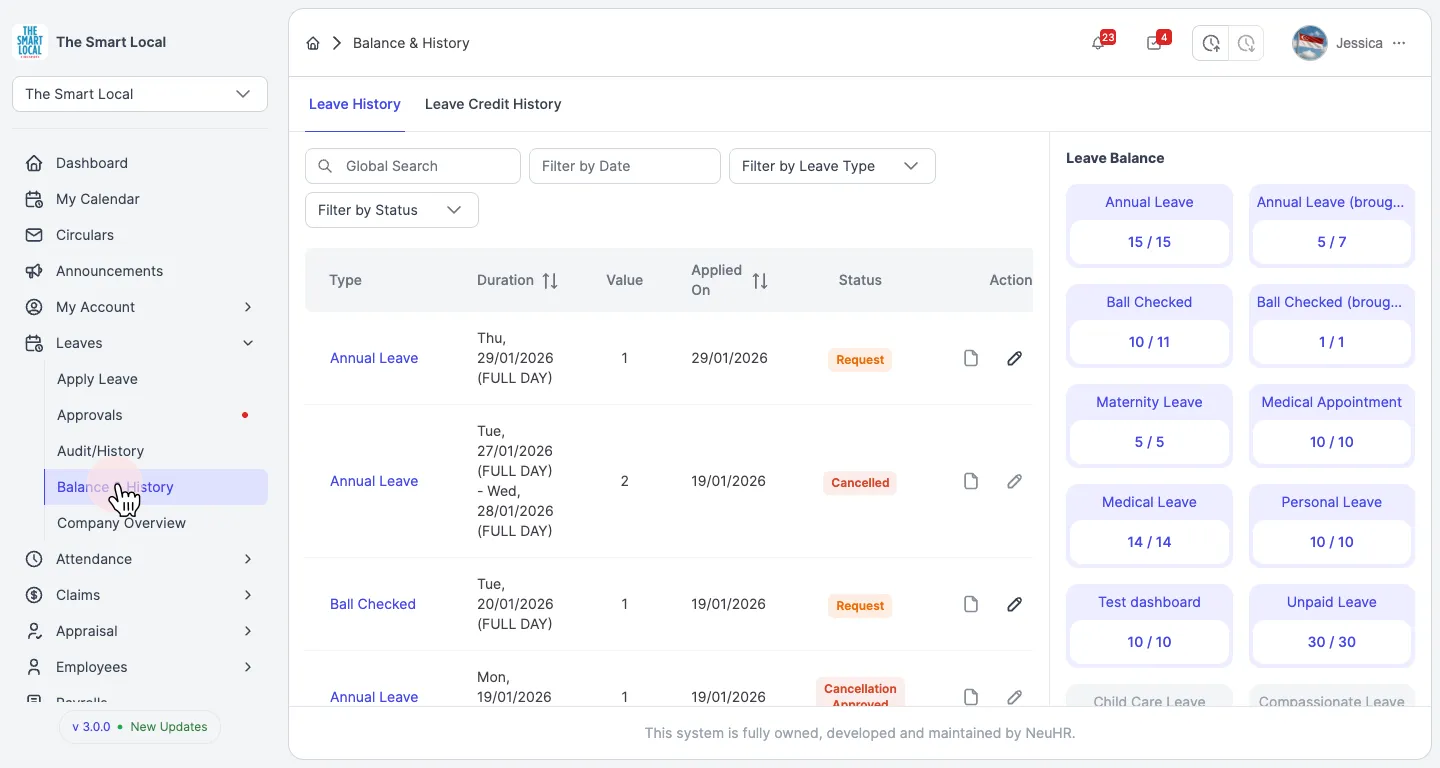
Look for leaves with a Request status in the Status column - only these can be cancelled.
Step 2: Click the Cancel Button
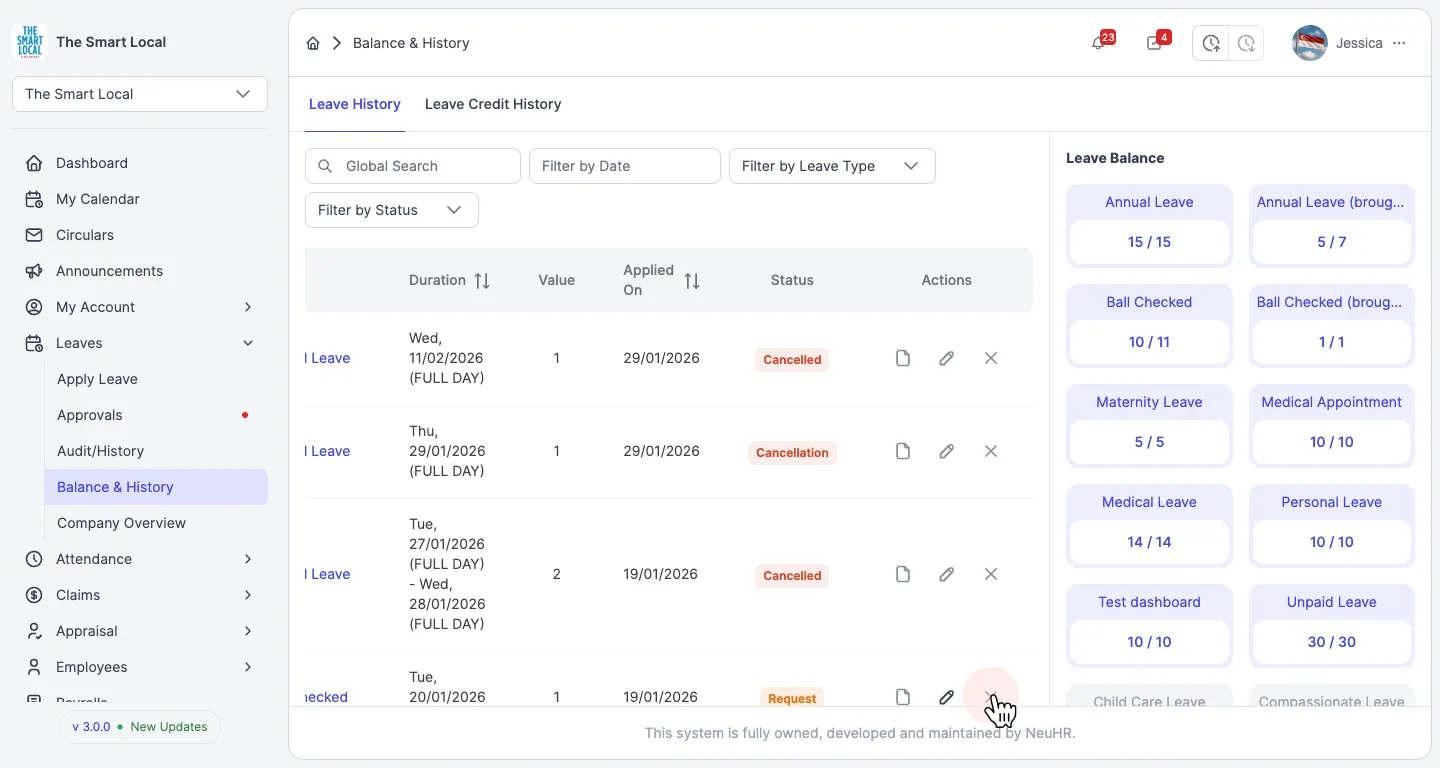
Section titled “Step 2: Click the Cancel Button”In the Actions column of the leave you want to cancel, click the cancel button (the rightmost button with an X icon).
Step 3: Confirm the Cancellation
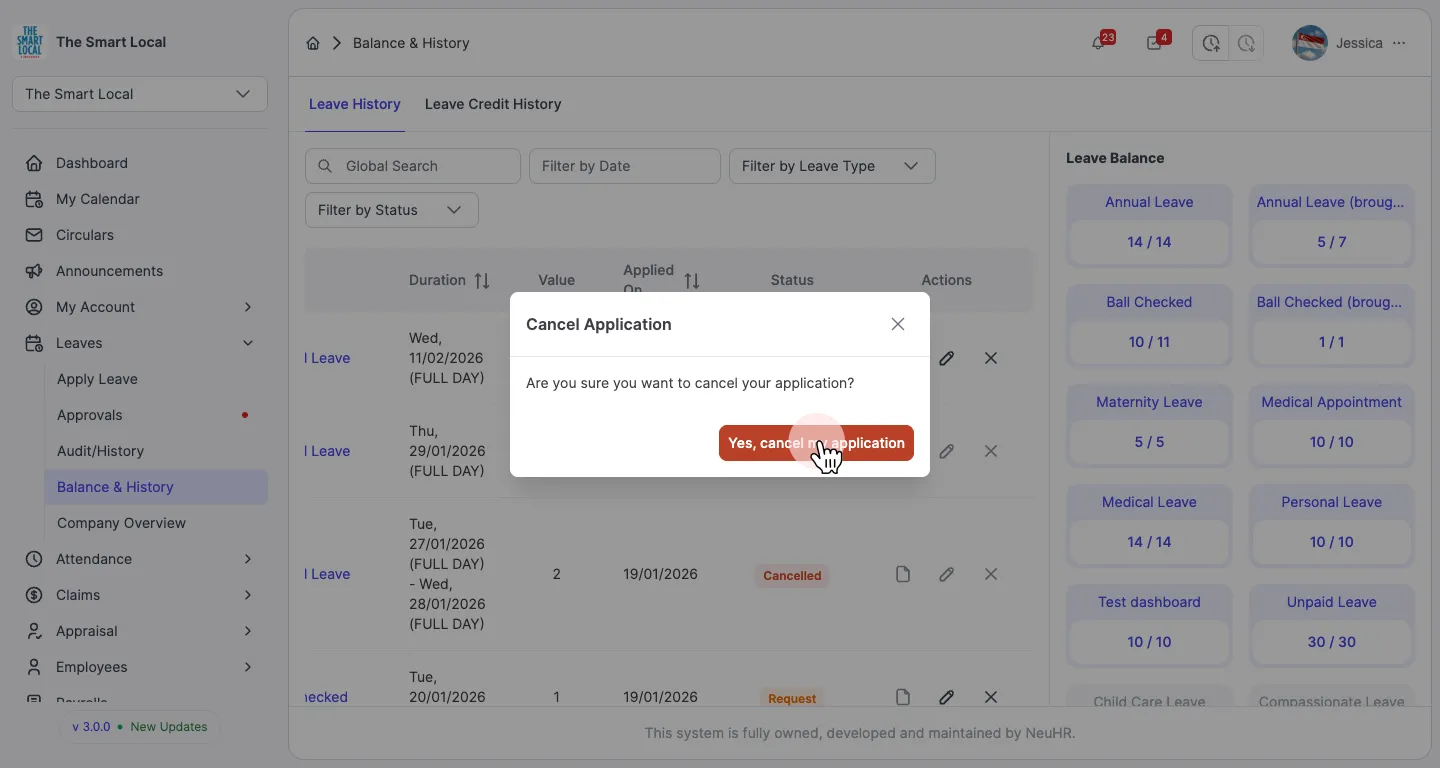
Section titled “Step 3: Confirm the Cancellation”A confirmation dialog will appear asking: “Are you sure you want to cancel your application?”
Click Yes, cancel my application to confirm the cancellation.
Step 4: Cancellation Request Submitted
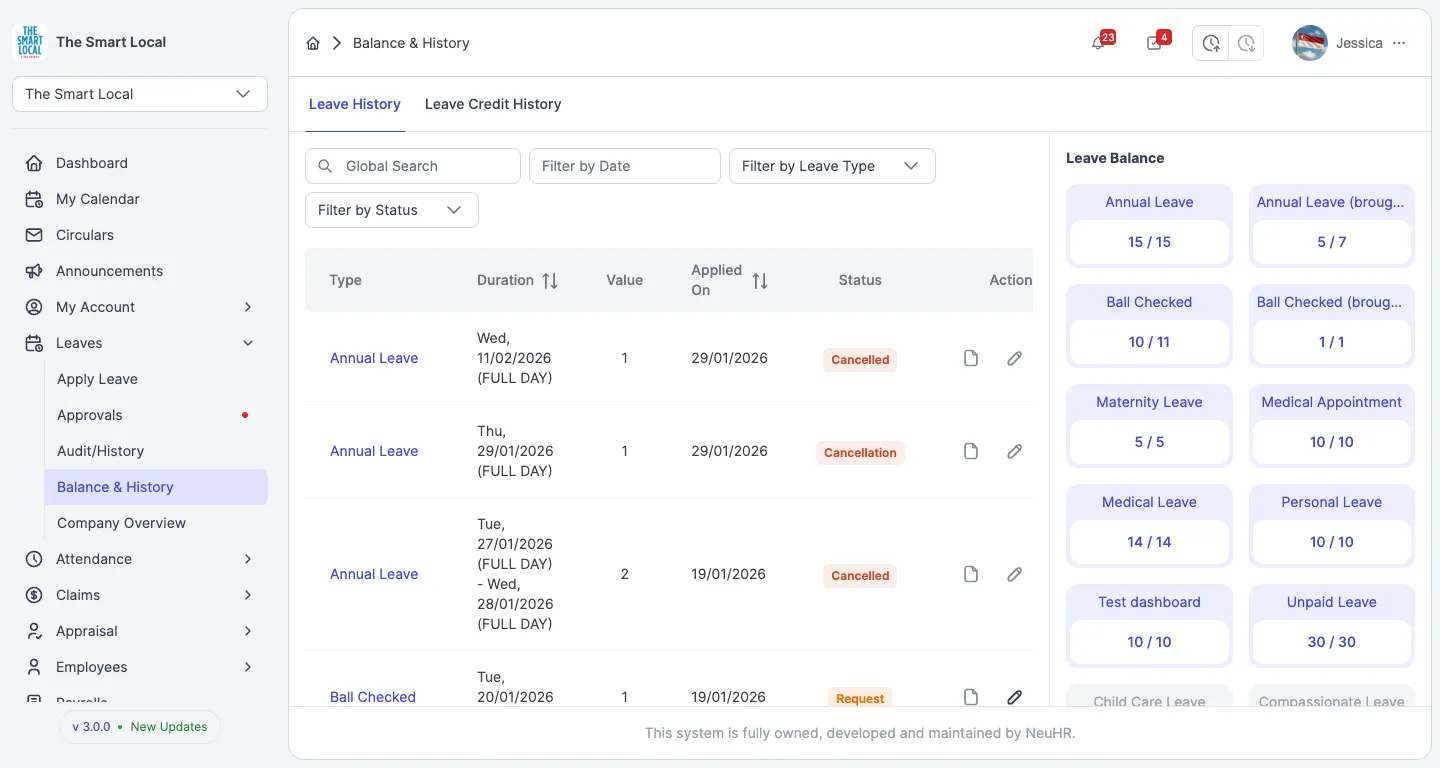
Section titled “Step 4: Cancellation Request Submitted”The leave application status will change to Cancelled, indicating that your cancellation request has been submitted successfully.
What Happens Next?
Section titled “What Happens Next?”- Your leave cancellation request has been submitted
- The status will show as Cancelled
- If your company requires approval, it may change to Cancellation while awaiting approval, then to Cancellation Approved once processed
- Your leave balance will be restored once the cancellation is finalized
- You will receive a notification when your cancellation request is processed
Q: Can I cancel an approved leave?
A: Leaves with “Approved” status may have different cancellation policies depending on your company settings. Some approved leaves can still be cancelled, while others may require HR intervention.
Q: What if I don’t see the cancel button?
A: The cancel button may not be available for leaves that are:
- Already approved and past the cancellation period
- Already cancelled
- Already completed (past dates)
- Rejected or withdrawn
Q: How long does it take for the cancellation to be approved?
A: The cancellation approval time depends on your manager’s availability and your company’s approval workflow. You will receive a notification once it’s processed.
Q: Will my leave balance be restored immediately?
A: Your leave balance will be restored once the cancellation request is approved by your manager.